Home Categories Deals Sign Up
Updated: April 25, 2026

Inside Vidio AI: A Machine Learning Engineer's Answer to Video Editing

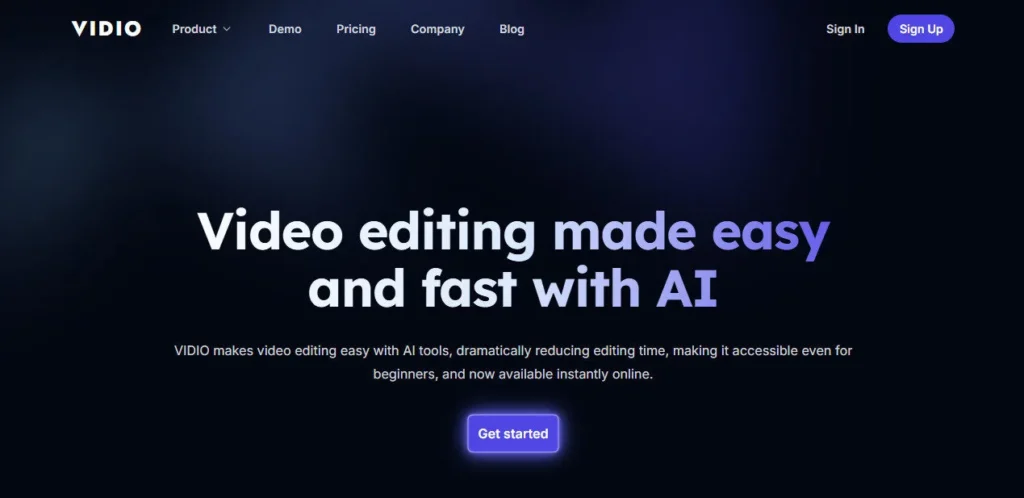
Vidio AI was founded in 2023 by Dr. Minseung Kim, Ph.D. — a machine learning expert with 14 years of ML R&D experience, based in Orlando, FL. He built the platform to solve his own Video Editing">video editing frustrations, and it shows: instead of forcing you to learn a traditional timeline editor, Vidio AI gives you a chat-based interface where you describe what you want done and the AI executes it.

The platform has earned a 4.7/5 Excellent rating across 221 Trustpilot reviews, with customers specifically calling out the rotoscoping, background removal, and video stabilisation features as standout performers.

Key Capabilities

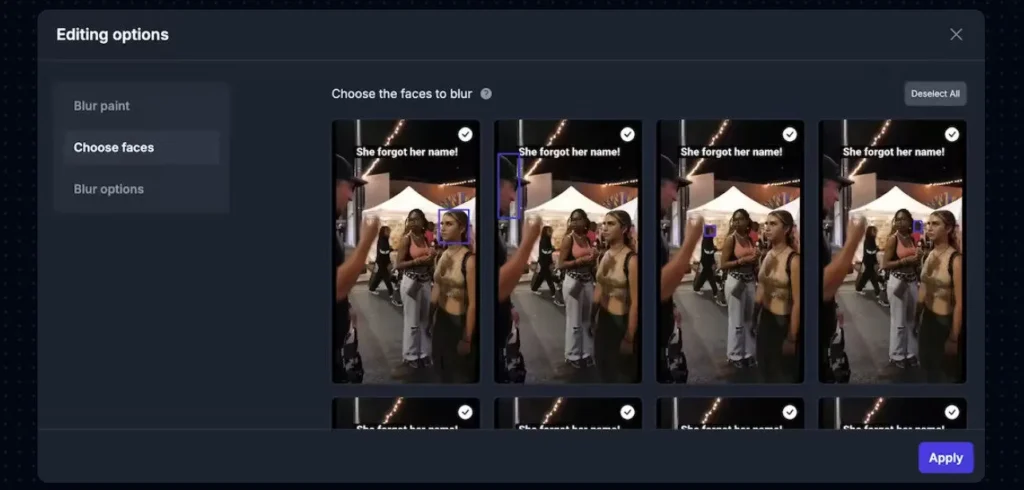
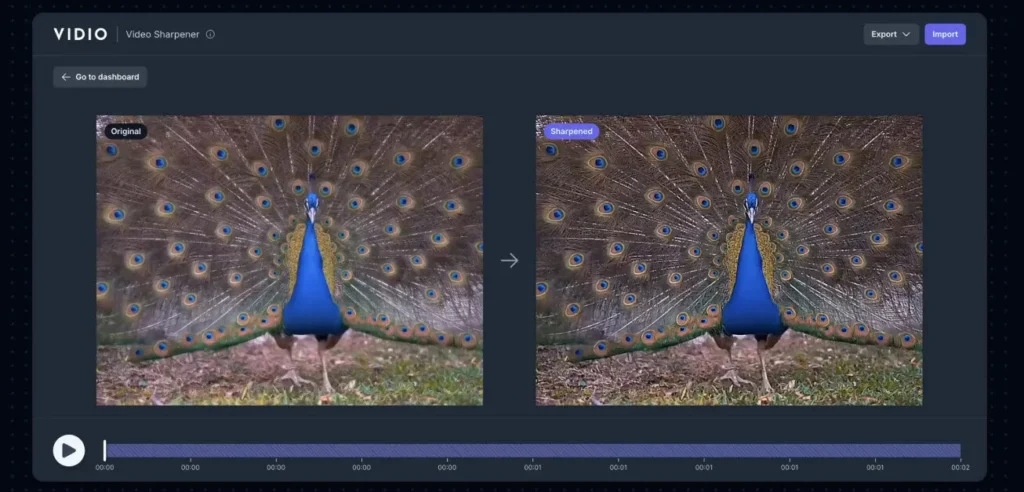
Vidio AI's toolkit covers both video enhancement and short-form content creation. On the enhancement side, you get AI-powered rotoscoping for precise subject isolation, background removal and replacement, video stabilisation for shaky footage, video colorisation, and noise/background cleaning.

On the content creation side, the platform ingests long-form videos and bulk-generates short clips at scale, scoring each one with an AI Virality Score that predicts engagement potential before you post.

Dynamic Animated Captions are auto-generated and synced to the audio with visual animation styled for scroll-stopping social feeds. The workflow integrates with Final Cut Pro and Adobe Premiere Pro via export, and the Studio 2000 plan adds a full REST API for developers.

Who Gets the Most Out of It

Content creators who regularly shoot long-form video — interviews, podcasts, event coverage, tutorials — will get the most value from Vidio AI's bulk clip generation and virality scoring.

Marketing teams who need to repurpose a 30-minute video into 20 social-ready clips in a single session will find the Business 400 plan's processing volume most practical. The free Basic plan is genuinely functional for testing the interface and understanding output quality before committing to a paid tier.

Is It Worth It?

At $10/month for the Pro 20 plan, Vidio AI is among the most affordable AI video editing platforms that bundles enhancement tools (rotoscoping, stabilisation, colorisation), caption generation, virality scoring, and bulk clip output under a single credit system.

The platform's Trustpilot track record (4.7/5, Excellent) and founder-led ML expertise give it credibility that many lower-priced competitors lack. For creators who need both video enhancement and social content generation from a single platform, Vidio AI delivers real technical depth at a competitive entry price.

Vidio AI is a web-based AI Video Editing">video editing and clip generation platform founded in 2023 by Dr. Minseung Kim, Ph.D. — a machine learning expert with 14 years of ML R&D experience based in Orlando, FL.

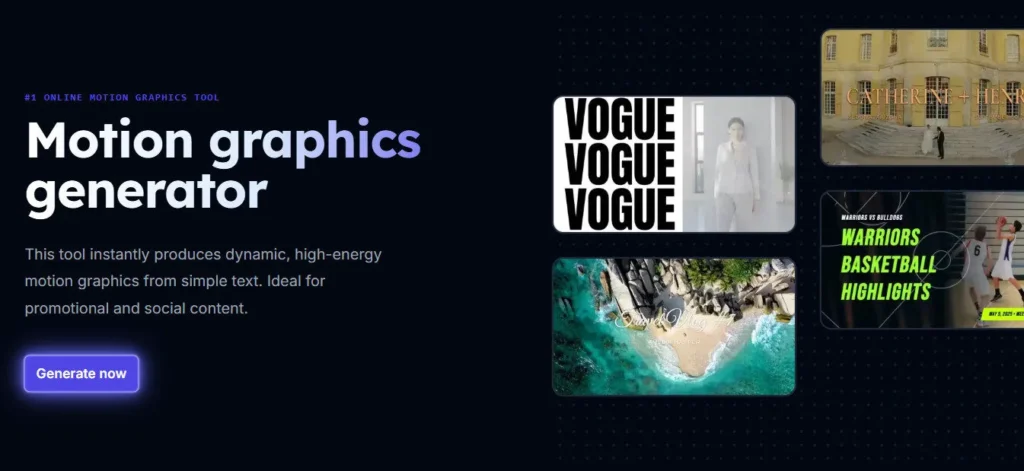
The platform combines professional AI video enhancement tools (rotoscoping, background removal, stabilisation, colorisation, noise cleaning) with a social content creation pipeline (bulk short-form clip generation, AI virality scoring, dynamic animated captions) in a single chat-based dashboard.

Rated 4.7/5 Excellent on Trustpilot, it is designed to make professional video editing accessible to creators and businesses without a traditional video production background.

• AI Virality Score — Scores every generated short clip using an internal ML algorithm to predict engagement and viral potential before you post, so you prioritise the highest-performing content automatically.

• Bulk Clip Generation — Processes long-form videos and generates a high volume of platform-optimised short clips in one session, compressing hours of manual clipping into minutes.

• Dynamic Animated Captions — Auto-generates visually styled, animated captions synced to the video's audio — tuned specifically for retention on scroll-based social feeds where most viewers watch without sound.

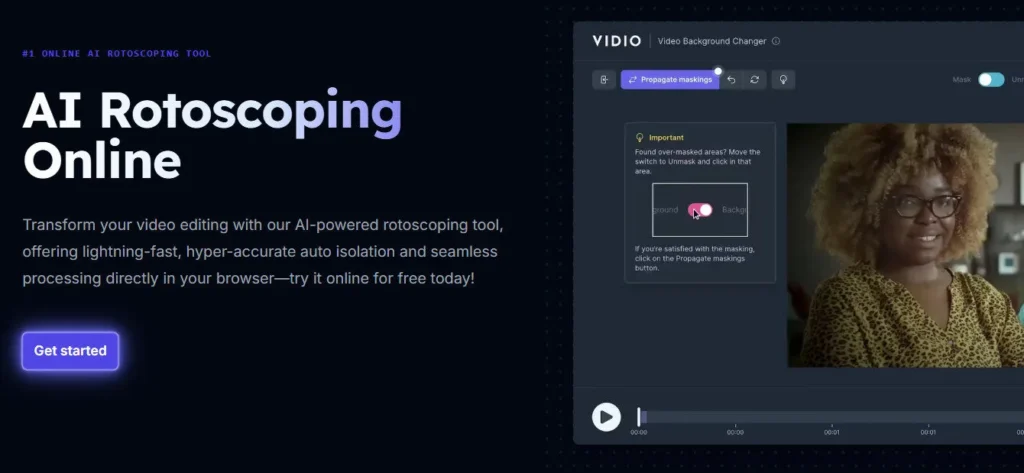
• AI Rotoscoping and Background Removal — Precisely isolates subjects from backgrounds using ML segmentation — one of the most technically praised features on the platform according to Trustpilot reviewers.

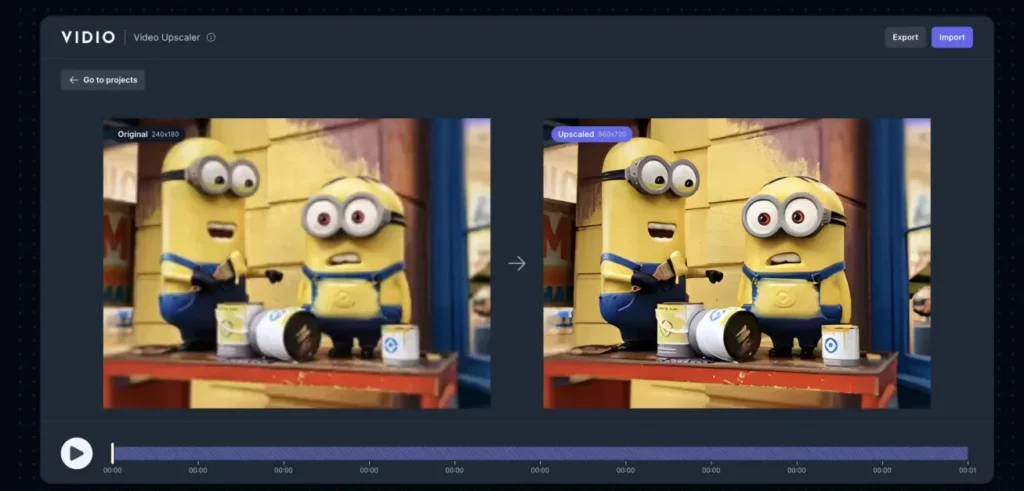
• Video Stabilisation and Enhancement — Fixes shaky footage, cleans noisy backgrounds, restores video colorisation, and removes audio noise using AI enhancement models without requiring third-party tools.

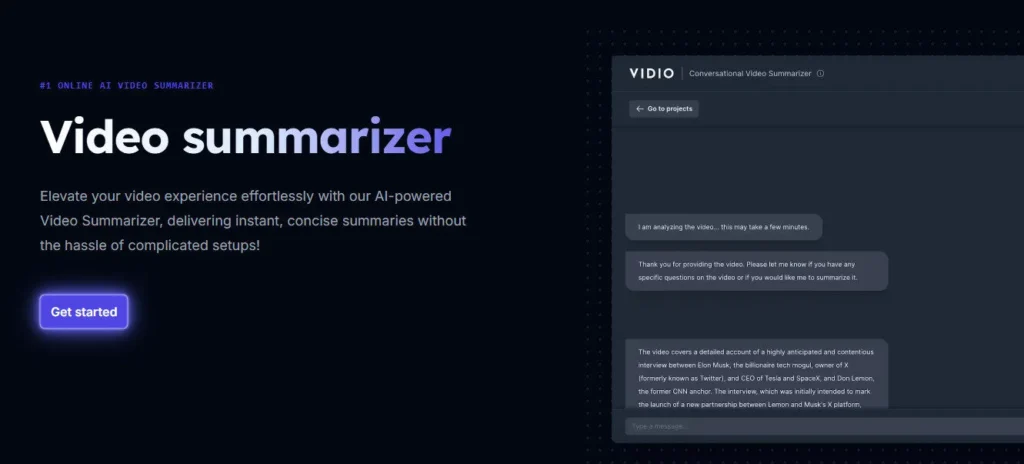
• Chat-Based Editing Interface — Replace the traditional timeline editor with a natural language interface: describe the edit you want and the AI executes it, reducing the skill barrier for non-editors.

• NLE Export Compatibility — Finished exports integrate directly with Final Cut Pro and Adobe Premiere Pro, allowing professional editors to use Vidio AI as a pre-processing layer in their existing workflow.

• REST API Access (Studio Plan) — Studio 2000 subscribers access a full API for programmatic video processing, enabling developers and studios to embed Vidio AI's enhancement and clipping capabilities into their own products.

Get the newest updates on the official website now!
Visit Website
Pros
  • 4.7/5 Excellent Trustpilot rating across 221 reviews — one of the strongest independent trust signals in the AI video editor category
  • Founded by Dr. Minseung Kim, Ph.D. with 14 years of ML R&D — the technical depth behind rotoscoping and enhancement tools is verifiably above typical no-code AI video tools
  • Free Basic plan includes real access to the platform interface and limited features — no credit card required to evaluate output quality
  • AI Virality Score adds pre-publish intelligence that helps creators prioritise content without manual A/B testing
  • Bulk clip generation from long-form video dramatically reduces the time cost of social content repurposing
  • Annual billing reduces per-credit cost significantly: Studio plan drops from $0.10/credit (monthly) to $0.08/credit (annually)
Cons
  • ×The free Basic plan exports include watermarks and limited features — meaningful testing of enhancement features like rotoscoping requires at least the Pro plan at $10/month
  • ×The credit system can be confusing — multiple Trustpilot reviewers cite projects halting unexpectedly when credits run out mid-session
  • ×Pro 20 plan includes only 20 credits per month — heavy users who need rotoscoping or bulk clip generation at any volume will exhaust credits quickly
  • ×Export times are cited as excessively long by a subset of Trustpilot reviewers — a consistent limitation for users with tight publishing deadlines
  • ×No built-in direct publishing to YouTube, TikTok, or Instagram — all finished videos must be downloaded and manually uploaded to social platforms
  • ×API access is restricted to the Studio 2000 plan at $200/month — the high entry cost for developer access limits its appeal for small teams and indie developers

Vidio AI is built for content creators, marketers, and developers who need both video enhancement and short-form content generation from a single AI-powered platform.

• Long-Form Content Creators and Podcasters — Bulk-generate short social clips from interview recordings, podcasts, and tutorials using AI virality scoring to identify the best clips without manually watching all the footage.

Social Media Managers and Content Agencies — Process client video libraries into batches of platform-optimised short clips with animated captions and virality scores, reducing per-video production time from hours to minutes.

• Video Editors Seeking AI Enhancement — Use rotoscoping, background removal, video stabilisation, and colorisation to handle technically complex visual effects tasks without After Effects or manual masking.

• Developers and Studios Needing API Access — The Studio 2000 plan's REST API enables integration of Vidio AI's enhancement and clipping pipeline into custom SaaS tools, sports media platforms, and automated content workflows.

• Beginners With No Editing Background — The chat-based interface and AI-driven automation reduce the learning curve of professional video editing to near-zero, making the platform accessible to non-technical creators.

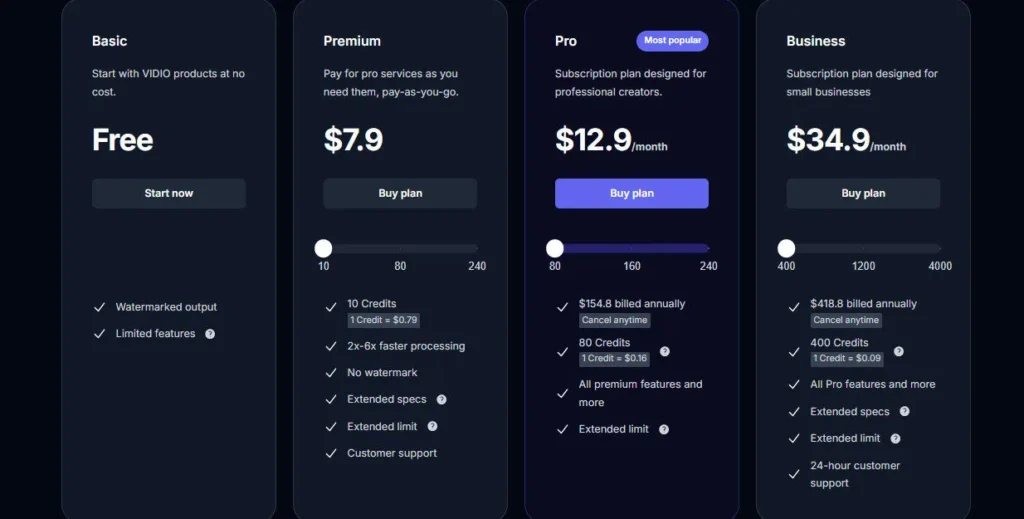
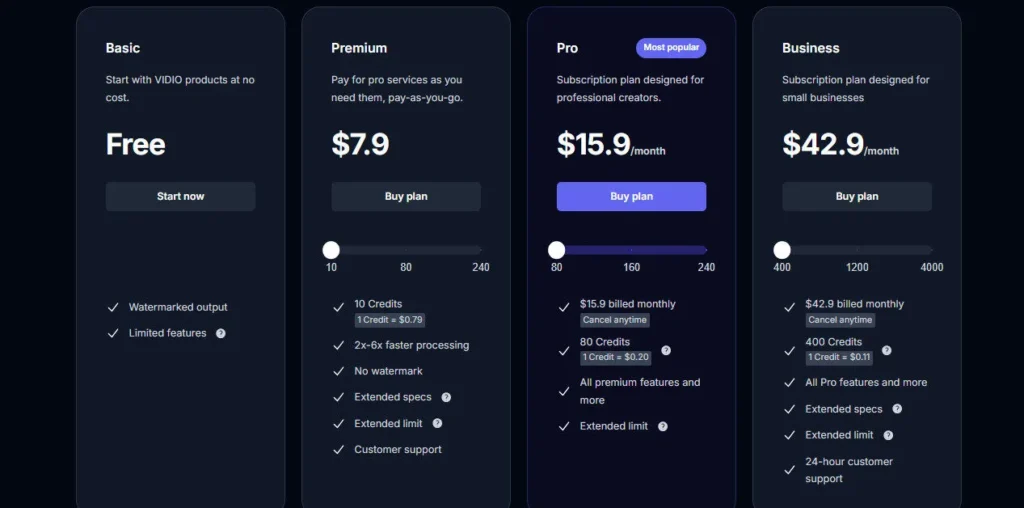
Basic (Free)Watermarked output, limited features, access to platform interface — no credit card required, suitable for evaluating the tool before subscribing.
Pro 20 ($10/mo monthly, or $8/mo billed annually at $96/year)20 credits per month (1 Credit = $0.50 monthly / $0.40 annually), credit slider range 20 to 160 credits, 2x to 6x faster processing than Basic, no watermark, extended specs, extended limit, customer support.
Business 400 ($50/mo monthly, or $40/mo billed annually at $480/year)400 credits per month (1 Credit = $0.13 monthly / $0.10 annually), credit slider range 400 to 1,200 credits, all Pro features, extended specs, extended limit, 24-hour customer support.
Studio 2000 ($200/mo monthly, or $160/mo billed annually at $1,920/year)2,000 credits per month (1 Credit = $0.10 monthly / $0.08 annually), credit slider range 2,000 to 8,000 credits, all Business features, 2x faster processing than Business, extended specs, extended limit, API access, 12-hour customer support.

Vidio AI stands apart by combining professional ML-grade enhancement tools with a social content creation pipeline under a single credit-based system — built by a credentialed ML researcher, not a no-code tool team.

• ML-Expert-Built Rotoscoping and Enhancement — Most AI video editors use off-the-shelf background removal APIs. Vidio AI's rotoscoping and enhancement pipeline is built by a founder with 14 years of ML R&D at the core — producing more precise subject isolation and better enhancement quality than tools at comparable price points.

• AI Virality Score for Every Clip — The built-in virality prediction algorithm scores each generated clip before publishing, giving creators data-driven prioritisation without paying for a separate analytics tool or running manual experiments on a live audience.

• Chat-Based Editing Replaces the Timeline — Rather than learning keyframes and clip handles, you describe the edit in natural language and the AI executes it. This is not a gimmick feature but the primary interface for all edits, reducing the professional skill barrier to near-zero.

• Dual-Mode Platform: Enhancement and Clip Generation — Most AI video tools do one of two things: enhance existing footage, or create new short-form clips. Vidio AI does both in the same credit system, so a team can fix shaky footage and bulk-generate social clips in a single session without switching platforms.

Vidio AI operates as a web app with NLE export compatibility and REST API access for developer integrations.

• Adobe Premiere Pro — AI-processed and enhanced video exports integrate directly with Adobe Premiere Pro for advanced finishing, color grading, and audio mastering in professional post-production pipelines.

• Final Cut Pro — Finished export files are compatible with Final Cut Pro, making Vidio AI a practical pre-processing layer for Mac-based video editors who want AI enhancement before final editing.

• REST API (Studio 2000 Plan) — Developers access a full REST API on the Studio plan for programmatic video enhancement, clip generation, and processing — suitable for building AI video features into SaaS platforms and automated content workflows.

• GIF, AVI, MP4, and More — The platform accepts multiple video and image input formats including GIF, AVI, and MP4, with a 150MB file size limit per upload.

• Web Browser (All Major Browsers) — Runs fully in-browser on Chrome, Safari, Firefox, and Edge with no local software installation; all ML processing is handled in Vidio AI's cloud infrastructure.

CategoryScoreWhy It Matters
Accuracy & Reliability4.3/5Vidio AI's ML-built rotoscoping and background removal are consistently praised for precision across 221 Trustpilot reviews. The virality scoring algorithm is based on proprietary ML models developed by a PhD-level founder. Export reliability is the primary reported issue, with a subset of users citing unexpectedly long processing times for complex edits.
Ease of Use4.4/5The chat-based editing interface is genuinely beginner-accessible — describing an edit in natural language and having the AI execute it removes the steep learning curve of traditional video editing software. The credit system's complexity is the most-cited usability complaint, with multiple users reporting confusion about credit consumption mid-project.
Functionality & Features4.3/5Vidio AI covers a broad and technically deep feature set — rotoscoping, background removal, video stabilisation, colorisation, noise cleaning, bulk clip generation, AI virality scoring, animated captions, chat-based editing, NLE export, and API access. No built-in direct social publishing is the most notable functional gap.
Performance & Speed3.7/5The Pro plan offers 2x to 6x faster processing than the free Basic tier, and the Studio plan processes 2x faster than Business. However, Trustpilot reviewers note excessively long export times as a recurring issue, suggesting that complex enhancement operations can take significantly longer than simpler clip generation tasks.
Customization & Flexibility4.0/5The platform supports customisable templates, animated caption styling, per-clip processing adjustments, and a credit slider that lets users buy exactly the processing volume they need. API access on the Studio plan extends flexibility to developer-level custom integrations.
Data Privacy & Security3.6/5No SOC 2 certification, GDPR data processing agreement, data retention schedule, or security whitepaper is publicly available on the website. As a platform that processes user-uploaded video files, transparent data handling documentation would significantly improve trust signals for business and enterprise users.
Support & Resources3.9/5The Business plan includes 24-hour customer support and Studio includes 12-hour support — tier-differentiated response times are a commendable transparency practice. Trustpilot reviewers report generally positive support interactions. The Pro plan's customer support response time is unspecified.
Cost-Efficiency4.2/5The free Basic plan provides genuine interface access without a credit card, and the Pro 20 plan at $10/month is one of the most affordable entry points for a professional-grade AI video enhancement platform that includes rotoscoping, stabilisation, and virality scoring. Annual billing reduces the Studio plan credit cost to $0.08/credit — strong value for high-volume processing.
Overall Score4.1/5Vidio AI earns a strong overall score as one of the most technically substantive AI video editing platforms available at its price point in 2026 — backed by a credentialed ML founder, rated 4.7/5 Excellent on Trustpilot, and covering professional enhancement and social clip generation in a single unified workflow. Export speed variability and credit system complexity are the platform's most actionable improvement areas.

Vidio AI is one of the most technically credible AI Video Editing">video editing platforms available at its price point in 2026 — built by a Machine Learning Ph.D. with 14 years of R&D experience, rated 4.7/5 Excellent on Trustpilot, and covering both professional enhancement (rotoscoping, stabilisation, colorisation) and social content creation (bulk clip generation, virality scoring, animated captions) in a single credit system.

The credit structure can be confusing and export times occasionally disappoint, but for creators and teams who need more than a caption-adding tool, Vidio AI delivers genuine ML depth at an entry price of $10/month.

Q1.Is Vidio AI free to use?
Ans:-Yes. Vidio AI offers a permanent free Basic plan that gives you access to the platform interface and limited features at no cost — no credit card is required to sign up. The free plan exports include watermarks and have restricted processing capabilities. To remove watermarks, access enhancement features like rotoscoping, and use faster processing speeds, you need the Pro 20 plan at $10/month.
Q2.Who founded Vidio AI?
Ans:-Vidio AI was founded in 2023 by Dr. Minseung Kim, Ph.D., a Machine Learning expert based in Orlando, FL, with 14 years of experience in ML research and development. He built the platform to solve his own video editing challenges and to make professional-grade video editing accessible to creators and businesses without technical backgrounds.
Q3.How does Vidio AI credit pricing work?
Ans:-Each paid plan includes a base number of credits per month — 20 credits on Pro, 400 on Business, and 2,000 on Studio — and a credit slider lets you purchase additional credits within each tier's range. The cost per credit decreases at higher plan levels: $0.50/credit on Pro monthly, $0.13/credit on Business monthly, and $0.10/credit on Studio monthly. Annual billing reduces these rates further to $0.40, $0.10, and $0.08 respectively.
Q4.What is the Virality Score in Vidio AI?
Ans:-The AI Virality Score is Vidio AI's internal machine learning algorithm that evaluates each generated short clip and assigns a score predicting its potential for engagement and virality on social media. The score is displayed alongside each clip in the bulk generation output, allowing creators to prioritise the highest-scoring clips for posting without manually reviewing all generated content.
Q5.Does Vidio AI support rotoscoping?
Ans:-Yes. AI-powered rotoscoping — the process of precisely isolating a subject from its background frame by frame — is one of Vidio AI's most technically praised features. Multiple Trustpilot reviewers specifically call out the rotoscoping quality as impressive. The feature is available on paid plans and is powered by the ML models built by founder Dr. Minseung Kim, Ph.D.
Q6.Can Vidio AI export to Final Cut Pro and Adobe Premiere Pro?
Ans:-Yes. Vidio AI exports finished files in formats compatible with both Final Cut Pro and Adobe Premiere Pro. This makes the platform practical as a pre-processing or enhancement layer in a professional editing workflow — you handle AI enhancement and clip generation in Vidio AI, then import the output into your primary NLE for final color grading, audio mastering, and publishing.
Q7.Does Vidio AI have an API?
Ans:-Yes, but API access is restricted to the Studio 2000 plan, which starts at $200/month (or $160/month billed annually). The REST API lets developers programmatically submit videos for enhancement, clip generation, and processing, making it suitable for building AI video features into SaaS products or automated content workflows. Lower-tier plans do not include API access.
Q8.What video formats does Vidio AI accept?
Ans:-Vidio AI accepts multiple video and image file formats including MP4, AVI, GIF, and more. There is a 150MB per-upload file size limit across all plans. This limit is worth noting for creators working with high-resolution source footage — long or uncompressed video files may need to be compressed before upload.
Q9.What is the difference between the Business 400 and Studio 2000 plans?
Ans:-Both plans include all of Vidio AI's features, but they differ in processing capacity, speed, and API access. Business 400 ($50/month) gives you 400 credits at $0.13/credit with a slider up to 1,200 credits, plus 24-hour customer support. Studio 2000 ($200/month) gives you 2,000 credits at $0.10/credit with a slider up to 8,000 credits, 2x faster processing than Business, API access, and 12-hour customer support.
Q10.Is Vidio AI reliable? What do users say?
Ans:-Vidio AI holds a 4.7/5 Excellent rating on Trustpilot with 221 reviews as of April 2026. Reviewers highlight rotoscoping precision, background removal quality, video stabilisation, and ease of use as consistent strengths. The most common complaints involve the credit system being confusing and occasionally long export times. Overall, Trustpilot sentiment is strongly positive for a tool at this price bracket.

Promote This Tool

Help others discover this tool by sharing this page.

✓ Link copied to clipboard!

Vidio AI Reviews

0.0
Based on 0 reviews
5 star
0%
4 star
0%
3 star
0%
2 star
0%
1 star
0%

Write a Review

Your Rating:

No reviews yet. Be the first to share your thoughts!

31 Similar Vidio AI Tools