Record, edit, dub, subtitle, generate AI video, clone your voice, and publish — one AI platform where video, sound, and voice connect, starting free.
Submagic
Effortlessly create engaging, stylized subtitles for viral video content.
In the fast-paced world of online video consumption, particularly on platforms like TikTok, Instagram Reels, and YouTube Shorts, grabbing and retaining viewer attention within the first few seconds is paramount. One crucial element that significantly contributes to viewer engagement is the presence of dynamic and visually appealing subtitles. Traditionally, adding subtitles has been a time-consuming and often tedious manual process.
However, with the advent of artificial intelligence, tools like Submagic AI have emerged to revolutionize how video creators approach subtitles, offering an efficient and creative solution to captivate their audience. This Submagic AI review will explore the platform's key features, advantages, disadvantages, diverse use cases, and notable alternatives.
We'll delve into how Submagic AI leverages AI-powered transcription and customization options to help video creators effortlessly generate engaging and stylized subtitles that can significantly boost viewer retention and overall video performance, providing a comprehensive analysis to help you determine if it's the right tool to elevate your short-form video content strategy.
What is Submagic?
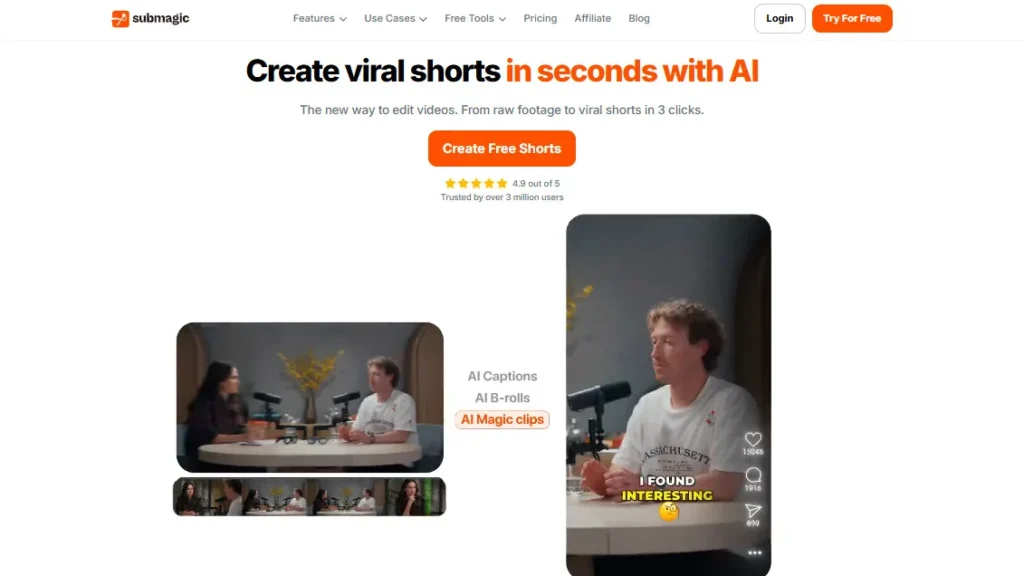
Submagic AI is an AI-powered online platform specifically designed to streamline and enhance the process of adding subtitles to video content, with a particular focus on short-form video formats popular on platforms like TikTok, Instagram Reels, and YouTube Shorts.
It leverages advanced artificial intelligence algorithms for automatic transcription of spoken content within videos.
Beyond basic transcription, Submagic AI distinguishes itself by offering a range of customization options that allow creators to generate engaging and visually appealing subtitles.
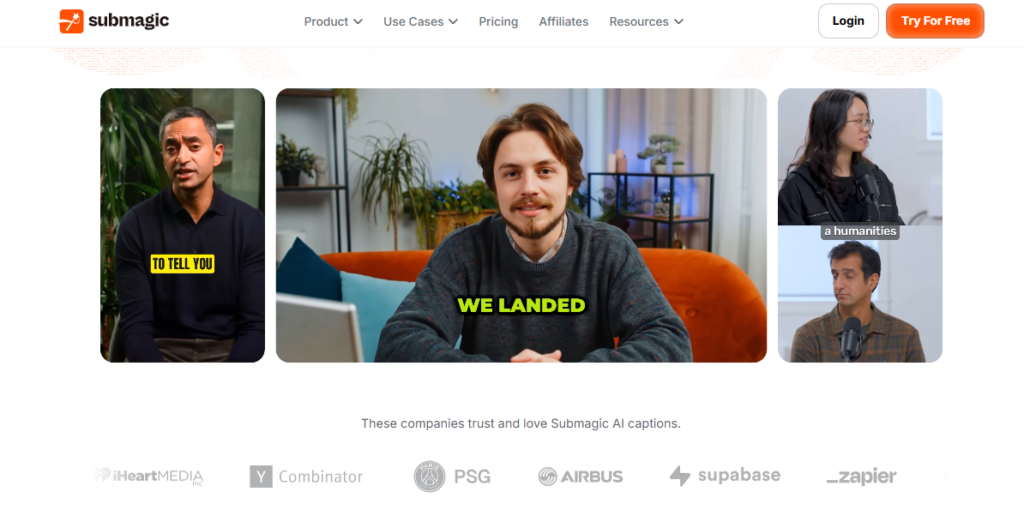
These features often include the ability to stylize the text with different fonts, colors, and animations, highlight keywords for emphasis, integrate relevant emojis to add personality, and even incorporate sound effects to further enhance the viewing experience.
Submagic AI aims to automate the often-laborious task of subtitling while providing creators with the tools to make their subtitles a dynamic and integral part of their video content, ultimately contributing to increased viewer engagement and retention.
Top 5 Key Features Submagic
Automatic AI-Powered Transcription: The core functionality of Submagic AI is its ability to automatically transcribe the spoken content in uploaded videos using advanced artificial intelligence. This eliminates the need for manual transcription, saving creators significant time and effort.
Example: A TikTok creator uploads a 30-second video, and Submagic AI accurately transcribes their speech within minutes.
Dynamic and Customizable Subtitle Styling: Submagic AI offers a range of options to customize the appearance of subtitles, including various fonts, colors, text sizes, background styles, and animations. Creators can choose a style that aligns with their brand and makes their subtitles visually engaging.
Example: An Instagram Reels creator can choose a bold, colorful font with a subtle animation to make their subtitles stand out.
Intelligent Emoji Integration: The platform can automatically detect keywords and sentiments in the transcribed text and suggest relevant emojis to incorporate into the subtitles. This adds a layer of visual communication and can help convey emotion and personality more effectively.
Example: If a creator says “I'm so excited!”, Submagic AI might automatically add a 🎉 or 😄 emoji to the corresponding subtitle.
Sound Effects Library and Synchronization: Submagic AI often includes a library of sound effects that creators can easily add to their videos and synchronize with on-screen actions or key moments highlighted in the subtitles. This adds another layer of engagement and can make videos more dynamic and entertaining.
Example: If a creator claps their hands in a video, they can use Submagic AI to add a clap sound effect that appears simultaneously with the action and is potentially highlighted in the subtitles.
Keyword Highlighting for Emphasis: Submagic AI allows creators to easily highlight specific keywords or phrases within their subtitles, drawing viewer attention to the most important parts of their message. This can be done manually or sometimes automatically based on the AI's analysis of the content.
Example: In a short product review, the creator might highlight the key features of the product in a different color or with a bold style within the subtitles.
How to Use Submagic AI Tutorial
Pros and Cons Submagic
Who Should Use Submagic AI?
Submagic AI is particularly beneficial for individuals and businesses creating short-form video content for social media platforms:
Ideal Users:
TikTok Creators: Enhance their videos with dynamic subtitles to increase watch time and engagement.
Instagram Reels Creators: Make their Reels more accessible and captivating with stylized subtitles and emojis.
YouTube Shorts Creators: Optimize their short-form content for maximum impact with engaging text overlays.
Social Media Managers: Quickly add eye-catching subtitles to video content for various platforms.
Content Creators New to Video Editing: The user-friendly interface makes it easy to add professional-looking subtitles without complex software.
Uncommon Use Cases:
Marketers Creating Short Video Ads: Grab attention and convey key messages quickly with dynamic subtitles.
Educators Sharing Short Educational Videos: Improve comprehension and accessibility with clear and engaging subtitles.
Podcasters Sharing Audio Snippets with Visuals: Use audiograms with stylized subtitles to promote their podcast on social media.
Submagic Pricing
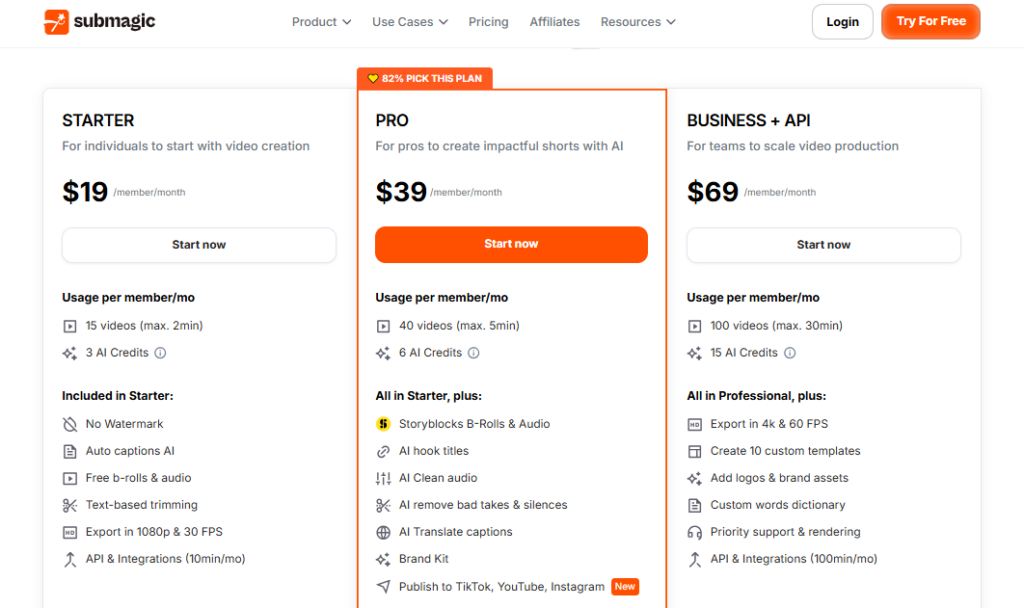
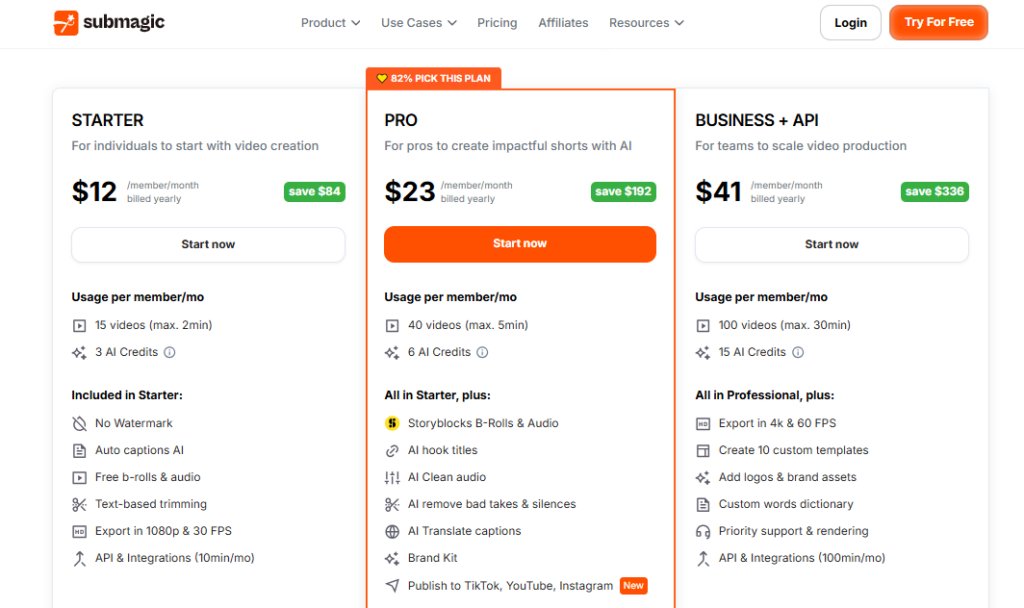
Submagic AI offers flexible plans for individuals and teams creating short videos with AI:
Starter ($12/month): For individuals to start with video creation. Includes up to 15 videos/month, max 2 minutes/video, no watermark, auto captions AI, free b-rolls & audio, text-based trimming, and export in 1080p & 30 FPS.
If you're an individual new to short-form video creation and need basic AI-powered captioning and editing tools with a limited number of videos per month, this plan is a cost-effective starting point.
Professional ($23/month): For pros to create impactful shorts with AI. Includes all features in Starter, plus trendy animated captions, custom caption templates, Storyblocks B-Rolls & Audio, remove bad takes & silences, generate AI hook titles, and studio-quality clean audio.
If you're a professional creator looking for more advanced captioning options, access to premium stock media, and AI-powered tools to refine your short-form videos, this plan offers enhanced capabilities.
Business ($41/month): For teams to scale video production with ease. Includes all features in Professional, plus unlimited videos/month, max 30 minutes/video, export in 4k & 60 FPS, unlimited custom templates, unlimited collaborators, add logos & brand assets, custom words dictionary, and priority support & rendering.
If you're a team needing to produce a high volume of longer short-form videos with advanced branding options, collaboration features, and priority support, this plan is designed for scaling your video production.
Disclaimer: Pricing details may change. Visit the official Submagic website for the latest information.
What Makes Submagic AI Unique?
Laser Focus on Engaging Subtitles for Short-Form Video: Unlike general video editing software, Submagic AI is specifically tailored to the needs of short-form video creators who prioritize dynamic subtitles for engagement.
Intuitive Workflow for Quick Subtitle Generation and Styling: The platform is designed for speed and ease of use, allowing creators to add and style subtitles quickly without a steep learning curve.
Integration of Emojis and Sound Effects for Enhanced Engagement: The automatic and manual addition of emojis and sound effects directly within the subtitle workflow is a unique feature that contributes to more captivating content.
Submagic Compatibilities & Integrations
As a web-based platform, Submagic AI's compatibilities and integrations typically include:
Web Browser Compatibility: Accessible through all modern web browsers (Chrome, Safari, Firefox, Edge) on various devices.
Video File Formats: Supports common video file formats for uploading (e.g., MP4, MOV).
Social Media Sharing: Often provides direct sharing options or easy export formats optimized for platforms like TikTok, Instagram Reels, and YouTube Shorts.
Potential Integrations with Video Editing Software (via export/import): While primarily a subtitle tool, it might offer options to export subtitle files (e.g., SRT) that can be imported into other video editing software for further refinement.
How We Rated It Submagic
3 Top Submagic AI Alternatives
Looking for Submagic alternatives? Please Check out below Top 3 Submagic AI alternatives options to consider:
Each alternative offers unique features that might better suit your specific needs. Consider your primary use case, budget, and required features when choosing between these options.
Summary Submagic AI Review
Submagic AI stands out as a highly effective and user-friendly tool specifically designed to enhance the engagement of short-form video content through dynamic and stylized subtitles.
Its AI-powered transcription, combined with a range of customization options including fonts, colors, animations, emojis, and sound effects, empowers creators to effortlessly produce captivating subtitles that grab and retain viewer attention.
While it primarily focuses on subtitles and operates on a subscription model, its ease of use and the proven impact of engaging subtitles on platforms like TikTok and Instagram Reels make Submagic AI a valuable asset for any creator looking to maximize the performance of their short-form video content.
Submagic FQA:
What is Submagic AI?
How does Submagic AI generate subtitles?
Can I customize the appearance of the subtitles?
Does Submagic AI automatically add emojis?
Can I add sound effects to my videos using Submagic AI?
Is Submagic AI easy to use for beginners?
Does Submagic AI support multiple languages?
Is Submagic AI a free tool?
Why are engaging subtitles important for short-form videos?
Where can I find more information about Submagic AI and sign up?
Did you find this content helpful?
Authority Hub
Check complete Submagic features
Alternatives
Best Submagic alternatives in 2026
Comparison
Compare Submagic vs competitors
Best Tools
Best AI tools in Social Media
Top Tools
Top Social Media AI tools ranked
Tutorial
Watch Submagic Step-by-Step Tutorial
AI Tools Directory
Discover 331 AI tools list
Submit Tool
Add your AI tool here for free
AI Tool Coupons
Unlock exclusive deals & discounts
Did you find this content helpful?
Promote This Tool
Help others discover this tool by sharing this page.
Submagic Reviews
Write a Review
No reviews yet. Be the first to share your thoughts!
48 Similar Submagic Tools
Turn text, scripts, and blog posts into viral-ready videos in minutes — no editing skills needed.
Turn one product photo into high-converting ads and UGC videos in under 60 seconds.
Schedule, analyze, and grow across 10+ social platforms — all from one beautifully simple dashboard.
Create, schedule, and automate your social media content across every major platform — with Travis AI writing captions in 26 languages, built-in workflows, and e-commerce integrations.
The all-in-one lead generation and multichannel outreach platform — find, verify, warm up, and email 3 million+ users' worth of prospects on autopilot.
Scale your LinkedIn outreach to thousands of leads per day with AI-powered personalization and multi-account automation.
The only LinkedIn automation tool built for scale — unlimited senders, one flat monthly fee, and the GTM integrations your outbound stack already runs on.
The AI-native CRM that automatically moves leads, creates tasks, and syncs every conversation so you can stop updating your CRM and start closing deals.
The all-in-one multichannel sales engagement platform that combines Email, LinkedIn, Video, and Dialer with AI to help your team close more deals — without software exhaustion.
AI-powered LinkedIn content platform that learns your writing voice and turns expertise into consistent influence — for individuals and teams.
Automate your LinkedIn presence — from AI-generated posts to smart scheduling — in minutes.
Find, verify, and email any professional in seconds — the all-in-one email outreach platform trusted by 6 million users since 2015.
Generate cinematic videos, images, and audio with Luma's AI Agents — using Ray3.14, Veo 3, Kling 2.6, and more in one platform.
Edit talking-head videos 10x faster by letting AI cut silences, filler words, and bad takes automatically.
Translate, dub, and lip-sync your videos into 110+ languages with studio-quality AI.
Edit, enhance, and clip your videos using AI — with a chat-based interface, virality scoring, and professional tools that replace hours of manual work.
Spot viral trends before they explode — the all-in-one intelligence platform for short-form video creators.
Automate your entire TikTok content pipeline — AI generates your slideshows, UGC videos, and hooks, then posts them daily without you lifting a finger.
Turn a text prompt into a fully automated faceless video for TikTok or YouTube — no camera, no editing, no face required.
Turn any text prompt into a viral-ready AI short for YouTube, TikTok, Instagram, or Snapchat — in under a minute, fully automated.
Turn any text, blog post, or news article into a published Instagram Reel, TikTok, or YouTube Short — automatically, in your own cloned voice.
Turn a single text prompt into a fully produced faceless YouTube Short — complete with AI script, images, voiceover, and animated subtitles — in under a minute.
Upload your podcast or video and get 20+ marketing assets — written, visual, and clipped — in minutes.
Generate ultra-realistic AI voiceovers, clone your voice, host podcasts, and create text-to-video content — 1,000+ voices in 142+ languages, starting at $19/month with a free trial.
Upload one audio or video file and get 100 ready-to-use content assets — transcripts, show notes, blogs, newsletters, and social posts — in minutes.
One platform for AI video generation, royalty-free music, text-to-speech, voice cloning, AI song covers, and video translation — powered by Sora2, Veo3, and 3,200+ voices in 190+ languages.
Your AI marketing co-pilot — generate on-brand social posts, AI images, blogs, and competitor insights, then schedule across 7 platforms from one dashboard. Free plan available, paid from $49/month.
Bulk-generate viral faceless shorts from scripts or long videos — AI story, Reddit, fake texts, dialogue, superhero, and auto-clip from $19/month with a free plan.
Turn talking-head videos into polished, B-roll-enhanced social clips in minutes — with 13.8M+ Getty iStock assets, AI subtitles, and auto music. Free plan available.
Turn any long video into viral shorts in minutes — AI captions, B-roll, faceless video, auto-translation in 48 languages, and social scheduling from $15/month.
Chat with every top AI model, create videos, images, and content — all from one platform, no subscriptions stack required.
Upload any PDF, YouTube video, or image and get 9 AI study formats instantly — quizzes, flashcards, podcasts, summaries, mind maps, games, brainrot videos, and 24/7 AI tutoring with gamified progress tracking across web, iOS, and Android.
AI virtual staging, photo editing, and exterior design for real estate professionals — 4 staged room options in 30 seconds, starting at $10/month.
The AI-powered B2B sales platform that replaces your data provider, outreach tool, dialer, enrichment engine, and CRM — 210M+ contacts, smart sequences, and AI agents, all in one platform.
The cloud-based LinkedIn and email automation platform that drives sales 24/7 — no Chrome extension, no manual follow-up, just results while you sleep.
Build your LinkedIn personal brand on autopilot with a personalised AI agent that creates, schedules, and optimises posts for you.
All-in-one LinkedIn growth platform powered by AI trained on 500M+ posts — for content creation, scheduling, engagement, and lead prospecting.
The cold email platform that unlocks unlimited sending accounts, unlimited warm-up, and a 450M+ lead database — the engine behind $20M ARR and 50,000+ sales teams' outbound growth.
The safest LinkedIn and email outreach platform using mobile app APIs — AI-personalized voice notes, video messages, and an Appointment Setter Agent that books meetings while you sleep.
The AI sales engagement platform that unites email, parallel dialing, LinkedIn, SMS, and WhatsApp in one platform — helping 5,000+ sales teams execute 350 calls per hour and build predictable pipeline.
Instant access to 500M+ verified phone numbers and email addresses — directly from LinkedIn profiles, powered by Cognism's data network and built GDPR-compliant from day one.
The cloud-based LinkedIn automation platform built for safety first — 11 campaign types, smart conditional sequences, and white-label agency tools, all from a dedicated country-based IP.
Record, edit, transcribe, clone your voice, and publish studio-quality podcasts and videos — all in one AI-powered platform, now rebranded as Async.
Generate conversion-optimized ad creatives, product videos, and competitor insights in 60 seconds — powered by AdLLM, the world's first large language model built exclusively for advertising.
Scan your website, launch AI-generated ads on Google, Facebook, and Instagram in under 3 minutes — no design skills, no agency, no guesswork.
Discover winning ads from 20M+ creatives, generate platform-ready image and video ads in 30 seconds, and launch campaigns — all inside one AI-powered ad operating system.
Generate hyper-realistic UGC video ads with 1,000+ AI actors — no cameras, no crews, no waiting.