Home Categories Deals Sign Up
Updated: April 25, 2026

Gling AI in Action

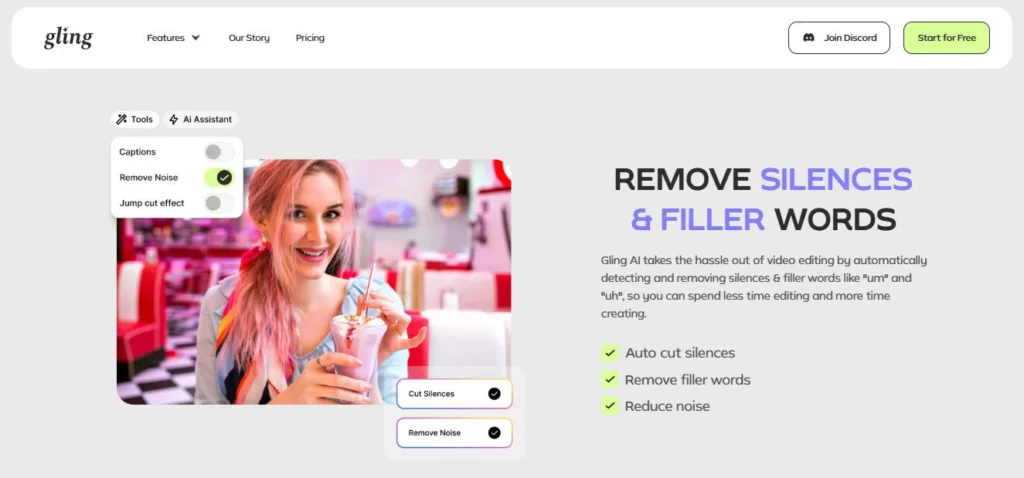
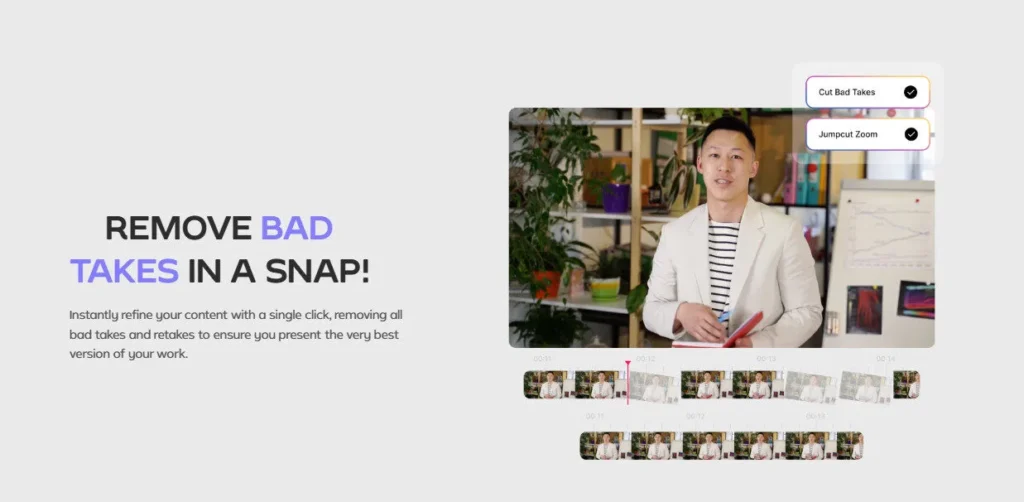
Gling AI AI tool – If you've ever spent hours trimming silences and cutting filler words from a talking-head video, Gling AI was built to fix exactly that. Upload your raw recording and the AI automatically transcribes your footage, detects awkward pauses and words like “um” and “uh”, and removes them — no timeline scrubbing required.

What used to take hours now takes minutes, and the accuracy impresses even seasoned creators like DamiLee (1.5M subscribers), who called it “really good at detecting the pauses.”

Key Capabilities

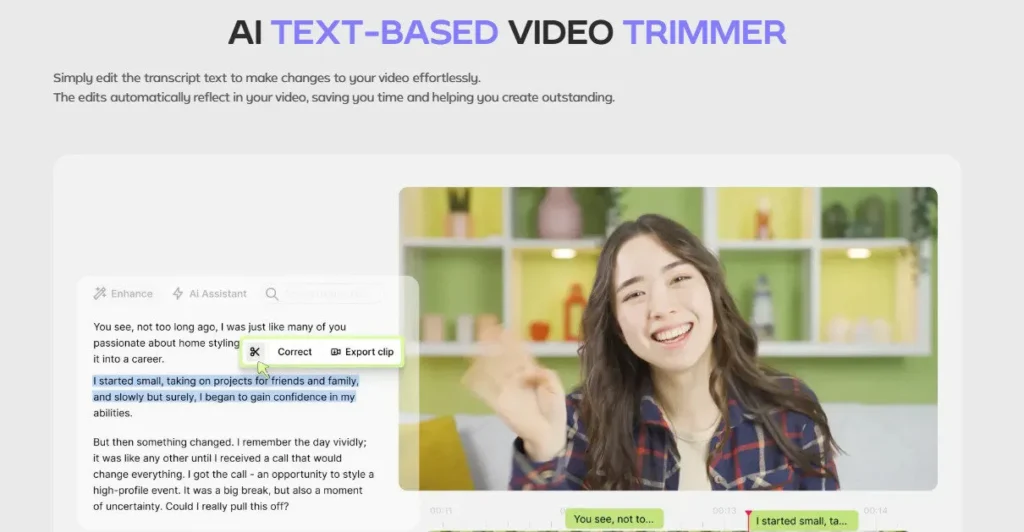
Gling AI's text-based editing interface is its standout mechanism. Instead of cutting clips on a waveform, you delete lines from a transcript and the video edits itself.

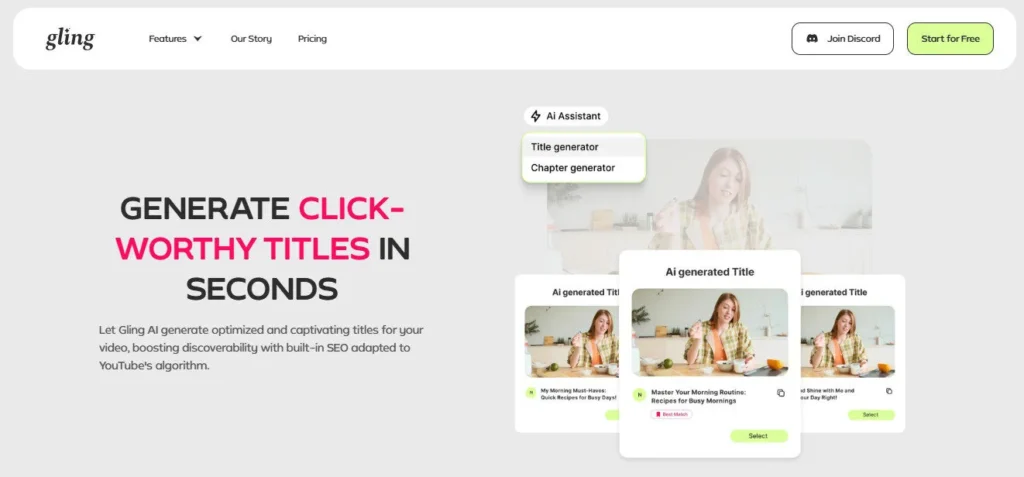
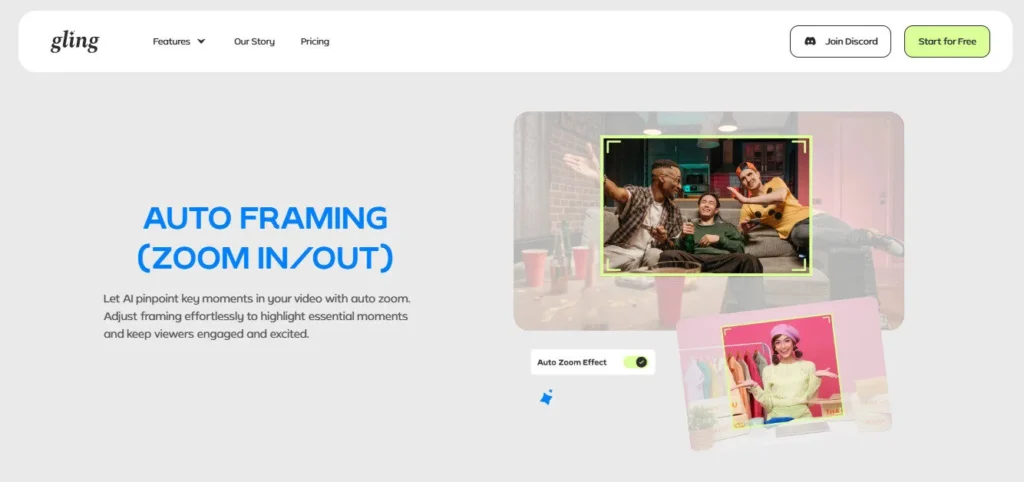
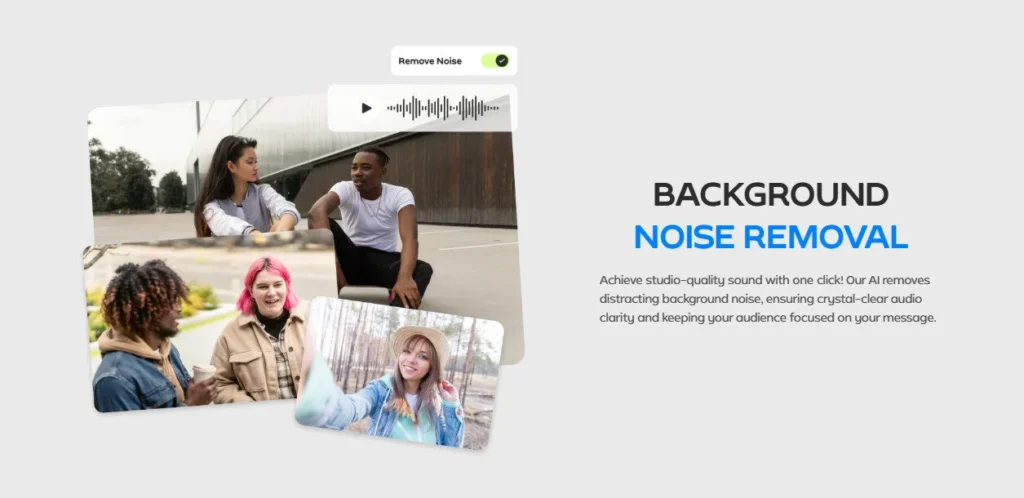
The platform also includes AI-generated captions with SRT export, auto-framing with smart zoom-in/out, AI B-roll insertion, speech audio enhancement for noise removal, and a YouTube Title Generator and Chapters Generator. For multicam setups, Gling supports multicam editing — a feature most competing tools at this price skip entirely.

When you finish, export to MP4 or MP3, or send an XML file directly to Adobe Premiere Pro, Final Cut Pro, or DaVinci Resolve. A newer link-to-video feature lets you paste any URL and generate video content from it — Plus users get 300 words per month, Pro users 900, and Elite users 2,700.

Who Gets the Most Out of It

Gling AI is purpose-built for talking-head and dialogue-driven videos. Solo YouTubers, online educators, and solo podcasters recording to camera will see the biggest time savings.

If you publish 4–8 videos a month and spend most of your editing time on cleanup rather than creative cuts, the $20/month Plus plan pays for itself fast.

Creators already inside Premiere Pro or Final Cut Pro can use Gling as a first-pass cleanup layer before moving to their primary editor. The multicam support also makes it practical for interview-style shoots with two or more camera angles.

Is It Worth It?

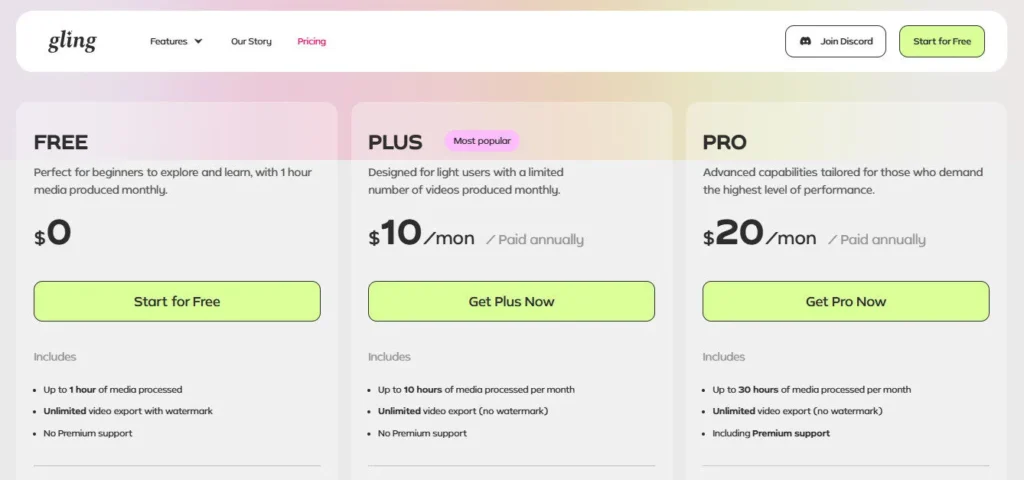
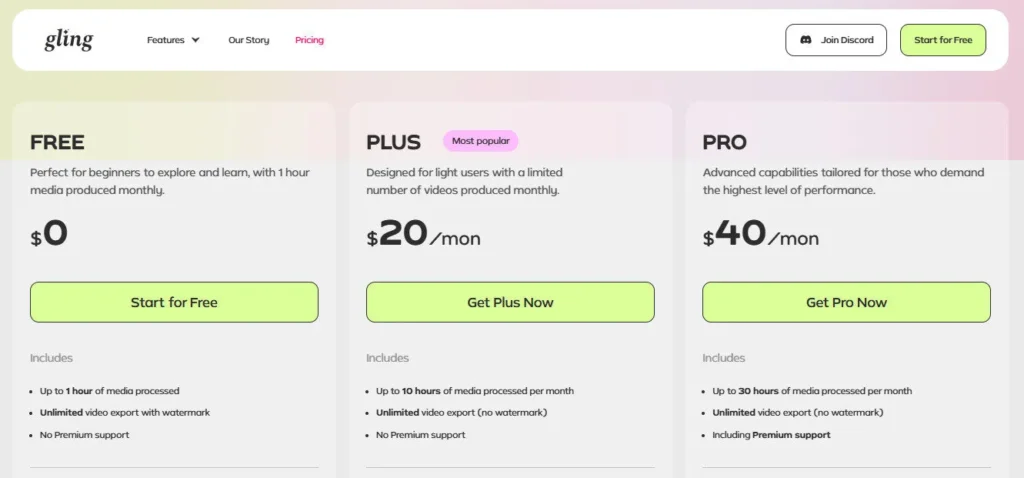
The free plan gives you 1 hour of AI-edited media per month — enough to test the tool, but too limited for regular publishing. The $20/month Plus plan (or $10/month billed annually) unlocks 10 hours of editing and watermark-free exports, covering most light-to-moderate publishing schedules. The $40/month Pro plan adds 30 hours and premium support.

Where Gling falls short is with narrative editing, color grading, or B-roll-heavy productions — the platform wasn't designed for those workflows. But for fast-turnaround talking-head content, it is one of the most efficient tools available at its price point.

Gling AI is an AI-powered Video Editing">video editing platform built by Sefi Keller and Yonatan Bendahan that automatically removes silences, filler words, and bad takes from recorded video. It is designed specifically for YouTube creators, online educators, and content creators who record talking-head footage and want to cut their editing time dramatically. Users edit their video by modifying a text transcript rather than scrubbing a traditional timeline.

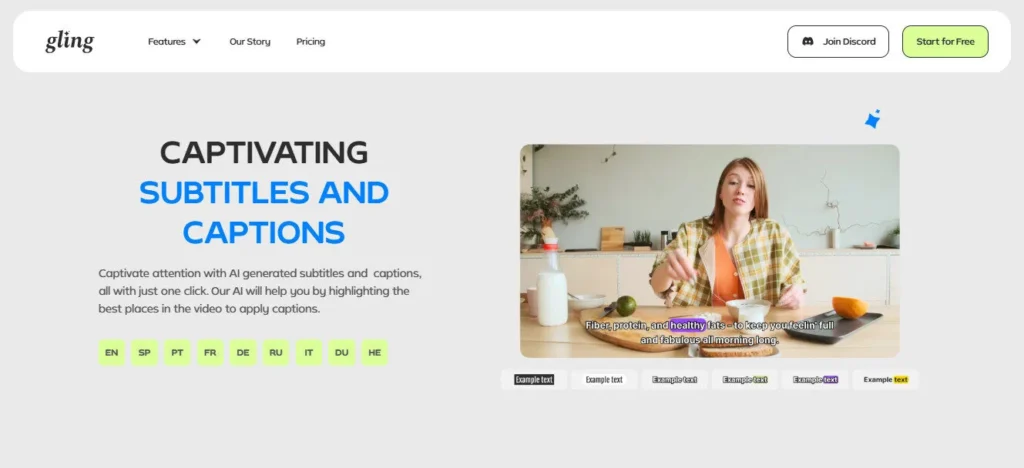
• Automatic Silence & Filler Word Removal — AI detects and cuts pauses and filler words like “um” and “uh” from your transcript with no manual scrubbing required.

• Text-Based Video Editing">Video Editing — Edit your video like a document: delete a line of transcript and the corresponding video clip disappears instantly.

• AI Captions & SRT Export — Generates accurate subtitles automatically and exports them as an .SRT file for use on YouTube or any platform.

• Auto Framing (Zoom In/Out) — Keeps your face centered and adds dynamic zoom cuts automatically, making talking-head footage more visually engaging.

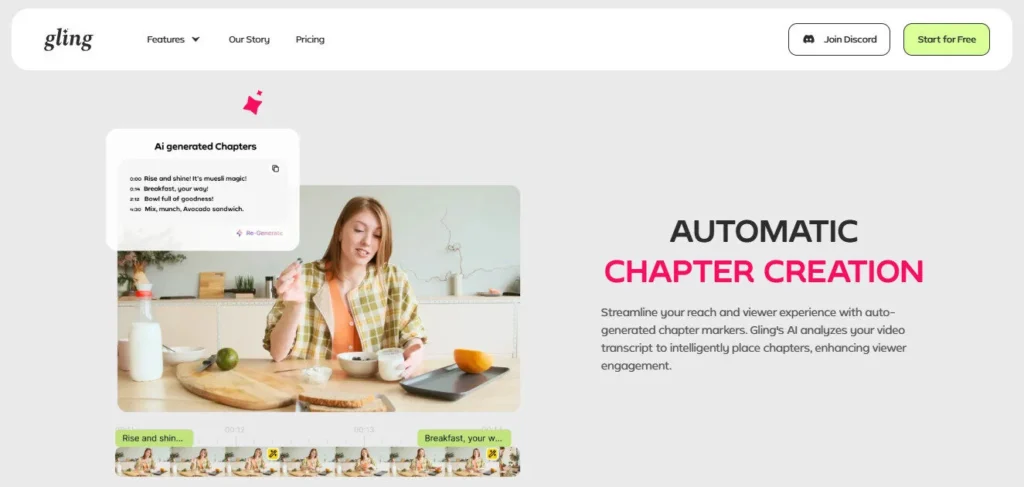
• YouTube Title & Chapters Generator — Uses AI to suggest SEO-optimized video titles and timestamped chapters based on your video content.

• Multicam Editing Support — Handles footage from multiple cameras in a single project, letting you switch angles without leaving the Gling workflow.

• AI B-Roll Insertion — Automatically suggests and inserts relevant B-roll clips to break up talking-head footage and add visual variety.

• NLE Export (Premiere, Final Cut, DaVinci) — Exports XML project files compatible with Adobe Premiere Pro, Final Cut Pro, and DaVinci Resolve for advanced post-production.

Pros
  • Free plan available with 1 hour of AI-edited media per month — no credit card required
  • Text-based editing removes the need for any traditional timeline experience
  • Multicam editing support is rare for a tool at the $20/month price point
  • Direct XML export to Premiere Pro, Final Cut Pro, and DaVinci Resolve fits professional workflows
  • YouTube Title and Chapters Generator adds SEO value beyond basic editing
  • Speech audio enhancement and noise removal improve recording quality without extra software
Cons
  • ×Free plan exports include a watermark, making it unsuitable for publishing without upgrading
  • ×Not suitable for narrative, cinematic, or B-roll-heavy video styles — optimised strictly for talking-head content
  • ×No premium support on Free or Plus plans; you need the $40/month Pro plan to access it
  • ×Link-to-video generation word limits are low — 300 words on Plus is restrictive for long-form content
  • ×No built-in color grading, graphic overlays, or motion titles for advanced production

Gling AI is the right tool for creators who record talking-head or dialogue-driven video and want to cut editing time without learning complex software.

• Solo YouTubers — Ideal for creators who record 4–8 videos per month and spend most of their editing time on cleanup tasks like silence removal and filler word trimming.

• Online Educators & Course Creators — People recording lessons or tutorials benefit from fast transcript-based editing and automatic caption generation for accessibility.

• Podcasters with Video Recordings — Solo podcast hosts who record to camera can clean up an episode in minutes instead of hours.

• Content Creators Using Premiere or Final Cut Pro — Gling works as a first-pass cleanup layer, then exports XML to your primary editor for finishing touches.

• Multicam Video Producers — Anyone shooting with two or more cameras can use Gling's multicam support to sync and cut angles without switching tools.

Free ($0/mo)1 hour of AI-edited media per month, unlimited video export with watermark, access to all core features (silence removal, filler word removal, AI captions, YouTube title/chapters generator), no premium support.
Plus ($20/mo or $10/mo billed annually)10 hours of AI-edited media or 300 words of link-generated video per month, unlimited watermark-free export, all core features including multicam editing and AI B-rolls, no premium support.
Pro ($40/mo or $20/mo billed annually)30 hours of AI-edited media or 900 words of link-generated video per month, unlimited watermark-free export, all features including speech audio enhancement and XML export, premium support included.
Elite ($100/mo or $50/mo billed annually)100 hours of AI-edited media or 2,700 words of link-generated video per month, unlimited watermark-free export, all features, premium support included — designed for high-volume creators and agencies.

Gling AI stands out from generic video editors by focusing entirely on the repetitive cleanup work that slows down solo creators the most.

• Text-Based Video Editing — Editing by deleting transcript lines rather than cutting on a timeline makes the workflow accessible to complete beginners and dramatically faster for experienced creators.

• Link-to-Video Generation — Paste any URL and Gling generates video content from it — a unique feature that goes beyond editing into content creation, available from the Plus plan upward.

• YouTube-Native SEO Tools — The built-in Title Generator and Chapters Generator are tuned specifically for YouTube performance, not just generic content — a differentiation from most video editors.

• Multicam Editing at Entry-Level Pricing — Most tools offering multicam support charge significantly more; Gling includes it starting at $20/month, making it accessible for interview-style and two-camera creators.

• NLE Handoff via XML Export — Rather than locking you into its own export, Gling lets you continue editing in Premiere Pro, Final Cut Pro, or DaVinci Resolve, positioning it as a workflow accelerator rather than a replacement editor.

Gling AI operates as a web-based and desktop application that integrates cleanly into professional video production pipelines.

• Adobe Premiere Pro — Export your Gling-edited project as an XML file and open it directly in Premiere Pro for advanced color, graphics, and effects work.

• Final Cut Pro — XML export is fully compatible with Final Cut Pro, letting Mac-based creators use Gling as a fast cleanup step before finishing in Apple's editor.

• DaVinci Resolve — Export to DaVinci Resolve for professional color grading and audio mastering after Gling handles the rough cut cleanup.

• YouTube — The YouTube Title Generator and Chapters Generator output is designed to integrate directly into YouTube's metadata fields, optimising discoverability.

• MP4 / MP3 / SRT — For creators who don't use an NLE, Gling exports finished MP4 video, MP3 audio-only files, and SRT subtitle files for direct upload to any platform.

CategoryScoreWhy It Matters
Accuracy & Reliability4.3/5Gling AI's silence and filler word detection is highly accurate for standard talking-head recordings, with creators like DamiLee (1.5M subscribers) praising its pause detection publicly. Occasional over-cutting can occur with fast-paced speech or heavy accents, requiring manual review of the transcript before exporting.
Ease of Use4.7/5The three-step workflow — upload, edit transcript, export — requires zero timeline experience and no software installation for the web version. Multiple independent reviewers on YouTube describe it as beginner-friendly with a minimal learning curve, making it one of the most accessible AI video editors available.
Functionality & Features4.2/5Gling covers all core talking-head editing needs: silence removal, filler word cutting, AI captions, auto-zoom, multicam, AI B-rolls, speech enhancement, and YouTube title/chapter generation. It loses points for lacking color grading, motion graphics, transitions, and advanced timeline controls that full NLEs provide.
Performance & Speed4.4/5Cloud processing is fast — most users report transcription and AI cut suggestions appearing within minutes for standard-length videos. The web-based interface performs well on both Windows and macOS browsers without requiring heavy local hardware resources.
Customization & Flexibility3.8/5You can manually override every AI-suggested cut directly in the transcript view and adjust pacing controls. However, the tool offers no effects, color tools, custom transitions, or motion graphics, limiting creative flexibility to content cleanup rather than creative production.
Data Privacy & Security3.5/5Videos are uploaded to Gling's cloud servers for AI processing, which is standard for browser-based tools. However, no SOC 2 certification, detailed data retention policy, or explicit GDPR compliance documentation is prominently published on the official website, which may concern enterprise or sensitive-content users.
Support & Resources3.9/5Premium support is only available on Pro ($40/month) and Elite ($100/month) plans — Free and Plus users have no dedicated support channel. A solid library of YouTube tutorials, community reviews, and an FAQ section on the pricing page partially offset this gap for self-sufficient users.
Cost-Efficiency4.5/5The free plan (1 hour/month, no credit card) is genuinely useful for testing. At $10/month billed annually on the Plus plan, 10 hours of AI-edited media represents strong value for creators who would otherwise spend that time editing manually. The ROI is particularly high for creators publishing 2–4 videos per week.
Overall Score4.2/5Gling AI delivers exceptional value for its target user — the solo creator recording talking-head content who wants to cut editing time without learning complex software. It earns a strong overall score despite lacking advanced production tools, because within its focused scope it performs reliably and efficiently.

Gling AI is a focused, no-bloat tool that does one job exceptionally well: cutting the repetitive cleanup work out of talking-head video editing. At $20/month (or $10/month annually), it delivers strong value for solo YouTubers and educators who want to spend less time in the timeline and more time creating.

If you need advanced narrative editing, color work, or motion graphics, you'll still need a full NLE — but as a first-pass AI editor, Gling is one of the most practical options available in 2026.

Q1.Is Gling AI free to use?
Ans:-Yes, Gling AI has a permanent free plan that gives you 1 hour of AI-edited media per month at no cost and no credit card required. The free plan includes all core features — silence removal, filler word detection, AI captions, and YouTube title generation — but exports include a watermark. You need the $20/month Plus plan to remove the watermark.
Q2.What types of videos does Gling AI work best with?
Ans:-Gling AI is purpose-built for talking-head and dialogue-driven video content — think solo YouTube vlogs, tutorial recordings, online course lessons, and solo podcast videos. It uses speech detection to find silences and filler words, so it works best when there is a clear vocal track. It is not designed for cinematic, B-roll-heavy, or narrative-style productions.
Q3.Does Gling AI export to Adobe Premiere Pro and Final Cut Pro?
Ans:-Yes. Gling AI exports XML project files that are fully compatible with Adobe Premiere Pro, Final Cut Pro, and DaVinci Resolve. This lets you use Gling for fast AI cleanup and then hand off the project to your primary editor for color grading, motion graphics, or advanced finishing work.
Q4.What is the Gling AI free plan editing limit?
Ans:-The free plan gives you 1 hour of AI-edited media per month. That covers roughly one short YouTube video per month. If you publish more frequently, the Plus plan at $20/month (or $10/month billed annually) increases the limit to 10 hours per month, which is enough for most light publishing schedules.
Q5.Can Gling AI automatically remove filler words like 'um' and 'uh'?
Ans:-Yes, automatic filler word removal is one of Gling's core features and is available on all plans including the free tier. The AI detects common filler words — such as "um", "uh", and "okay" — directly from the transcript and removes the corresponding video clips. You can review and override any suggested cuts before exporting.
Q6.Does Gling AI support multicam video editing?
Ans:-Yes, Gling AI includes multicam editing support, which lets you work with footage from two or more camera angles in a single project. This feature is available across all plans, making it unusually accessible for a tool priced at $20/month. It's particularly useful for interview-style or two-camera talking-head setups.
Q7.Is Gling AI worth it for beginner YouTubers?
Ans:-Yes — Gling AI is arguably better suited to beginners than experienced editors. The text-based editing interface requires no traditional timeline knowledge, so anyone who can read and delete text can edit a video. The free plan lets you test the tool thoroughly before committing to a paid plan.
Q8.What languages does Gling AI support for transcription and editing?
Ans:-Gling AI primarily supports English for its AI transcription and filler word detection features. The platform's FAQ mentions language support as a common question, but the official site does not publish a comprehensive list of supported languages. If your content is in a language other than English, it is recommended to test the free plan before upgrading.
Q9.Can I export subtitles and captions from Gling AI?
Ans:-Yes. Gling AI automatically generates captions and subtitles and lets you export them as an .SRT file on all plans. The AI captions feature is available on the free tier, so you can generate and export subtitles without paying. SRT files can be uploaded directly to YouTube, embedded in video files, or used with other platforms.
Q10.What is the difference between the Gling AI Plus and Pro plans?
Ans:-The Plus plan costs $20/month (or $10/month annually) and gives you 10 hours of AI-edited media or 300 words of link-generated video per month, with no premium support. The Pro plan costs $40/month (or $20/month annually) and triples the quota to 30 hours or 900 words per month, and adds priority premium support. Both plans include watermark-free exports and all core features.

Promote This Tool

Help others discover this tool by sharing this page.

✓ Link copied to clipboard!

Gling AI Reviews

0.0
Based on 0 reviews
5 star
0%
4 star
0%
3 star
0%
2 star
0%
1 star
0%

Write a Review

Your Rating:

No reviews yet. Be the first to share your thoughts!

29 Similar Gling AI Tools