Home Categories Deals Sign Up
Updated: April 25, 2026

Jupitrr AI: Automated B-Roll for Talking-Head Creators

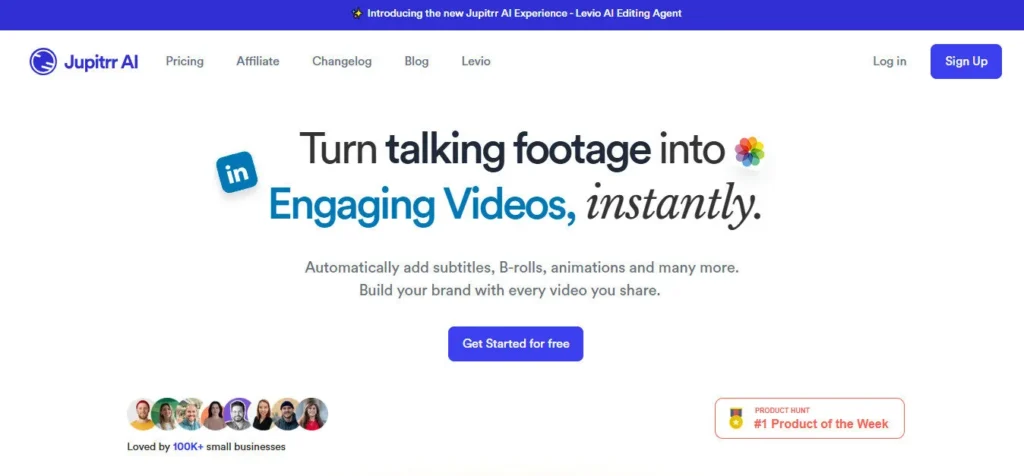
Jupitrr AI AI tool – Jupitrr AI is an AI-powered Video Editing">video editing platform built around one core workflow: take a raw talking-head video, upload it, and let the AI automatically add contextually matched B-roll footage, animated subtitles, emojis, background music, and transitions — producing a polished, social-ready clip without manual timeline editing.

Rated 4.39/5 from 212 verified AppSumo users and 4.8/5 from 37 Product Hunt reviews, the platform has established a strong reputation among content creators, coaches, and small business marketers who produce regular video content but lack the time or skills for traditional editing.

The free plan supports 3 videos per month with Pexels stock footage, making it one of the most accessible no-cost entry points in the AI video editing space.

Key Capabilities

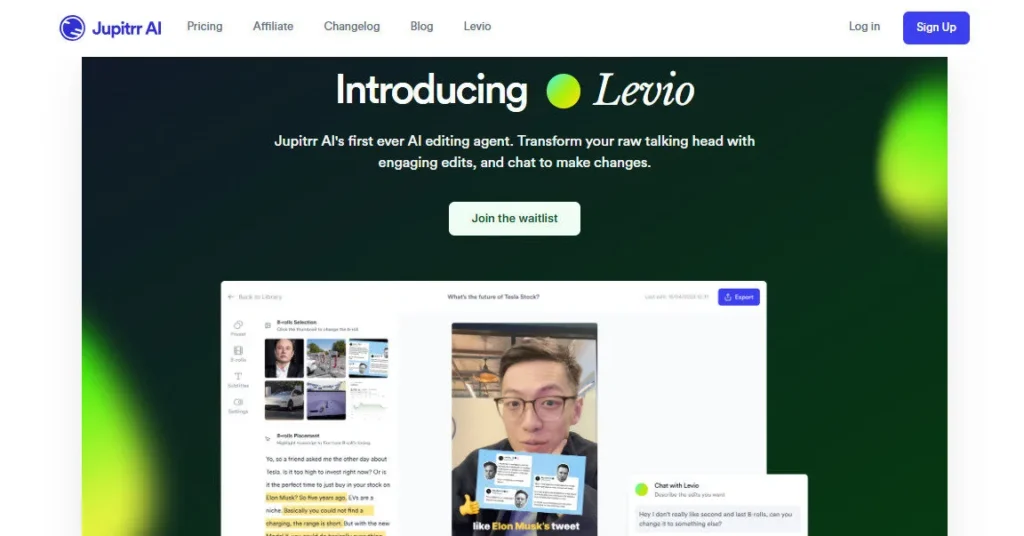
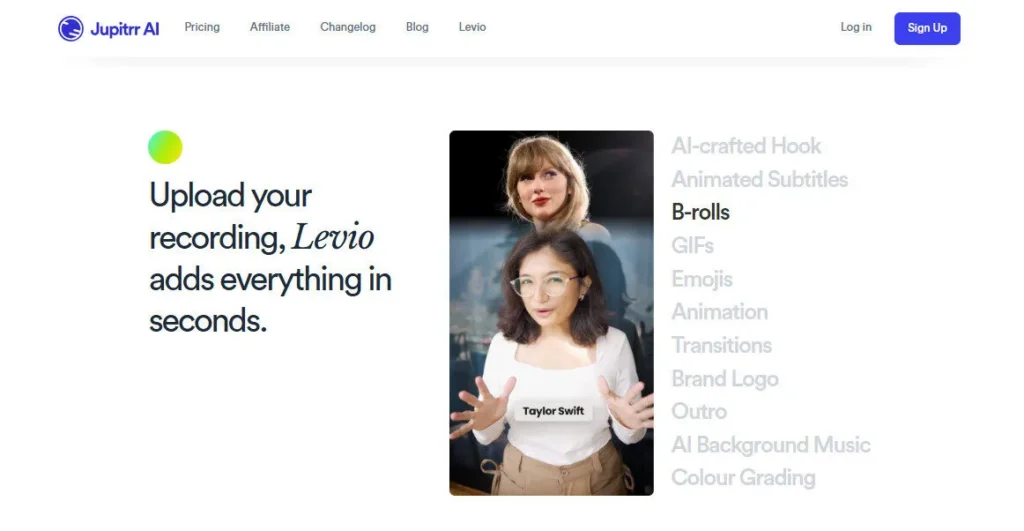
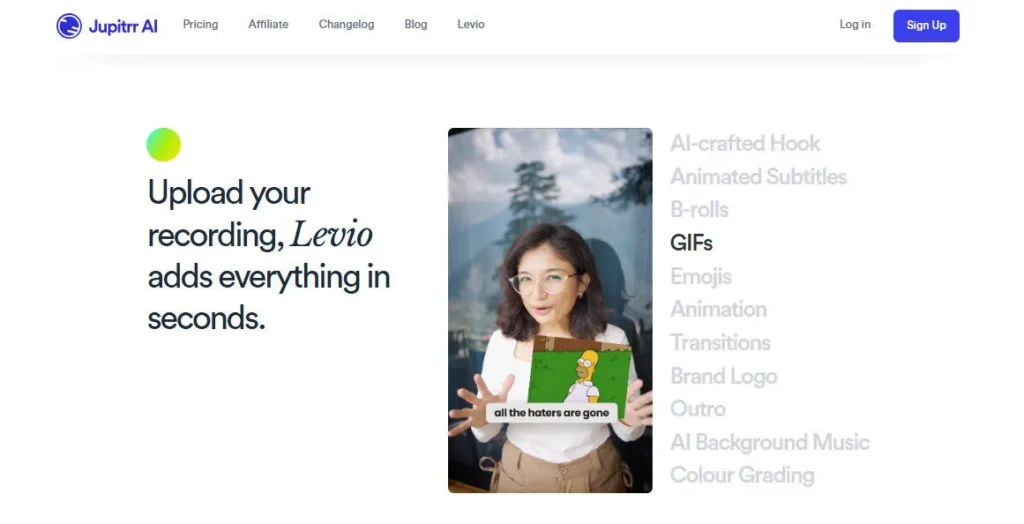
The platform's standout feature is its word-level B-roll assignment system — rather than placing footage on a timeline, you select individual words or phrases in the transcript and assign matching stock clips directly.

This produces a result where footage changes in contextually meaningful sync with what the speaker is saying, rather than appearing as generic background filler.

On Growth and Pro plans, this pulls from 13.8 million+ licensed iStock video and image assets via Getty Images — covering celebrity names, brand references, scientific topics, and trending events.

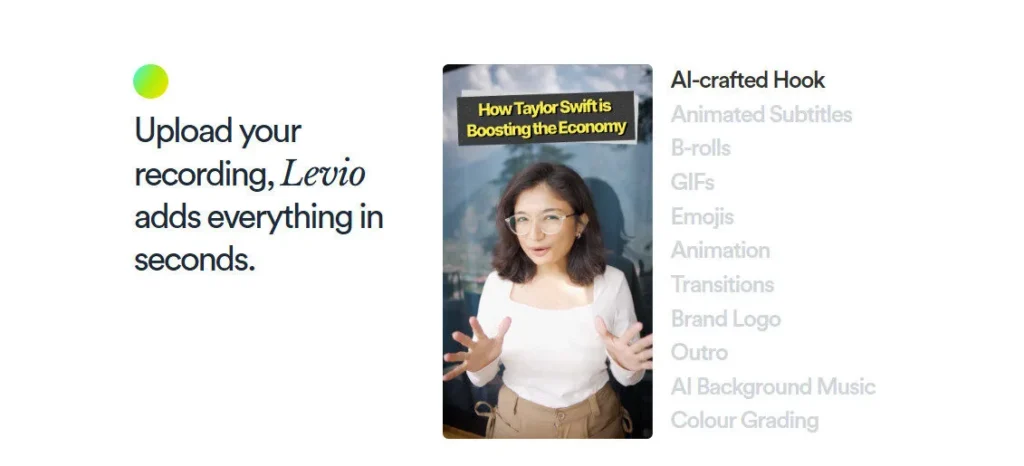
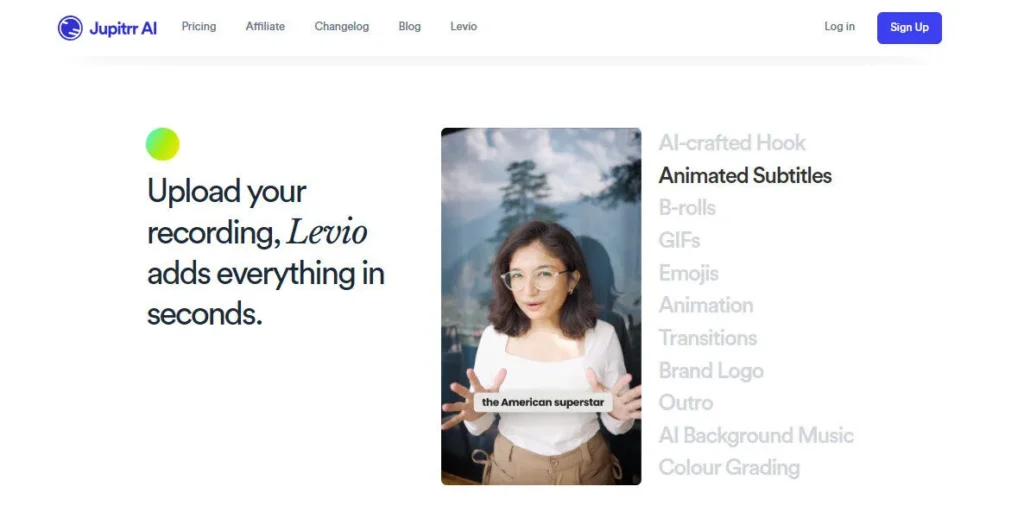
AI Subtitles generate automatically from the transcript in 50+ languages with style customization. AI Hook Text identifies the most engaging opening line and highlights it visually for viewer retention.

AI Emojis, AI Background Music, and Video Transitions are all auto-applied based on video content and tone. The Growth plan adds Custom Branded Watermark, Subtitle Downloads, and unlimited premium iStock access — the minimum viable plan for professional creators or business use.

The Pro plan extends to 16:9 horizontal format support, 10-minute max duration, 200MB file uploads, and 2K export resolution (coming soon) — covering long-form YouTube content and podcast clip workflows.

Who Gets the Most Out of It

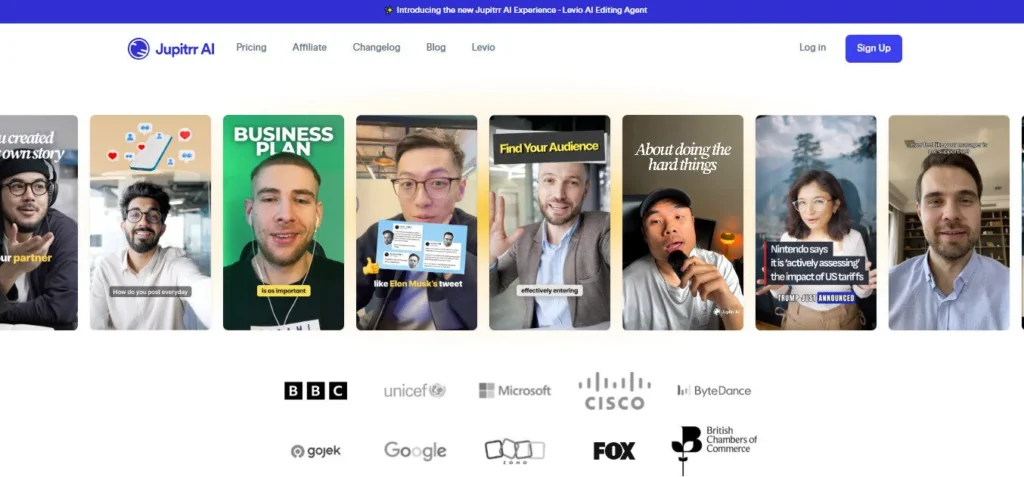
Content creators who regularly publish talking-head videos on Instagram Reels, TikTok, or YouTube Shorts get the most immediate time savings — users consistently report going from raw footage to published clip in under 20 minutes.

Business coaches and consultants use Jupitrr to repurpose webinar clips, Zoom recordings, and training content into social-ready video without hiring an editor. Small business owners without video production budgets use the Growth plan as a complete editing stack for under $14/month.

Marketers producing regular thought leadership clips for LinkedIn and Instagram find the word-level B-roll system significantly more effective than timeline-based stock footage tools.

Jupitrr is not a text-to-video or generative video tool — it requires an existing recorded video as its input. Users looking to generate video from scratch should look elsewhere.

Is It Worth It?

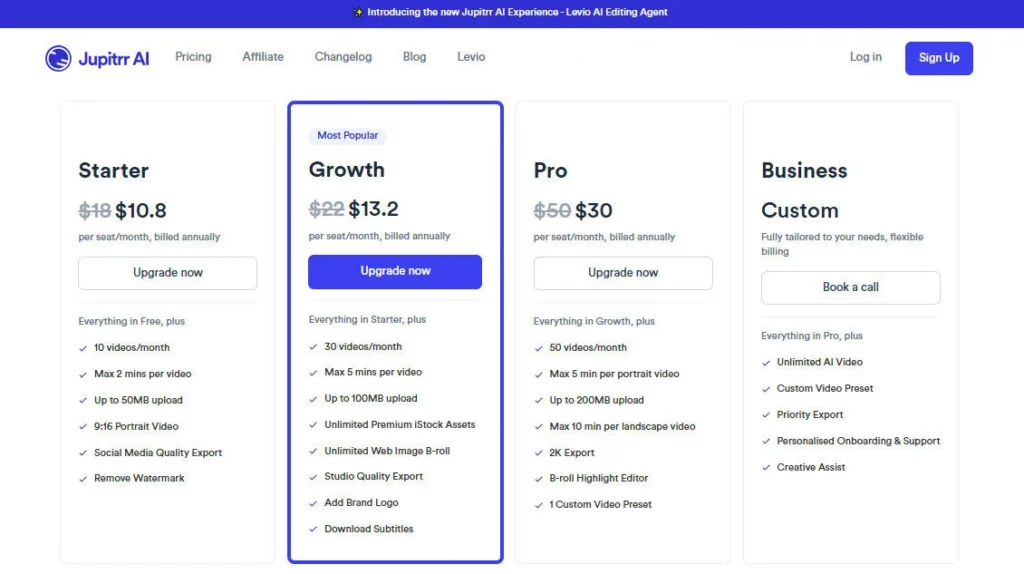
At $10.80/month (annual) for the Starter plan, Jupitrr is one of the most affordable non-free AI video editing tools available in 2026. The Growth plan at $13.20/month unlocks the full professional feature set — iStock access, brand watermark, subtitle downloads, 5-minute videos, and Studio export quality — making it one of the best-value video editing plans in the category.

The Pro plan at $30/month adds horizontal format and longer duration for creators publishing on YouTube. An Lifetime Deal was available use Coupon “Pratik10”, offering a permanent one-time purchase option for budget-conscious creators who want to avoid recurring subscription fees.

Jupitrr AI is an AI-powered Video Editing">video editing platform that automatically transforms uploaded talking-head videos into polished, B-roll-enhanced social clips. It uses word-level transcript-based B-roll assignment from 13.8M+ licensed iStock assets (Getty Images), combined with auto-generated subtitles (50+ languages), AI emojis, AI background music, hook text highlighting, and video transitions.

Used by creators in 20+ countries, it is rated 4.8/5 on Product Hunt and 4.39/5 from 212 AppSumo users. Plans start at $10.80/month (annual billing) with a free plan available for 3 videos/month.

• Word-Level B-Roll Assignment — Assign stock video clips directly to individual words or phrases in the auto-generated transcript; footage changes in contextually precise sync with the speaker's content — not placed on a timeline like traditional editors.

• 13.8M+ Licensed iStock Assets (Getty Images) — Growth and Pro plan subscribers access over 13.8 million commercial-licensed video clips, images, and GIFs from Getty's iStock library — covering people, brands, events, science topics, and trending subjects for relevant B-roll at any scale.

• AI Auto Subtitles (50+ Languages) — Automatically generated subtitles with style customization in over 50 supported languages including Telugu, Vietnamese, Thai, French, Chinese, Hindi, and Polish — with subtitle file download available on Growth and Pro plans.

• AI Hook Text — AI identifies the most attention-grabbing opening line in the video and highlights it with animated on-screen text — optimizing the critical first 3 seconds for social media retention.

• AI Emojis & AI Background Music — Contextually placed emojis and auto-selected background music are applied to the video based on content tone and pacing — no manual selection required.

• Custom Branded Watermark — Add a branded logo watermark to every exported video on Growth and Pro plans — essential for business creators and agencies delivering branded content at scale.

• Multiple Export Dimensions — 9:16 vertical (all plans) and 16:9 horizontal (Pro plan) — supporting Instagram Reels, TikTok, YouTube Shorts, and full-length YouTube uploads from the same platform.

• Web Image B-Roll — Pull contextually relevant images from the web as B-roll in addition to the iStock library — expanding sourcing options for niche topics not covered by stock footage.

Pros
  • Free plan available with 3 videos/month using Pexels stock — genuine free tier, no credit card required
  • Word-level B-roll assignment produces contextually relevant footage sync rather than generic background filler
  • 13.8M+ licensed iStock assets on Growth and Pro plans — one of the largest licensed stock libraries in any AI video editing tool
  • Growth plan at $13.20/month provides the full professional feature set at a sub-$14 price point
  • Auto subtitles in 50+ languages with downloadable subtitle files on Growth and Pro plans
  • Custom branded watermark on Growth and Pro plans — suitable for agencies and business creators
  • AppSumo Lifetime Deal available (Sumo Day 2025) for users who want a one-time purchase option
  • 4.39/5 from 212 AppSumo users and 4.8/5 from 37 Product Hunt reviewers — strong community validation
Cons
  • ×Not a text-to-video or generative video tool — requires an existing recorded video upload; cannot create video from scratch
  • ×Free plan limited to 3 videos/month at 720p with Pexels stock and Jupitrr watermark — not suitable for professional or commercial use
  • ×Starter plan ($10.80/mo) still uses iStock (not Pexels) but lacks Custom Branded Watermark, Subtitle Download, web image B-roll, and Studio export quality
  • ×Maximum video duration is 2 minutes on Free and Starter plans, 5 minutes on Growth — Pro plan required for videos up to 10 minutes
  • ×Occasional bugs reported on G2 — choppy B-roll playback in final exports and session reloading issues that can cause loss of recent edits
  • ×Unused video minutes do not roll over — monthly allocation resets at the start of each billing cycle
  • ×No mobile app — fully browser-based only; not suitable for on-the-go editing from a smartphone
  • ×2K export resolution on the Pro plan is listed as Coming Soon — not yet available at time of review

Jupitrr AI is built for video-first content creators and small business marketers who produce regular talking-head content and need fast, automated editing without timeline expertise.

Social media content creators — Use Jupitrr to produce Instagram Reels, TikTok clips, and YouTube Shorts from raw talking-head recordings in under 20 minutes, with auto B-roll, subtitles, and music applied without manual editing.

• Business coaches and consultants — Repurpose Zoom recordings, webinar clips, and training content into polished social-ready videos; the Growth plan's branded watermark and Studio export quality make outputs client-presentable.

• Small business owners and marketers — Replace a video editor subscription or freelance editing fees with the Growth plan at $13.20/month — producing branded, subtitle-captioned content for LinkedIn, Instagram, and YouTube without technical skills.

• Podcast and long-form video creators — Use the Pro plan ($30/month) to create short-form clip excerpts from podcast recordings and long-form YouTube content in 16:9 format with up to 10-minute duration support.

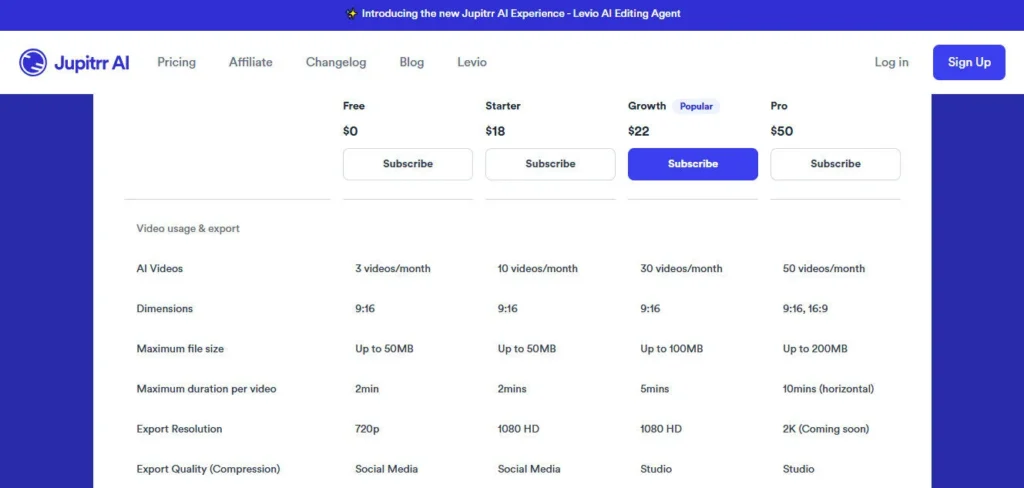
Free ($0/month)3 AI videos per month, 9:16 vertical only, Up to 50MB file size, 2-minute max duration per video, 720p export at Social Media compression, Pexels stock images and videos only, GIFs, Upload your own video/image, Web image B-roll, AI Text Overlay, B-roll Highlight Editor, AI Subtitles, AI Emojis, AI Background Music, AI Hook Text, Video Transitions, 50+ language support. Jupitrr watermark applied. No iStock access. No subtitle download.
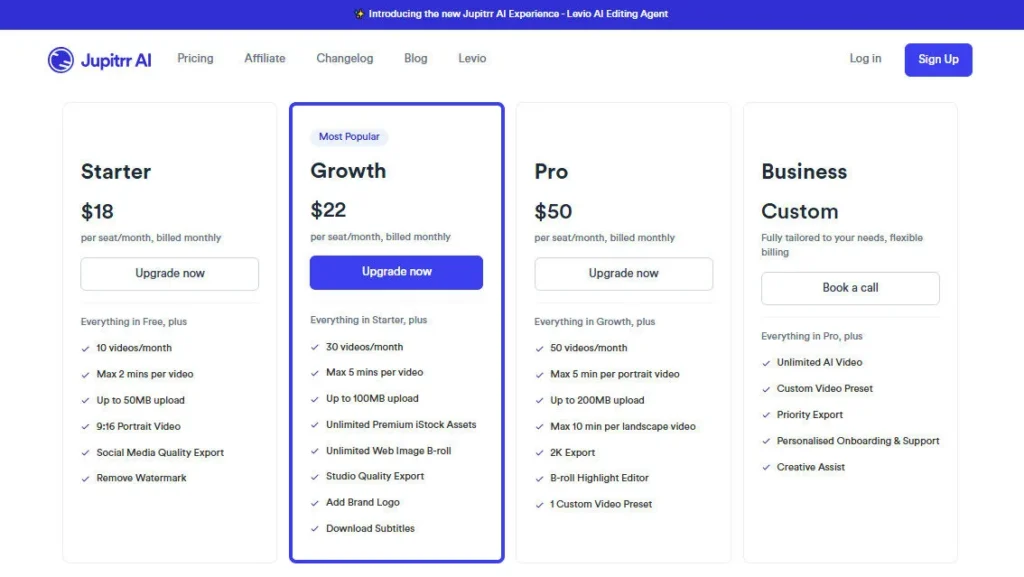
Starter ($10.80/month, billed annually — $18/month billed monthly)10 AI videos per month, 9:16 vertical only, Up to 50MB file size, 2-minute max duration, 1080p HD export at Social Media compression, iStock stock assets, All Free plan features, No watermark, Custom Branded Watermark NOT included, Subtitle Download NOT included.
Growth ($13.20/month, billed annually — most popular)30 AI videos per month, 9:16 vertical only, Up to 100MB file size, 5-minute max duration per video, 1080p HD export at Studio compression, Unlimited premium iStock assets (13.8M+), Web image B-roll, All Starter features, Custom Branded Watermark included, Download Subtitles included, Generative AI Image (Coming soon).
Pro ($30/month, billed annually)50 AI videos per month, 9:16 AND 16:9 horizontal dimensions, Up to 200MB file size, 10-minute max duration (horizontal), 2K export quality (Coming soon), Studio compression, All Growth features, Unlimited premium iStock assets, Custom Branded Watermark, Download Subtitles.

Jupitrr AI's core differentiators are rooted in its transcript-first, word-level B-roll workflow — a fundamentally different approach from timeline-based video editors.

• Word-Level Transcript B-Roll Assignment — Assigning B-roll footage directly to individual spoken words rather than to a video timeline means every clip change is semantically connected to what the speaker is saying — a level of contextual accuracy that template-based or timeline-based editors cannot replicate without manual work.

• 13.8M+ Getty iStock Commercial Library — Access to Getty Images' iStock library at $13.20/month is significantly below what a standalone iStock subscription costs — and the library's breadth (celebrities, brands, scientific topics, trending events) enables contextually relevant B-roll on almost any topic a talking-head creator covers.

• AI Hook Text Identification — The AI automatically identifies and visually highlights the most attention-grabbing opening line in the video for social media retention — a feature specifically targeting the critical first 3 seconds that determines scroll-stopping performance on Reels, TikTok, and Shorts.

• AppSumo Lifetime Deal Availability — Jupitrr's recurring presence on AppSumo (including Sumo Day 2025) makes it one of the few AI video editing tools with an accessible one-time lifetime purchase option alongside its standard subscription tiers — a meaningful alternative for creators who want to avoid ongoing monthly fees.

Jupitrr AI is fully browser-based with broad file format support and no installation required.

• Web Browser — Fully functional on Chrome, Safari, Firefox, and Edge on desktop; no plugin, extension, or desktop app required — all editing is performed in-browser with real-time transcript and B-roll editing.

Video File Inputs — Accepts standard MP4, MOV, and common video formats up to 50MB (Free/Starter), 100MB (Growth), or 200MB (Pro); supports both landscape and portrait orientation uploads.

• Stock Media Integration — Directly integrated with Pexels (Free plan) and Getty Images iStock library of 13.8M+ licensed clips (Starter, Growth, Pro); also supports web image pulling for supplemental B-roll sourcing.

• Export Formats — Exports finished videos in MP4 format at 720p (Free), 1080p HD (Starter/Growth), and 2K (Pro, Coming Soon) with downloadable SRT subtitle files available on Growth and Pro plans for caption platform uploads.

CategoryScoreWhy It Matters
Accuracy & Reliability3.8/5Jupitrr AI's word-level B-roll assignment produces contextually accurate footage matches in most standard use cases — confirmed by AppSumo's 4.39/5 from 212 users and Product Hunt's 4.8/5 from 37 reviewers. G2 reviewers report recurring bugs including choppy B-roll playback in final exports and session reloading that causes loss of recent edits — a meaningful reliability concern for professional users on tight publishing deadlines.
Ease of Use4.6/5The transcript-based workflow — upload, review auto-transcript, assign B-roll by clicking words, export — requires no timeline experience and is consistently praised by AppSumo and Product Hunt users for its intuitive interface. The LearnWire 2025 review specifically describes the word-level B-roll system as the tool's most usable differentiator. Initial setup and first video completion typically takes under 20 minutes for first-time users.
Functionality & Features4.2/5The Growth plan at $13.20/month packs a complete professional video editing feature set — iStock access, subtitles, hook text, emojis, music, brand watermark, subtitle download, Studio export — for a price no comparable tool matches. The Pro plan's 16:9 horizontal support and extended duration extend it to YouTube workflows. The tool's deliberate narrowness (no generative video, no timeline editing, no mobile app) keeps it focused but limits ceiling for complex production needs.
Performance & Speed4.0/5AppSumo reviewers consistently cite 'lightning-fast content generation' as a standout benefit. The AI transcript generation and B-roll suggestion step runs quickly after upload. Export speed is adequate for social media volumes. The G2 bug reports around choppy playback and session reloads introduce performance uncertainty for professional production workflows — experienced inconsistently rather than universally.
Customization & Flexibility4.0/5Word-level B-roll control, 13.8M+ iStock assets, custom brand watermark, subtitle style customization, and web image sourcing on Growth/Pro plans provide meaningful creative flexibility for talking-head editing. The B-roll Highlight Editor allows manual overrides of AI suggestions. Limitations include no font/subtitle template library, no element-level animation customization, and no support for non-talking-head video types.
Data Privacy & Security3.9/5Standard SaaS data handling practices apply. Uploaded video content is processed on Jupitrr's servers for transcript generation and B-roll processing. No explicit video data deletion policy or retention timeline is publicly documented on the official site. Business users sharing client or confidential recorded content should confirm data handling terms before uploading sensitive material.
Support & Resources4.1/5AppSumo reviewers specifically cite responsive and engaged customer support as a standout positive — with the team consistently responding to feature requests and bug reports. The official pricing FAQ addresses billing, rollover, refund, and overflow policies clearly. Support is prioritized for paid subscribers per the official FAQ. No live chat is documented on the public site — email support at [email protected] is the primary contact channel.
Cost-Efficiency4.7/5The Growth plan at $13.20/month (annual) is the strongest value proposition in this review: full iStock access, brand watermark, Studio export, subtitle downloads, and 30 videos/month for under $14 per month. The AppSumo Lifetime Deal option (when available) further improves cost efficiency for creators who want permanent access without recurring fees. No credit rollover and bug-related output failures (where credits are consumed without usable output) are the main cost-efficiency detractors.
Overall Score4.1/5Jupitrr AI is the most cost-efficient automated B-roll tool for talking-head creators in 2026 — the Growth plan at $13.20/month delivers a professional-grade feature set including 13.8M+ iStock assets and brand watermarks at a price point competitors cannot match. Recurring bug reports on G2 and the tool's narrow input requirement (recorded video only, no generative) are real limitations. For creators who already record talking-head content and want automated B-roll editing without timeline complexity, Jupitrr AI is the clearest recommendation in its price range.

Jupitrr AI is the most purpose-focused auto B-roll tool in this review set — built exclusively for creators who upload recorded talking-head videos and need fast, professional editing without manual timeline work.

The Growth plan at $13.20/month delivers the full professional feature set including 13.8M+ iStock assets, Custom Branded Watermark, Studio export quality, and subtitle downloads at one of the lowest price points in the AI Video Editing">video editing category.

Bug reports on G2 are a real concern for professional users, and the tool's inability to generate video from scratch limits its appeal to creators with an existing recording workflow. But for what it does — automating B-roll, subtitles, and polish on talking-head footage — it does it better and more affordably than almost any comparable tool.

Q1.Is Jupitrr AI free to use?
Ans:-Yes. Jupitrr AI offers a permanent free plan with 3 AI videos per month at 720p resolution using Pexels stock footage. The free plan includes AI subtitles, B-roll editor, AI emojis, AI background music, and 50+ language support — but exports include a Jupitrr watermark and are limited to 9:16 vertical at 2-minute maximum duration.
Q2.What are Jupitrr AI's pricing plans in 2026?
Ans:-Jupitrr AI offers four plans billed annually: Free ($0, 3 videos/mo), Starter ($10.80/mo, 10 videos/mo), Growth ($13.20/mo, 30 videos/mo — most popular), and Pro ($30/mo, 50 videos/mo with 16:9 horizontal support). Monthly billing is also available at higher rates.
Q3.What is the difference between the Starter and Growth plans?
Ans:-The key differences are: Growth includes Unlimited iStock assets (Starter has standard iStock access), Custom Branded Watermark (Starter does not), Download Subtitles (Starter does not), Studio export compression vs. Social Media compression, 5-minute max video duration (vs. 2 minutes on Starter), and 100MB max upload size (vs. 50MB on Starter). At only $2.40/month more annually, Growth is the recommended plan for professional creators.
Q4.Does Jupitrr AI work with any video — or only talking-head footage?
Ans:-Jupitrr AI is specifically optimized for talking-head videos — content where one person is speaking directly to camera. The transcript-based B-roll system requires clear speech audio to generate accurate word-level assignments. It is not a text-to-video tool and cannot generate video from scratch. Existing recorded video is required as the input.
Q5.What stock footage library does Jupitrr AI use?
Ans:-The Free plan uses Pexels stock footage and images. Starter, Growth, and Pro plans access Getty Images' iStock library of 13.8 million+ commercially licensed video clips and images. Growth and Pro plans include unlimited access to the full iStock library. Web image pulling is also available on Growth and Pro plans for supplemental sourcing.
Q6.Does Jupitrr AI support languages other than English?
Ans:-Yes. Jupitrr AI supports automatic subtitles and transcript generation in 50+ languages, including Telugu, Vietnamese, Thai, French, Chinese, Hindi, Polish, Swedish, Finnish, and more. All plans including the free tier support all 50+ languages.
Q7.Do unused Jupitrr AI video minutes roll over each month?
Ans:-No. Unused video minutes reset at the start of each billing cycle. If you run out of videos before the reset, you can contact the support team at [email protected] and they will assist in finding a solution — though no automatic overflow or rollover is built into the subscription.
Q8.Does Jupitrr AI support horizontal 16:9 video for YouTube?
Ans:-16:9 horizontal format is exclusively available on the Pro plan ($30/month annually). All other plans — Free, Starter, and Growth — are limited to 9:16 vertical format, suitable for Instagram Reels, TikTok, and YouTube Shorts but not standard YouTube uploads or landscape presentations.
Q9.Is there an AppSumo Lifetime Deal for Jupitrr AI?
Ans:-Yes — Jupitrr AI has appeared on AppSumo including during Sumo Day 2025, offering a lifetime deal as a one-time purchase alternative to the recurring subscription. AppSumo lifetime deal availability is periodic and not guaranteed to be active at any given time — check AppSumo directly for current deal status.
Q10.What are the main limitations of Jupitrr AI?
Ans:-The main limitations are: requires an existing recorded video (cannot generate from scratch), 2-minute video cap on Free and Starter plans, occasional export bugs and choppy B-roll playback reported on G2, no mobile app, no credit rollover, and 2K export resolution on the Pro plan not yet available (listed as Coming Soon). The tool is purpose-built for talking-head B-roll automation — not a full video production suite.

Promote This Tool

Help others discover this tool by sharing this page.

✓ Link copied to clipboard!

Jupitrr AI Reviews

0.0
Based on 0 reviews
5 star
0%
4 star
0%
3 star
0%
2 star
0%
1 star
0%

Write a Review

Your Rating:

No reviews yet. Be the first to share your thoughts!

28 Similar Jupitrr AI Tools