Home Categories Deals Sign Up
Updated: April 30, 2026

Vizard AI in Action

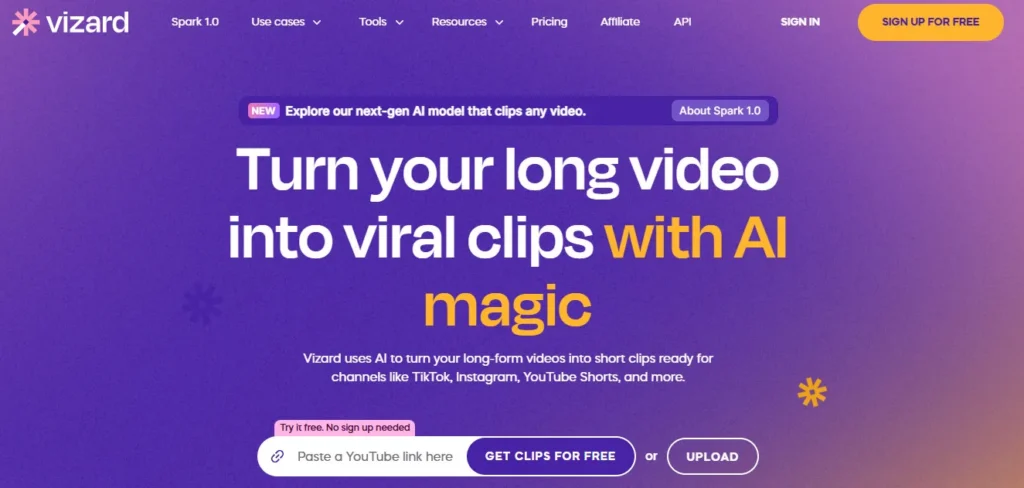
Vizard is an AI-powered video repurposing platform trusted by 10 million+ creators and businesses worldwide. Founded in Palo Alto in February 2022 by Gary Zhang, Qiumiao Chen, and Chunwei Song, it solves the most expensive problem in content marketing: one hour of valuable video used to take days and hundreds of dollars to turn into social posts.

One stress management coach on the platform replaced $400/month in freelance editing costs with Vizard in under a week. One creator grew from zero to 50,000–60,000 daily YouTube views by consistently publishing clips ranked high by Vizard's Viral Score system.

Key Capabilities

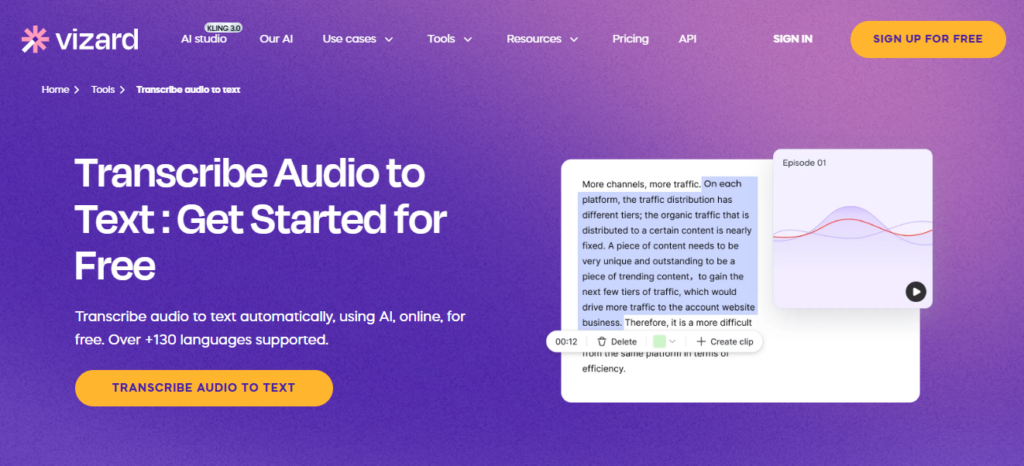
Upload a podcast, webinar, Zoom call, or YouTube link and Vizard transcribes it, analyzes engagement signals, and generates fully designed, platform-ready clips in minutes.

Every candidate clip receives a proprietary Viral Score that predicts engagement based on pacing, emotional peaks, and hook strength — so you prioritize publishing the right clips first.

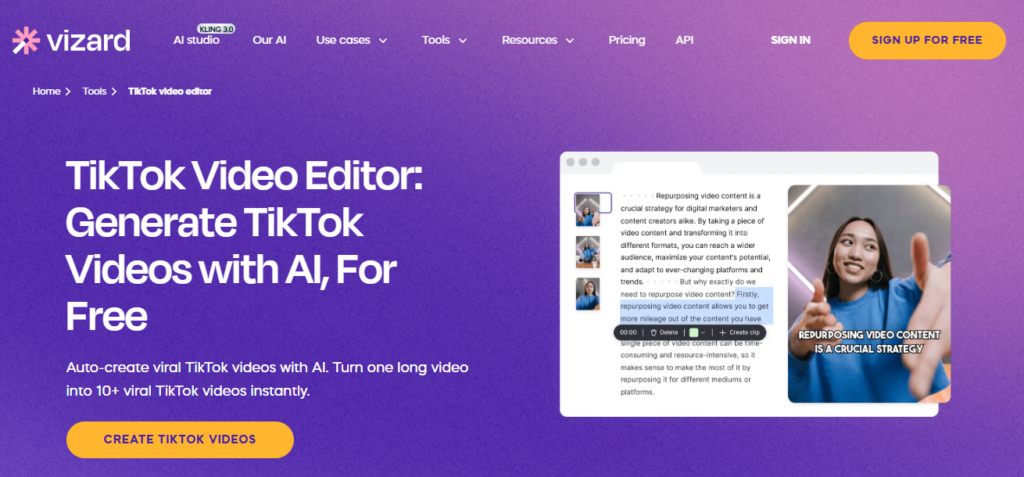
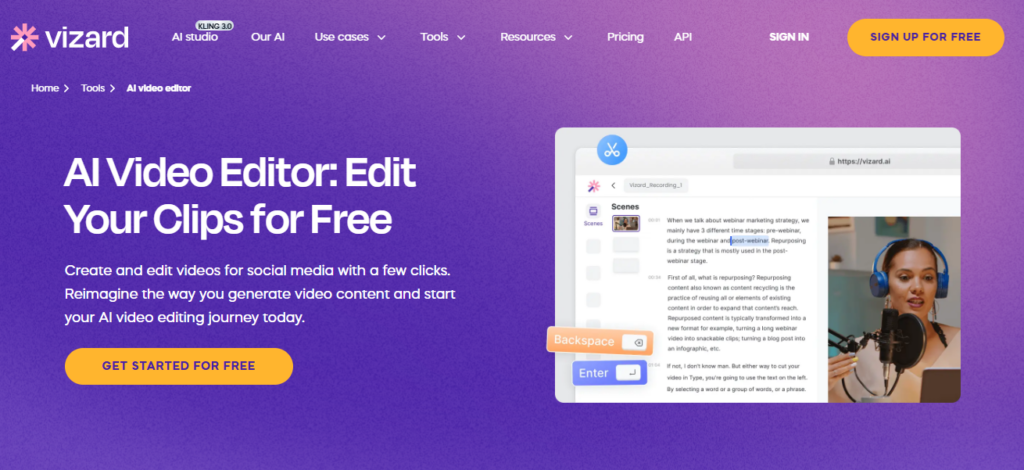
Auto-reframing tracks and centers multiple speakers automatically, keeping faces centered in vertical formats without manual keyframing. Text-based editing trims video by deleting transcript sentences — no timeline scrubbing or timecode knowledge required.

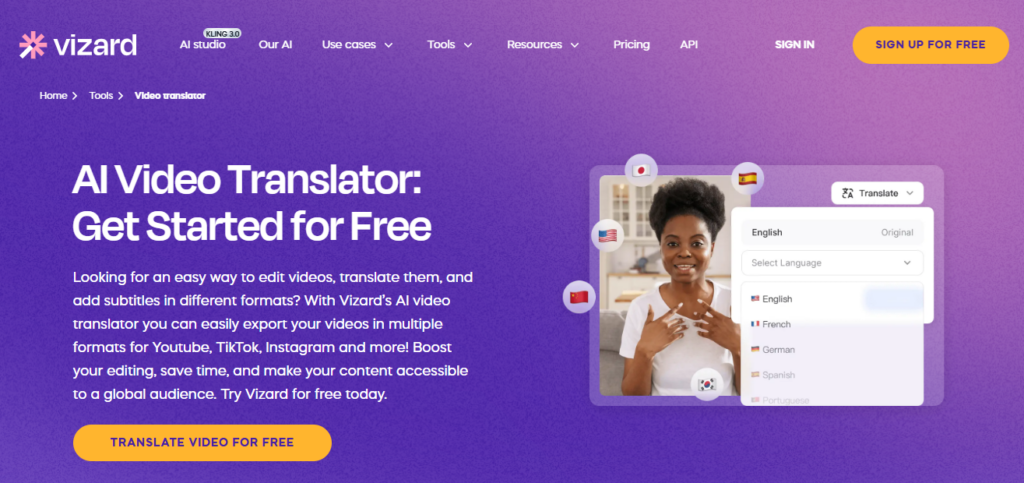
Caption translation supports 100+ languages, AI B-rolls, AI emoji overlays, AI highlight keywords, and AI post caption suggestions add production polish with one click.

A built-in Content Calendar with drag-and-drop scheduling and direct publishing to 20+ social accounts handles your entire distribution pipeline inside one dashboard, from raw upload to scheduled post.

Who Gets the Most Out of It

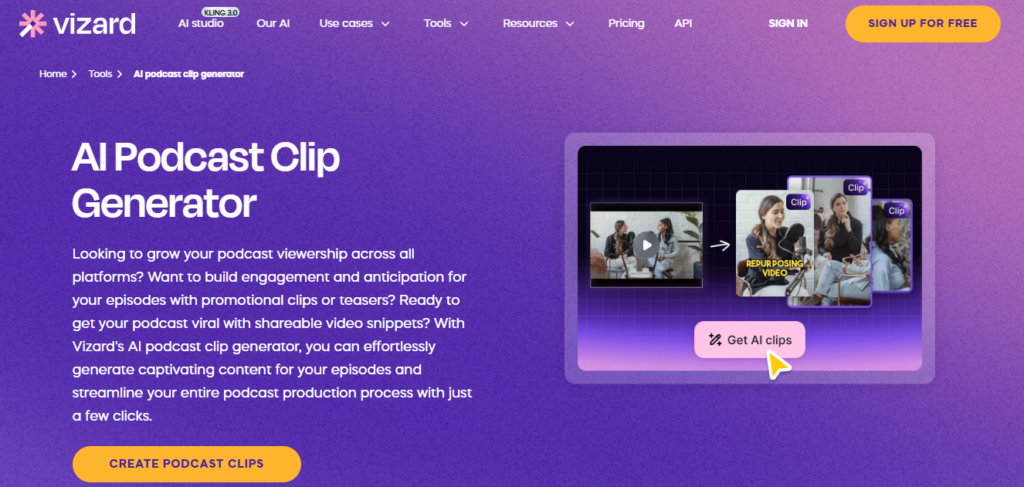
Podcasters and interviewers extract the clearest ROI — a single 60-minute recording produces 20+ platform-ready clips in under 10 minutes.

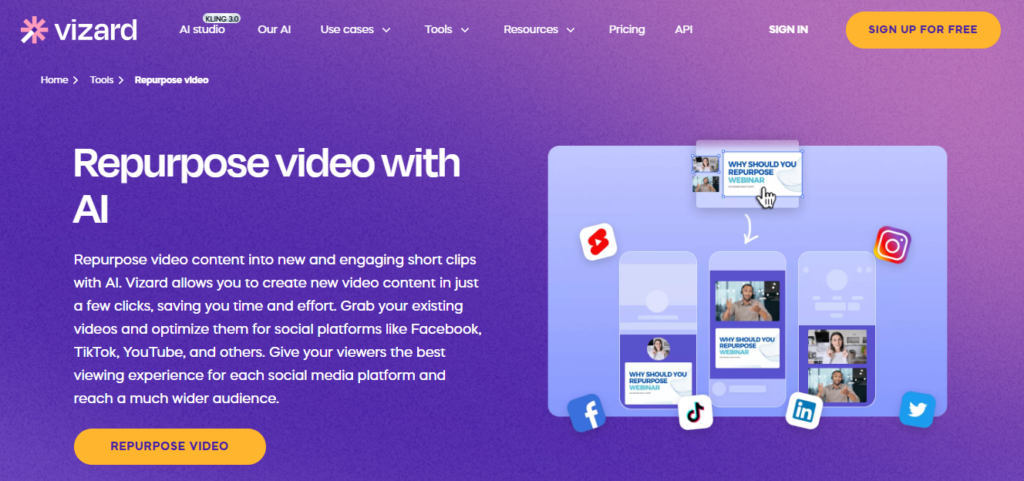
Marketing teams repurpose one webinar into a full month of LinkedIn, TikTok, and YouTube Shorts content with no freelancer invoices. Coaches and personal brand builders report 90% cost savings compared to hiring editors.

Agencies on the Business plan use shared team workspaces, brand kits, and client-facing project links to scale multi-client content output without scaling headcount.

For any creator currently recording long-form content and manually clipping it, Vizard removes the most time-consuming and skill-dependent step in that entire workflow.

Is It Worth It?

The free plan's 60 credits/month and full editor access give you enough to test the complete AI clipping pipeline before spending anything.

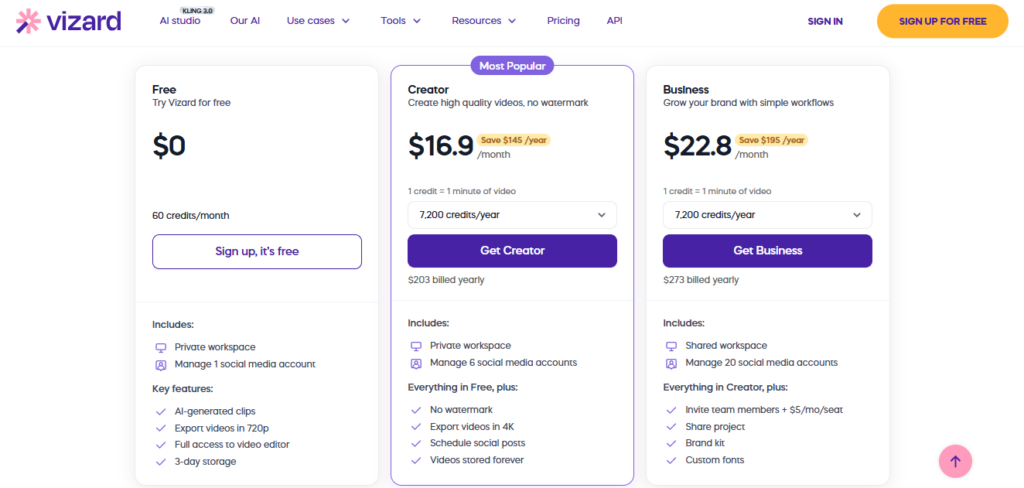
The Creator plan at $16.9/mo (billed annually at $203/yr) removes the watermark, unlocks 4K export, forever storage, and social scheduling for 6 accounts — a straightforward upgrade for any creator posting consistently.

The Business plan at $22.8/mo annually ($273/yr) adds shared workspaces, 20 social accounts, brand kit, custom fonts, and team seats at +$5/mo per seat.

The honest limitation is that 1 credit equals 1 minute of uploaded footage, so uploading a 90-minute webinar costs 90 credits regardless of how many clips you generate from it — heavy uploaders on the free plan will hit the 60-credit ceiling quickly.

For teams managing multiple creators or clients, the Business plan's workspace and brand tools deliver the clearest team-level ROI.

Vizard AI is an AI-powered video repurposing and editing platform that automatically clips long-form videos into viral-ready short-form content for TikTok, YouTube Shorts, Instagram Reels, and 20+ other platforms.

Built by Gary Zhang, Qiumiao Chen, and Chunwei Song and launched in February 2022 in Palo Alto, California, it serves 10 million+ creators and businesses with AI clipping, viral scoring, auto-captions in 100+ languages, and a built-in Content Calendar for direct social scheduling — all without requiring video editing skills.

• AI Clipping with Viral Score — Automatically identifies the most engaging segments of any long-form video and assigns each potential clip a Viral Score predicting engagement potential based on pacing, emotional peaks, and hook strength.

• Auto-Reframing & Speaker Detection — Proprietary AI tracks multiple speakers in a video, isolates them individually, and auto-centers faces in vertical (9:16) format — no manual keyframing or resizing required across any clip.

• Text-Based Video Editing — Edit your video by deleting or rearranging sentences in the auto-generated transcript; changes apply instantly to the video timeline, making editing as fast as editing a document.

• Caption Translation in 100+ Languages — Auto-generated subtitles sync frame-accurately to dialogue, with one-click translation into over 100 languages, turning any video into a multilingual content library for global audiences.

• AI B-Rolls, Emojis & Keyword Highlights — Automatically inserts contextual B-roll footage, animated emoji overlays, and highlighted keyword captions to boost visual engagement without manual sourcing or placement.

• Content Calendar & Direct Social Publishing — Schedule and publish clips directly to TikTok, YouTube Shorts, Instagram, LinkedIn, and 20+ social accounts from a drag-and-drop content calendar built into the platform dashboard.

• Brand Kit & Custom Templates — Business plan users upload brand fonts, colors, and logos and save custom video templates that apply consistently across all exported clips for instant visual brand consistency.

• Full Video Editor with Timeline — Fine-tune AI-generated edits using an intuitive timeline editor for second-level precision, custom outros, aspect ratio switching, and manual trimming — all inside the same browser window.

Pros
  • Trusted by 10 million+ creators and businesses globally — the scale of the user base signals production-tested reliability at every content volume
  • Free plan includes 60 credits/month, full video editor access, and AI clipping with no credit card required — enough to validate output quality before purchasing
  • Viral Score system ranks AI-generated clips by predicted engagement, cutting clip review time by helping you prioritize the best content first
  • Text-based video editing removes the most technical barrier in traditional editing — trim a 60-minute interview by deleting transcript text in under 5 minutes
  • Caption translation into 100+ languages turns a single recording into a multilingual content library without re-recording or re-editing
  • Creator plan at $16.9/mo annually ($203/yr) removes the watermark, unlocks 4K export, forever storage, and social scheduling — strong value for consistent creators
  • Direct publishing to 20 social media accounts and a full Content Calendar eliminate every post-production step after export from the workflow
Cons
  • ×Credit system charges 1 credit per minute of uploaded footage — uploading a 90-minute webinar consumes 90 of the free plan's 60-credit monthly budget before generating a single clip
  • ×AI clip selection is not always context-aware — clips occasionally start mid-thought or miss the strongest hook, requiring a manual review pass before publishing to avoid awkward cuts
  • ×Video storage on the Free plan expires after only 3 days, making the free tier impractical for creators who need to revisit projects more than a few days after upload
  • ×Business plan team seat add-ons cost an extra $5/mo per seat (annual) or $10/mo per seat (monthly) beyond the base subscription, making it less cost-efficient for large teams
  • ×Auto-reframing struggles with fast-moving tutorial content and multi-camera setups where hands or screen elements move outside the tracked speaker frame

Vizard AI is built for creators and teams who produce long-form video content and need a fast, systematic way to repurpose it into daily short-form social media clips without an editing team.

• Podcasters and video interviewers — a single 60-minute episode yields 20+ platform-ready clips in under 10 minutes, replacing what previously required a full day of manual editing or a $400 freelance invoice.

• B2B marketing teams and webinar hosts — repurpose one webinar recording into a full month of LinkedIn, TikTok, and YouTube Shorts content, with direct publishing built into the same dashboard that hosts the clips.

• Coaches, consultants, and personal brand builders — record once and let Vizard handle the clipping, captioning, and scheduling that would otherwise require hiring a dedicated social media content editor.

• Content agencies and freelance editors — the Business plan's shared workspace, brand kit, project sharing, and team roles let agencies manage multiple client content calendars from a single platform at $22.8/mo (annual) base.

• Educators and course creators — repurpose lesson recordings, Q&A sessions, and workshops into searchable, shareable clips with 100-language caption translation for international student audiences.

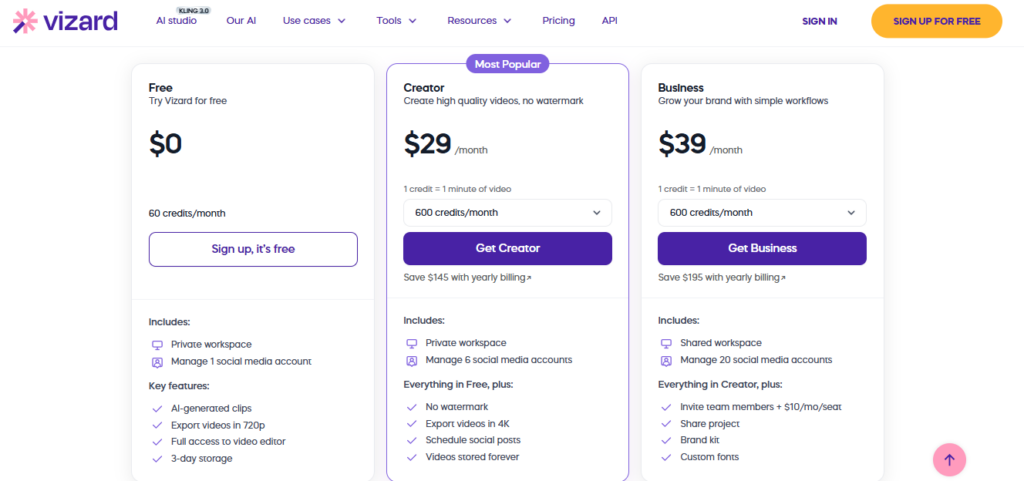
Free ($0/month)60 credits/month (1 credit = 1 minute of video), private workspace, manage 1 social media account, AI-generated clips, export videos in 720p, full access to video editor, 3-day video storage only.
Creator ($29/mo monthly — or $16.9/mo billed annually at $203/yr, saves $145/yr)600 credits/month on monthly billing or 7,200 credits/year on annual billing, private workspace, manage 6 social media accounts, no watermark on exports, export videos in 4K, schedule social posts, videos stored forever.
Business ($39/mo monthly — or $22.8/mo billed annually at $273/yr, saves $195/yr)600 credits/month on monthly billing or 7,200 credits/year on annual billing, shared team workspace, manage 20 social media accounts, invite team members (+$10/mo per seat monthly or +$5/mo per seat annually), share project with external clients, brand kit with logo and color upload, custom fonts — everything in Creator included.
Enterprise (Custom pricing)Contact sales for custom credit volumes, dedicated onboarding, SLA-backed support, advanced security requirements, and API rate limits beyond the standard Business plan thresholds.

Vizard AI stands apart from general video editors and AI clipping tools through a combination of proprietary virality prediction, a complete distribution pipeline, and a text-editing interface that requires zero video editing skills.

• Proprietary Viral Score System — Rather than just generating clips and leaving ranking to the user, Vizard assigns every candidate clip a predictive engagement score based on pacing, emotional tone, and hook strength — a data-driven prioritization layer no standard clipping tool offers and that one creator credits for growing from zero to 50,000–60,000 daily YouTube views.

• Text-Based Video Editing — Deleting a sentence in the auto-transcript cuts that segment from the video in real time; no timeline, no keyframes, no timecodes needed. This is the single most accessible video editing interface available and removes the entire technical learning curve for non-editors.

• End-to-End Distribution Pipeline in One Dashboard — AI clipping, caption generation, 100-language translation, viral scoring, social scheduling, and direct publishing to 20+ platforms all live in one workspace — eliminating the app-switching and file-management overhead that plagues multi-tool content workflows.

• Multi-Speaker Auto-Reframing — The AI identifies and separately tracks multiple speakers in a single recording, auto-centering each face in vertical format for every clip — a feature that makes interview and podcast content production-ready for short-form without any manual cropping.

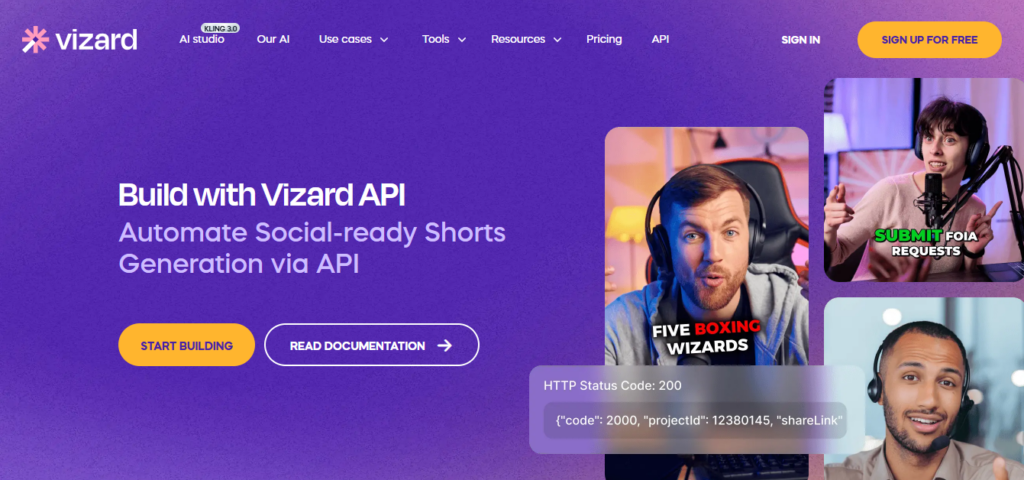
• API Access on Paid Tiers — Creator and Business plan users both get API access at different rate limits, enabling integration with n8n, automation platforms, CMS tools, and custom distribution pipelines — technical flexibility rare at this mid-market price point.

Vizard AI is a fully browser-based web app that accepts uploads from multiple source platforms and publishes directly to the world's major social media networks without leaving the dashboard.

Video Upload Sources (YouTube, Zoom, Google Drive, Vimeo, Direct Files) — Paste a YouTube or Vimeo URL, connect your Google Drive or Zoom account, or upload MP4, WEBM, and MOV files directly — no download-and-reupload workflow required.

• Direct Social Publishing (TikTok, YouTube Shorts, Instagram, LinkedIn, and 20+ Accounts) — Connect up to 20 social media accounts on the Business plan and publish or schedule clips directly from the Vizard Content Calendar without downloading and manually uploading to each platform.

• Google Drive Integration — Creator and Business plan users can save exported clips and project files directly to Google Drive with one click, enabling seamless file handoff to clients, teams, or other tools in the production stack.

• API (Creator & Business Plans) — Developers and automation teams access Vizard's API to trigger video processing, retrieve clip outputs, and push content programmatically; Creator plan supports 3 requests/min and 20/hour, Business supports 10/min and 60/hour.

• n8n & Workflow Automation Compatibility — Vizard's API connects natively with n8n automation workflows, enabling fully automated pipelines that take a YouTube video as input and deliver a batch of viral clips to scheduled social posts without any manual steps.

CategoryScoreWhy It Matters
Accuracy & Reliability4.3/5The AI Clipping engine and Viral Score system perform reliably across podcasts, interviews, and webinars — one creator's real-world 9-month review confirms consistent, publish-ready outputs at scale. The primary accuracy limitation is contextual clip selection: AI-generated clips occasionally start mid-thought or miss the strongest hook, requiring a 5–10% human correction rate before publishing, which is consistent across multiple independent reviewer reports.
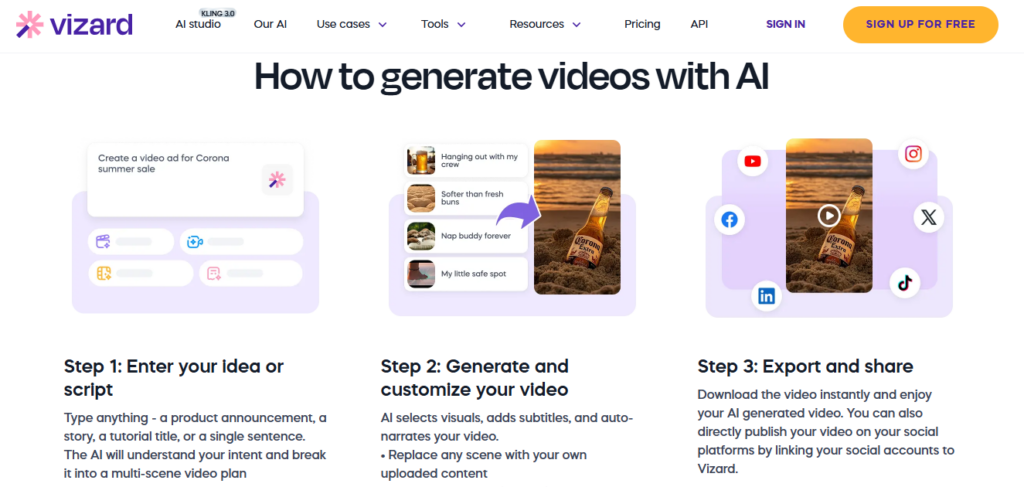
Ease of Use4.6/5Text-based editing — where deleting a transcript sentence trims that video segment instantly — is the most accessible video editing interface available at any price point and eliminates the entire technical learning curve for non-editors. The 3-step workflow (upload → get AI clips → publish) has been confirmed by multiple reviewers who produced their first publishable TikTok within minutes of signing up. The credit system requires brief onboarding to understand the 1-credit-per-minute upload cost before proceeding at volume.
Functionality & Features4.5/5The feature set spans AI clipping, Viral Score ranking, multi-speaker auto-reframing, text-based editing, caption translation in 100+ languages, AI B-rolls, AI emojis, keyword highlights, AI post suggestions, brand templates, Content Calendar, direct social publishing to 20+ accounts, and API access on paid plans — one of the broadest repurposing-focused toolsets available in 2026. The only notable gap is the absence of a voiceover or text-to-speech layer for creating original short-form content from scratch.
Performance & Speed4.3/5Standard video processing for a 30–60 minute file completes in minutes, which independent reviewers across 2025 and 2026 consistently confirm. A creator running a 9-month test found throughput reliable enough for daily multi-platform publishing. Processing time scales with file length and server demand, and occasional queue delays on longer files (90+ minutes) are noted in user feedback during peak usage hours.
Customization & Flexibility4.3/5Business plan users at $22.8/mo annually get brand kits, custom fonts, custom templates, AI B-roll selection, aspect ratio switching, and full timeline editing — a meaningful customization stack for branded team content. The text-based editing layer and manual timeline editor together allow full clip-level control without leaving the platform. Creator plan users at $16.9/mo annually have fewer brand-level tools, and the free plan's 720p export cap limits quality flexibility for creators wanting higher-resolution output before committing.
Data Privacy & Security3.9/5Vizard does not publicly document SOC 2, ISO 27001, or GDPR compliance certifications on its pricing or homepage as of April 2026. The platform stores uploaded video files in the cloud — forever on paid plans — which requires trust in the provider's infrastructure. For individual creators sharing public podcast recordings, the data risk is low. Enterprises uploading confidential internal recordings should verify data handling agreements directly with the sales team before adopting the Business or Enterprise plan.
Support & Resources4.2/5Live chat support is available on the free plan, with priority support on Creator and Business tiers — a notably generous policy compared to competitors that gate live chat behind paid plans. Multiple user testimonials specifically praise the support team's responsiveness as 'real humans.' A growing YouTube tutorial ecosystem with 2026-dated reviews and an official blog supplement platform documentation for self-serve troubleshooting at all plan levels.
Cost-Efficiency4.5/5The Creator plan at $16.9/mo billed annually ($203/yr) replaces a video editor, caption generator, translation tool, social scheduler, and content calendar subscription at a price that one coach confirmed saves $400/month previously spent on freelance editing. The Business plan at $22.8/mo annually ($273/yr) adds full team and brand toolkit at a rate that undercuts comparable agency-tier tools. The per-minute credit model reduces efficiency for teams uploading multiple hours of footage weekly, where the Business plan's seat add-ons at $5/mo per seat can compound for larger teams.
Overall Score4.3/5Vizard AI earns a strong 4.3 out of 5 for delivering the most complete long-form-to-short-form video repurposing pipeline in its class — combining AI clipping, viral scoring, 100-language captions, text-based editing, and end-to-end social distribution in one browser-based platform trusted by 10 million+ users, from $16.9/mo annually. Honest gaps in contextual clip accuracy, auto-reframing edge cases, and the absence of public security compliance documentation keep it just below a top-tier score, but for the majority of creators and teams the ROI is immediate and well-documented.

Vizard AI is the most complete long-form-to-short-form video repurposing platform available in 2026, combining AI clipping, Viral Score ranking, 100-language captions, and a built-in Content Calendar that publishes directly to 20+ social accounts — all from $16.9/mo (billed annually).

It is best suited for podcasters, marketing teams, coaches, and agencies who create long-form video content and need a systematic, cost-efficient pipeline to turn it into consistent short-form social output.

The honest trade-off is a per-minute credit system that penalizes heavy uploaders and AI clip selection that still benefits from a quick human review pass before hitting publish.

Q1.Is Vizard AI free to use?
Ans:-Yes. Vizard AI offers a permanent free plan with 60 credits per month — equivalent to 60 minutes of uploadable video — with no credit card required. The free plan includes full access to the AI clipping engine, the video editor, and 720p export. The main limitations are 3-day video storage and a watermark on exported videos, both of which are removed on the paid Creator plan starting at $16.9/mo annually.
Q2.How does Vizard AI turn long videos into short clips?
Ans:-You upload a video or paste a YouTube link, and Vizard transcribes the content and analyzes it for engagement signals like pacing, emotional peaks, and hook strength. The AI generates multiple fully-designed clips, each scored with a Viral Score predicting engagement potential. You review the ranked clips, make any text-based edits to tighten them, and export or publish directly to your connected social accounts.
Q3.How much does Vizard AI cost per month?
Ans:-Vizard AI has three public plans. The Free plan is $0/month with 60 credits. The Creator plan is $29/mo on monthly billing or $16.9/mo billed annually ($203/yr, saving $145). The Business plan is $39/mo monthly or $22.8/mo billed annually ($273/yr, saving $195). Team seat add-ons on the Business plan cost an additional $10/mo per seat (monthly) or $5/mo per seat (annual). Enterprise pricing is available on request.
Q4.What is a Vizard credit and how many do I need?
Ans:-One Vizard credit equals one minute of uploaded video. Uploading a 30-minute podcast costs 30 credits regardless of how many clips you generate from it. The free plan includes 60 credits/month — enough for two 30-minute uploads. The Creator and Business plans include 600 credits/month on monthly billing or 7,200 credits/year (600/month equivalent) on annual billing.
Q5.Who founded Vizard AI and when was it launched?
Ans:-Vizard AI was co-founded by Gary Zhang (Founder and CEO), Qiumiao Chen, and Chunwei Song. Gary Zhang is a Tsinghua University alumnus based in Palo Alto, California. The company was founded in February 2022 and has grown to serve over 10 million creators and businesses globally since launch.
Q6.Does Vizard AI support multiple languages for captions?
Ans:-Yes. Vizard AI supports caption translation into over 100 languages, applied directly to auto-generated subtitles without re-recording or manual translation. This makes it practical for creators targeting multilingual audiences on TikTok, YouTube Shorts, and Instagram Reels, where native-language captions significantly boost engagement in non-English markets.
Q7.Can I publish directly to TikTok and YouTube from Vizard AI?
Ans:-Yes. The Creator plan lets you connect and manage 6 social media accounts with direct scheduling and publishing, while the Business plan supports up to 20 accounts. The built-in Content Calendar lets you drag, drop, and schedule clips across multiple platforms in one view, with direct publishing to TikTok, YouTube Shorts, Instagram, LinkedIn, and more — no manual downloading and re-uploading required.
Q8.Is Vizard AI good for teams and agencies?
Ans:-Yes, the Business plan at $22.8/mo annually ($273/yr) is designed specifically for teams. It adds a shared workspace, project sharing for external clients, brand kit with logo and color upload, custom fonts, 20 social media account connections, and team seat add-ons at $5/mo per seat (annual). Independent reviews confirm agencies use the Business plan to manage multi-client content calendars from a single dashboard, significantly reducing per-client editing overhead.
Q9.What are the main limitations of Vizard AI?
Ans:-The most commonly reported limitations are: the credit system charges per minute of uploaded footage (not per clip generated), so uploading a 90-minute webinar costs 90 credits and exceeds the free plan's 60-credit monthly limit before generating a single clip; AI clip selection can miss context and cut mid-sentence, requiring a manual review before publishing; the free plan's 3-day storage expires projects quickly; and auto-reframing struggles with fast-moving tutorial content where hands or screens leave the tracked frame.
Q10.How does Vizard AI compare to Opus Clip?
Ans:-Both platforms auto-clip long videos into short-form content but differ in scope. Vizard offers a more complete production stack — text-based editing, 100-language captions, brand templates, team workspaces, Content Calendar, and direct multi-platform publishing — all starting at $16.9/mo annually. Opus Clip focuses more narrowly on viral clip identification and is simpler for solo creators who only need the clipping step. Vizard wins on team collaboration and distribution tools; Opus Clip is faster to start for individuals.

Promote This Tool

Help others discover this tool by sharing this page.

✓ Link copied to clipboard!

Vizard AI Reviews

0.0
Based on 0 reviews
5 star
0%
4 star
0%
3 star
0%
2 star
0%
1 star
0%

Write a Review

Your Rating:

No reviews yet. Be the first to share your thoughts!

40 Similar Vizard AI Tools