Home Categories Deals Sign Up
Updated: April 25, 2026

Crayo AI in Action

Crayo is a short-form video creation platform built by Daniel Bitton and Musa Mustafa — two serial content creators who each scaled channels past a million subscribers before turning their editing workflow into a SaaS product.

Launched in late 2023 with just $10K in savings, Crayo now serves 3.2 million users and crossed $600K per month in revenue within its first year — one of the fastest-growing bootstrapped AI video tools on record.

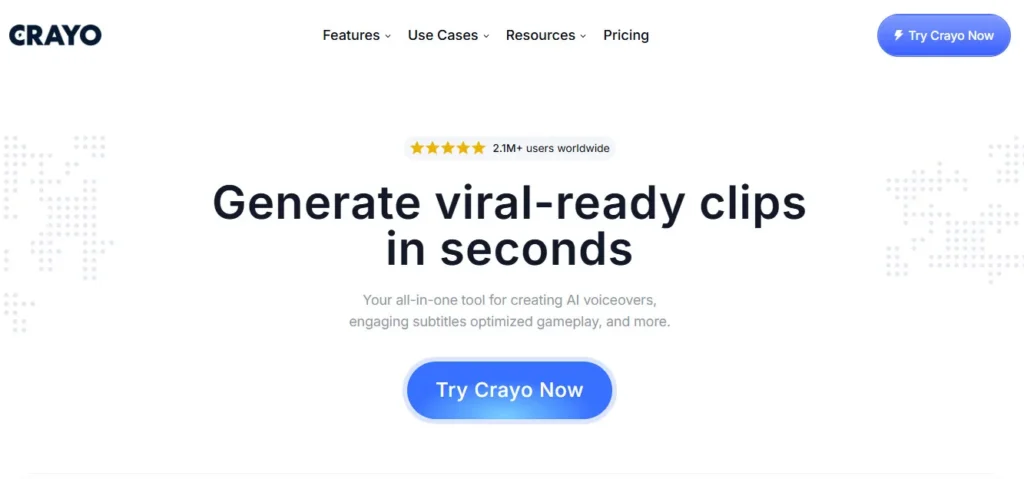
The core promise is unambiguous: go from idea to exported, platform-ready TikTok, YouTube Short, or Instagram Reel in under three minutes, without touching a timeline editor or recording a single frame.

Key Capabilities

What separates Crayo from general AI video tools are its five built-in Workflow Templates, each designed around a proven viral format. The Reddit Video workflow converts Reddit thread text into voiceover-driven visual stories — one of the highest-performing evergreen formats on YouTube Shorts. Fake Texts builds eye-catching conversation-style overlays that halt the scroll mid-feed.

Streamer Video formats split-screen gameplay clips with auto-sync precision. ChatGPT Video and Split-Screen templates complete the five.

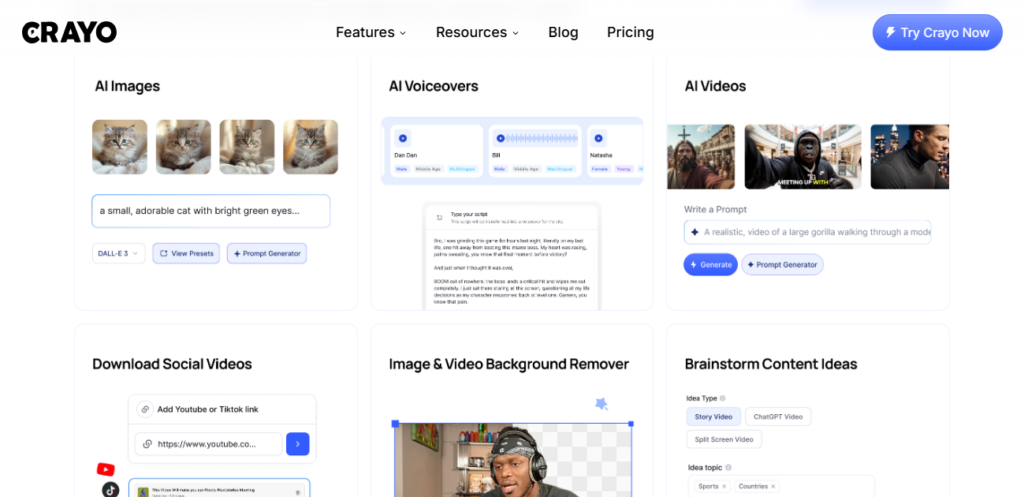
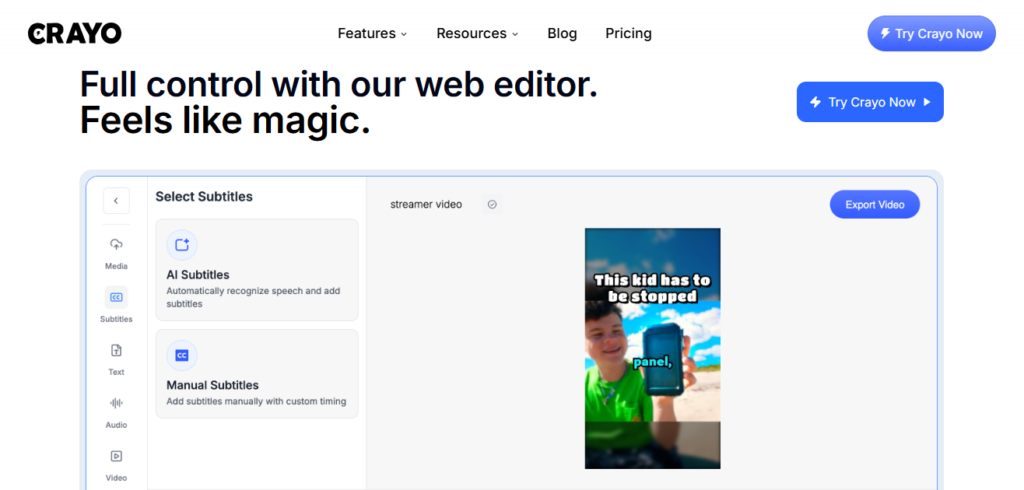
Supporting those workflows: 50+ AI voices across multiple languages with tone controls, 15+ viral subtitle styles that auto-sync to dialogue frame by frame, an AI Brainstorm tool that generates full video concepts from a single keyword, a Vocal and Instrumental Remover, and one-click YouTube and TikTok downloaders for sourcing raw content without switching tabs.

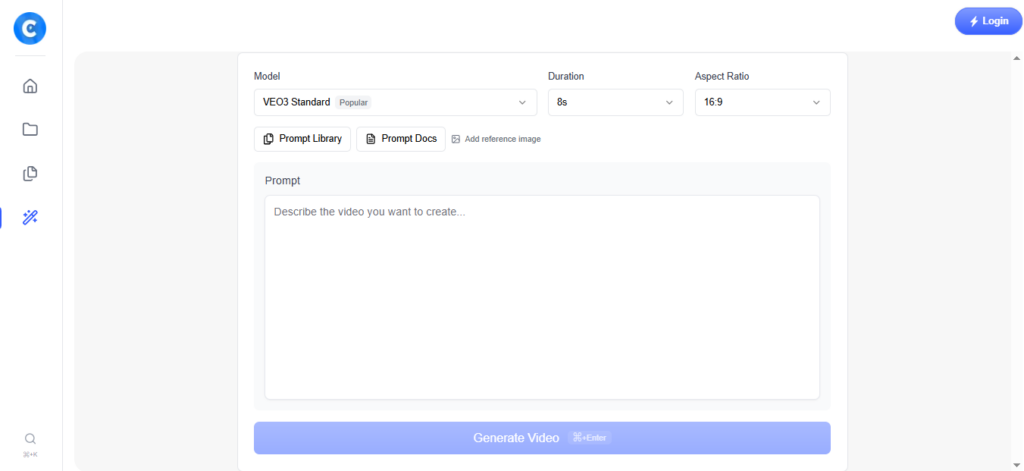
VEO3 video generation credits are available as a separate top-up purchase on all tiers for creators who need fully AI-generated footage beyond templates.

Who Gets the Most Out of It

Crayo is purpose-built for high-volume short-form creators running daily posting schedules or managing multiple faceless channels at once.

Independent reviewers confirm producing dozens of platform-ready clips in a single afternoon — output that would otherwise require a full editing team.

Creators monetizing specific trending formats like Reddit story compilations and fake text conversations will extract the highest ROI, since Crayo's templates execute both in seconds with no manual formatting required.

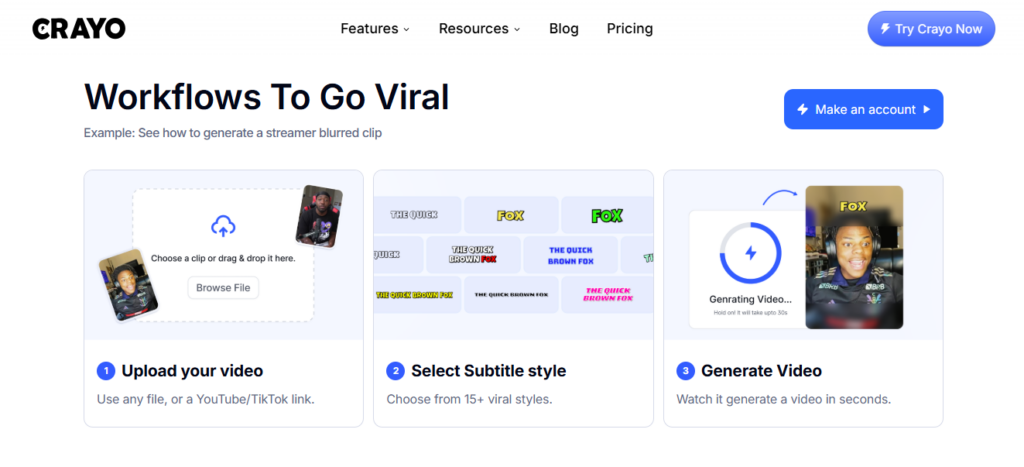
Marketing teams testing TikTok and YouTube Shorts ad strategy can batch creative variants without a production budget. Complete beginners with zero editing experience are explicitly in Crayo's target audience — the 3-step workflow asks for a prompt, a style choice, and a click.

Is It Worth It?

At $13/mo on annual billing, the Hobby plan replaces a video editor, voiceover tool, subtitle generator, and content downloader at a price most creators spend on coffee. The Clipper plan at $27/mo is where active daily creators will land comfortably.

The honest limitations are real, though: there is no free trial, refunds are not offered, and annual billing locks you in for 12 months upfront.

Independent reviews note AI voices can sound robotic in longer narrations and subtitle accuracy drops on complex phrasing. Trustpilot feedback includes reports of video crash and export bugs, particularly under high-volume use.

For creators who commit to the five viral formats Crayo optimizes for, the speed-to-output ratio at this price point is difficult to match anywhere else in 2026.

Crayo AI is a short-form video creation platform that turns text prompts into viral-ready TikTok, YouTube Shorts, and Instagram Reels in seconds using five built-in viral workflow templates, 50+ AI voices, and 15+ auto-synced subtitle styles.

Built by Daniel Bitton and Musa Mustafa and launched in late 2023 in Cyprus, it serves 3.2 million users and is designed for faceless content creators and marketers who need high-volume short-form video output without video editing skills.

• 5 Viral Workflow Templates — Reddit Video, Fake Texts, Streamer Video, ChatGPT Video, and Split-Screen workflows automate the five highest-performing short-form video formats from prompt to export in under three minutes.

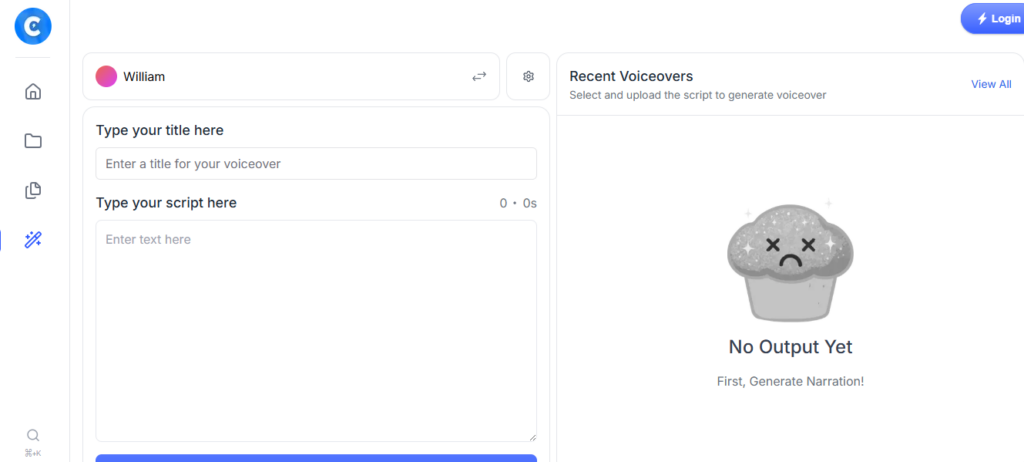
• 50+ AI Voices in Multiple Languages — Choose from over 50 AI voices with tone and style controls; auto-syncs to your script so every word lands on the correct subtitle frame, every time.

• 15+ Viral Subtitle Styles — Pre-designed caption styles optimized for scroll-stopping engagement on TikTok, YouTube Shorts, and Instagram Reels with full color and font customization.

• AI Brainstorm — Enter a keyword or niche and the platform generates a full video concept, script angle, and hook within seconds, removing the blank-page problem for daily content producers.

• Vocal & Instrumental Remover — Isolate vocals or strip background music from any uploaded audio track in one click, enabling clean voiceover replacement or background music customization.

• YouTube & TikTok Downloader — Paste any YouTube or TikTok URL and download the raw video directly inside the platform for clipping, remixing, or reference without leaving the editor.

• AI Image Generator — Produces custom visuals for use inside video workflows, reducing the need for separate image generation subscriptions for creators who mix static and video content.

• VEO3 Video Credits (Top-Up) — Google's VEO3 AI video generation is available on all tiers through a separate credit top-up, giving creators access to fully AI-generated footage beyond the five core workflow templates.

Pros
  • 3.2 million users and $600K/month revenue within the first year signal a product that creators are actually sticking with at scale
  • Five pre-built viral workflow templates execute Reddit, Fake Texts, Streamer, ChatGPT, and Split-Screen formats from prompt to export without any manual editing
  • 50+ AI voices with tone controls and 15+ subtitle styles auto-sync to dialogue, removing the most time-consuming parts of short-form video post-production
  • 24/7 customer support team accessible directly from the platform for any tier subscriber
  • AI Brainstorm generates full video concepts from a single keyword — removes creative block for creators posting daily across multiple channels
  • VEO3 video credit top-up available on all plans, giving access to Google's highest-quality AI footage generation without upgrading to a new tier
Cons
  • ×No free plan and no free trial — you pay upfront before testing the tool on your specific content type, with no refund policy if it does not meet expectations
  • ×Annual billing locks you in for a full 12-month cycle at the entry price, meaning early-exit users lose the remaining subscription period with no recourse
  • ×AI voices reported as robotic and lacking emotional nuance for longer narrations, which becomes noticeable in voiceover-heavy Reddit story and ChatGPT video formats
  • ×Subtitle accuracy drops noticeably with complex phrases, multi-syllable words, and non-standard pronunciation — manual correction required for polished output
  • ×Heavy reliance on stock footage backgrounds means large volumes of Crayo-generated content share visual assets, making individual channels look indistinct from thousands of others

Crayo AI is built for high-volume short-form creators, faceless channel operators, and marketers who need daily video output without editing overhead.

• Faceless YouTube Shorts and TikTok creators — producing Reddit compilations, fake-text stories, and split-screen content daily using templates designed around the exact formats that generate the most Shorts revenue.

Social media managers and marketing teams — batching platform-ready TikTok and Instagram Reels content at scale without a video production budget or dedicated editing staff.

• Complete beginners entering content creation — the 3-step workflow (prompt → style → export) requires zero prior editing experience, making it the fastest legitimate path from zero to posted video for first-time creators.

• Affiliate marketers and print-on-demand sellers — using AI Brainstorm and the five workflow templates to produce consistent promotional short-form content across multiple product niches without creative burnout.

• Course creators and educators building automated YouTube channels — generating structured explainer clips and chapter summaries in batches using ChatGPT Video and the script-to-video pipeline.

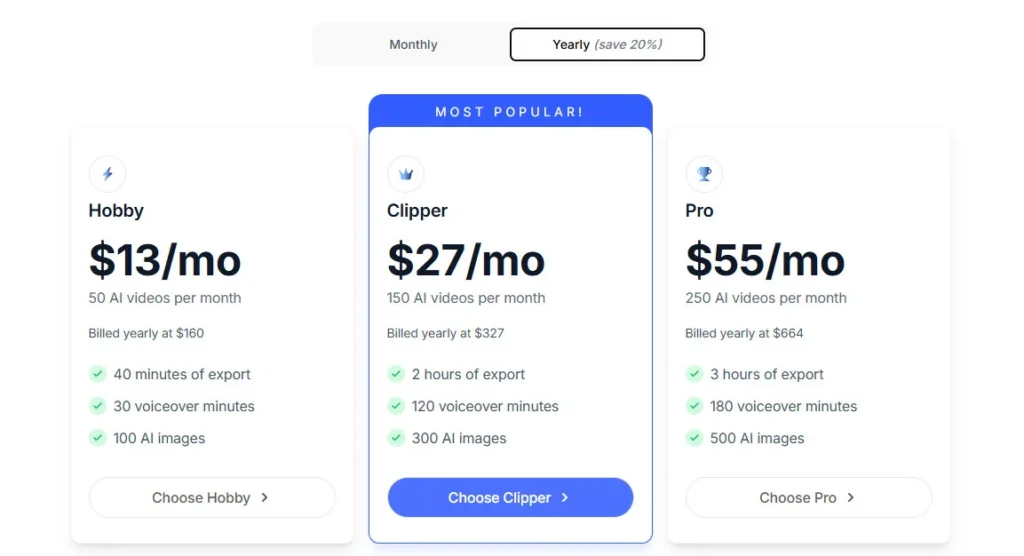
Hobby ($13/mo, billed yearly at $160)50 workflow credits per month, 40 minutes of video export, 30 voiceover minutes, 100 AI image credits, access to all 5 viral workflow templates, Vocal & Instrumental Remover, AI Brainstorm, YouTube and TikTok downloader, VEO3 credits available via separate top-up.
Clipper ($27/mo, billed yearly at $327)150 workflow credits per month, 2 hours of video export, 120 voiceover minutes, 300 AI image credits, all Hobby features, higher usage allocation across every tool category.
Pro ($55/mo, billed yearly at $664)250 workflow credits per month, 3 hours of video export, 180 voiceover minutes, 500 AI image credits, all Clipper features, highest usage tier available for high-volume daily creators.
Enterprise (Custom)N/A — This tool does not publicly list an enterprise tier; contact support for custom team or agency arrangements.

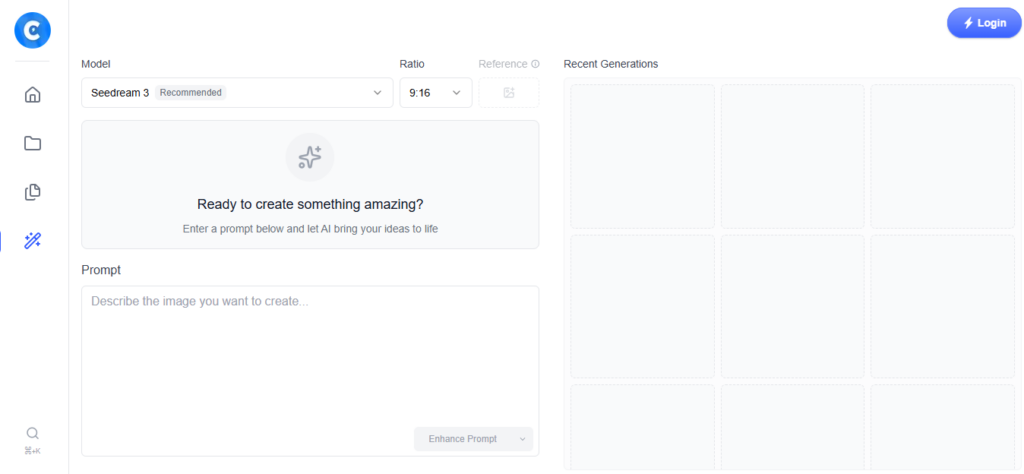
Crayo AI stands apart from generic AI video platforms through workflow templates engineered around specific viral short-form formats that other tools ignore entirely.

• Five Format-Specific Viral Workflow Templates — Instead of a blank canvas, Crayo gives you pre-engineered production pipelines for Reddit stories, fake text conversations, streamer highlights, ChatGPT narratives, and split-screen content — the five formats that consistently generate the highest YouTube Shorts and TikTok engagement, built and refined by creators who ran those same formats to millions of views.

• Built by Active Creators, Not Engineers — Co-founder Musa Mustafa was generating $100K/month clipping content for top creators before building Crayo; Daniel Bitton scaled YouTube Shorts channels to seven-figure monthly revenue before age 17. The templates reflect real viral production knowledge, not theoretical UX design.

• Integrated Content Sourcing and Export Pipeline — YouTube and TikTok downloaders, AI Brainstorm, voiceover generation, subtitle rendering, and video export all live inside one dashboard with no tab switching or file management between steps — a genuinely end-to-end pipeline from idea to posted video.

• VEO3 Credit Access on All Tiers — Google's VEO3 AI video model — typically gated behind premium video creation tools — is accessible via top-up credits on every Crayo plan, including the $13/mo Hobby tier, giving entry-level creators access to cinematic AI footage without upgrading to enterprise tools.

• Velocity-First Design Philosophy — Every interface decision prioritizes time-to-export over creative depth; over 2.5 million videos have been created on the platform, signaling that speed and simplicity resonate at real production scale.

Crayo AI is a fully browser-based web app that covers content sourcing, creation, and export in one environment, with no native third-party integrations required to run the core workflow.

• Web Browsers (Chrome, Firefox, Safari, Edge) — The full platform runs in any modern desktop browser; no software downloads, browser extensions, or plugins are needed to access all five workflow templates, tools, and export functions.

• YouTube & TikTok (Import via Downloader) — Paste any YouTube or TikTok URL directly into Crayo's built-in downloader to pull raw video files for clipping, remixing, or adding to existing workflow projects without leaving the dashboard.

• TikTok, YouTube Shorts & Instagram Reels (Export) — All exported videos are pre-formatted in vertical 9:16 aspect ratio, optimized for direct upload to TikTok, YouTube Shorts, and Instagram Reels without additional resizing or conversion.

• VEO3 API (Credit Top-Up Integration) — Google's VEO3 video generation model is accessible inside the Crayo dashboard via a separate credit top-up purchase on all tiers, connecting directly to Crayo's editing pipeline without requiring a standalone VEO3 subscription.

• 24/7 Support (Live Chat) — A live customer support team is accessible directly from the platform interface on all paid tiers, with response handling available around the clock for billing, export, and workflow issues.

CategoryScoreWhy It Matters
Accuracy & Reliability3.8/5The five viral workflow templates consistently produce platform-ready exports under normal conditions, and over 2.5 million videos have been created on the platform since launch. However, Trustpilot reviews include documented cases of video crashes exporting as silent black screens and subtitle timing mismatches on complex phrases. A mixed but real reliability track record for a young product at this scale.
Ease of Use4.7/5The 3-step workflow — prompt, style selection, generate and export — is genuinely the simplest short-form video creation flow available at any price point in 2026. Multiple independent reviewers confirm first-time users export a polished clip within five minutes of account creation. The only friction is understanding workflow credit costs per template before generating at volume.
Functionality & Features4.2/5Five viral workflow templates, 50+ AI voices, 15+ subtitle styles, AI Brainstorm, content downloaders, Vocal & Instrumental Remover, AI images, and VEO3 top-up access cover the full short-form production stack in one platform. The honest limitation is that Crayo's feature depth is narrow by design — it optimizes hard for five formats and does not attempt to compete in long-form, cinematic, or horizontal video production.
Performance & Speed4.4/5Standard workflow video generation completes in seconds to under two minutes, which is faster than any timeline-based editor for comparable short-form output. One independent reviewer produced 30 exportable clips in a single afternoon using a combination of Reddit and ChatGPT video templates. VEO3 generations take longer due to model complexity and queue demand.
Customization & Flexibility3.7/5Within the five viral templates, users can customize voice, subtitle style, background footage, music, and script content meaningfully. Outside those five formats, the platform has limited flexibility — there is no blank-canvas video editor, no layer-based composition, and no timeline for sequencing multiple clips. Creators who outgrow the five templates will hit a ceiling that requires switching to a more full-featured tool.
Data Privacy & Security3.6/5Crayo is a small team of 2–3 people and does not publicly document SOC 2, GDPR compliance, or enterprise-grade data handling policies on its website. For individual creators, this is a low-stakes concern. For marketing agencies or brands uploading proprietary content to the platform, the absence of published data governance documentation requires a direct inquiry to the support team before using the tool with sensitive assets.
Support & Resources3.9/524/7 customer support is offered and multiple users on Trustpilot specifically praise support team responsiveness. However, some reviewers note that critical technical bugs — including export crashes — were not resolved quickly, and the small team size limits the volume of simultaneous tickets that can be addressed. A growing YouTube tutorial ecosystem and blog resource library supplement platform documentation for self-serve troubleshooting.
Cost-Efficiency4.1/5At $13/mo on annual billing, Crayo consolidates a video editor, AI voiceover tool, subtitle generator, and content downloader at a price point no competitor matches for short-form video specifically. The cost-efficiency calculation changes significantly when users hit workflow credit limits on the Hobby plan and need to upgrade, or when export bugs waste credits on failed generations. The absence of a free trial and no-refund policy reduce the net efficiency score for users who subscribe before validating output quality.
Overall Score4.1/5Crayo AI earns a solid 4.1 out of 5 for delivering the fastest short-form video production workflow in its class at a price that undercuts every comparable subscription tool. It excels at ease of use and speed, with honest limitations in reliability, customization depth, and purchase transparency — particularly the no-free-trial, no-refund combination — that prevent a higher score.

Crayo AI delivers the fastest path from idea to posted short-form video in 2026, with five format-specific viral templates, 50+ AI voices, and a 3-step workflow that requires zero editing experience — all from $13/mo on annual billing.

It is best suited for high-volume faceless content creators, social media managers, and marketers who need daily TikTok or YouTube Shorts output at predictable cost.

The honest caveats — no free trial, no refunds, annual billing lock-in, and occasional AI voice and subtitle quality limitations — make it a commitment purchase, not a casual experiment.

Q1.Does Crayo AI have a free plan or free trial?
Ans:-No. Crayo AI does not offer a free plan or a free trial as of 2026. Paid subscriptions start at $13/mo on annual billing. There is also no refund policy, so you commit to the full plan term when you subscribe. Independent reviewers confirm this is the biggest risk factor for new users evaluating the tool.
Q2.What kinds of videos can I make with Crayo AI?
Ans:-Crayo AI is specifically designed for short-form vertical content across TikTok, YouTube Shorts, and Instagram Reels. Its five built-in workflow templates cover Reddit story videos, fake text conversation videos, streamer highlight clips, ChatGPT-style narrative videos, and split-screen videos. It is not designed for long-form YouTube content, cinematic productions, or horizontal formats.
Q3.How much does Crayo AI cost per month?
Ans:-Crayo AI's Hobby plan costs $13/mo on annual billing (billed $160/yr), the Clipper plan is $27/mo ($327/yr), and the Pro plan is $55/mo ($664/yr). All plans are billed yearly upfront — no monthly billing option is displayed on the official pricing page. VEO3 video generation credits are available as a separate top-up on all tiers.
Q4.Who founded Crayo AI?
Ans:-Crayo AI was co-founded by Daniel Bitton and Musa Mustafa in late 2023. Daniel Bitton is a creator from Cyprus who began generating content income at age 9 and was making $100K/month on Snapchat by age 15. Musa Mustafa co-founded the platform after building a career clipping content for major internet creators, both contributing real first-hand creator expertise to the product.
Q5.Is Crayo AI good for beginners?
Ans:-Yes. Crayo AI is specifically designed for creators with zero video editing experience. The 3-step workflow — write a prompt, choose a style, generate and export — requires no knowledge of timelines, keyframes, or audio mixing. Multiple reviewers confirm that complete beginners produced their first exportable TikTok within five minutes of creating an account.
Q6.What are Crayo AI workflow credits?
Ans:-Workflow credits are the unit Crayo uses to meter video generation across its five viral templates. The Hobby plan includes 50 credits/month, the Clipper provides 150, and the Pro gives 250. Each video generation costs credits based on length and complexity. Voiceover minutes and AI image generation have separate credit pools within the same plan.
Q7.Does Crayo AI support languages other than English?
Ans:-Yes. Crayo AI offers 50+ AI voices across multiple languages. Voiceover generation and subtitle auto-sync work for non-English content, though the platform is primarily marketed toward English-speaking creators. The AI Brainstorm and script tools default to English, and quality of non-English subtitle accuracy may vary depending on the language and phrase complexity.
Q8.What are the main complaints about Crayo AI?
Ans:-The most common honest criticisms from Trustpilot and independent YouTube reviewers are: no free trial and no refund policy create high purchase risk; AI voiceovers can sound robotic on longer narrations; subtitle accuracy drops with complex phrases; and some users report export crashes or silent video bugs under heavy use. Annual billing lock-in is a repeated frustration from users who wanted to cancel early.
Q9.Can I access VEO3 on Crayo AI?
Ans:-Yes, but not as part of the base plan credits. VEO3 video generation credits are available as a separate top-up purchase on all three Crayo plans, including the entry-level Hobby tier. This gives creators access to Google's highest-quality AI video model without needing to subscribe to a standalone enterprise video tool.
Q10.How does Crayo AI compare to InVideo AI?
Ans:-Crayo AI is purpose-built for short-form viral content using five specific workflow templates, while InVideo AI covers a broader range of video formats including long-form YouTube and marketing video. Crayo wins on speed and viral format specificity for TikTok and Shorts creators; InVideo offers more creative flexibility and a free plan. Crayo's lack of a free trial is a significant disadvantage compared to InVideo, which lets users test the platform before paying.

Promote This Tool

Help others discover this tool by sharing this page.

✓ Link copied to clipboard!

Crayo AI Reviews

0.0
Based on 0 reviews
5 star
0%
4 star
0%
3 star
0%
2 star
0%
1 star
0%

Write a Review

Your Rating:

No reviews yet. Be the first to share your thoughts!

29 Similar Crayo AI Tools