Home Categories Deals Sign Up
Updated: April 26, 2026

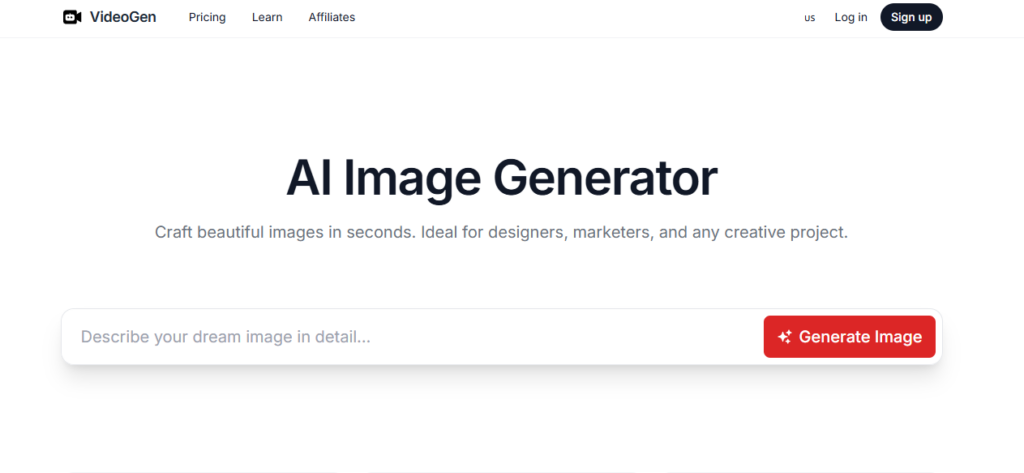
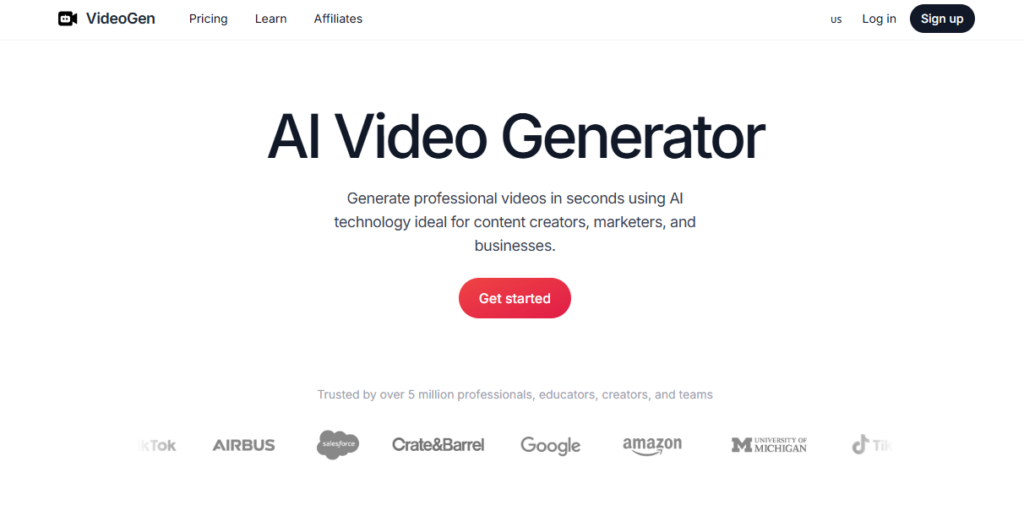
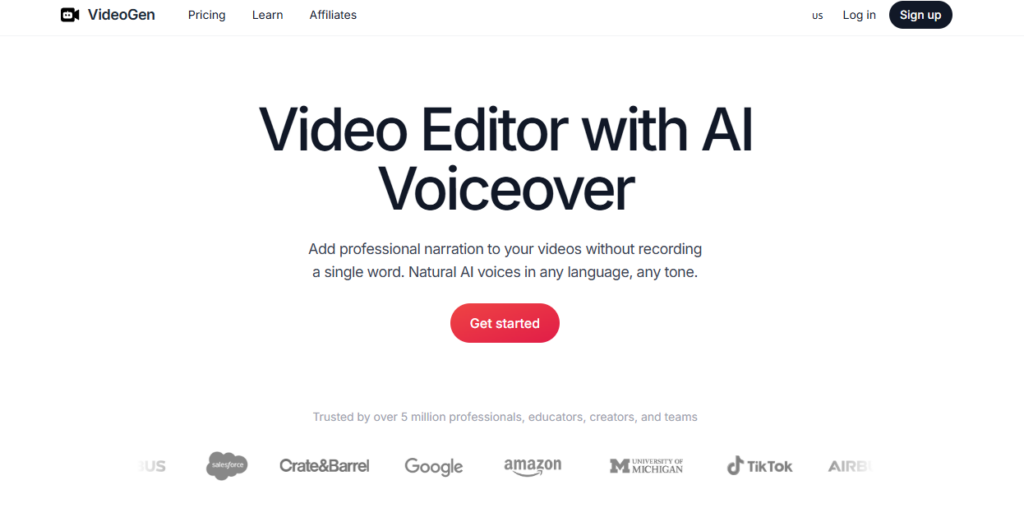
Videogen in Action

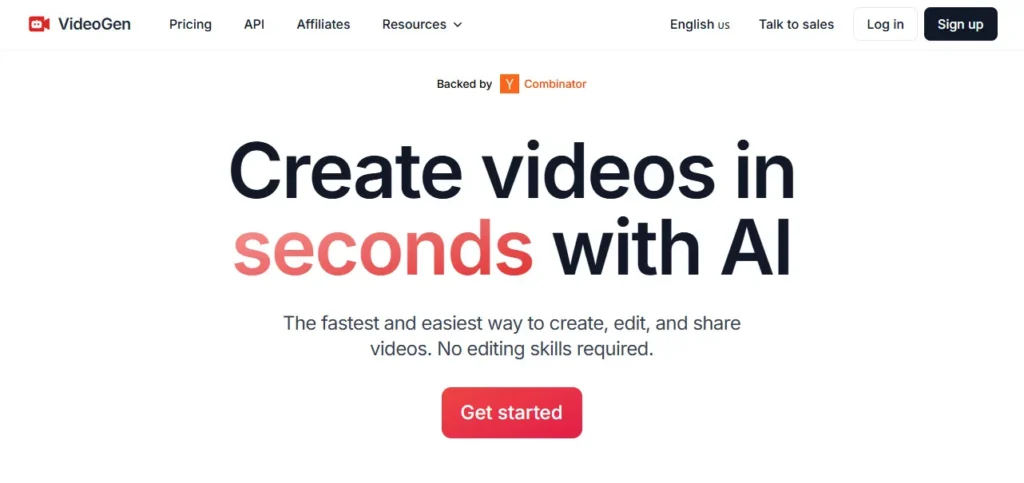
Videogen is an AI-powered video creation and editing platform founded in December 2022 by Anton Koenig (Co-Founder and CEO) and David Grossman (Co-Founder) — both computer science students who dropped out to build it full-time after being backed by Y Combinator and Leonis Investment.

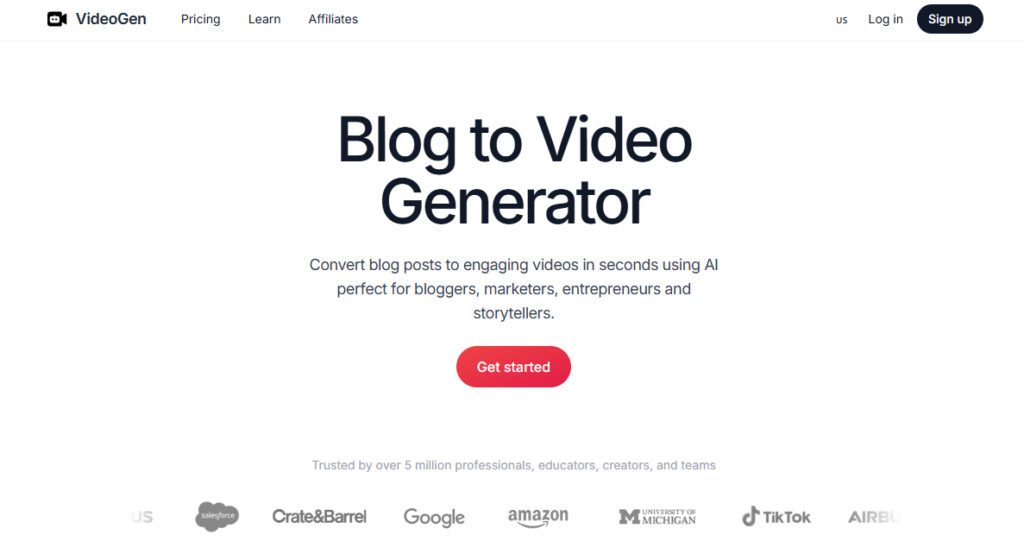
Based in San Francisco, California, and trusted by over 5 million professionals, educators, creators, and teams worldwide, Videogen's stated mission is to democratize video production by making studio-quality output accessible without editing skills, camera equipment, or a production budget. Traditional video production costs $100–$1,000+ per minute of finished content; Videogen brings that average to under $1 per video.

Key Capabilities

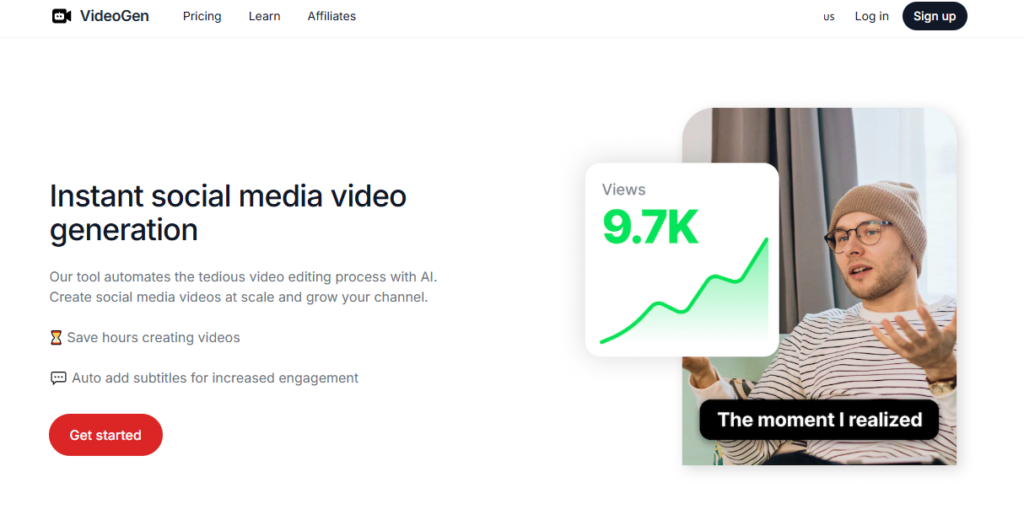
Videogen's core architecture is built around repeatable AI workflows — structured pipelines where AI handles scripting, media sourcing, B-roll selection, voiceover generation, caption styling, and editing automatically, leaving the creator in the final review seat rather than the production seat.

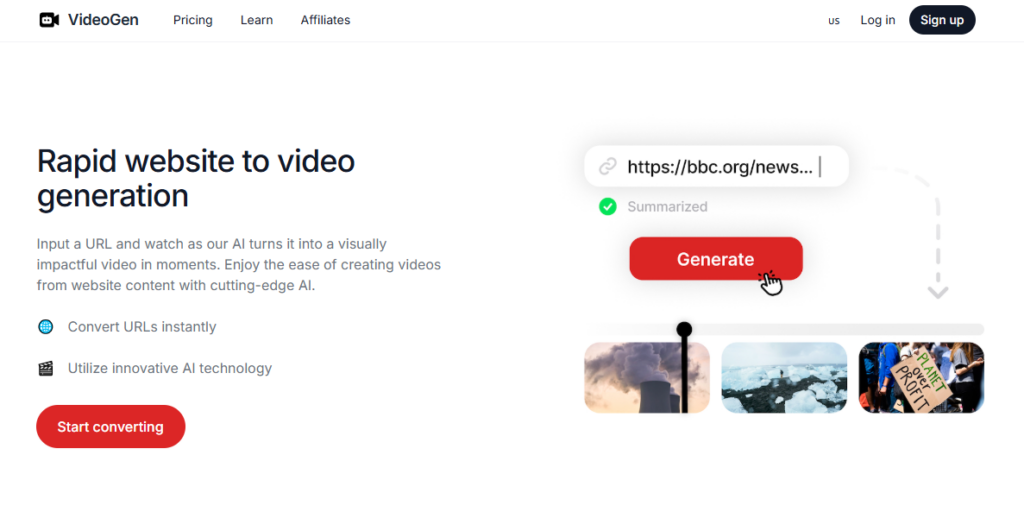
The platform generates both short-form (Reels, Shorts, TikToks) and long-form videos from a prompt, a URL, or an uploaded script. A full suite of AI tools is built directly into the editor: regenerate any scene with AI, swap media, auto-translate captions into 50+ languages, and adjust voiceover tone without re-recording.

Business plan users unlock AI avatars, generative AI video clips from text prompts, and 50 iStock premium downloads per month — bringing licensed stock footage access alongside AI-generated visuals.

Teams get shared workspaces with centralized billing, project sharing, and shareable view links for client review without requiring reviewer accounts.

Who Gets the Most Out of It

Small teams and solo professionals trying to match enterprise video output without a production department get the clearest value — the repeatable workflow system means the tenth video takes the same time as the first because the AI remembers your preferences and applies them consistently.

Educators and course creators use the text-to-video and voiceover tools to turn lesson scripts into narrated module videos in under 10 minutes.

Marketing professionals on the Business plan use AI avatars and generative video clips to produce branded explainer and ad content at scale without coordinating filming sessions.

Developers and agencies building video-rich product pipelines use the template system to create branded workflow presets their entire team can apply with one click.

Is It Worth It?

The free plan lets you create your first video at no cost without a credit card — a risk-free entry point that gives you real platform experience before any financial commitment.

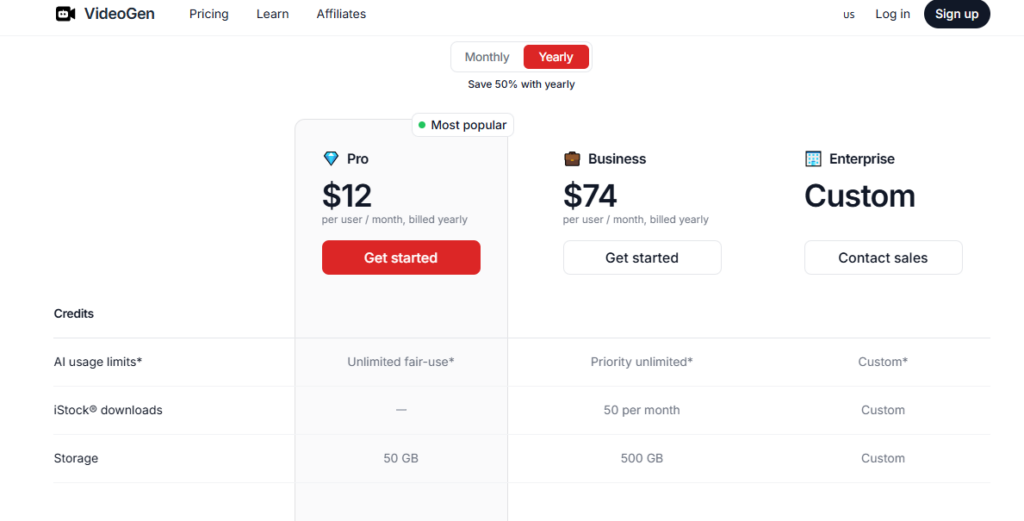
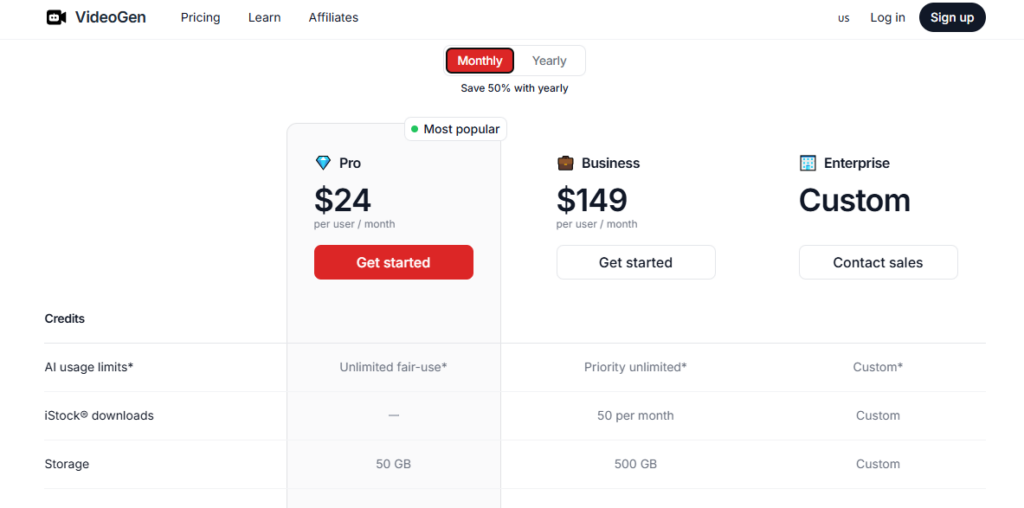
The Pro plan at $12/month (or $6/month billed annually, saving 50%) unlocks unlimited fair-use AI generation, 50GB storage, generative AI images, video presets, and full commercial use rights — one of the strongest paid entry-point value propositions in AI video in 2026.

The Business plan at $74/month (or $37/month annually, saving 50%) adds iStock downloads, generative AI video clips, AI avatars, priority AI compute, and 500GB storage for teams producing videos at volume.

The honest trade-off at all tiers is the dynamic fair-use AI limit — during peak hours, short cooldown periods may apply even on paid plans, which can slow batch production workflows that need to be completed in a compressed time window.

Videogen is a Y Combinator-backed AI video creation and editing platform that generates professional short and long-form videos from a prompt, URL, or script using repeatable AI workflows — trusted by 5 million+ professionals worldwide.

Founded in December 2022 by Anton Koenig (CEO) and David Grossman in San Francisco, it brings together 200+ AI voices in 50+ languages, AI avatars, generative AI video clips, iStock premium footage, and a full browser-based editor with AI tools to reduce per-video production costs to under $1 from a traditional baseline of $100–$1,000+ per minute.

• Repeatable AI Video Workflows — Structured AI pipelines that handle scripting, B-roll sourcing, media selection, voiceover, captions, and editing automatically from a prompt or URL; workflows are saveable as templates so your entire team produces consistent-quality videos from the same proven process every time.

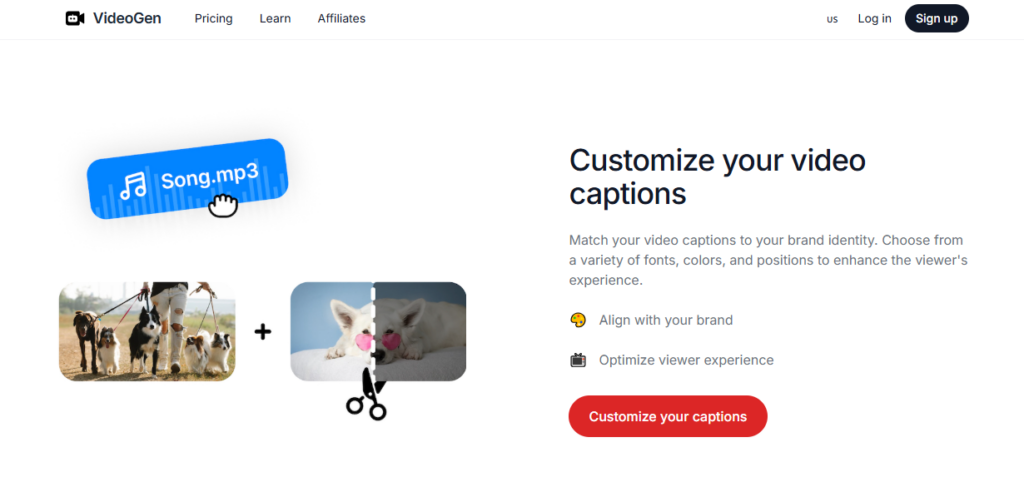
• Full AI-Powered Video Editor — A browser-based editor with AI tools at every step: regenerate any scene with a text prompt, swap media, adjust pacing, style captions, add or remove scenes, and apply brand presets — all without downloading software or installing plugins.

• 200+ AI Voices in 50+ Languages — Studio-quality AI voiceover generation with 200+ voices across male, female, and character styles in 50+ languages; Pro plan includes 60 minutes of AI voiceover per month; one-click translation and localization converts your entire video's audio and captions simultaneously.

• Generative AI Images (All Paid Plans) — Generate custom AI images from text prompts directly inside the video editor for scenes where stock footage or uploaded media is unavailable — keeping every video visually unique without sourcing assets externally.

• Generative AI Video Clips (Business and Enterprise) — Generate short AI video clips from text descriptions and insert them into any scene in your project — a capability that enables fully original visual content without filming, stock licensing, or external AI video generation tools.

• AI Avatars (Business and Enterprise) — Add photorealistic AI presenter avatars to any video for on-camera narration without filming; pairs with the voiceover system so your avatar speaks with the voice, pacing, and language you specify without any additional recording step.

• iStock Premium Footage (Business: 50/mo; Enterprise: Custom) — Access Getty Images' iStock library of licensed premium video clips directly inside the editor; Business plan users download 50 licensed clips per month, ensuring all stock footage in published videos is fully cleared for commercial use.

• Team Workspaces with Centralized Billing — Shared team environments where all members produce from the same workflow templates and brand presets; shareable project links let external clients review and comment on videos without creating a Videogen account.

Pros
  • Trusted by 5 million+ professionals, educators, creators, and teams — scale of adoption validates production reliability across every major creator and business use case
  • Pro plan at $6/mo billed annually ($72/yr, saving 50%) with unlimited fair-use AI generation, 50GB storage, generative AI images, and full commercial use rights is one of the lowest-priced professional AI video plans in 2026
  • Y Combinator-backed with $295K in confirmed funding — institutional backing from YC signals product development rigor and long-term platform stability for a two-person founding team
  • Free plan with no credit card required lets you create your first video and validate the complete AI workflow before any financial commitment
  • Annual billing saves 50% across all plans — Pro drops from $12 to $6/mo, Business from $74 to $37/mo — one of the most aggressive annual discount structures in AI video tools
  • Full commercial use rights included on every paid plan — no per-video licensing fees, attribution requirements, or revenue-share clauses on content you publish or sell
Cons
  • ×Dynamic fair-use AI limits apply on all plans — during peak hours, short cooldown periods may interrupt bulk video production workflows even on the Business plan, which is a meaningful limitation for agencies on deadline-sensitive client timelines
  • ×AI avatars and generative AI video clips are locked behind the Business plan at $74/mo monthly (or $37/mo annually) — Pro plan users at $12/mo cannot access either feature despite being the two most-requested capabilities in independent reviews
  • ×iStock downloads are only included on Business (50/mo) and Enterprise plans — Pro plan users need to upload their own footage or rely solely on generative AI images for every scene without access to licensed premium stock footage
  • ×Very small team of approximately 5 employees — feature development and support response velocity is necessarily limited compared to larger AI video platforms, and platform stability during rapid user growth periods depends on a lean infrastructure team
  • ×60-minute-per-month voiceover cap on the Pro plan may be insufficient for long-form content creators producing multiple explainer or tutorial videos monthly — exceeding this limit requires a Business plan upgrade regardless of other feature needs

Videogen is built for professionals, small teams, and solo creators who need to produce consistent, high-quality short or long-form videos at scale without a production team, expensive software, or filming equipment.

Marketing teams and content marketers — using repeatable AI workflow templates to produce weekly explainer videos, product demonstrations, and social media content from briefs and scripts in under 10 minutes per video without coordinating with a video editor.

• Educators, course creators, and L&D professionals — converting lesson scripts, training documents, and module outlines into fully narrated, captioned videos with AI voiceover and AI-generated visuals in multiple languages for international student audiences.

• Small agencies and freelance video producers — using the Business plan's AI avatars, generative video clips, iStock access, and shared team workspaces to deliver client videos at a per-video cost of under $1, replacing freelance editor costs on every project.

• YouTube creators and faceless channel operators — building repeatable video production workflows from topic ideas to finished uploads using AI scripting, voiceover in 200+ voice options, auto-captions, and scene-level AI regeneration for consistent weekly uploads without manual editing.

• Startups and SaaS teams — creating product walkthrough videos, onboarding explainers, and investor pitch content using AI workflow templates and team workspaces, producing board-meeting-ready video assets at a fraction of traditional production agency costs.

Free ($0/month, no credit card required)Create your first video with access to the core AI video creation workflow; limited AI usage and no iStock access; no storage tier specified; designed for first-time evaluation of the platform's AI generation quality before upgrading.
Pro ($12/mo monthly — or $6/mo billed annually at $72/yr, saves 50%)Unlimited fair-use AI generation (dynamic limits apply, cooldowns possible during peak hours), 50GB storage, upload files and media, unlimited video downloads and exports, generative AI images, video presets, Pro AI workflows, full commercial use rights, standard AI feature usage priority. Includes 60 minutes of AI voiceover per month. No iStock access, no AI avatars, no generative AI video clips.
Business ($74/mo monthly — or $37/mo billed annually at $444/yr, saves 50%)Priority unlimited fair-use AI generation, 50 iStock downloads per month, 500GB storage, upload files and media, unlimited video downloads and exports, generative AI images, generative AI video clips, AI avatars, video presets, Pro + Business AI workflows, full commercial use rights, priority AI feature usage, early access to new features.
Enterprise (Custom pricing — Contact sales)Custom AI usage limits, custom iStock download allocation, custom storage, unlimited video downloads and exports, generative AI images, generative AI video clips, AI avatars, video presets, Pro + Business AI workflows, full commercial use rights, top-priority AI feature access, priority support, dedicated account manager, early access to new features.

Videogen stands apart from generic AI Video Generators">video generators through its repeatable workflow architecture, its sub-$1 per-video production cost model, and its combination of generative AI images, generative AI video clips, and licensed iStock footage under one subscription.

• Repeatable AI Workflow System — Rather than generating each video independently from scratch, Videogen's workflow engine creates reusable pipelines — a template you build once that your entire team applies to every future video of the same type, producing consistent output quality at the first attempt rather than requiring prompt refinement per video — a production-at-scale architecture that individual AI video generators don't offer.

• Under-$1 Per Video Production Model — Videogen is one of the only AI video platforms that explicitly quantifies its value proposition against traditional production costs ($100–$1,000+/minute) and commits to sub-$1 average cost per video — a per-unit cost framing that resonates with businesses evaluating video production ROI at scale rather than personal creator value.

• Y Combinator Backing with Computer Science Founding Team — Founded by two CS students (Brown University and UMass Amherst) backed by Y Combinator, Videogen's product architecture is engineering-first — the AI workflow system, fair-use compute allocation, and generative video clip pipeline reflect a technical product philosophy that consumer-focused founding teams often deprioritize in favor of UI polish.

• Generative AI Video Clips Inside the Editor — The ability to generate original AI video clips from a text prompt directly inside the editing timeline — without leaving the platform or switching to a separate tool like Runway or Sora — is a production workflow integration no comparable sub-$100/month AI video tool offers natively.

• 5 Million+ User Validation at Sub-$15/Month Entry — Most AI video platforms with 5M+ user trust signals are enterprise-priced; Videogen's combination of institutional scale (5M+ users, YC-backed) at consumer-accessible pricing ($12/mo monthly or $6/mo annually) creates a value-to-credibility ratio that positions it uniquely against both premium enterprise tools and cheaper consumer generators.

Videogen is a fully browser-based web app that works on any device without installation and integrates licensed stock footage directly into the creation pipeline.

• Web Browsers (Chrome, Firefox, Safari, Edge) — The complete AI workflow engine, video editor, voiceover system, and team workspace run natively in any modern desktop or mobile browser with no software download, plugin, or app installation required at any plan level.

• iStock by Getty Images (Business and Enterprise) — Business plan users download up to 50 licensed iStock premium video clips per month directly inside the editor; all downloaded clips are pre-cleared for full commercial use without separate licensing fees, attribution, or rights management overhead per video.

• File Upload and Media Import — All paid plans support direct upload of custom video files, images, and audio assets into the editor, enabling creators to blend AI-generated content with their own footage, brand assets, and proprietary media in the same project.

• Shareable Project and Review Links — Finished projects generate shareable view links that external clients, stakeholders, or reviewers can open in any browser without a Videogen account — eliminating the file-download-and-email workflow for client video delivery and approval.

• Team Workspaces with Centralized Billing — Business and Enterprise plan users manage shared team environments where all seats operate under one billing account, all workflow templates are shared across the team, and all project assets are accessible to designated team members without individual account subscriptions per seat.

CategoryScoreWhy It Matters
Accuracy & Reliability4.2/5A user base of 5 million+ professionals and Y Combinator backing signal production-tested reliability at scale. Independent YouTube reviews from 2025–2026 consistently confirm accurate AI-to-video output from text prompts and URL inputs on the first generation attempt. The dynamic fair-use AI limit system — which can impose cooldowns during peak hours even on paid plans — introduces an operational unpredictability for bulk production workflows that is the primary reliability concern flagged across multiple reviewer assessments.
Ease of Use4.5/5Multiple independent YouTube tutorial reviewers from 2025–2026 confirm first-video completion in under 10 minutes for complete beginners, with the dashboard described as 'extremely easy to use' and featuring a minimal number of controls before the first video is generated. The repeatable workflow system means subsequent videos are produced faster than the first as templates accumulate. The distinction between Pro and Business feature availability requires brief plan-level orientation for new users evaluating whether their specific use case needs AI avatars or iStock access.
Functionality & Features4.3/5Repeatable AI workflows, AI scripting, 200+ voices in 50+ languages, one-click translation, generative AI images, generative AI video clips (Business), AI avatars (Business), iStock footage (Business), video presets, a full browser editor with per-scene AI regeneration, team workspaces, and shareable review links together cover a comprehensive production-to-distribution feature set for a $12/mo entry point. The Pro plan's exclusion of AI avatars, generative video clips, and iStock access — all reserved for Business at $74/mo — creates a meaningful feature step-gap that some Pro-tier users will encounter quickly.
Performance & Speed4.2/5The platform's '3 clicks from idea to video' headline claim is substantiated by independent reviewers who document full video generation — script, media selection, voiceover, captions — completing in under 3 minutes for standard short-form videos. Generative AI video clip rendering is slower due to compute intensity, with Business plan users receiving priority queue access over Pro users. The dynamic fair-use cooldown system can introduce unplanned delays during peak usage windows, which is the primary performance gap for teams running time-sensitive bulk production sessions.
Customization & Flexibility4.1/5Per-scene AI regeneration, 200+ voice options, 50+ language localization, custom video presets, brand templates, AI image generation for custom visuals, and team-level workflow templates provide meaningful customization depth at the Pro tier for individual creators. Business plan users add AI avatars, generative video clips, and iStock footage for richer visual customization. The main flexibility ceiling is the absence of advanced timeline-level editing controls — Videogen is designed for workflow-speed production rather than frame-precise compositing, which limits use cases requiring traditional NLE-style editing control.
Data Privacy & Security3.9/5Videogen includes full commercial use rights on all paid plans, clearly documenting that all generated content belongs to the creator without revenue-sharing or licensing restrictions. iStock footage accessed through Business plans is pre-cleared for commercial use through an official Getty Images licensing agreement. Public documentation of enterprise security certifications (SOC 2, GDPR compliance) is not prominently available on the official pricing or about pages as of 2026 — relevant for enterprise procurement teams evaluating the platform for sensitive internal content workflows.
Support & Resources4.1/5An official VideoGen YouTube channel (@VideoGenApp) with platform tutorials and an active third-party tutorial ecosystem — including a comprehensive beginner's guide published February 2026 — provide strong self-serve onboarding resources. A Company blog (videogen.io/news) documents third-party reviews and feature updates. Enterprise plan users receive priority support and a dedicated account manager. The small team size (~5 employees) limits support ticket response velocity for non-Enterprise users, which is the primary support gap at Pro and Business tiers.
Cost-Efficiency4.7/5The Pro annual plan at $6/month ($72/year) delivers unlimited fair-use AI video generation, generative AI images, video presets, 50GB storage, and full commercial rights — the strongest cost-per-feature ratio of any AI video platform reviewed in this class at its price point. The Business annual plan at $37/month ($444/year) adds iStock downloads, generative AI video clips, AI avatars, 500GB storage, and priority compute — a production stack that costs several hundred dollars monthly to replicate with separate tools. The 50% annual discount across all tiers is among the most aggressive and financially rewarding long-term commitment structures in AI video subscriptions.
Overall Score4.3/5Videogen earns a strong 4.3 out of 5 for delivering one of the most cost-efficient AI video creation platforms available in 2026 — Y Combinator-backed, trusted by 5M+ users, with a repeatable AI workflow system, 200+ voices, generative video clips, AI avatars, and iStock footage from $6/month annually. The dynamic fair-use cooldown system, the significant feature step between the $6/month Pro and $37/month Business annual plans, and the small team size limiting support velocity are the honest planning considerations for users evaluating it as a primary production platform.

Videogen is one of the most accessible AI video platforms in 2026 — Y Combinator-backed, trusted by 5 million+ users, and bringing per-video production costs to under $1 from a $12/month Pro plan ($6/month annually, saving 50%).

It is best suited for marketing teams, educators, solo creators, and small agencies who need repeatable, consistent AI video output at scale without filming equipment or editing skills.

The honest trade-offs — dynamic fair-use AI limits that can interrupt peak-hour bulk production, AI avatar and generative video clips gated behind the $74/month Business plan, and a team of ~5 limiting support velocity — are the planning considerations that prevent a perfect score but do not diminish its value as a production-grade platform at its entry-level price point.

Q1.Is Videogen free to use?
Ans:-Yes. Videogen offers a free plan that lets you create your first video without a credit card. The free tier gives you access to the core AI video creation workflow and editor to test the platform's output quality before upgrading. Paid plans start at $12/month on monthly billing or $6/month billed annually — one of the lowest professional AI video entry prices available in 2026.
Q2.How much does Videogen cost per month?
Ans:-Videogen offers three paid plans. Pro is $12/month on monthly billing or $6/month billed annually ($72/year, saving 50%). Business is $74/month on monthly billing or $37/month billed annually ($444/year, saving 50%). Enterprise pricing is custom — contact the Videogen sales team for volume arrangements. Annual billing saves 50% across all plans, which is one of the most aggressive annual discount structures in AI video tools.
Q3.Who founded Videogen and when?
Ans:-Videogen was founded in December 2022 by Anton Koenig (Co-Founder and CEO) and David Grossman (Co-Founder). Anton previously interned at AWS and dropped out of UMass Amherst Computer Science to build Videogen full-time. David studied Computer Science and Applied Math at Brown University. The company is headquartered in San Francisco, California, and is backed by Y Combinator and Leonis Investment with $295K in total confirmed funding.
Q4.What is a Videogen AI workflow?
Ans:-An AI workflow is a repeatable, structured pipeline that takes your input — a topic, URL, or script — and automatically handles scripting, B-roll selection, media sourcing, voiceover generation, caption styling, and editing. Once you create and save a workflow as a template, every future video of the same type uses the same AI process, producing consistent quality output without re-configuring settings per video. Workflows are shareable across team members on Business and Enterprise plans.
Q5.Does Videogen support multiple languages?
Ans:-Yes. Videogen includes 200+ AI voices across 50+ languages for voiceover generation, and one-click translation and localization converts both the audio narration and captions of any video simultaneously. This enables international teams and multilingual course creators to produce localized video content from a single source script without separate recording, translation, or captioning workflows per language.
Q6.Does Videogen include AI avatars?
Ans:-Yes, but only on the Business plan ($74/month or $37/month annually) and Enterprise plan. The Pro plan at $12/month does not include AI avatars. On Business and Enterprise, AI avatars can be added to any video to provide an on-camera presenter for narration without filming — the avatar speaks using the AI voiceover system in your specified voice, language, and pacing.
Q7.Does Videogen have iStock footage?
Ans:-Yes, on the Business plan and above. Business plan users get 50 iStock premium video clip downloads per month, accessed directly inside the Videogen editor without a separate Getty Images subscription. All downloaded iStock clips are pre-cleared for full commercial use. Pro plan users do not have iStock access and rely on generative AI images and uploaded media for all visual content.
Q8.What are Videogen's AI usage limits?
Ans:-Videogen uses dynamic fair-use AI limits that adapt to demand and available AI compute. During busy periods, short cooldown times may apply even on paid plans. Pro plan users get standard AI feature usage priority; Business users get priority access; Enterprise users get top priority. Most users never hit a limit during normal use. However, bulk video creators and heavy users of generative video clips or AI avatars may encounter cooldowns during peak hours and should consider Business or Enterprise plans.
Q9.Can Videogen generate AI video clips from text?
Ans:-Yes, but only on the Business and Enterprise plans. Generative AI video clips — original video sequences created from a text description — are available on Business ($74/mo or $37/mo annually) and Enterprise tiers. This feature lets you create completely original visual scenes without filming or sourcing stock footage. The Pro plan includes generative AI images but not generative AI video clips.
Q10.Is Videogen good for teams?
Ans:-Yes. Videogen includes team workspaces with centralized billing on Business and Enterprise plans, enabling all team members to work from shared workflow templates and brand presets under one account. Project sharing and shareable view links let external clients review finished videos in any browser without a Videogen account. Pro plan users can also share projects and collaborate, with workspace features scaling appropriately to the plan tier.

Promote This Tool

Help others discover this tool by sharing this page.

✓ Link copied to clipboard!

Videogen Reviews

0.0
Based on 0 reviews
5 star
0%
4 star
0%
3 star
0%
2 star
0%
1 star
0%

Write a Review

Your Rating:

No reviews yet. Be the first to share your thoughts!

31 Similar Videogen Tools