Home Categories Deals Sign Up

Trupeer AI

4.2 (1 User Ratings)
Verified Featured Tool

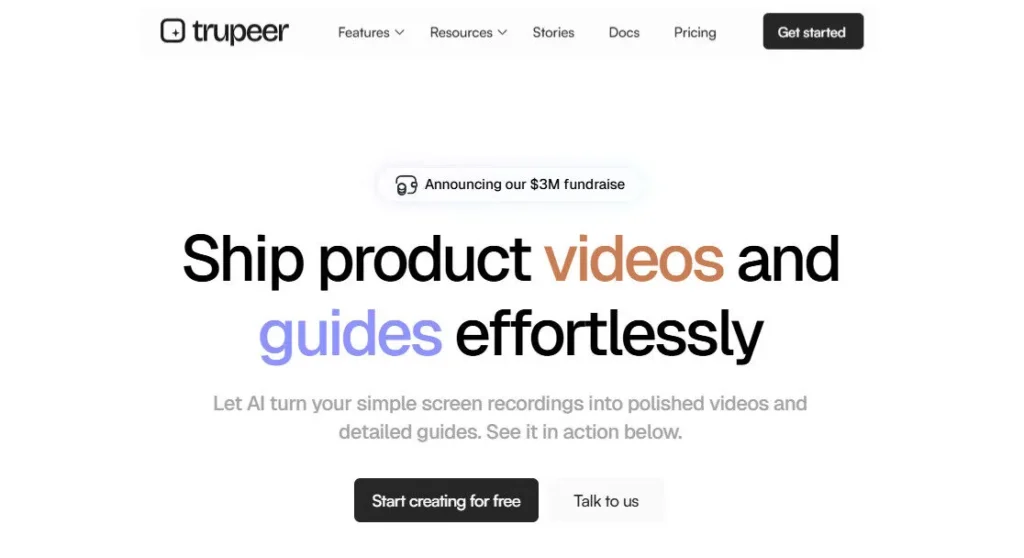
Hit record on any screen — Trupeer turns your raw walkthrough into a studio-quality video, step-by-step guide, and multilingual documentation in minutes.

Freemium: Starting at $40/mo
Updated: June 1, 2026

Trupeer AI is a San Francisco-based AI screen recording and documentation platform founded in January 2024 by Shivali Goyal and Pritish Gupta that transforms raw screen recordings into studio-quality edited videos, step-by-step guides, and multilingual documentation in 65+ languages.

The platform combines AI auto-editing (smart zooms, AI voiceover, avatars, captions, brand kit), Vision-Led Action Documentation (auto screenshots, annotations, structured guides), and a Knowledge Base with AI video search — all from one Chrome extension recording.

Trusted by Fortune 500 companies, Trupeer holds ISO 27001, SOC 2, and GDPR certification, and supports enterprise deployment with SSO, SCIM, and workspace-level permissions.

• AI Auto-Editing from Screen Recordings — Upload any screen recording and Trupeer automatically applies smart zooms to every key action, removes filler words, generates a clean script, adds studio-quality AI voiceover, inserts background music, and exports a polished video — no timeline editing or manual cuts required.
• AI Documentation Generation (Vision-Led) — While your video is being polished, Trupeer's Vision-Led Action Detection identifies every click and action in the recording and simultaneously generates a fully formatted step-by-step guide with annotated screenshots — downloadable in Markdown, PDF, or Word format.
• Translation in 65+ Languages — Translate any video and its accompanying documentation into 65+ languages with a single click — producing a complete multilingual content library from one original recording without re-recording or localization workflows.
• AI Avatars (No Camera Required) — Add a lifelike AI presenter avatar to any screen recording video without recording any footage — enabling professional on-screen presenter videos for demos, tutorials, and training content without camera setup.
• Knowledge Base with AI Video Search — Centralize all video and documentation assets into an embeddable, searchable Knowledge Base powered by AI video search — searchable by human users and callable by AI support agents for automated customer query resolution.
• Brand Customization (Always On-Brand) — Apply your logo, colors, and fonts to every video automatically via a brand kit — ensuring every recording output, from internal training to customer-facing demos, maintains brand consistency without manual styling.
• Shared Pages with Engagement Analytics — Every piece of content gets a branded, trackable URL that logs viewer identity, watch time, completion rate, and replayed sections — providing real engagement data for sales follow-ups, CS handoffs, and L&D tracking.
• Chrome Extension (One-Click Recording) — Capture full screen, browser tab, or specific app window directly from Chrome with one click — compatible with any web-based software and designed for teams who need to record product workflows without desktop software installation.
Pros
  • ISO 27001, SOC 2, and GDPR certified from day one — the most complete enterprise security compliance stack in its product category
  • Video and documentation are generated simultaneously from one recording — eliminating two separate production workflows in a single step
  • Knowledge Base with AI video search is callable by AI agents for automated support — a genuinely enterprise-grade use case uncommon at this price point
  • Translation in 65+ languages converts one recording into a full multilingual video and documentation library without re-recording
  • Chrome Extension + file upload flexibility means the tool works for both live recordings and existing video libraries without new recording requirements
  • Free plan provides 10 AI video minutes and 5 AI guides per month — enough for genuine workflow evaluation without a payment commitment
Cons
  • × Pro plan's 20 AI video minutes per month depletes quickly for teams producing daily content — active teams face early pressure to upgrade to Scale at $199/month annual
  • × Unused credits do not roll over to the next month on any plan — restrictive for teams with variable monthly recording volume
  • × API access is not publicly confirmed on any standard paid plan — programmatic integration for custom workflows requires Enterprise plan negotiation
  • × Brand customization (custom backgrounds, branded share pages, CTA links) is gated behind the Scale plan — Pro plan users cannot fully white-label their output
  • × No mobile app or desktop recording client — the tool is Chrome Extension and web upload only, limiting compatibility with non-browser workflows
  • × Small early-stage team (13 members as of 2025) — product roadmap and enterprise support depth carry more uncertainty than established documentation platforms like Loom or Scribe
Free ($0/mo) 10 AI video minutes per month, 5 AI guides per month, AI auto-editing, AI voiceover, documentation generation, Chrome Extension, watermark on exported videos, basic hosting and sharing.
Pro ($49/mo billed monthly — $40/mo billed annually) 20 AI video minutes per month, unlimited guide creation, unlimited video exports, up to 8-minute recording sessions per video, watermark removal, video intros and outros, caption generation, screenshot editing tools, screenshot picker, guide export (Markdown, PDF, Word), AI avatars, translation (65+ languages), hosted sharing pages, all Free features.
Scale ($249/mo billed monthly — $199/mo billed annually) 100 AI video minutes per month, 3 editor seats, team workspace with collaboration, priority processing, custom voice creation, custom backgrounds, branded share pages with CTA links and logos, enhanced brand controls, all Pro features.
Enterprise (Custom pricing — billed annually) Custom AI video minutes, unlimited users, SSO & SCIM integration, workspace-level permissions and brand rules, ISO 27001 / SOC 2 / GDPR compliance documentation, dedicated engineers from deployment through scale, private account management, custom onboarding, all Scale features.

Promote This Tool

Help others discover this tool by sharing this page.

✓ Link copied to clipboard!

Trupeer AI Reviews

0.0
Based on 0 reviews
5 star
0%
4 star
0%
3 star
0%
2 star
0%
1 star
0%

Write a Review

Your Rating:

No reviews yet. Be the first to share your thoughts!

40 Similar Trupeer AI Tools