Generate ultra-realistic AI voiceovers in 60+ languages, clone any voice, and produce complete videos — all from one browser-based platform, starting free.
Klap Coupon
30% Off Off Klap - Hand-verified and active for June 2026
Klap: The 2-Person Paris Startup That Built a $1M ARR AI Clipping Tool in Under a Year
Klap is built by Zigg SAS — a Paris-based AI startup co-founded by Théo Champion (President, backend & infrastructure) and Victor Timsit (General Manager, frontend & design).
The two founders joined Hook's W22 batch in January 2022 with a local social app concept, pivoted through nine different products, and launched Klap in June 2023 — a focused AI video clipping tool for short-form content.
The result was extraordinary: from zero to €900,000 ARR in just six months, growing to $1M ARR with a two-person team and no paid advertising — entirely on word-of-mouth and creator community sharing.
Today, 2.1 million creators have made 3.3 million clips on Klap, powered entirely by Google Cloud infrastructure including Google Kubernetes Engine, BigQuery, and Cloud Run for scalable, cost-controlled video transcoding at petabyte scale.
Key Capabilities
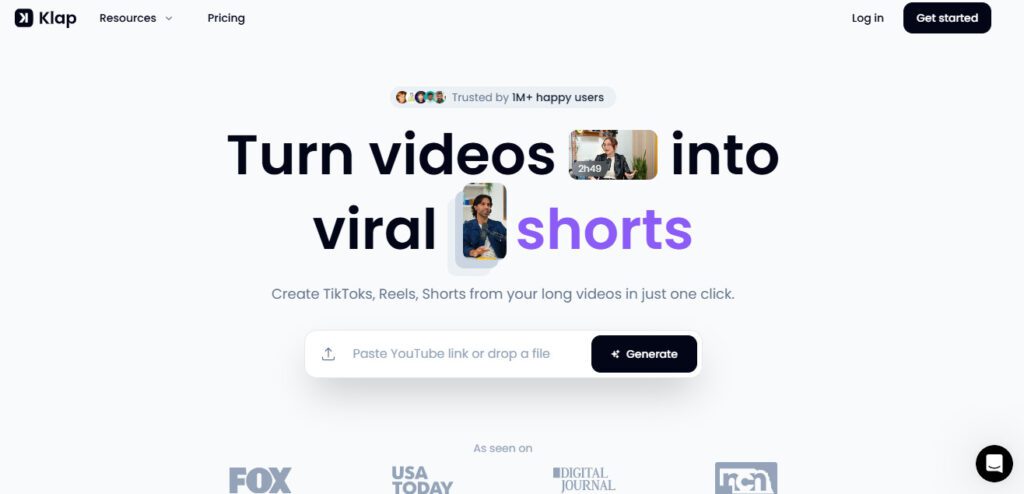
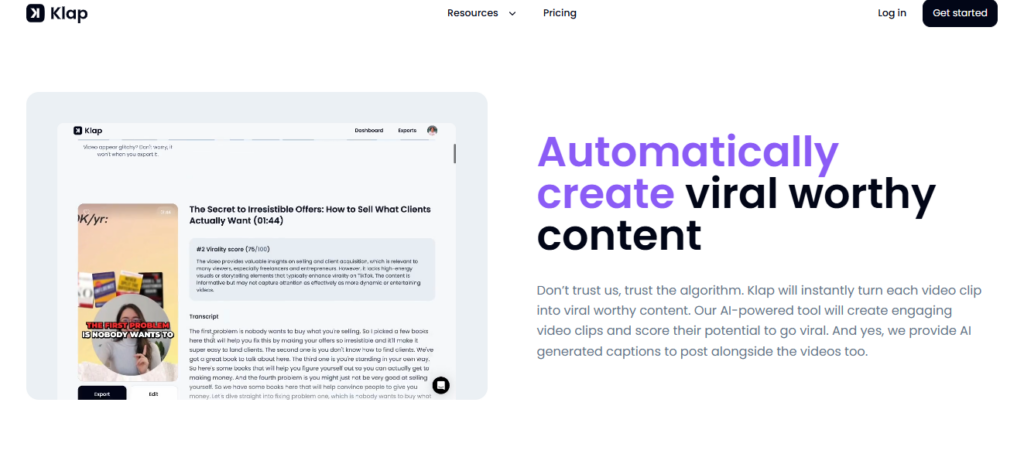
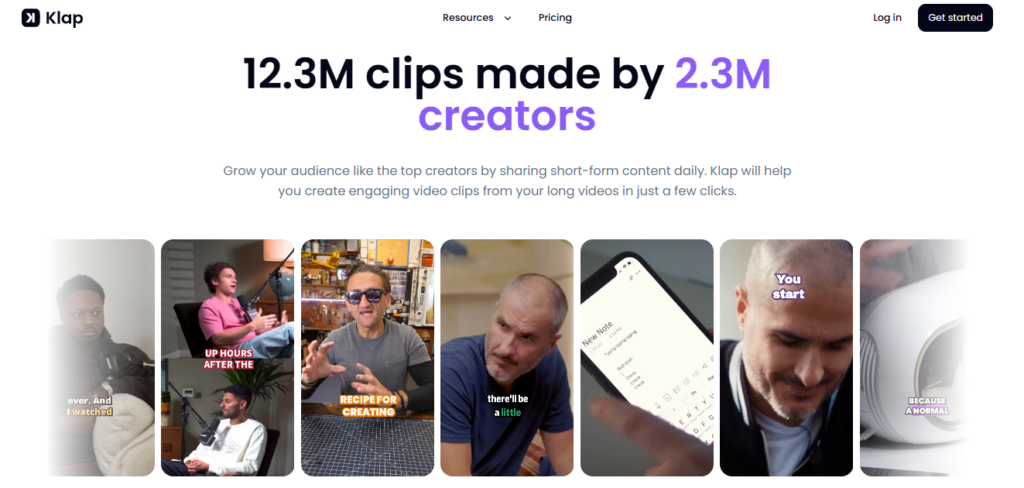
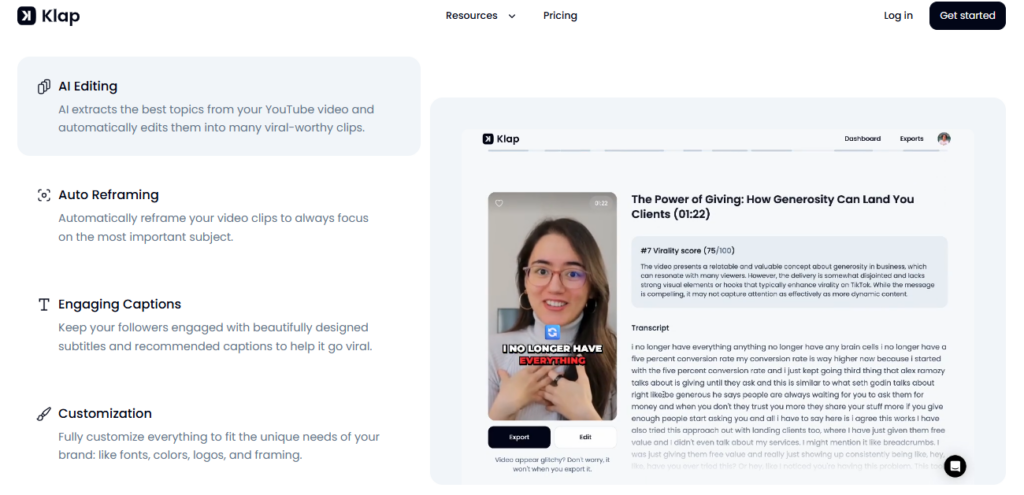
Klap's core workflow is simple: paste a YouTube URL or upload a video, and the AI identifies the most engaging moments, clips them into vertical shorts, adds animated captions, applies intelligent reframing, scores each clip's viral potential, and delivers platform-ready exports.
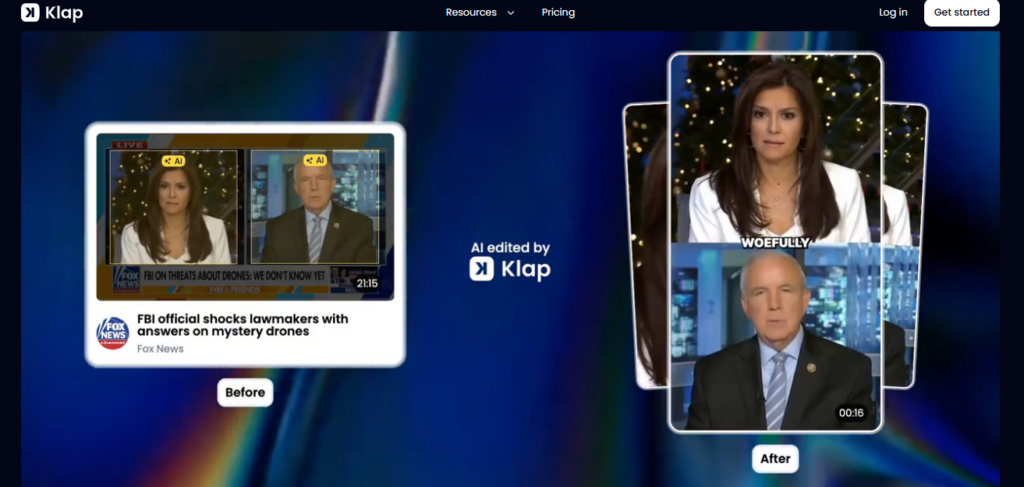
The flagship technical feature is AI Reframe 2 — Klap's most advanced scene analysis engine, which analyzes every scene and applies the optimal layout automatically: full vertical reframe for talking-head content, Split Screen for dual-monitor or interview scenarios, Screencasts for software tutorials, and Gaming mode for gameplay content.
Captions are generated in 52 languages with full font, color, emoji, and animation customization. AI Dubbing (Pro and Pro+ plans) translates and dubs clips into 29 languages with voice matching.
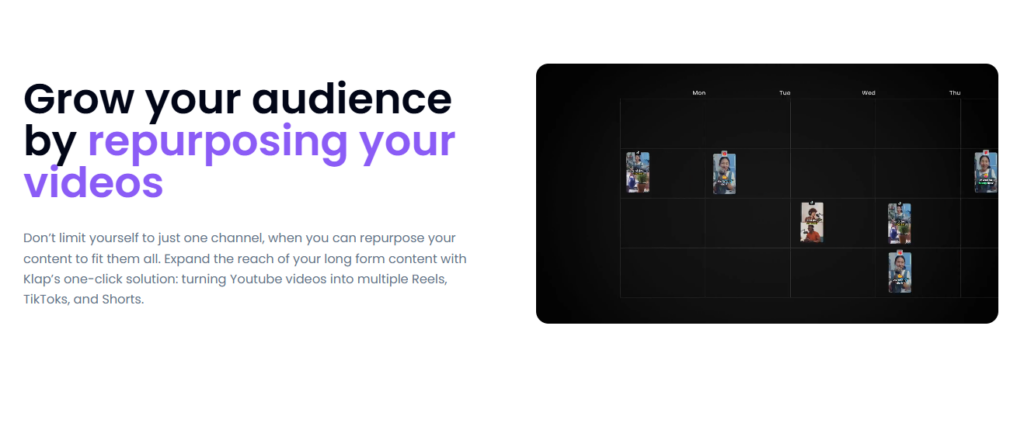
Virality scoring ranks each clip by estimated engagement potential, helping creators prioritize which clips to post first. Direct publishing and scheduling runs to TikTok, YouTube Shorts, Instagram, and LinkedIn — with a content calendar for managing scheduled posts.
Who Gets the Most Out of It
Podcasters and long-form YouTubers who record 1–3 hour episodes get the clearest value — Klap's rule of thumb is 5 clips per minute of content, meaning a 2-hour video on Pro+ can theoretically produce 600 clips before the monthly 1,000-clip cap is reached.
Business coaches, educators, and consultants use Klap's AI Reframe 2 and multilingual captions to repurpose webinar and training content into social clips that perform natively on TikTok and Instagram without manual reformatting.
International content teams use the AI Dubbing feature (Pro and Pro+) to localize short clips into 29 languages simultaneously — replacing per-language re-recording or separate dubbing tool subscriptions.
Agencies managing multiple creator clients use Klap's bulk clip generation to maintain posting cadence across all accounts without proportional increases in editing headcount.
Is It Worth It?
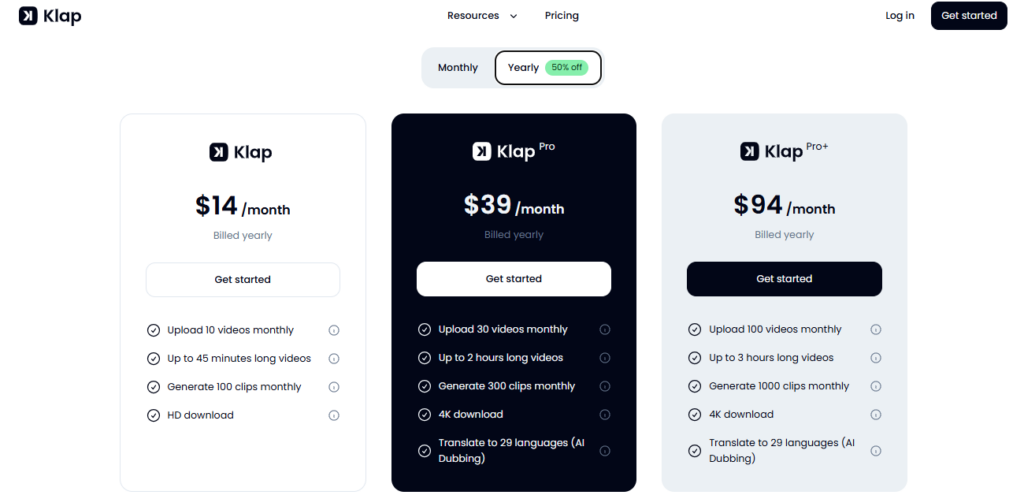
At $14/mo (Starter, billed yearly — 50% off) — with 10 videos/month, 100 clips/month, 45-minute max video length, and HD export — Klap delivers a complete short-form repurposing workflow for individual creators at one of the lowest price points in the AI video clipping category.
The Pro plan at $39/mo (yearly) steps up to 30 videos, 300 clips, 2-hour max length, 4K export, and AI Dubbing into 29 languages — exceptional value for creators who need multilingual output.
The Pro+ plan at $94/mo (yearly) handles 100 videos, 1,000 clips, 3-hour max length, and 4K with AI Dubbing — suited for agencies and high-volume teams.
Klap's free tier (1 video) is genuinely too limited for meaningful evaluation, but the paid Starter at just $14/mo on yearly billing represents one of the best entry prices in the AI video clipping category.
Independent reviewers consistently rate Klap's AI Reframe 2 and caption quality above Opus Clip for reframing accuracy on single-speaker content — a technically meaningful advantage for the tool's core use case.

- ✔Grew from zero to $1M ARR in under a year with zero paid ads — the most impressive organic product-market fit signal in the AI video clipping category, driven entirely by creator word-of-mouth
- ✔AI Reframe 2 is rated above Opus Clip by independent reviewers for reframing accuracy on single-speaker content — the most technically important feature for vertical video quality
- ✔52-language caption support is the widest multilingual caption coverage of any AI video repurposing tool in the market — covering Afrikaans, Maori, Swahili, Welsh, and 48 more beyond the standard European set
- ✔AI Dubbing in 29 languages on Pro ($39/mo yearly) — included in the plan with no separate dubbing tool subscription required — exceptional value for international content teams
- ✔Built entirely on Google Cloud (GKE, BigQuery, Cloud Run) with petabyte-scale video transcoding infrastructure — enterprise-grade backend reliability behind a $14/mo yearly entry price
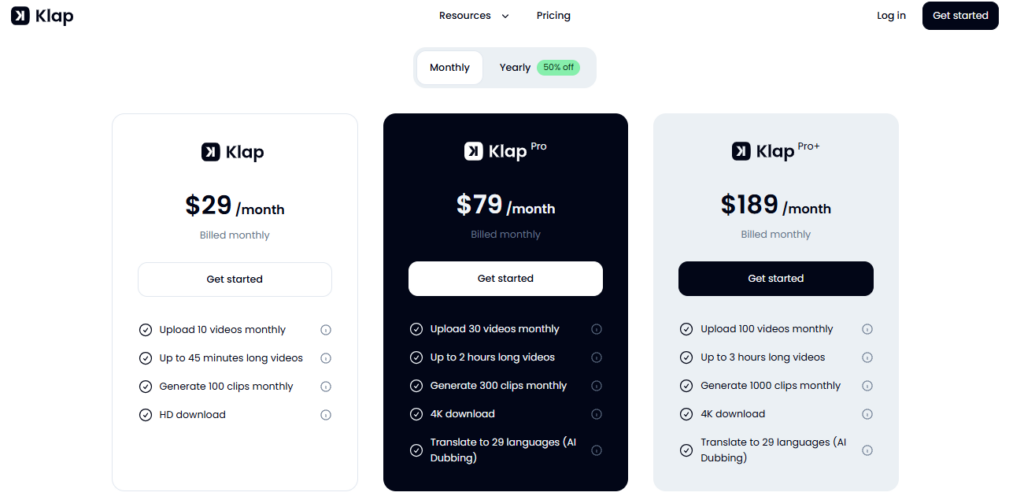
- ✔Yearly billing at 50% off makes Klap among the most aggressively discounted AI video tools — Starter drops from $29/mo to just $14/mo, Pro from $79 to $39, and Pro+ from $189 to $94
- ×Free tier limited to 1 video — effectively unusable for real evaluation; the lowest paid plan is required to meaningfully test the platform before committing
- ×AI reframing struggles on group shots, wide-angle content, and videos with multiple simultaneous speakers — a known limitation cited by multiple independent reviewers
- ×Built-in editor is reported as sluggish with limited precision controls and no real-time caption preview — users with complex editing needs typically export and finish in a dedicated NLE
- ×B-roll suggestions are inconsistent in relevance — the AI-recommended B-roll occasionally mismatches the clip's narrative context, requiring manual swap-outs
- ×No intermediate pricing step between Starter ($29/mo) and Pro ($79/mo) on monthly billing — a significant jump for creators who outgrow the 100-clip/month Starter cap
- ×Processing time can reach 15–30 minutes per video during peak usage hours — a friction point for creators on deadline-driven publishing schedules
Authority Hub
Check complete Klap features
Full Review
Read our in-depth Klap review
Comparison
Compare Klap vs competitors
Best Tools
Best AI tools in AI Dubbing
Top Tools
Top AI Dubbing AI tools ranked
Tutorial
Watch Klap Step-by-Step Tutorial
AI Tools Directory
Discover 365 AI tools list
Submit Tool
Add your AI tool here for free
Alternatives Hub
Browse all AI tool alternatives
Did you find this content helpful?
Promote This Tool
Help others discover this tool by sharing this page.
Klap Reviews
Write a Review
No reviews yet. Be the first to share your thoughts!
40 Similar Klap Tools
One AI platform for voiceovers, talking avatar videos, video translation with lip-sync, and content creation — all starting free.
From blank page to polished video in minutes — FlexClip combines a full AI video suite, 6,000+ templates, 4M+ stock assets, and 13+ AI model backends in one browser-based editor trusted by 10M+ creators.
Paste your script, click generate — Katalist breaks it into shots, builds a character-consistent storyboard with cinematic or animated visuals, then turns it into a fully produced video with voiceover, music, and SFX.
Hit record on any screen — Trupeer turns your raw walkthrough into a studio-quality video, step-by-step guide, and multilingual documentation in minutes.
One platform for AI avatars, real-time streaming avatars, face swap up to 16K, video translation in 155+ languages, and a full generative video suite — built for Fortune 500 and creators alike.
Turn any text into a viral-ready faceless video in under 60 seconds — with AI script, voiceover, captions, and publishing to TikTok, YouTube, and Instagram built in.
Record, edit, dub, subtitle, generate AI video, clone your voice, and publish — one AI platform where video, sound, and voice connect, starting free.
Edit talking-head videos 10x faster by letting AI cut silences, filler words, and bad takes automatically.
Translate, dub, and lip-sync your videos into 110+ languages with studio-quality AI.
Edit, enhance, and clip your videos using AI — with a chat-based interface, virality scoring, and professional tools that replace hours of manual work.
Bulk-generate viral faceless shorts from scripts or long videos — AI story, Reddit, fake texts, dialogue, superhero, and auto-clip from $19/month with a free plan.
Turn talking-head videos into polished, B-roll-enhanced social clips in minutes — with 13.8M+ Getty iStock assets, AI subtitles, and auto music. Free plan available.
Turn any long video into viral shorts in minutes — AI captions, B-roll, faceless video, auto-translation in 48 languages, and social scheduling from $15/month.
Record, edit, transcribe, clone your voice, and publish studio-quality podcasts and videos — all in one AI-powered platform, now rebranded as Async.
Turn any long video into viral TikToks, Reels, and Shorts in seconds — AI handles the cutting, cleanup, B-roll, captions, emojis, and publishing automatically.
AI agents that create winning video ads, UGC content, and faceless videos — from product link to published post, fully automated.
Create once, publish everywhere — automatically repurpose and distribute your videos, Reels, Shorts, and Stories across 15+ platforms without lifting a finger.
Clone any viral video style, paste a product URL, and get a publish-ready ad video in minutes — powered by Seedance 2.0, Kling 2.6, and Veo 3.1.
Upload one video and instantly get clips, SEO blog posts, social posts, transcripts, subtitles, and show notes — all in one place.
Scale Your Video Marketing with AI-Powered Creation.
Go from raw footage to viral short-form content in seconds — captions, B-roll, edits, and publishing all in one click.
Turn any long video or podcast into clips, transcripts, blogs, and social posts in minutes.
Go from idea to studio-quality video in minutes — AI handles scripting, media sourcing, voiceover, and editing in repeatable workflows built for teams.
Turn long videos into viral short clips, schedule across 7 platforms, and grow on social media — all in one AI-powered dashboard.
Turn text, URLs, Reddit posts, and ideas into viral TikToks, Shorts, and Reels in minutes — with 100+ AI video tools in one platform.
Go from idea, script, URL, PDF, or recording to a professional business video in minutes — powered by the engineer who built Zoom.
Turn any long-form video into a month of viral TikToks, Shorts, and Reels — automatically, in minutes.
Go from idea to exported TikTok, YouTube Short, or Instagram Reel in under three minutes — no editing skills needed.
The all-in-one AI voice and video studio trusted by 2,000,000+ creators — 500+ voices in 100+ languages, Pro V2 directable TTS, 1-minute voice cloning, AI sound effects, and a full video editor inside one browser tab.
Access 50+ top AI models for images, videos, and audio in one place — no subscriptions, no monthly fees.
Turn any script or text prompt into a professional animated AI movie in under 2 minutes — with 50+ video styles, character creation, camera controls, and commercial rights included.
Create professional AI avatar training videos in 75+ languages — no camera, no studio, no production team required.
Turn structured enterprise data into governed, on-brand video — automatically, at scale, embedded inside your product.
Create hyper-realistic AI avatar videos, translate into 175+ languages, and scale your content — no camera, no crew, no editing skills needed.
Turn scripts, blog posts, URLs, PPTs, and images into polished, publish-ready videos in minutes — no camera, no editing skills needed.
Turn any text prompt into a full cinematic video — with Sora 2, Veo 3.1, Kling 3.0, ElevenLabs, and 200+ AI models in one platform.
Turn any long-form video into dozens of trend-matched short clips, captions, and social posts — automatically.
Turn one YouTube video into SEO-optimized titles, shorts, blogs, and social posts — automatically.
Edit video and audio the same way you edit a document — with AI handling the hard parts.