Home Categories Deals Sign Up
Updated: April 28, 2026

What Makes Katalist Different

Katalist was founded in 2023 by Andraž Zvonar (CEO) and Blaž Blokar (CTO) — two Slovenian builders who quit their jobs to build a tool that solves the most persistent pain in AI visual creation: character inconsistency.

Every filmmaker, YouTuber, and marketer who has tried to use generative AI for narrative content knows the problem — generate the same character twice and you get two different people. Katalist's entire architecture is built around solving this.

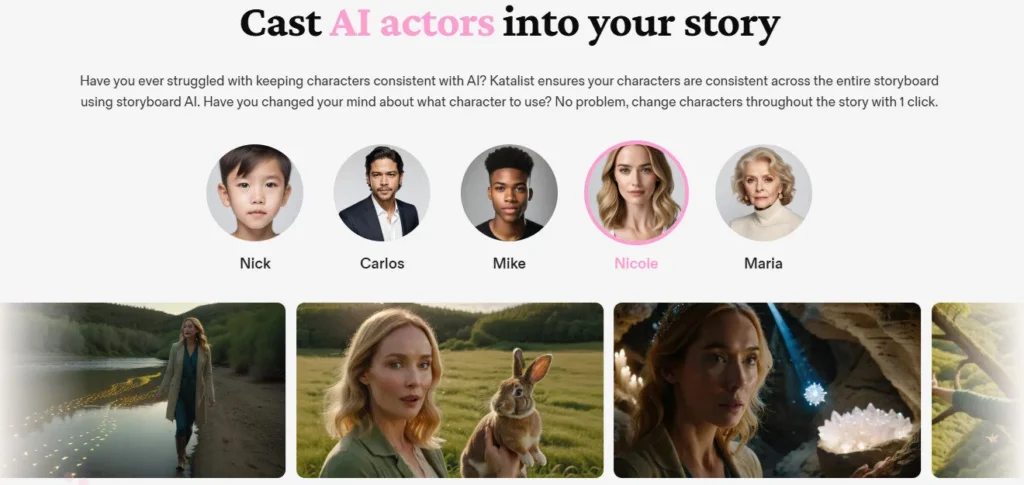
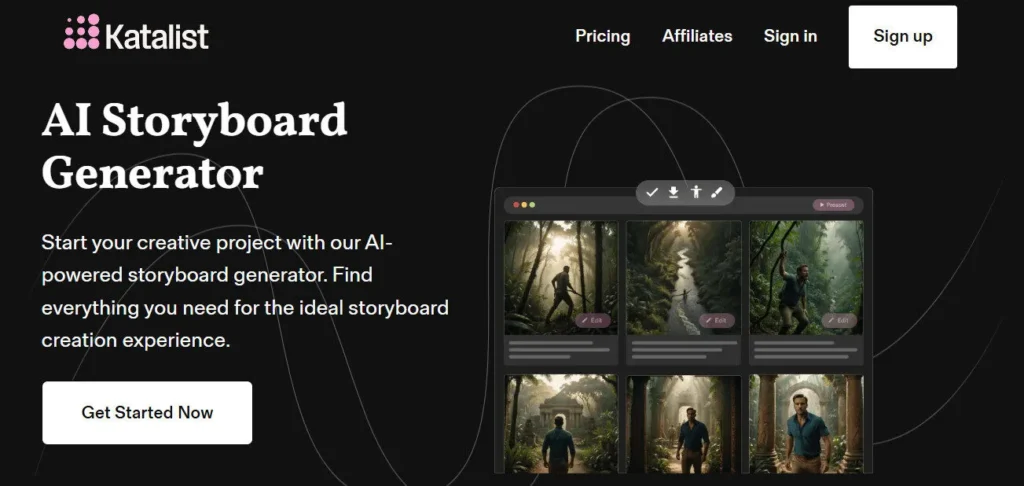
Every character is a persistent entity across your entire storyboard, swappable with one click, controllable by pose and gaze, and consistent from frame one to the final scene.

The platform covers the full pre-production and production chain: from script or idea → AI script → storyboard with consistent characters and scenes → video with voiceover, music, and sound effects → export to ZIP, PowerPoint, video slideshow, or directly into Adobe Premiere Pro.

The Complete Workflow

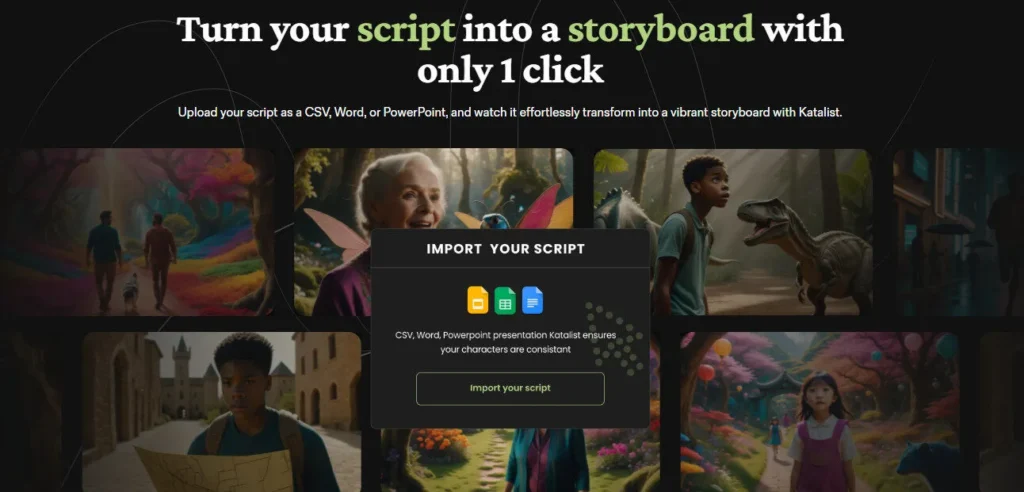
The workflow starts with a script — pasted, imported as CSV, Word, or PowerPoint, or generated from a single-line prompt using Katalist's AI Script Generator. From there, Katalist analyzes the text, identifies all characters, scenes, and actions, and breaks the script into shots automatically — no AI prompting required. Each shot becomes a storyboard frame.

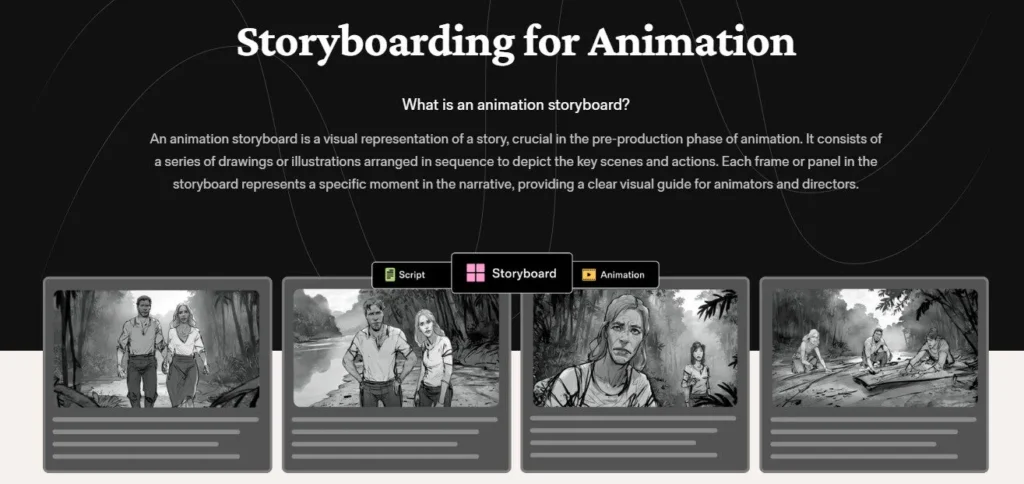
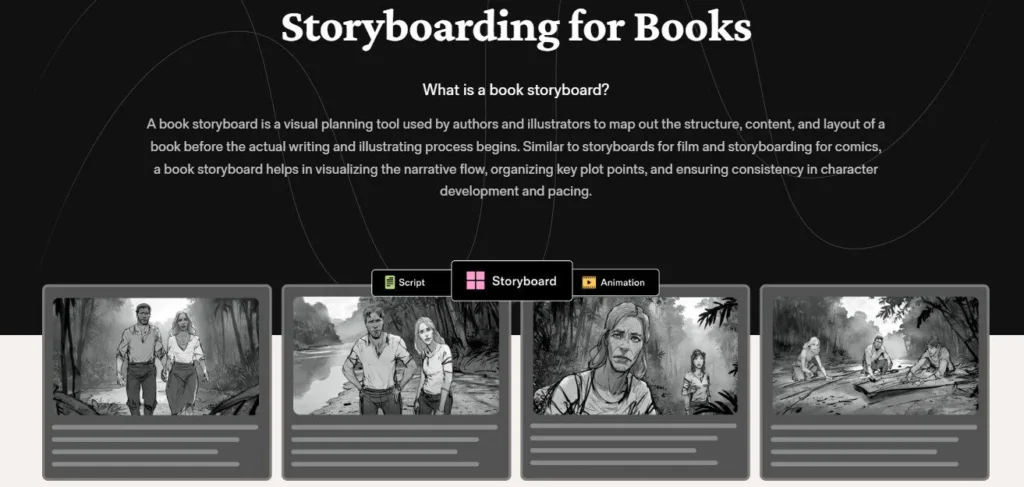
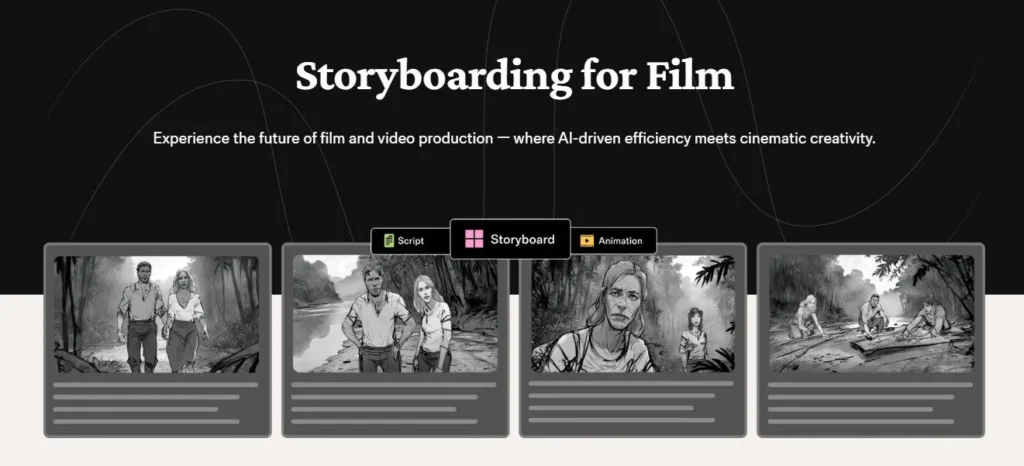
The visual output is controllable at every level: art style (Cinematic, Sketch, Anime, Cartoon, Comic Book, YouTube Shorts style, and more), camera angle (close-up, wide, over-the-shoulder, bird's-eye, and others), lens type, composition, character pose, character gaze direction, props, and scene environment. The Generative Fill tool lets you add, remove, or change elements within any frame.

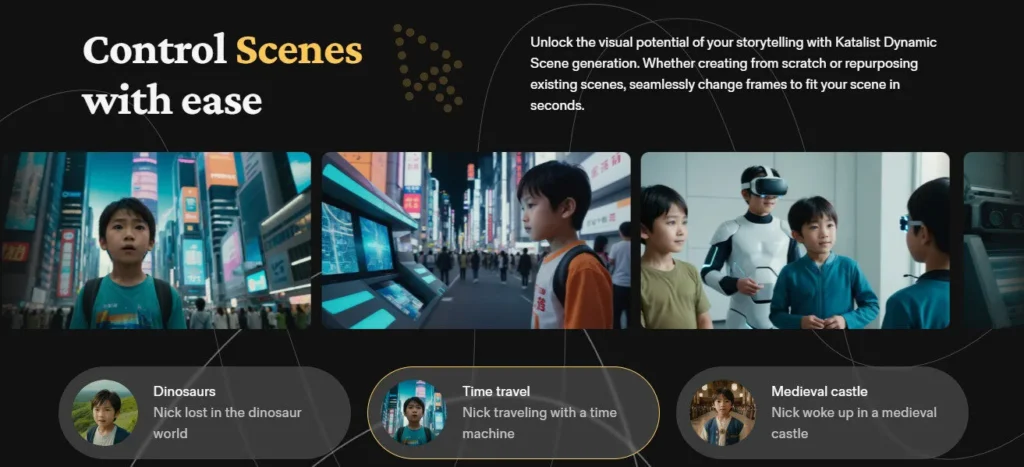
Dynamic Scene generation lets you update a location with a single prompt and automatically propagates the change across all related scenes in the storyboard.

Once the storyboard is complete, Katalist AI Video Studio converts it into a fully produced video with AI voiceover from a library of 300+ AI voices, background music, and synchronized sound effects — with a built-in timeline editor for trimming, pacing, and final assembly before export.

Who It's Built For

Independent filmmakers and screenwriters use Katalist to visualize and pitch scripts before production begins — turning written scenes into professional-looking previz boards that communicate the visual intent of the story to collaborators, investors, or directors.

YouTubers and social media video creators use the AI Video Studio to produce complete short-form content from script to final video without managing multiple tools.

Advertising agencies and brand creative teams — including the documented use by Publicis Groupe Slovenia, where Katalist doubled creative team productivity and improved client communication — use the platform for producing concept pitches, ad storyboards, and creative presentations at a fraction of the manual production cost.

Content studios managing high volumes of episodic or serialized content use the character and style consistency system to maintain brand and visual coherence across large projects.

Pricing and Value

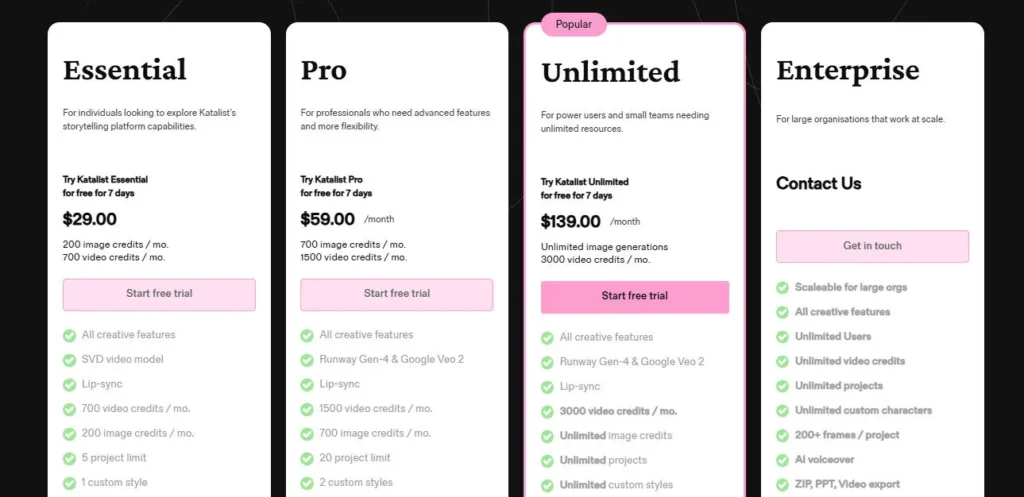
The free plan allows tool exploration with limited generation access and a 7-day free trial at full feature access. The Essential plan at $29/month (billed annually, or $39/month monthly) gives individual creators 200 image credits and 700 video credits per month, up to 5 active projects, 1 custom style, and 1 custom character — the right starting point for solo storytellers and filmmakers with moderate production volume.

The Unlimited plan at $79/month (billed annually, or $99/month monthly) removes most restrictions: unlimited image generation, 3,000 monthly video credits, no project limits, unlimited styles and characters, real-time collaboration, and projects with 200+ frames — the right tier for studios, agencies, and creative teams with consistent high-volume output.

The Pro plan sits between Essential and Unlimited for creators who need more than Essential provides but are not yet at team-scale production volume.


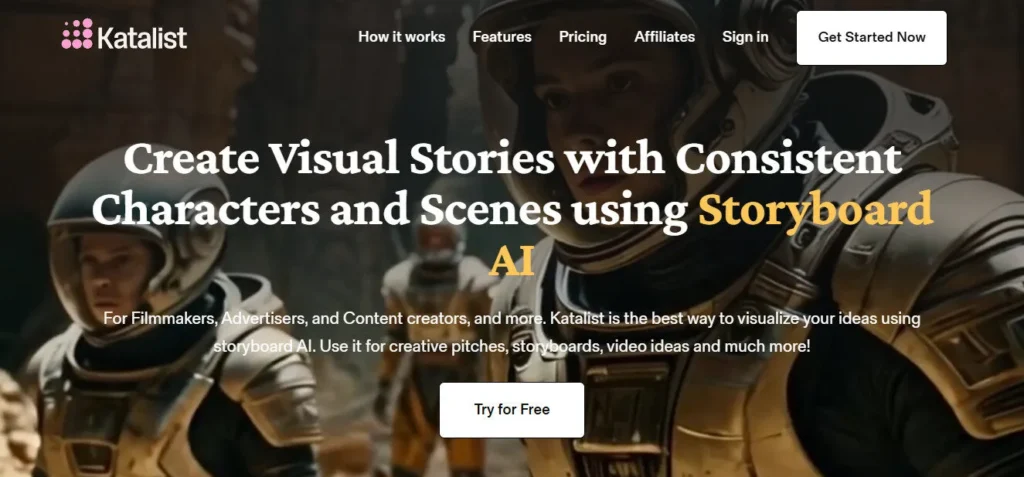
Katalist AI is a script-to-storyboard-to-video platform founded in 2023 by Andraž Zvonar (CEO) and Blaž Blokar (CTO) in Slovenia that converts any script, idea, CSV, Word, or PowerPoint file into a character-consistent visual storyboard and fully produced video with one click.

The platform solves the central challenge of generative AI for narrative content — character inconsistency — by making every character a persistent entity across all frames, swappable and pose-controllable with a single click.

Katalist supports 10+ art styles (Cinematic, Sketch, Anime, Cartoon, Comic Book), multi-model video generation with Veo 3 and Kling Pro, a built-in timeline video editor, 300+ AI voices, and export to ZIP, PowerPoint, video slideshow, or Adobe Premiere Pro — trusted by filmmakers, YouTubers, advertisers, and agencies including Publicis Groupe Slovenia.

• Script to Storyboard in 1 Click — Paste any script, import a CSV, Word, or PowerPoint file, or generate a script from a single-line prompt; Katalist automatically identifies all characters, scenes, and actions, breaks the content into shots, and generates a complete visual storyboard without any manual prompting.

• Persistent Character Consistency — Every character is a persistent entity across the entire storyboard — consistent in appearance from frame one to the final scene; swap any character across all frames simultaneously with one click without manually regenerating individual shots.

• Character Posing & Gaze Control — Control each character's exact pose, body position, and gaze (eye direction) per shot using the dedicated Posing Tool — giving filmmakers and directors precise control over the visual communication in every frame beyond what standard image generation allows.

• 10+ Art Styles (Cinematic, Sketch, Anime, Cartoon, Comic Book) — Apply a unified visual style across the entire storyboard from a library of art styles including Cinematic, Sketch, Anime, Cartoon, Comic Book, YouTube Shorts, and more — ensuring consistent visual identity across every shot in a project.

• Dynamic Scene Generation & Generative Fill — Update a scene's location with a single prompt and Katalist automatically propagates the change across all related shots; use Generative Fill to add, remove, or replace elements within any individual frame with natural integration into the existing scene.

• AI Video Studio (Voiceover, Music, SFX) — Convert any completed storyboard into a fully produced video with AI voiceover from 300+ AI voices, background music, and synchronized sound effects — with a built-in timeline editor for trimming, reordering, pacing adjustments, and final video assembly before export.

• Multi-Model Video Generation (Veo 3, Kling Pro) — Generate video clips for each storyboard scene using built-in access to top-tier AI video models including Google Veo 3, Kling Pro, and Katalist's own engines — without leaving the platform or managing separate model subscriptions.

• Multi-Format Export (ZIP, PowerPoint, Video, Adobe Premiere Pro) — Export finished storyboards and videos as a ZIP archive of individual frames, a ready-to-present PowerPoint file, an MP4 video slideshow, or send directly to Adobe Premiere Pro for advanced post-production — covering every downstream creative and production workflow.

Pros
  • Persistent character consistency across all storyboard frames with one-click full-project character swap solves the single biggest pain point in generative AI narrative creation
  • Multi-model video generation with Veo 3, Kling Pro, and built-in Katalist engines — all from one platform without separate subscriptions — gives creators access to state-of-the-art video quality within the storyboard workflow
  • Dynamic Scene generation propagates location and environment changes across all related shots simultaneously, eliminating the manual frame-by-frame update cycle that makes AI storyboarding time-consuming on other platforms
  • 10+ art styles with consistent cross-frame application ensures brand and visual coherence across long-form projects without manual style re-prompting on every shot
  • Direct Adobe Premiere Pro export bridges the gap between AI storyboarding and professional post-production, making Katalist a genuine pre-production tool in professional video pipelines
  • Documented enterprise deployment at Publicis Groupe Slovenia (doubled creative productivity) confirms production-grade output quality in agency and commercial workflows
Cons
  • ×Essential plan's 200 image credits and 700 video credits per month deplete quickly on longer-form projects — a 30-scene storyboard with multiple regenerations per scene can exhaust Essential plan credits within a single project
  • ×Pro plan positioning between Essential and Unlimited is unclear in public documentation — plan differentiation, credit limits, and feature access are not consistently communicated across third-party sources
  • ×Real-time collaboration is locked to the Unlimited plan ($79/month annual) — Essential and Pro plan users work solo with no team sharing, limiting utility for multi-person creative teams at lower price tiers
  • ×Custom character creation is limited to 1 character on Essential — creators with stories requiring multiple custom characters are forced to the Pro or Unlimited tier earlier than production volume alone would require
  • ×The platform is currently browser-based web app only — no desktop app, no mobile app, and no offline mode, making it dependent on a stable internet connection for all creative work
  • ×Small founding team of 3 (CEO, CTO, Growth Lead) creates roadmap execution uncertainty for enterprise buyers who need long-term product stability guarantees

Katalist AI is best suited for independent filmmakers, screenwriters, YouTubers, advertising creatives, and visual storytellers who need to visualize scripts and produce videos with consistent characters without traditional pre-production budgets or timelines.

• Independent filmmakers and screenwriters — They use Katalist to produce professional previz storyboards from completed scripts before production begins, communicating visual intent to collaborators, directors, investors, and casting teams without expensive concept art or storyboard artist budgets.

• YouTubers and video content creators — The complete script-to-storyboard-to-video workflow with AI voiceover, music, and SFX in one platform reduces a multi-tool production chain to a single session, enabling consistent high-quality output without video editing expertise.

• Advertising agency creative teams — Publicis Groupe Slovenia's documented deployment confirms that agency teams use Katalist to build client-facing concept storyboards and pitch presentations at twice the previous speed, with the PowerPoint export enabling direct integration into standard client presentation workflows.

• Animators and comic creators — The Anime, Cartoon, and Comic Book art styles with persistent character consistency create a coherent visual language for animation projects and serialized comic content without frame-by-frame character re-prompting.

• Brand content studios managing serialized or episodic production — The character swap and Dynamic Scene generation system enables high-volume serialized content (YouTube series, branded video campaigns) to maintain visual consistency at scale.

Free (7-day trial + limited free access)Full feature access during 7-day trial, limited image and video generation credits after trial ends, access to all core storyboarding tools at restricted capacity, personal license.
Essential (~$39/mo billed monthly — ~$29/mo billed annually)200 image credits per month, 700 video credits per month, up to 5 active projects, 1 custom art style, 1 custom character, affiliate program access, all core storyboard and video tools, ZIP and PowerPoint export, personal license.
Pro (~$31/mo billed annually)Credit allocation between Essential and Unlimited, expanded project and character limits vs. Essential, all Essential features, intermediate tier for growing solo creators, personal license.
Unlimited (~$99/mo billed monthly — ~$79/mo billed annually — 2 users included)Unlimited image generation credits, 3,000 video credits per month, no project limits, unlimited custom styles, unlimited custom characters, real-time team collaboration, projects with 200+ frames supported, all advanced editing features, multi-model video generation (Veo 3, Kling Pro), built-in timeline video editor, Adobe Premiere Pro export, team license.
Studio (Custom — contact sales)For teams and agencies requiring premium access, custom credit allocations, dedicated support, enterprise billing, and custom onboarding — contact [email protected].

Katalist's core differentiator is the only platform that solves persistent character consistency in generative AI storyboarding at the workflow level — not through prompting tricks, but through a purpose-built character entity system that maintains identity across all frames and enables one-click full-project character replacement.

• One-click full-project character swap — Changing a character across an entire 30-, 50-, or 100-frame storyboard with a single click is a capability that addresses the most time-consuming manual operation in AI-assisted pre-production. No other storyboarding tool offers full-project character replacement at this level of workflow integration — competitors require manual regeneration of each affected frame individually.

• Character Posing Tool with gaze direction control — Specifying the exact direction a character's eyes are looking in a generated storyboard frame is an exceptionally precise visual control not found in general-purpose image generators. For filmmakers communicating shot intent — particularly in scenes involving eyeline matches, point-of-view shots, and reaction shots — this level of control is production-meaningful.

• Dynamic Scene generation with automatic cross-shot propagation — Changing a scene location once and having it automatically propagate across all related shots in the storyboard eliminates the manual frame-by-frame update cycle that makes AI storyboarding time-prohibitive on longer projects. This is a workflow-level automation rather than a generation feature — it manages the project consistency problem that scales with project length.

• Adobe Premiere Pro direct export — Exporting a finished AI storyboard and video directly into Adobe Premiere Pro for advanced post-production bridges the gap between AI-assisted pre-production and professional editorial workflows. This positions Katalist as a legitimate pre-production tool in professional film and video pipelines rather than a standalone standalone AI toy.

• Multi-model video generation within storyboard context — Generating video clips from storyboard frames using Veo 3 or Kling Pro within the storyboard workspace — with the character, scene, and style context already defined — produces more contextually appropriate video output than generating from cold prompts in those models' native interfaces. The storyboard context is the prompt.

Katalist operates as a browser-based web application with direct integrations for creative file import, video model backends, and professional editing software export.

• Script File Import (CSV, Word, PowerPoint) — Import scripts, shot lists, and presentation outlines directly in CSV, Microsoft Word, and PowerPoint formats — covering the full range of formats used in professional screenwriting, content planning, and creative development workflows.

• Adobe Premiere Pro (Direct Export) — Completed Katalist videos can be exported directly to Adobe Premiere Pro for advanced color grading, audio mixing, visual effects, and professional post-production — integrating the AI pre-production workflow into the industry-standard professional editing pipeline.

• Multi-Model Video Backends (Veo 3, Kling Pro) — Built-in access to Google Veo 3 and Kling Pro video generation models allows creators to produce final video clips at state-of-the-art quality within the Katalist storyboard workspace without managing separate API keys or platform accounts.

• PowerPoint Export (Client Presentation Workflow) — Storyboards export as formatted PowerPoint files compatible with any presentation software — enabling direct integration into standard agency and marketing client presentation workflows without reformatting or slide rebuilding.

• Public Share Link (Presentation Sharing) — Every storyboard can be shared as a public URL for instant client review, team feedback, or stakeholder presentation without requiring recipients to have a Katalist account — compatible with any device and browser.

CategoryScoreWhy It Matters
Accuracy & Reliability4.2/5Character consistency across frames is Katalist's strongest reliability metric — the persistent character entity system maintains visual identity reliably across storyboards of 30–50 frames reported by independent reviewers including Publicis Groupe Slovenia's documented deployment. Cinematic-style generation accurately reflects camera angle and shot type instructions (close-up, wide, POV) in the majority of generations. Output quality drops slightly in complex multi-character scenes where spatial relationships between characters are difficult for the generative system to control precisely.
Ease of Use4.5/5The script-to-storyboard workflow requiring no manual AI prompting is universally praised across independent YouTube reviewers from 2024–2025 as the defining ease-of-use differentiator — filmmakers and non-AI-experts report completing first storyboards in under 20 minutes with no prior generative AI experience. The zero-barrier-to-entry described by multiple reviewers is validated by the platform's adoption by casting directors, art directors, and creative producers who are domain experts in film but not in AI. The Character Posing and Generative Fill tools have a modest learning curve that reviewers describe as intuitive after 1–2 sessions.
Functionality & Features4.3/5Katalist covers the complete pre-production and production chain: AI script generation, script import, automatic shot breakdown, character consistency with posing control, 10+ art styles, Dynamic Scene generation, Generative Fill, multi-model video generation (Veo 3, Kling Pro), AI Video Studio with 300+ voices, built-in timeline editor, and multi-format export including Adobe Premiere Pro. The feature depth for narrative visual content production is unmatched in a single browser-based tool at this price. The main functional gap is the absence of audio waveform editing in the timeline editor, requiring Premiere Pro export for precise audio work.
Performance & Speed4.0/5Standard storyboard frame generation completes in 15–30 seconds per shot based on reviewer reports. Full storyboard generation from a 10-scene script completes in 3–5 minutes. AI Video Studio video generation speed varies by model — Katalist's own engine produces results in 1–3 minutes per scene; Veo 3 and Kling Pro generation takes 3–7 minutes depending on clip length and server load. Dynamic Scene propagation across a 30-frame storyboard processes in approximately 2 minutes. No significant downtime or reliability issues are reported across the user reviews analyzed.
Customization & Flexibility4.4/5Frame-level control over camera angle, shot type, lens, composition, character pose, gaze direction, props, and scene environment — combined with Generative Fill for in-frame element additions and removals — gives filmmakers more production-specific visual control per shot than any comparable generative AI tool. The one-click character swap and Dynamic Scene propagation provide project-level customization efficiency. The main flexibility constraint is custom character creation (limited to 1 on Essential) and custom style limits on lower-tier plans, which constrain multi-character and brand-specific production on the entry-level plan.
Data Privacy & Security3.6/5Katalist is a 2023-founded startup with a small team and does not publicly list SOC 2, ISO 27001, or GDPR certification on the official site — a gap compared to enterprise-focused competitors. The platform processes user-submitted scripts, character images, and generated content through cloud infrastructure without formal third-party security audit documentation visible to the public. For independent creators and small agencies, the platform's operational track record and Publicis Groupe deployment provide practical trust signals. Enterprise buyers in regulated industries should request formal security documentation before committing.
Support & Resources3.8/5Katalist maintains a blog with AI storytelling guides, a community video showcase, and a publicly listed contact email ([email protected]). The founding team is actively visible on LinkedIn and in community channels. A growing YouTube ecosystem of third-party tutorials from 2024–2025 covers the core workflow effectively. Direct support channels are limited for standard plan users — no documented live chat, no SLA-backed email response time, and no help center separate from the FAQ on the main site. The Studio/Enterprise plan presumably includes direct team contact, but this is not documented publicly.
Cost-Efficiency4.1/5The Essential plan at $29/month annual for 200 image credits, 700 video credits, and complete access to the storyboarding, multi-style, character consistency, and AI Video Studio features is strong value for filmmakers and solo creators with moderate production volume. The Unlimited plan at $79/month annual for unlimited image generation, 3,000 video credits, real-time collaboration, and Veo 3 and Kling Pro access delivers competitive value against assembling the equivalent capability from separate tools. The per-credit limit on Essential creates early-stage cost pressure for active creators, making the jump to Unlimited necessary sooner than the $50/month price difference initially suggests.

Overall Score4.1/5Katalist AI is the most purpose-built and workflow-complete AI storyboarding platform available in 2026 for narrative visual content — the persistent character consistency system, one-click character swap, Character Posing Tool, Dynamic Scene propagation, and Adobe Premiere Pro export address the specific production problems that general-purpose AI image and video tools cannot solve for storytellers. The small founding team, absence of formal security certifications, and Essential plan credit constraints are the primary limitations. For filmmakers, YouTubers, and creative agencies who need to visualize stories with consistent characters before or during production, Katalist has no direct equivalent at any price point.

Katalist AI is the strongest purpose-built storyboarding platform in 2026 for filmmakers, YouTubers, and creative agencies who need persistent character consistency, script-to-visual automation, and a complete pre-production-to-video pipeline in one browser-based tool.

The one-click character swap, Dynamic Scene propagation, Character Posing with gaze control, and direct Adobe Premiere Pro export address the specific workflow problems that generic Image Generators">image generators cannot solve for narrative content.

The Essential plan's credit limits push active creators toward the Unlimited plan earlier than ideal, and the small founding team creates typical early-stage execution uncertainty.

For storytellers who have bounced between Midjourney, Runway, and Google Slides trying to assemble a coherent pitch, Katalist is the dedicated solution they have been looking for.

Q1.Is Katalist AI free to use?
Ans:-Yes — Katalist offers a 7-day free trial at full feature access with no credit card required. After the trial, a limited free plan continues to allow platform access with restricted image and video generation credits. The Essential plan at $29/month (billed annually) is the entry-level paid tier, providing 200 image credits and 700 video credits per month with access to all core storyboarding and AI Video Studio tools.
Q2.How does Katalist maintain character consistency across a storyboard?
Ans:-Katalist treats every character as a persistent entity — not a prompt — stored and referenced by the platform across the entire project. When you define or import a character, Katalist uses that character's visual definition as a consistent reference for every frame in which they appear. If you want to replace a character throughout the entire storyboard, a single click applies the change across all affected frames simultaneously — no manual frame-by-frame regeneration required.
Q3.What file formats can I import into Katalist?
Ans:-Katalist accepts scripts and content in CSV, Microsoft Word (.docx), and PowerPoint (.pptx) formats for import. You can also paste script text directly into the editor or use Katalist's built-in AI Script Generator to create a script from a single-line idea or prompt. The platform automatically analyzes the imported content to identify characters, scenes, and actions before generating the storyboard.
Q4.Can Katalist generate videos as well as storyboards?
Ans:-Yes — Katalist AI Video Studio converts completed storyboards into fully produced videos with AI voiceover from 300+ AI voices, background music, and synchronized sound effects. The platform also includes a built-in timeline video editor for trimming, reordering clips, and adjusting pacing. For higher-quality video generation, Katalist integrates multi-model backends including Google Veo 3 and Kling Pro, accessible directly from the storyboard workspace on the Unlimited plan.
Q5.What art styles does Katalist support?
Ans:-Katalist supports 10+ art styles applied consistently across all storyboard frames including Cinematic, Sketch, Anime, Cartoon, Comic Book, YouTube Shorts style, and others. Art styles can be applied at the project level — ensuring all frames maintain the same visual language — or customized per shot for creative sequences that require stylistic contrast. Custom style creation (uploading your own reference images for style) is available on paid plans.
Q6.What export formats does Katalist support?
Ans:-Katalist exports storyboards and videos in four formats: ZIP archive (individual high-resolution frames for use in any design tool), PowerPoint (.pptx for client presentations and team review), MP4 video slideshow (for publishing or sharing), and direct export to Adobe Premiere Pro for professional post-production. Public share links allow instant storyboard sharing without recipients needing a Katalist account.
Q7.Who founded Katalist AI?
Ans:-Katalist was founded in 2023 by Andraž Zvonar (CEO) and Blaž Blokar (CTO), both from Slovenia. Andraž focuses on building intuitive product experiences; Blaž is the technical architect specializing in machine learning pipelines and open source. The founding team also includes Rok Božič as Growth Lead, who has been working with generative AI since 2021 and produced his first AI movie in 2023. The team collectively quit their jobs in 2023 to build Katalist full-time.

Q8.Does Katalist support team collaboration?
Ans:-Yes — real-time team collaboration is available on the Unlimited plan ($79/month annual, 2 users included). The Unlimited plan also removes project limits and supports projects with 200+ frames — the capacity needed for long-form production workflows shared across a team. Essential and Pro plan users work solo with no workspace sharing. The Studio plan (custom pricing) supports larger teams and agencies with custom user counts and enterprise billing.
Q9.How does Katalist compare to Canva or Adobe Express for storyboarding?
Ans:-Canva and Adobe Express are general-purpose design tools — they can produce storyboard-style layouts using manual drag-and-drop but provide no AI storyboard generation, no character consistency system, no script import, and no multi-model video generation. Katalist is a dedicated storyboarding and visual storytelling platform: it generates a complete storyboard from your script automatically, maintains character identity across all frames, controls camera angles and character poses, and converts the storyboard into a produced video — capabilities that general design tools do not offer at any feature level.
Q10.What is the Character Posing Tool in Katalist?
Ans:-The Character Posing Tool gives you precise control over a character's body pose and gaze direction in any storyboard frame. You can specify exactly where a character is looking (their eye direction), what position their body is in, and how they are oriented within the scene — giving filmmakers the shot-level visual communication control needed for eyeline matches, reaction shots, point-of-view sequences, and emotionally specific scene moments. This level of per-frame character control is not available in general-purpose image generators.


Promote This Tool

Help others discover this tool by sharing this page.

✓ Link copied to clipboard!

Katalist AI Reviews

0.0
Based on 0 reviews
5 star
0%
4 star
0%
3 star
0%
2 star
0%
1 star
0%

Write a Review

Your Rating:

No reviews yet. Be the first to share your thoughts!

48 Similar Katalist AI Tools