Home Categories Deals Sign Up
Updated: April 25, 2026

How LogoAI Works: Design Free, Pay Once, Own Forever

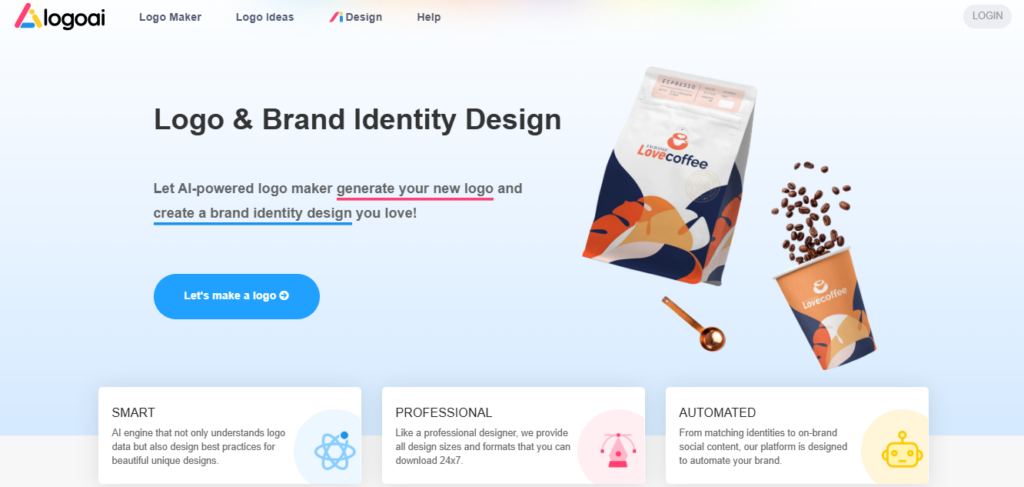
LogoAI is an AI-powered logo maker and brand identity platform that has helped over 8.7 million businesses create professional logos since its founding in 2018.

The model is refreshingly simple: designing your logo is completely free — you only pay a one-time fee to download the files you actually want to use. There are no subscriptions, no monthly charges, and no expiry on your download access. Once you pay, you own your logo files forever.

Key Capabilities

You start by entering your brand name, selecting an industry, and choosing your preferred styles and colors — the AI then generates dozens of unique logo concepts in seconds.

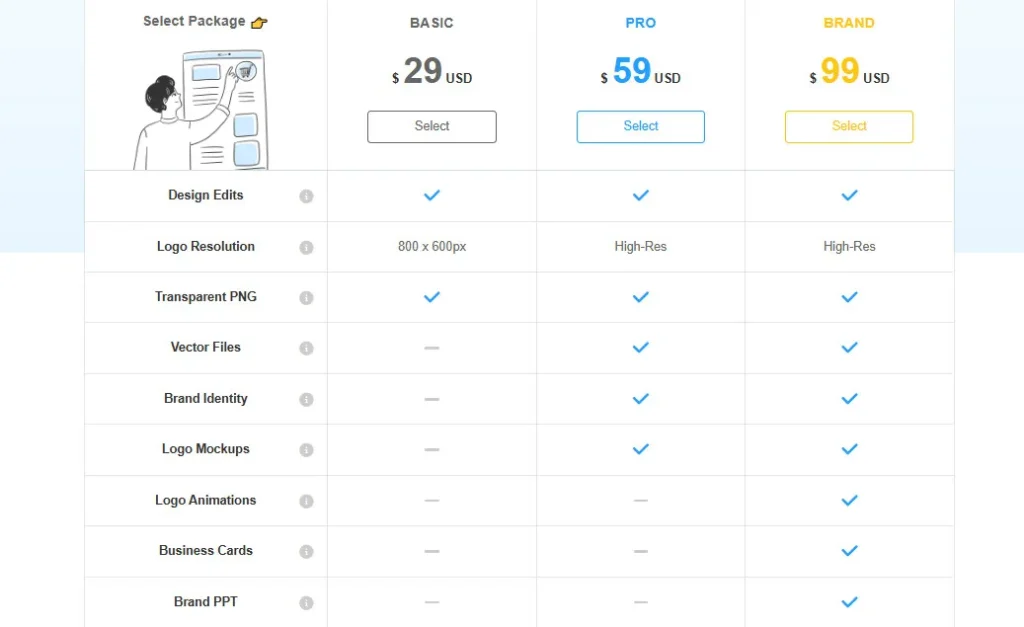
The Basic package ($29 one-time) delivers design edits, an 800x600px PNG, and a transparent PNG — ideal for websites and social media.

The Pro package ($59) steps up to high-resolution files, transparent PNGs, vector files (SVG, PDF), brand identity assets, and logo mockups — everything a growing business needs for print and digital use.

The Brand package ($99) adds logo animations, business cards, a branded PowerPoint template, and 100 AI credits for generating matching marketing materials. Return customers save up to 60% using the code LOGOPRO, making repeat purchases significantly more cost-effective.

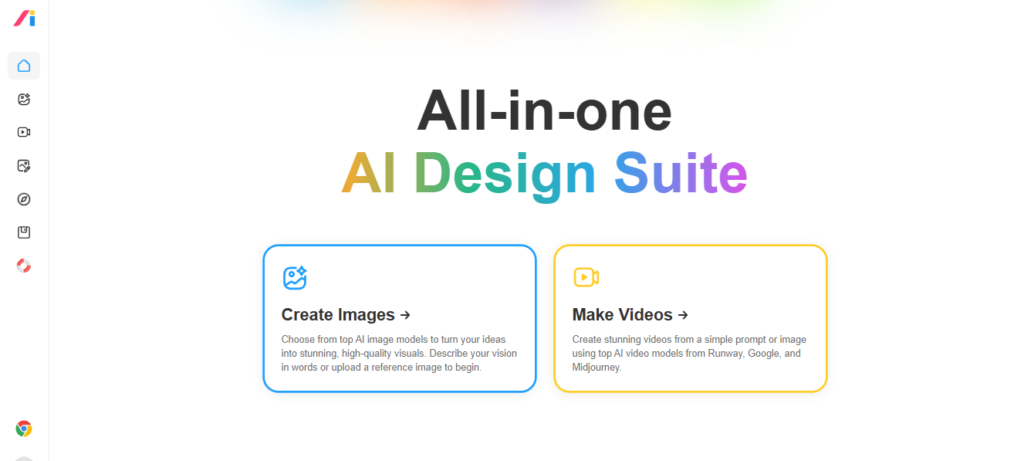
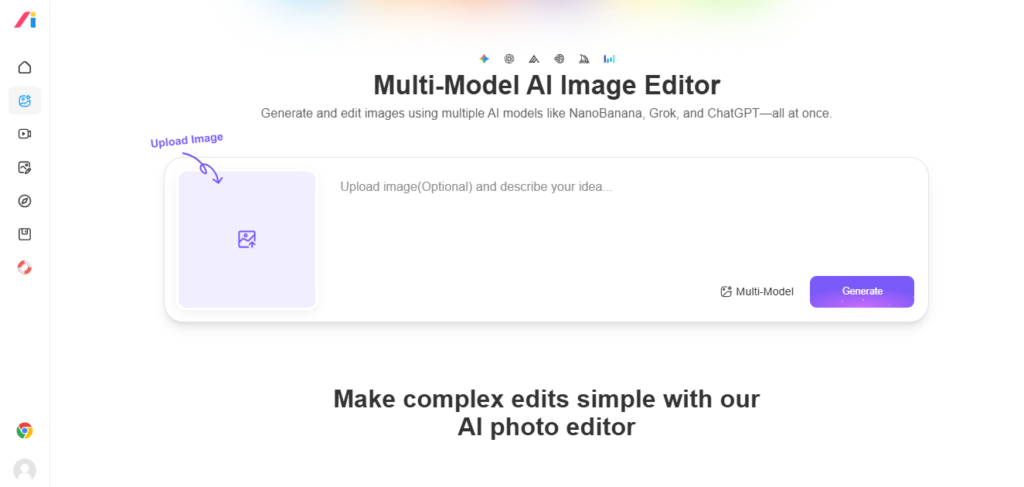
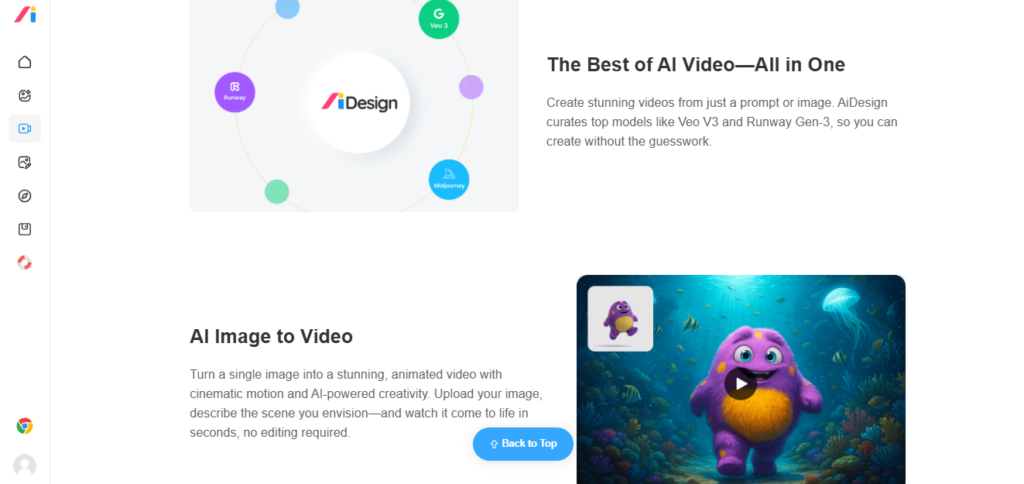
LogoAI also recently launched a Multi-Model AI Image Editor as part of its AiDesign suite, adding AI image generation, Grok Video Generator, Sora Video Generator, Veo Video Generator, and Image Vectorizer to the platform.

Who Gets the Most Out of It

LogoAI suits early-stage founders and freelancers who want a professional logo without a subscription commitment — the one-time model makes total cost fully predictable. Small businesses that need print-ready files will find the Pro package at $59 covers all bases.

Agencies and designers working on client branding projects benefit from the ability to transfer logo ownership to client accounts and unlock volume discounts of 40–60% on repeat purchases.

Non-profits and bloggers who only need a web-use logo can start with the $29 Basic package and upgrade later if print needs arise.

Is It Worth It?

For a one-time fee starting at $29 with no recurring charges, LogoAI is one of the strongest value logo tools on the market. The free design experience removes all upfront risk — you see exactly what you're getting before committing.

The Pro package at $59 competes directly with subscription tools that charge $20–$30/mo for the same file formats, making LogoAI considerably cheaper over 6+ months.

The main trade-off is editor depth: users who want pixel-precise manual control may find the AI-generated base designs limit fine customisation. For most startups and small businesses, however, the quality-to-price ratio is hard to beat.

LogoAI is an AI-powered logo maker and brand identity platform founded in 2018 and headquartered at LogoAI.com. It generates professional logos for free and charges a one-time fee — starting at $29 — to download the final files, with no subscription required.

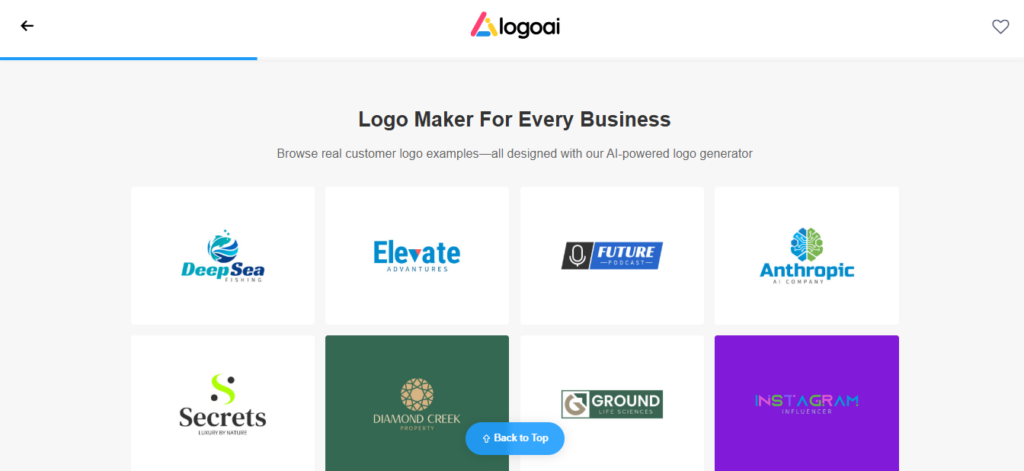
The platform has helped over 8.7 million businesses create logos and brand identity assets including business cards, social media templates, logo animations, and branded PowerPoint templates.

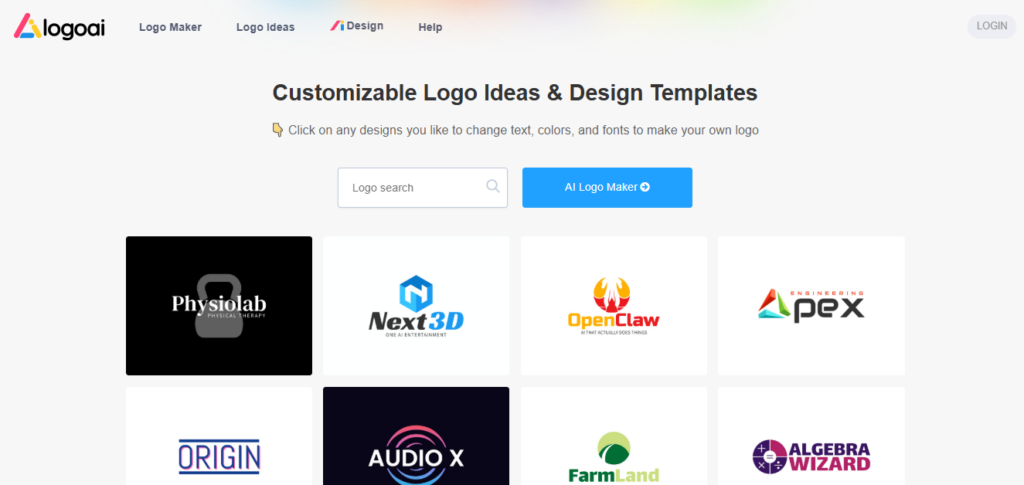
• AI Logo Generator — Instantly generates dozens of unique logo concepts from your brand name, industry, and style preferences; fully free to design and preview with no signup required.

• One-Time Payment Model — No subscriptions or recurring charges; you pay once to download the specific package you need and retain access to your logo download center forever.

• Three Tiered Packages — Basic ($29): 800x600px PNG with transparent file; Pro ($59): high-res files, vector formats (SVG/PDF), brand identity, logo mockups; Brand ($99): all Pro features plus logo animations, business cards, and branded PPT template.

• Logo Animations — Exclusive to the Brand package; generates animated versions of your logo for video intros, social media stories, and digital presentations.

• Brand Identity Suite — Pro and Brand packages include matching brand identity assets: fonts, color palettes, icon sets, logo mockups on stationery, and social media cover templates.

• Business Card & Brand PPT Generator — Brand package includes dozens of business card designs customised to your logo style and colors, plus a branded PowerPoint template for professional presentations.

• Volume Discount System — Return customers save 40% on their 2nd–5th logo purchase, 50% on their 6th–10th, and 60% on their 11th or more using the code LOGOPRO — no subscription needed to earn these discounts.

• AiDesign Multi-Model AI Suite — New in 2026; extends the platform with a multi-model AI image editor, Grok Video Generator, Veo Video Generator, Sora Video Generator, and Image Vectorizer under the AiDesign brand.

Pros
  • Designing and previewing logos is completely free — no credit card or signup required before you decide to pay
  • One-time pricing from $29 with no recurring subscription — total cost is fully predictable and stays low long-term
  • Return customers save 40–60% on repeat purchases using the LOGOPRO discount code — excellent for agencies and freelancers
  • Brand package at $99 includes logo animations — a feature most competitors charge extra for or exclude entirely
  • Logo ownership can be transferred to client accounts — ideal for freelancers and agencies managing multiple brand projects
  • New AiDesign suite adds AI image generation, video tools (Grok, Sora, Veo), and image vectorizer to the platform at no extra platform cost
Cons
  • ×Basic package ($29) only provides 800x600px resolution — not suitable for print; high-res files require the $59 Pro upgrade
  • ×Editor customisation depth is moderate; users needing pixel-perfect manual control over logo geometry may find the tool limiting
  • ×Logo components (icons and fonts) are not exclusive — similar visual elements may appear in logos generated for other businesses
  • ×No mobile app — the platform is web-only, limiting access for users working from smartphones or tablets
  • ×Discount codes must be entered at time of purchase; LogoAI does not offer refunds for forgotten coupon codes, which is a frustrating policy
  • ×No built-in social media scheduling or direct-publish integration — branded social content must be downloaded and posted manually

LogoAI is built for founders, freelancers, and small businesses who want a professional logo and brand identity without committing to a recurring subscription.

• Early-stage startup founders — get a professional logo from $29 one-time with no monthly overhead, keeping burn rate low while maintaining a credible brand identity.

• Freelancers and agencies managing client branding — the logo ownership transfer feature and 40–60% volume discounts on repeat purchases make LogoAI highly cost-effective for professionals handling multiple client projects.

• Small businesses needing print-ready materials — the Pro package at $59 delivers high-res files, vector formats (SVG/PDF), and brand mockups covering all print and digital use cases in one purchase.

• Content creators and YouTubers — the Brand package at $99 includes logo animations ideal for video intros, social media stories, and channel branding, without needing separate animation software.

Free (No signup required)Unlimited AI logo design and preview, style and color customisation, brand name input — downloading any file requires a paid one-time package purchase.
Basic ($29 one-time)Design edits, 800x600px logo resolution, transparent PNG file, commercial usage rights — suitable for website and social media use only; not recommended for print.
Pro ($59 one-time)Design edits, high-resolution logo files, transparent PNG, vector files (SVG/PDF), brand identity assets (fonts, colors, icons), logo mockups — full print and digital coverage for growing businesses.
Brand ($99 one-time)All Pro features plus logo animations, business card designs (customised to logo style), branded PowerPoint (Brand PPT) template, 100 AI credits for generating matching marketing materials — complete brand identity suite.
Volume Discounts (code BESTAITOOLS — for return customers)40% off 2nd–5th logo purchase, 50% off 6th–10th, 60% off 11th or more — must be applied at checkout, no retroactive refunds.
Designer Manual Fix ($40 add-on, any plan)In-house designer manually adjusts your logo based on your instructions — up to 3 revisions included.

LogoAI stands apart from subscription-based competitors through its one-time payment model, volume discount system for repeat buyers, logo ownership transfer, and an expanding AiDesign video and image suite.

• One-Time Payment, No Subscription Ever — Unlike Looka, Tailor Brands, or Wix Logo Maker which charge recurring monthly fees, LogoAI charges once per logo package and provides permanent download access — making it significantly cheaper for anyone who only needs a logo once or twice a year.

• 40–60% Volume Discounts for Return Buyers — The LOGOPRO code gives repeat customers up to 60% off on their 11th or more logo purchase — a tiered loyalty system that rewards agencies and prolific freelancers with compounding savings unavailable on subscription platforms.

• Logo Ownership Transfer — Users can transfer complete logo ownership to a client's LogoAI account, enabling clean project handoff without sharing login credentials — a workflow feature most consumer-facing logo tools do not offer.

• Logo Animations Included in Brand Package — The $99 Brand package includes animated logo versions for video intros, social stories, and presentations — a capability that competitors typically charge an additional $20–$50 for as a standalone export.

LogoAI runs as a web app and exports files compatible with all major design, print, and digital publishing platforms.

• All Major Web Browsers — The full platform including logo generation, brand kit builder, business card generator, and AiDesign suite is accessible via any modern browser on desktop or laptop with no installation required.

• Print Platforms — Pro and Brand packages provide high-resolution vector files (SVG, PDF) and transparent PNGs compatible with professional print services, signage vendors, packaging providers, and embroidery shops.

• Design Software (Adobe Illustrator, Photoshop, Figma, Canva) — Vector SVG and PDF exports open natively in Adobe Illustrator, Photoshop, Figma, Inkscape, and Canva for further customisation by designers who need deeper editing control.

Social Media Platforms — The brand identity suite generates pre-sized cover photos, profile images, and post templates for Facebook, Twitter/X, Instagram, and LinkedIn, ready to upload without additional resizing.

CategoryScoreWhy It Matters
Accuracy & Reliability4.0/5LogoAI's AI engine generates relevant, industry-appropriate logo concepts based on brand name, industry, and style inputs — over 8.7 million businesses served is strong evidence of consistent output quality at scale. Some G2 and Trustpilot reviewers note that icon components are non-exclusive and can appear in logos for other businesses, which is a genuine originality limitation for brand-sensitive use cases.
Ease of Use4.7/5The full design flow — brand name, industry, style, preview — requires no signup and completes in under 3 minutes. G2 reviewers consistently praise the intuitive drag-and-drop editor and the speed of logo generation. No design skills are required at any stage, including brand kit creation and business card generation.
Functionality & Features4.2/5LogoAI covers logo generation, brand identity, mockups, business cards, social media templates, a branded PPT template, and logo animations — all from a single one-time purchase. The new AiDesign suite adds Grok, Sora, and Veo video generators plus a multi-model image editor, substantially expanding the platform's scope beyond logo design in 2026.
Performance & Speed4.5/5Logo generation is near-instant — dozens of unique concepts appear within seconds of submitting brand inputs. File downloads after purchase are immediate with no processing queue. No significant performance complaints have been reported on Trustpilot or G2, and the platform has handled 8.7 million+ users without widely reported outage events.
Customization & Flexibility3.5/5Users can adjust fonts, colors, icon styles, layout, and spacing in the logo editor. However, multiple G2 and independent reviewers note that granular manipulation of individual logo geometry is limited — the editor is designed for fast iteration rather than pixel-precise control. Users who need fine-detail manual adjustments can pay $40 extra for the Designer Manual Fix add-on.
Data Privacy & Security4.0/5LogoAI processes payments via major card networks and PayPal under standard PCI-DSS compliance. Logo ownership transfer between accounts works reliably based on user reports. No major data breach events have been publicly reported since the platform's 2018 launch. Third-party security certifications are not prominently displayed on the official site.
Support & Resources3.8/5LogoAI offers a detailed pricing FAQ, a help centre, and a regularly updated blog covering logo design, branding, and AI tools. The Designer Manual Fix add-on ($40) provides direct access to an in-house designer for up to 3 revision rounds. Email-based support is available but no live chat or guaranteed SLA is listed for standard package buyers.
Cost-Efficiency4.9/5The one-time payment model is LogoAI's strongest competitive advantage — Basic at $29, Pro at $59, and Brand at $99 with no subscription ever. Return customers save 40–60% via the LOGOPRO code. Compared to Looka's $96/year brand kit subscription or Canva Pro at $180/year, LogoAI's Brand package at $99 one-time is dramatically cheaper over any period longer than 7 months.
Overall Score4.1/5LogoAI is the best value one-time-payment AI logo and branding platform in 2026 — free design previewing, predictable one-time fees from $29, volume discounts up to 60%, logo animations in the Brand package, and the new AiDesign video suite make it a standout choice for cost-conscious founders and agencies. Moderate editor customisation depth and non-exclusive icon components are the only meaningful limitations for most use cases.

LogoAI is the strongest one-time-payment AI logo and brand identity platform available in 2026 — the free design experience, predictable one-time pricing from $29, and volume discounts up to 60% for repeat buyers make it the most cost-efficient choice for founders, freelancers, and agencies who refuse to pay a monthly fee for a logo they'll use for years.

The Brand package at $99 delivers logo animations, business cards, and branded templates that competitors charge subscription prices for. Limited granular customisation and non-exclusive icon components prevent a perfect score, but for the vast majority of small business use cases, LogoAI delivers exceptional value with zero financial risk during the design phase.

Q1.Is LogoAI free to use?
Ans:-Yes — designing and previewing your logo on LogoAI is completely free with no credit card or account required. You only pay a one-time fee when you decide to download your logo files. The Basic package starts at $29 and gives you a transparent PNG; the Pro ($59) and Brand ($99) packages unlock high-res and vector files respectively.
Q2.Does LogoAI charge a monthly subscription?
Ans:-No — LogoAI uses a one-time payment model with no recurring subscription. You pay once for the package you need (Basic $29, Pro $59, or Brand $99) and retain permanent access to your logo download center. This makes it significantly cheaper than subscription-based competitors over a 6–12 month period.
Q3.What is the difference between LogoAI's Basic, Pro, and Brand packages?
Ans:-Basic ($29) gives you one 800x600px PNG with a transparent version — suitable for websites and social media only. Pro ($59) adds high-resolution files, vector formats (SVG/PDF), brand identity assets, and logo mockups for print and digital use. Brand ($99) adds everything in Pro plus logo animations, business cards, and a branded PowerPoint template.
Q4.Can I get a discount on LogoAI?
Ans:-Yes — return customers can use the code LOGOPRO for at least 40% off. The discount scales with purchase history: 40% off your 2nd–5th logo, 50% off your 6th–10th, and 60% off your 11th or more. The code must be entered at checkout — LogoAI does not offer refunds for forgotten discount codes.
Q5.Does LogoAI include vector files?
Ans:-Vector files (SVG and PDF) are available on the Pro package ($59) and above. The Basic package ($29) provides PNG files at 800x600px resolution only, which are not suitable for large-format print. If you need to print your logo on signage, packaging, or apparel, the Pro package is the minimum recommended tier.
Q6.Does LogoAI include logo animations?
Ans:-Yes — logo animations are included exclusively in the Brand package at $99 (one-time). LogoAI generates animated versions of your logo suitable for video intros, YouTube channel branding, social media stories, and digital presentations. This feature is not available on Basic or Pro packages.
Q7.Can I transfer a LogoAI logo to a client account?
Ans:-Yes — LogoAI allows full logo ownership transfer to a different account. This lets freelancers and agencies design logos for clients and hand them off cleanly by transferring ownership to the client's LogoAI account, without sharing login credentials. The new account owner can then make edits and re-download files independently.
Q8.Can I edit my LogoAI logo after purchase?
Ans:-Yes — after purchasing, you can log into your account, navigate to My Logos, and click the edit button to make design changes at any time. You can upgrade your package later if needed, though any coupon discounts only apply at the time of the initial purchase, not on upgrades.
Q9.What is the AiDesign suite in LogoAI?
Ans:-AiDesign is LogoAI's expanded platform that adds multi-model AI image generation and video tools alongside the core logo maker. As of 2026 it includes a Multi-Model AI Image Editor (supporting NanoBanana, ChatGPT-4o, and more), a Grok Video Generator, Veo Video Generator, Sora Video Generator, Image Vectorizer, and Logo Animation tools — extending LogoAI beyond logo design into full visual content creation.
Q10.How does LogoAI compare to Looka or Canva for logo design?
Ans:-LogoAI's key advantage over Looka and Canva is the one-time pricing model — Looka charges $20 one-time for a basic logo but $96/year for a brand kit subscription, while Canva charges $15/mo for Pro. LogoAI's Brand package at $99 one-time covers a comparable brand kit with no ongoing fees. The trade-off is less granular editor control compared to Canva's drag-and-drop interface.

Promote This Tool

Help others discover this tool by sharing this page.

✓ Link copied to clipboard!

LogoAI Reviews

0.0
Based on 0 reviews
5 star
0%
4 star
0%
3 star
0%
2 star
0%
1 star
0%

Write a Review

Your Rating:

No reviews yet. Be the first to share your thoughts!

7 Similar LogoAI Tools