Home Categories Deals Sign Up
Updated: April 25, 2026

How Supergrow Turns Your Expertise Into LinkedIn Influence

Supergrow is one of the few LinkedIn tools built around a simple but powerful idea: your AI-generated content should sound like you, not like a chatbot. The platform's voice-learning engine analyses 10 or more of your existing posts, then replicates your tone, sentence structure, hook style, and CTA placement in every piece it generates going forward.

With a 4.9/5 rating on G2 and a fresh MCP integration that connects directly to Claude and ChatGPT, Supergrow is steadily becoming a benchmark tool for LinkedIn growth in 2026.

Key Capabilities

At its core, Supergrow handles every stage of your LinkedIn content lifecycle. The AI Post Generator accepts a topic, pulls from your learned voice profile, and delivers a LinkedIn-ready post in seconds — line breaks, hooks, and CTAs already formatted for the platform.

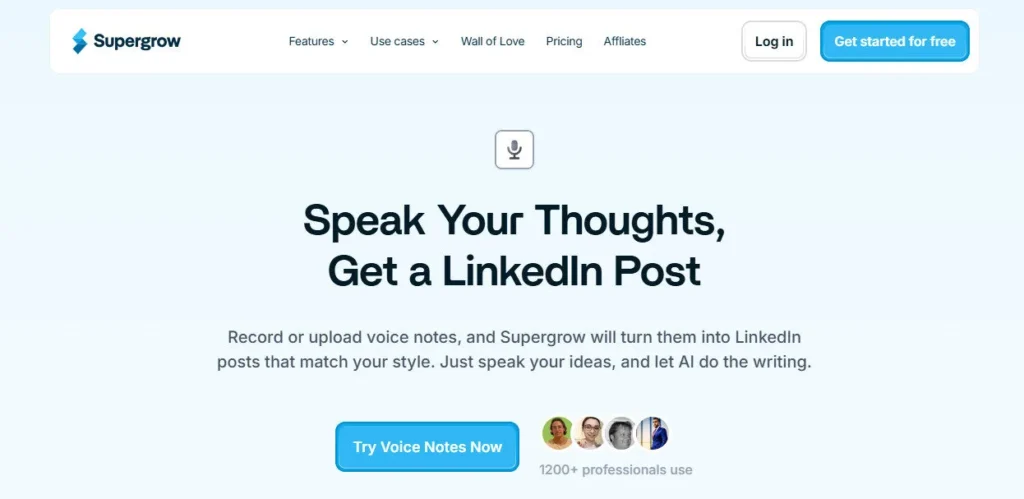
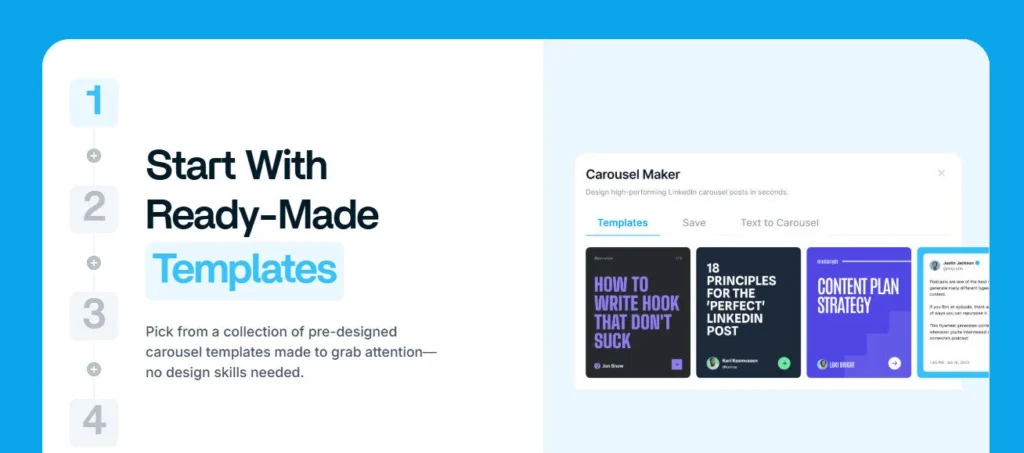
The Content Repurposing suite goes further: paste in a YouTube URL, an article link, a PDF, or even a voice recording, and Supergrow converts it into a polished LinkedIn post without manual reformatting. The Carousel Maker produces multi-slide visual posts from plain text using pre-built templates.

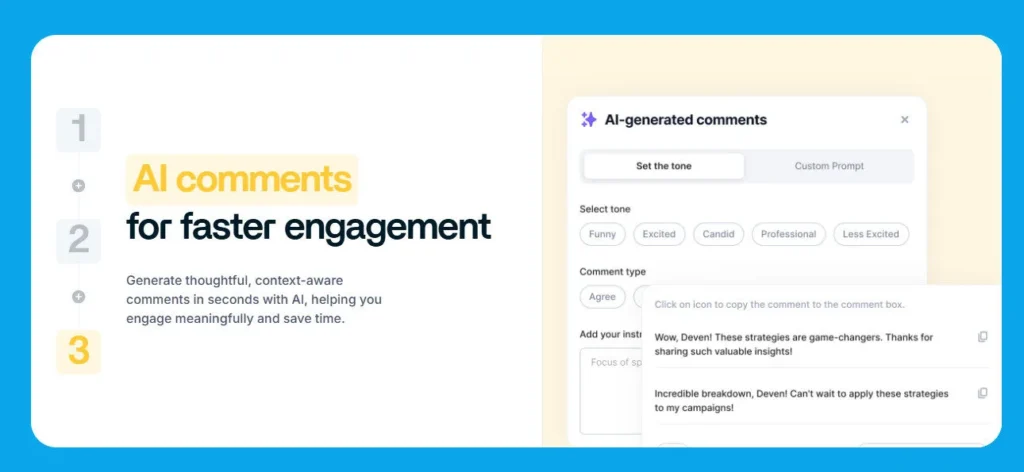
The Engagement Feed lets you build a custom watchlist of profiles and comment on their posts with AI-assisted suggestions — one click, not a copy-paste job. Rounding it out are a Viral Posts Library for inspiration, an AI chat assistant for on-the-fly brainstorming, and an analytics dashboard that tracks follower growth, connection growth, and per-post engagement.

The recently launched Supergrow MCP server lets you pull analytics and draft posts directly inside Claude or ChatGPT via a single prompt.

Who Gets the Most Out of It

Supergrow's sweet spot is any professional who already has expertise but lacks time for daily content creation. Solo consultants and coaches use the voice-learning feature to maintain an authentic posting rhythm without sounding generic.

B2B marketers repurpose webinars, articles, and PDFs into LinkedIn posts in under two minutes. Ghostwriters managing multiple client profiles rely on the voice-cloning capability to write convincingly in each client's distinct style.

Marketing and comms teams use the Teams plan to coordinate executive posting at scale, with an admin dashboard that tracks each member's performance separately.

Is It Worth It?

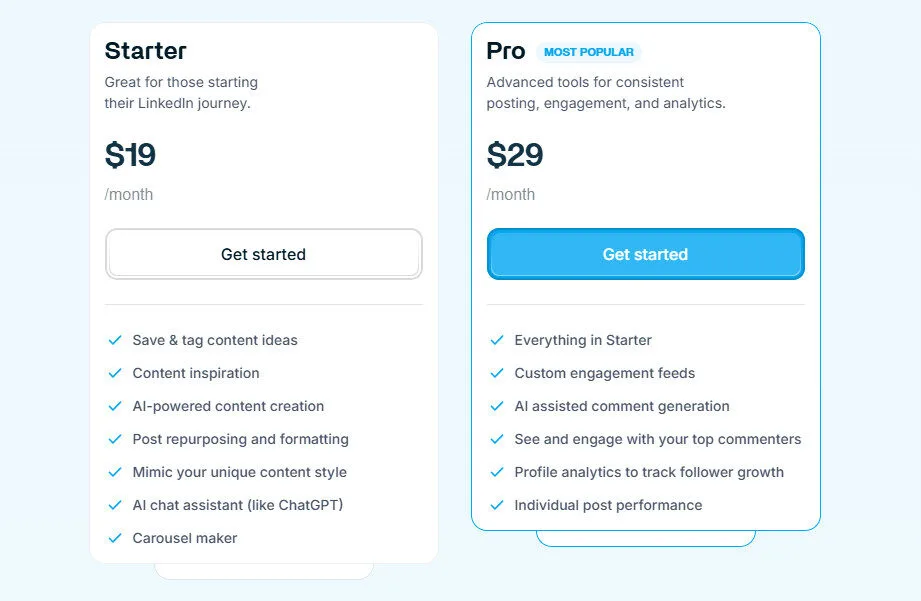
The Starter plan at $19 per month — or $12 per month when billed annually — is a legitimate no-brainer for solo professionals posting two to four times per week. The Pro plan at $39 per month adds engagement analytics, custom engagement feeds, and AI-assisted commenting, which is worth it once you have an established audience to manage.

The Teams plan at $139 per month covers four LinkedIn accounts and an admin dashboard, making it competitive for small agencies. The 7-day free trial requires no credit card, so you can validate the voice-learning quality before spending anything.

The main trade-off remains LinkedIn exclusivity — if you need multi-platform publishing, you will need a second tool alongside Supergrow.

Supergrow is an AI-powered LinkedIn content platform founded in 2023 that helps professionals and teams build their personal brand through voice-learning AI post generation, content repurposing, carousel creation, scheduling, and engagement tools.

It is rated 4.9 out of 5 on G2 and serves over 1,000 professionals across consulting, B2B marketing, and agency roles. The platform recently launched a Model Context Protocol (MCP) server that lets users manage posts and pull analytics directly inside Claude or ChatGPT.

• AI Voice-Learning Post Generator — Analyses 10+ of your existing posts to replicate your unique tone, hook style, and sentence structure, so every generated post sounds authentically like you.

• Content Repurposing Suite — Converts YouTube videos, articles, PDFs, and voice recordings into LinkedIn-ready posts in seconds, eliminating manual rewriting and reformatting.

• Carousel Maker — Turns plain text into visually formatted multi-slide carousel posts using built-in templates, with a high-fidelity preview before publishing.

• Custom Engagement Feed — Lets you build watchlists of target profiles and generates AI-assisted comments for one-click engagement, helping you stay active without logging in manually.

• Content Scheduler and Calendar — Auto-publishes posts at optimal times and displays your full content plan in a calendar view so you can plan weeks of content in advance.

• Viral Posts Library — Curated library of top-performing LinkedIn posts by industry to spark new content ideas when your inspiration runs dry.

• Profile and Post Analytics — Tracks follower growth, connection growth, engagement trends, and individual post performance so you know exactly what is working.

• Supergrow MCP Server — Connects Supergrow directly to Claude or ChatGPT, allowing you to draft posts, pull team analytics, and manage workspaces through a single chat prompt.

Pros
  • Voice-learning AI replicates your authentic tone — not generic output — after analysing just 10 posts
  • Five content repurposing input types (YouTube, article, PDF, voice, and text) all included in base plans
  • Rated 4.9/5 on G2, one of the highest scores in the LinkedIn content tool category
  • Supergrow MCP integration with Claude and ChatGPT is a first-mover feature unavailable in most competitors
  • 7-day free trial requires no credit card, so you can test voice learning and carousels risk-free
  • Teams plan at $139/month covers 4 LinkedIn accounts plus a free admin dashboard — strong value for agencies
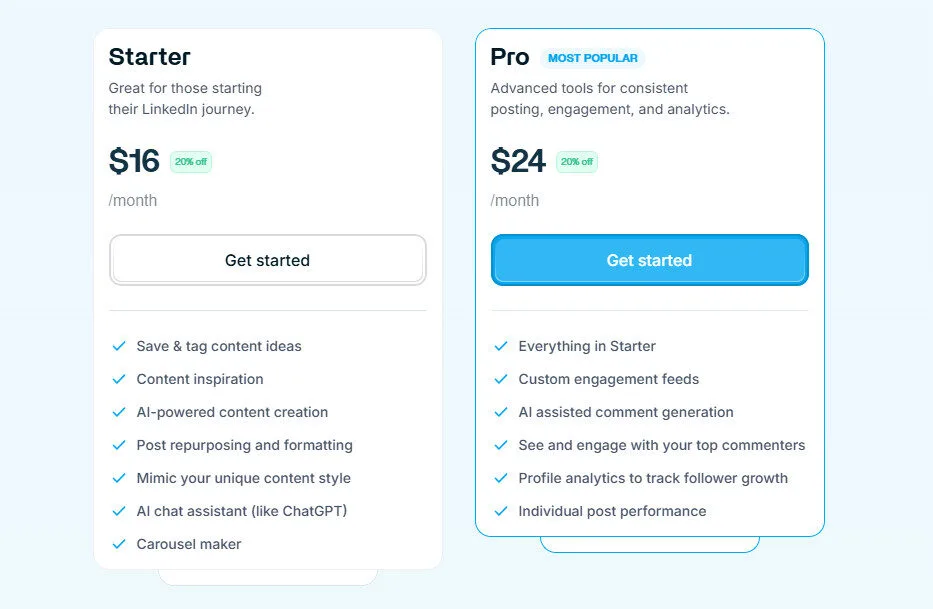
  • Annual billing saves 20% across Starter and Pro plans, bringing Starter down to $12/month
Cons
  • ×Platform is LinkedIn-only — no native publishing to Twitter/X, Instagram, or other social channels
  • ×Analytics depth on the Starter plan is basic; per-post performance data is locked behind the Pro plan at $39/month
  • ×Voice learning requires a minimum of 10 existing posts to function accurately — new LinkedIn users will need to build up samples first
  • ×Carousel Maker templates are limited compared to dedicated design tools like Canva or Beautiful.ai
  • ×User base of roughly 1,000+ active professionals is small, meaning third-party tutorials and community forums are sparse

Supergrow is purpose-built for professionals and small teams who want a consistent, on-brand LinkedIn presence without spending hours writing content every week.

• Solo consultants and coaches — benefit most from voice-learning AI that maintains their authentic writing style across multiple weekly posts without sounding robotic.

• B2B marketers and demand generation teams — repurpose existing webinars, blog posts, and PDFs into LinkedIn content in under two minutes, maximising ROI on existing assets.

• Ghostwriters and LinkedIn agencies — use the voice-cloning feature to write convincingly in multiple clients' distinct styles and manage up to 4 profiles on the Teams plan.

• Startup founders and executives — rely on the scheduler, engagement feed, and admin dashboard to stay consistently visible on LinkedIn while delegating content execution to a comms team.

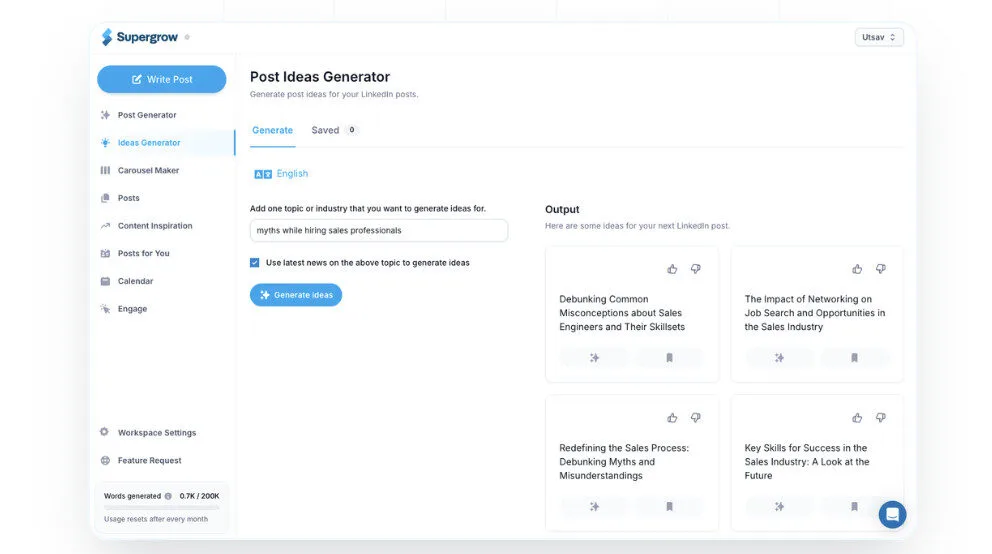
Starter ($19/mo, or $12/mo billed annually)AI Post Generator with voice learning, Ideas Generator, YouTube/Article/PDF/Voice to Post repurposing, Carousel Maker, AI Chat Assistant, Content Scheduling with calendar view, Drafts and Tags, Viral Posts Library, high-fidelity post preview.
Pro ($39/mo, or $24/mo billed annually)Everything in Starter, Custom Engagement Feed with unlimited engagement, AI-assisted comment generation, Follower and Connection Growth analytics, Individual post-wise performance analytics, Engagement Growth tracking.
Teams ($139/mo)Everything in Pro, supports 4 LinkedIn accounts (executives or key team members), free admin dashboard, team-level analytics and performance tracking, shared content creation and commenting across team members, manage multiple profiles from one workspace.
Enterprise (Custom Pricing)Tailored for large enterprises needing unlimited accounts, API access, premium support, and custom onboarding — contact Supergrow sales directly for a quote.

Supergrow stands out from generic AI writing tools by combining deep LinkedIn-specific voice learning with an MCP server integration — a combination no other tool in the category currently offers.

• Voice-Learning AI Engine — Unlike tools that generate generic posts, Supergrow analyses your existing writing patterns and replicates your authentic style; you can also clone the writing style of any LinkedIn creator you admire.

• Supergrow MCP Server — The newly launched Model Context Protocol integration lets you connect Claude or ChatGPT directly to your Supergrow workspace, so you can draft posts, check analytics, and manage team content through a single conversational prompt.

• Five-Format Content Repurposing — Supports YouTube video URLs, article links, uploaded PDFs, voice recordings, and plain text as input sources for post generation — far broader than the 1–2 input types most competitors support.

• LinkedIn-Trained Content Intelligence — The platform is trained exclusively on high-performing LinkedIn content, meaning hooks, line breaks, CTA structures, and post lengths are all calibrated to LinkedIn's algorithm — not generic blog or social media patterns.

Supergrow is a fully browser-based platform that connects natively to LinkedIn and integrates with leading AI assistants, with no software installation required.

• LinkedIn Personal Profiles — Direct OAuth connection enables one-click scheduling, publishing, and engagement tracking from inside the Supergrow dashboard.

• LinkedIn Company Pages — Teams plan supports publishing on behalf of business pages, letting comms and marketing teams manage executive and brand LinkedIn presence simultaneously.

• Claude and ChatGPT via MCP — The Supergrow MCP server integrates with Anthropic's Claude and OpenAI's ChatGPT, allowing users to manage posts and pull analytics from inside their AI chat environment.

• Web Browsers — Fully compatible with Chrome, Firefox, Safari, and Edge on desktop; no extension or app download required, though the experience is optimised for desktop use.

CategoryScoreWhy It Matters
Accuracy & Reliability4.7/5Supergrow holds a 4.9/5 rating on G2, with users consistently praising the accuracy of voice replication after feeding in their existing posts. The LinkedIn-specific training means outputs rarely need heavy editing for formatting or tone. Minor inaccuracies can occur on niche technical topics where the AI lacks domain depth.
Ease of Use4.8/5The dashboard is clean and workflow-driven — content creation flows from idea selection through editing to scheduling in three clear steps. New users report publishing their first post within 10–15 minutes of signing up, and the onboarding process is straightforward with no technical setup required. The MCP integration adds complexity for non-technical users but is completely optional.
Functionality & Features4.5/5Supergrow covers the full LinkedIn content lifecycle: creation, repurposing (five input formats), carousel generation, scheduling, engagement, and analytics. The newly launched MCP server extends functionality into Claude and ChatGPT environments. The gap is the absence of multi-platform publishing and deep third-party CRM integrations that enterprise-grade tools offer.
Performance & Speed4.6/5Post generation from a prompt typically completes in under 10 seconds, and the YouTube-to-post and PDF-to-post conversions process in under 30 seconds in most user reports. The scheduler publishes reliably at set times with no significant downtime history reported across the G2 review base.
Customization & Flexibility4.4/5Voice-learning is a genuine differentiator that allows deep stylistic customisation beyond tone sliders. You can clone writing styles from other creators, adjust post length, and select content format (text, carousel, meme-style). The main flexibility gap is LinkedIn exclusivity — you cannot redirect the AI output to other platforms natively.
Data Privacy & Security4.2/5Supergrow uses OAuth for LinkedIn authentication and does not store LinkedIn credentials. A Terms of Service page is publicly available and was updated in February 2026. However, no SOC 2 certification or security whitepaper is publicly documented, which may give pause to enterprise buyers handling sensitive executive communications.
Support & Resources4.3/5The founders are accessible — the Supergrow Tutorial 2025 video features co-founder Utsav walking through the product live, which signals a founder-led, customer-attentive team. A growing blog covers LinkedIn growth strategy and tool tutorials. The user community is still small at around 1,000+ active users, so peer-to-peer support resources are limited compared to larger platforms.
Cost-Efficiency4.7/5At $12 per month on the annual Starter plan, Supergrow offers one of the best feature-to-price ratios in the LinkedIn content tool space — including voice learning, five repurposing input types, carousel generation, and scheduling in the base tier. The Teams plan at $139 per month for 4 accounts works out to $34.75 per user per month, which is competitive for agency use cases.
Overall Score4.5/5Supergrow is among the most well-rounded LinkedIn content platforms available in 2026, combining voice-authentic AI generation, broad repurposing capabilities, and a cutting-edge MCP integration at a price point most solo professionals can justify. It loses points only for LinkedIn exclusivity and shallow Starter-tier analytics — limitations that matter less to its core audience of individual creators and small teams.

Supergrow is the most voice-authentic LinkedIn AI content tool at its price point, delivering genuine style replication, a robust repurposing suite, and a forward-looking MCP integration — all starting at $12 per month on the annual plan.

It is the right tool for consultants, founders, and agencies who want LinkedIn consistency without sacrificing their authentic writing voice. The LinkedIn-only publishing and limited Starter analytics are real constraints, but they do not undermine the core value proposition for professionals whose primary growth channel is LinkedIn.

Q1.What is Supergrow AI?
Ans:-Supergrow is an AI-powered LinkedIn content platform founded in 2023 that helps professionals build their personal brand through voice-learning post generation, content repurposing, carousel creation, scheduling, and analytics. It is rated 4.9 out of 5 on G2 and is used by consultants, founders, marketers, and agencies. The platform recently added a Model Context Protocol server that connects directly to Claude and ChatGPT.
Q2.How does Supergrow's voice-learning feature work?
Ans:-You provide Supergrow with at least 10 of your existing LinkedIn posts, and the AI analyses your tone, sentence structure, hook style, word choice, and formatting preferences. Every post it generates after that mirrors your authentic writing patterns rather than producing generic AI output. You can also input another creator's posts to clone a writing style you admire.
Q3.Is Supergrow free to use?
Ans:-Supergrow offers a 7-day free trial with full feature access and no credit card required. After the trial, you choose a paid plan starting at $19 per month (or $12 per month billed annually). There is no permanent free tier.
Q4.How much does Supergrow cost in 2026?
Ans:-Supergrow's Starter plan is $19 per month (or $12 per month billed annually), the Pro plan is $39 per month (or $24 per month annually), and the Teams plan is $139 per month for up to 4 LinkedIn accounts. Annual billing saves 20% across individual plans. Enterprise pricing is custom and requires direct contact.
Q5.What content formats can Supergrow repurpose for LinkedIn?
Ans:-Supergrow can convert five input types into LinkedIn posts: YouTube video URLs, article links, uploaded PDF files, voice recordings, and plain text ideas. This breadth of repurposing inputs makes it especially useful for marketers and consultants who want to maximise existing content assets without manual rewriting.
Q6.Does Supergrow support LinkedIn team or agency accounts?
Ans:-Yes, the Teams plan at $139 per month includes 4 LinkedIn profile seats plus a free admin dashboard for tracking each team member's follower growth, engagement, and post performance. The admin can also co-create and schedule content on behalf of team members, making it practical for comms teams and small agencies.
Q7.What is the Supergrow MCP server?
Ans:-The Supergrow MCP (Model Context Protocol) server is a newly launched integration that connects your Supergrow workspace directly to Claude or ChatGPT. Once connected, you can draft LinkedIn posts, pull team analytics, and manage multiple workspaces from a single conversational AI prompt without opening the Supergrow dashboard.
Q8.Does Supergrow work for platforms other than LinkedIn?
Ans:-As of 2026, Supergrow is focused exclusively on LinkedIn — it does not natively publish to Instagram, Twitter/X, Facebook, or other social platforms. If multi-platform publishing is a priority, you will need to use a separate social media management tool alongside Supergrow.
Q9.Is Supergrow safe to use with my LinkedIn account?
Ans:-Supergrow connects to LinkedIn via official OAuth authentication, which means it never stores your LinkedIn password. The platform publicly states it uses a 'safe' connection method, and no widespread account suspension reports related to Supergrow have surfaced in user communities. That said, as with any third-party tool, you should review its Terms of Service before connecting your account.
Q10.How does Supergrow compare to writing LinkedIn posts with ChatGPT?
Ans:-ChatGPT is a general-purpose writing tool, while Supergrow is trained specifically on high-performing LinkedIn content — meaning its outputs already include correct LinkedIn formatting, hook structures, strategic line breaks, and CTA placement. Supergrow also adds scheduling, engagement tools, analytics, and voice learning, which ChatGPT does not provide natively. The MCP integration lets you use both tools together if you prefer ChatGPT as your interface.

Promote This Tool

Help others discover this tool by sharing this page.

✓ Link copied to clipboard!

Supergrow Reviews

1.0
Based on 1 review
5 star
0%
4 star
0%
3 star
0%
2 star
0%
1 star
0%

Write a Review

Your Rating:

No reviews yet. Be the first to share your thoughts!

48 Similar Supergrow Tools