Home Categories Deals Sign Up
Updated: April 25, 2026

Capsho in Action: Turning Uploads Into Marketing Assets

Capsho is built for entrepreneurs who publish content regularly — podcasters, YouTubers, and livestreamers — and want to turn every recording into a full marketing campaign. You upload an audio or video file, and the platform generates 20+ written assets automatically. Think podcast show notes, YouTube descriptions, LinkedIn articles, social media posts, and lead magnets, all shaped around your unique voice.

Key Capabilities

Capsho runs on three core studios. Marketing Studio turns every file upload into a complete content package — titles, show notes, blog posts, LinkedIn articles with image suggestions, social media captions optimized per platform, and lead magnets to grow your list.

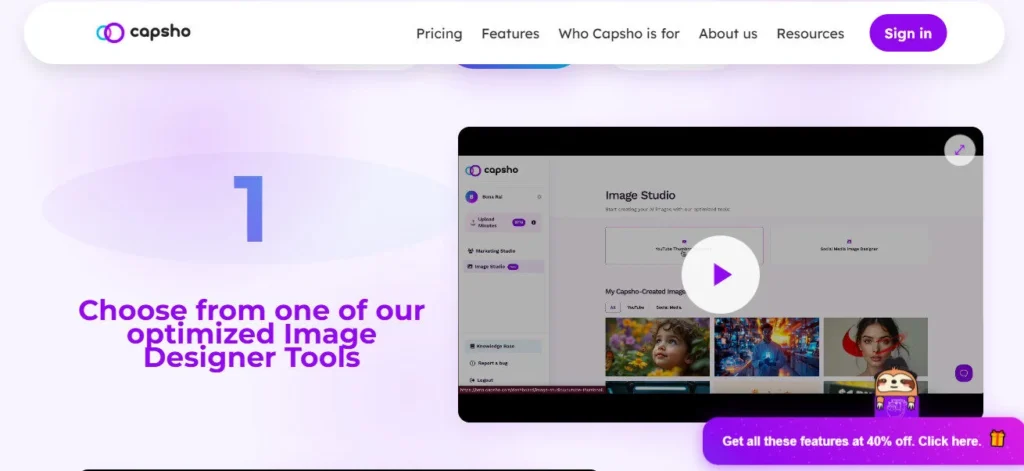
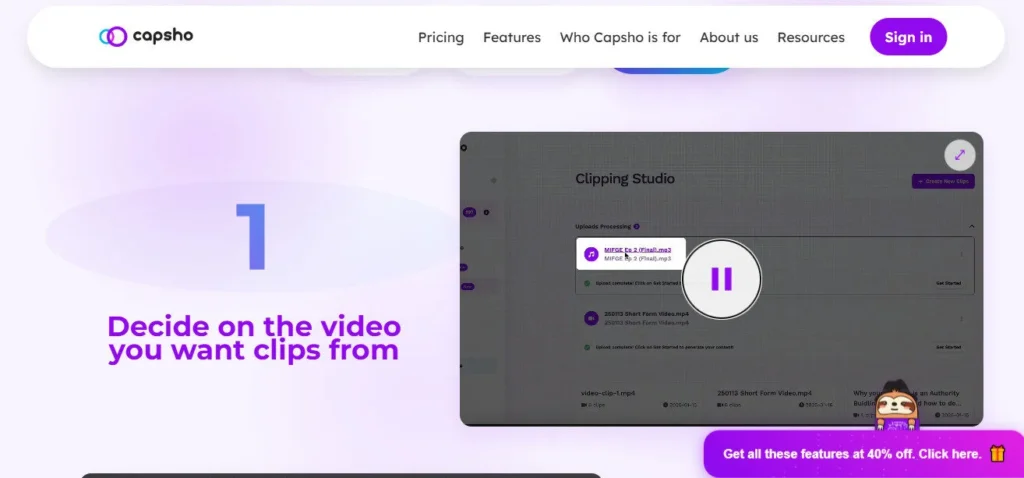
Image Studio generates YouTube thumbnails and social media graphics in your preferred style and dimensions. Clipping Studio identifies and auto-crops video clips based on your own criteria, then formats them for social media posting.

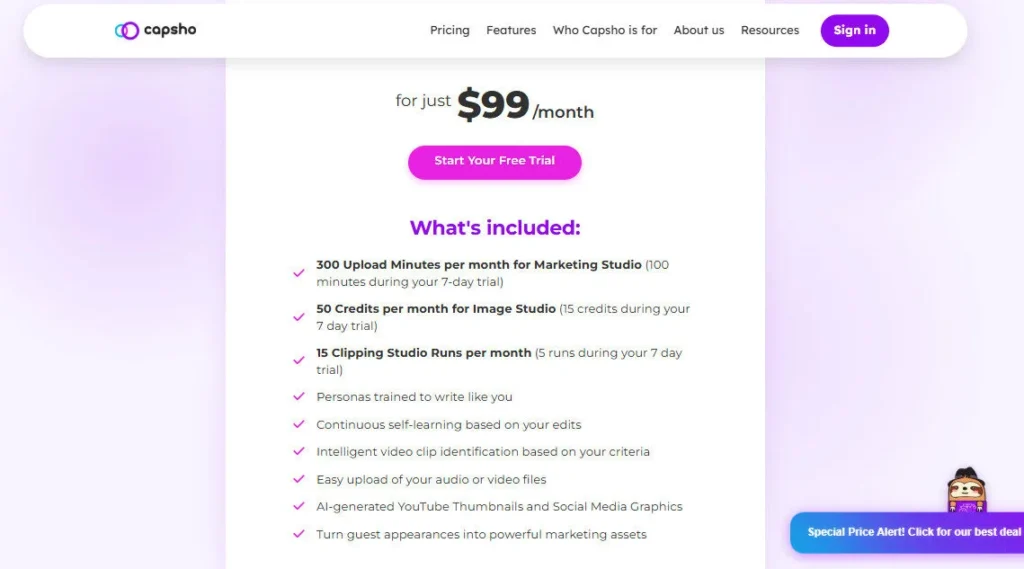
Each $99/month plan includes 300 upload minutes, 50 image credits, and 15 clipping runs. The platform learns your tone through every edit you make, so outputs grow more accurate over time without any extra setup on your part.

Who Gets the Most Out of It

Capsho is best suited for solo entrepreneurs and small teams who publish at least 4–8 hours of audio or video content per month. Podcast hosts will appreciate how it converts long-form interviews into multi-platform marketing packages in minutes, without writing a single word from scratch.

YouTubers can use Clipping Studio for Shorts-ready social clips and Marketing Studio for SEO-optimized descriptions with key moments. If you currently pay a copywriter for show notes and social posts, Capsho often pays for itself quickly — users have reported saving $5,000–$15,000 per year in production costs.

Is It Worth It?

At $99/month with a single pricing tier, Capsho is straightforward to evaluate — you either use it enough to justify the cost, or you don't. The 7-day free trial gives you full access with 100 upload minutes, 15 image credits, and 5 clipping runs, so you can test it on real content before committing.

The main limitation is that the persona-learning feature requires a few uploads to meaningfully reflect your tone. But if you publish consistently and want your recordings to do more marketing work for you, Capsho is one of the most focused tools built specifically for that problem.

Capsho is an AI content repurposing platform for entrepreneurs who podcast, livestream, and create YouTube content. You upload an audio or video file and it automatically generates 20+ marketing assets — including show notes, blog posts, social captions, YouTube descriptions, thumbnails, and short video clips. The platform learns your writing style over time and was built by marketers to produce content strategically designed to generate leads.

Marketing Studio — Automatically generates 20+ written assets per upload, including podcast show notes, YouTube descriptions with key moments, LinkedIn articles, blog posts, platform-optimized social media captions, and lead magnets.

Image Studio — Creates YouTube thumbnails and social media graphics in your preferred style and size using 50 monthly credits (1 credit = 1 image), with no external design tool required.

• Clipping Studio — Identifies and auto-crops video clips based on criteria you define, formats them for social media, and delivers up to 6 clips per run across 15 monthly runs.

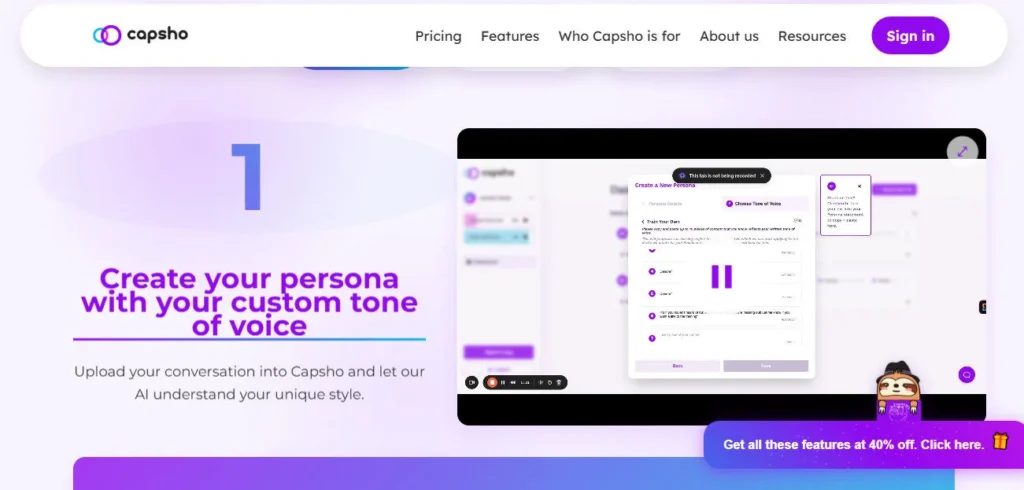
• Persona Learning — Begins learning your tone, vocabulary, and writing structure from your very first upload, then continuously refines its voice match based on every in-platform edit you make.

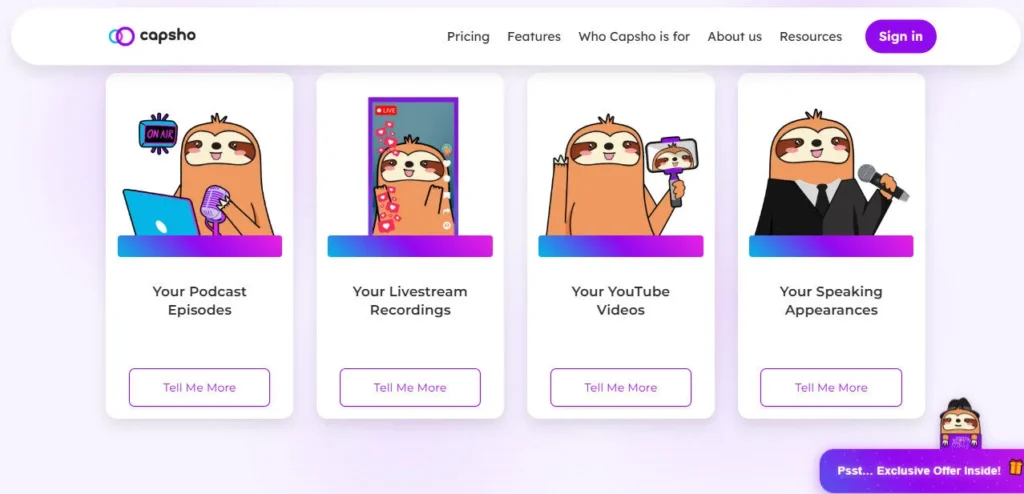
• Multi-Format File Support — Accepts podcast episodes, YouTube videos, livestream recordings, webinars, and speaking appearances, giving you one tool for all your content types.

• Platform-Optimized Outputs — LinkedIn articles include pull quotes and block formatting; blog posts include infographic content suggestions; social posts follow awareness-to-action sequencing co-designed with professional marketers.

• Lead Magnet Creator — Converts insights from your content into downloadable lead magnets to help you capture prospects directly from your marketing posts.

Pros
  • Single upload simultaneously produces written, visual, and video clip assets — no switching between separate tools
  • Voice-learning engine adapts passively from your edits with no upfront style-guide configuration required
  • 300 monthly upload minutes covers up to 10 hours of content at the single $99/month price point
  • 7-day free trial includes full feature access with real upload limits — not a gated or watered-down demo
  • Marketing Studio outputs were co-designed with professional marketers for strategic, engagement-focused structure
  • Clipping Studio auto-identifies, crops, and formats video clips for social without manual video editing
Cons
  • ×Single plan at $99/month offers no flexibility for lighter users who publish fewer than 4 episodes or videos per month
  • ×Voice-learning accuracy is limited on early uploads — first 3–5 sessions often require significant manual editing before tone calibration improves
  • ×Unused upload minutes, image credits, and clipping runs do not roll over at the end of each billing cycle
  • ×No native integrations with podcast hosting platforms or social media schedulers for direct one-click publishing
  • ×No dedicated privacy or security documentation page found on the official site — a concern for users uploading sensitive or client recordings

Capsho works best for content-driven entrepreneurs who publish consistently and want their recordings to generate marketing results beyond the initial post.

• Independent podcasters — Turn every episode into show notes, a blog post, social captions, and a lead magnet without hiring a copywriter or spending hours post-production.

• YouTube creators — Generate SEO-optimized video descriptions with key moments, auto-cropped Shorts-ready clips, and custom thumbnails from a single upload.

• Livestreamers and webinar hosts — Repurpose live session recordings into evergreen assets that reach audiences who couldn't attend in real time.

• Small content marketing agencies — Process multiple client uploads within the 300-minute monthly allocation and deliver full branded content packages faster than manual workflows allow.

Free Trial (7 days, $0)Full access to all platform features, 100 upload minutes for Marketing Studio, 15 image credits for Image Studio, 5 Clipping Studio runs, AI persona training active from first upload.
Pro ($99/mo)300 upload minutes for Marketing Studio, 50 image credits for Image Studio (1 credit = 1 image), 15 Clipping Studio runs (up to 6 clips per run), AI persona trained to match your writing style, continuous self-learning engine updated with every in-platform edit, 20+ written marketing assets generated per upload.

Capsho stands out from generic AI writing tools by combining written content, visual asset creation, and video clipping in a single workflow built exclusively for multimedia content creators.

• Marketer-designed output structure — Unlike general-purpose AI writers that produce filler copy, Capsho's templates were co-created with marketing experts and follow proven audience-engagement frameworks, including awareness-to-action social post sequencing and lead magnet integration.

• Passive voice-learning engine — The platform doesn't ask you to configure prompts or style rules. It learns from your in-platform edits automatically, progressively matching your vocabulary and sentence structure without any manual instruction.

• Intent-based clip identification — Clipping Studio doesn't split footage at arbitrary timestamps. You describe what you want it to find — a specific insight, a story, a call to action — and it locates, crops, and formats those moments for you.

• All three studios in one flat plan — Marketing Studio, Image Studio, and Clipping Studio are fully included at $99/month with no module upsells, add-ons, or tiered feature gating.

Capsho operates as a web app and accepts common audio and video file inputs, producing outputs formatted for major publishing and social platforms.

• Audio file uploads (MP3, M4A, WAV) — Upload podcast episodes or standalone audio recordings directly to Marketing Studio for full content package generation.

• Video file uploads (MP4) — Upload YouTube videos, livestream recordings, webinars, or speaking appearances to access all three studios simultaneously.

• YouTube — Generates YouTube-native outputs including titles, descriptions, key moments, tags, and Shorts-ready video clips formatted for the platform.

• LinkedIn — Outputs fully formatted LinkedIn articles with image placement suggestions and pull-quote highlights ready to post without additional editing.

• Podcast platforms — Creates show notes, episode titles, and transcripts formatted for publishing on any RSS-based podcast host, including Spotify for Podcasters and Buzzsprout.

CategoryScoreWhy It Matters
Accuracy & Reliability4.0/5Capsho's Marketing Studio generates contextually relevant drafts from the first upload, reliably producing a complete set of 20+ assets per file. Output accuracy for voice matching is limited early on and improves noticeably after 3–5 uploads with consistent edits. The platform is stable and delivers complete asset packages without reported generation failures.
Ease of Use4.5/5The core workflow — upload a file, receive a full content package — requires zero prompt engineering or template configuration. The three-studio layout is clearly organized and accessible without a steep learning curve. First-time users familiar with podcast or video tools can get productive within the first session of their 7-day trial.
Functionality & Features4.2/5Capsho covers written content, image generation, and video clipping in one $99/month subscription — a broader feature set than most single-purpose podcast content tools. It generates over 20 distinct asset types per upload, including lead magnets and LinkedIn articles with formatting cues. Upcoming features listed on the pricing page — including email newsletters and book chapter writing — indicate active development.
Performance & Speed4.2/5Marketing Studio delivers a full written content package within minutes of file upload, replacing what typically takes 2–3 hours of manual work per episode. Image Studio and Clipping Studio add additional processing time but remain significantly faster than manual alternatives. No official processing time benchmarks or SLAs are published on the official site.
Customization & Flexibility3.8/5Capsho's passive voice-learning approach is intuitive but slower to calibrate than tools that let you define explicit tone rules or upload style guides upfront. There is no option to customize output templates, skip specific content formats, or adjust platform-specific formatting preferences manually. The single-plan model removes pricing flexibility for users who only need one of the three studios.
Data Privacy & Security3.5/5The official Capsho website does not prominently surface a dedicated privacy policy, security page, or data processing documentation during direct review. For a platform that processes proprietary audio and video recordings — which may contain sensitive business or client conversations — the absence of visible data handling disclosures is a meaningful gap. Users handling confidential content should review terms of service before uploading.
Support & Resources4.0/5Capsho features multiple detailed customer testimonials and ROI case studies on its homepage and pricing page, giving new users real-world outcome context before committing. The platform positions itself as built by marketers actively invested in user results, suggesting an engaged community and founder-level support. No dedicated help center, knowledge base, or documentation portal was found on the official site during review.
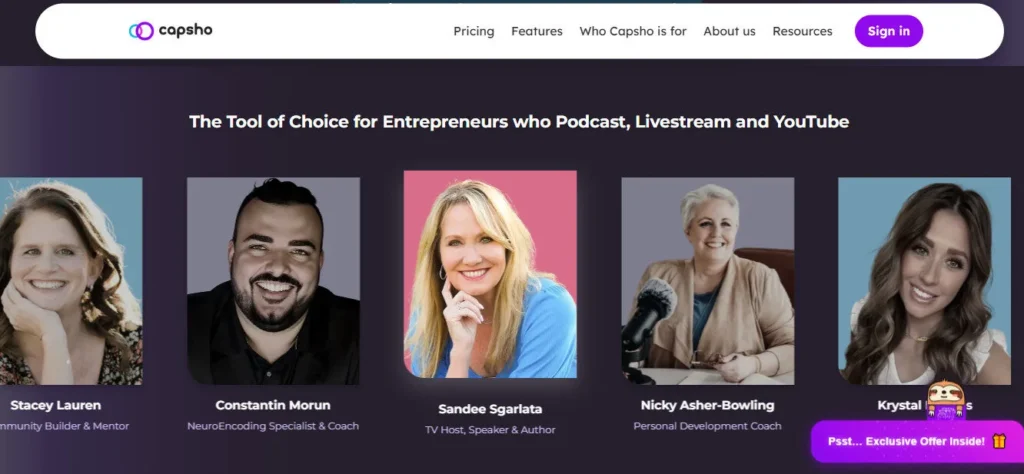
Cost-Efficiency4.2/5At $99/month, Capsho replaces what would typically cost $500–$1,500/month in combined copywriting, graphic design, and video editing services for active content creators. PodMatch founder Alex Sanfilippo reported saving $15,000 in the first 12 months; podcast agency owner Josh Tapp reported saving $5,000–$7,000 per year per show. The value is strong for creators publishing consistently but marginal for those with fewer than 3 monthly uploads.
Overall Score4.1/5Capsho is a well-scoped, production-ready tool that solves a genuine problem for entrepreneurs who create multimedia content regularly and struggle with post-production marketing. It earns its price through the breadth of output — written assets, images, and clips from a single upload — and its voice-learning engine gives it a meaningful edge over generic AI writers for creators who need content that sounds like them.

Capsho is a focused, well-built platform for entrepreneurs who consistently create long-form audio and video content and want a faster path from recording to full marketing campaign.

At $99/month with a single all-inclusive plan, it isn't the most budget-flexible option, but the combination of 20+ written assets, AI-generated visuals, and intelligent video clipping makes it one of the most complete content repurposing tools available for solo creators and small teams who prioritize sounding like themselves.

Q1.What is Capsho and what does it do?
Ans:-Capsho is an AI content repurposing platform for podcasters, YouTubers, and livestreamers. You upload an audio or video file and it automatically generates 20+ marketing assets, including show notes, blog posts, social media captions, YouTube descriptions, thumbnails, and short video clips. It was built specifically by marketers to help entrepreneurs grow their audience without spending hours on post-production content work.
Q2.How much does Capsho cost in 2026?
Ans:-Capsho offers a single paid plan at $99/month. This includes 300 upload minutes for Marketing Studio, 50 image credits for Image Studio, and 15 Clipping Studio runs per month. A 7-day free trial is available with 100 upload minutes, 15 image credits, and 5 clipping runs — no charge until the trial period ends.
Q3.Does Capsho have a free plan?
Ans:-Capsho does not offer a permanent free plan. It provides a 7-day free trial with full access to all features, including 100 upload minutes, 15 image credits, and 5 clipping runs. After the trial, you need to subscribe at $99/month to continue using the platform.
Q4.What types of content can I upload to Capsho?
Ans:-You can upload podcast episodes, YouTube videos, livestream recordings, webinars, and speaking appearances. Capsho accepts standard audio formats (MP3, M4A, WAV) and video formats (MP4). Once uploaded, your file is processed across all three studios — Marketing, Image, and Clipping — simultaneously.
Q5.How does Capsho learn my writing style?
Ans:-Capsho's persona-learning engine starts building your voice profile from your very first upload. Every time you edit a draft inside the platform, it records your changes and adjusts future outputs to better match your tone and structure. The more consistently you use it and edit outputs, the more closely new drafts reflect your natural writing style.
Q6.Do unused Capsho minutes and credits roll over each month?
Ans:-No, unused credits do not roll over. At the start of every new billing cycle, your remaining upload minutes, image credits, and clipping runs are reset to 300 minutes, 50 image credits, and 15 clipping runs respectively. Capsho recommends planning your uploads to make full use of your monthly allocation before it resets.
Q7.What does Capsho's Clipping Studio do?
Ans:-Clipping Studio identifies video clips based on specific criteria you define — a topic, a story, a product mention, or a key insight you want to highlight. The tool finds those moments in your video, auto-crops them to the correct social media aspect ratio, and formats them ready to post. Each plan includes 15 monthly runs, with up to 6 clips delivered per run.
Q8.Is Capsho worth it for independent podcasters?
Ans:-For podcasters publishing 4 or more episodes per month who currently spend time — or money — on show notes, blog posts, and social captions, Capsho at $99/month is likely to pay for itself. Users have reported saving $5,000 to $15,000 annually in copywriting and content production costs. For podcasters publishing fewer than 2–3 episodes per month, the value case is weaker.
Q9.Can I cancel my Capsho subscription at any time?
Ans:-Yes, you can cancel through your account settings at any time. The cancellation takes effect at the end of your current billing cycle, so you retain full access until that date. Capsho recommends exporting all your generated content before cancelling, as your library becomes inaccessible once the account closes.
Q10.Does Capsho integrate directly with podcast hosting platforms?
Ans:-Capsho does not currently offer direct integrations with podcast hosting platforms like Buzzsprout, Podbean, or Anchor. You upload files manually and copy or export the generated content to your preferred host. Capsho handles the content creation layer — distribution to hosting platforms is managed separately by the user.

Promote This Tool

Help others discover this tool by sharing this page.

✓ Link copied to clipboard!

Capsho Reviews

0.0
Based on 0 reviews
5 star
0%
4 star
0%
3 star
0%
2 star
0%
1 star
0%

Write a Review

Your Rating:

No reviews yet. Be the first to share your thoughts!

19 Similar Capsho Tools