Home Categories Deals Sign Up
Updated: April 25, 2026

Phedra AI: Edit Images the Way You Think — Just Type It

Phedra AI AI tool – Phedra AI is a prompt-driven image editor created by Todd Gross and developed by Synthesys, launched in January 2025. Instead of learning brushes, layers, or masking in Photoshop, you type what you want — and Phedra applies the change.

Remove a background, swap a sky, add an object, apply a pop-art filter — all by describing it in plain English or any of the 80+ supported languages. You can also speak your edits using voice prompts, making it one of the most accessible image editing tools built in 2025.

Key Capabilities

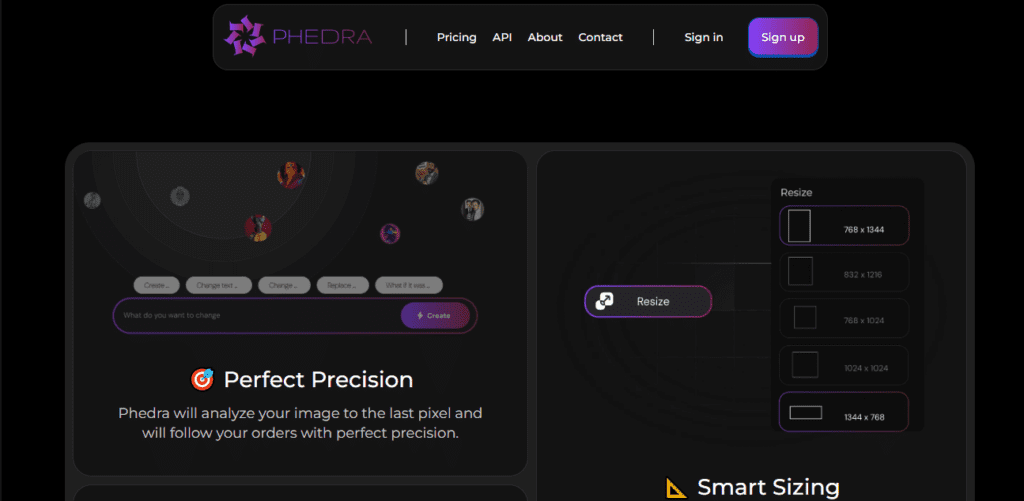
Phedra AI analyzes every pixel and element of your uploaded image before acting. You upload an image, type your edit instruction, and the result arrives within seconds to a couple of minutes depending on complexity.

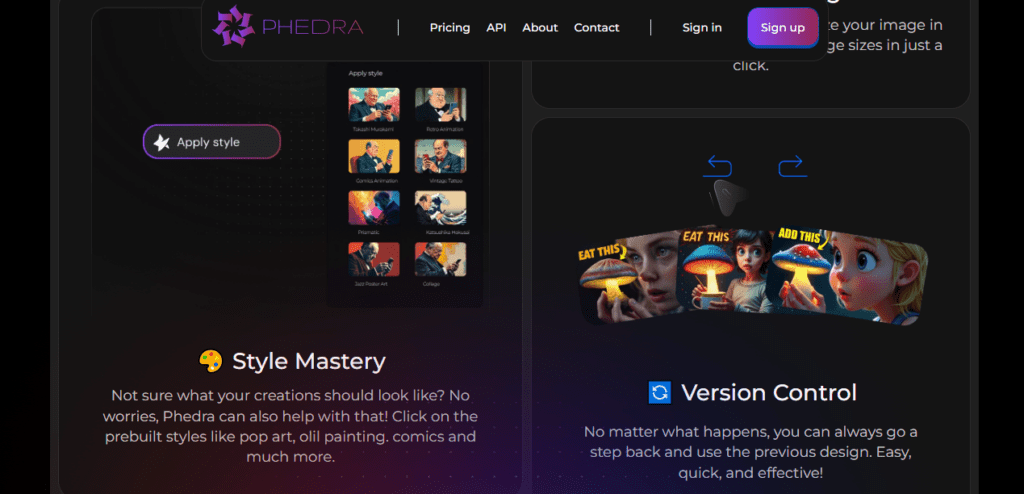
The platform includes prebuilt style presets — pop art, oil painting, comics, and more — so you don't need to craft detailed prompts every time. Smart Sizing automatically reformats your image for the most common output dimensions in one click.

Version Control lets you step back to any previous state without losing your work. Both the web app and Chrome Extension share the same feature set, keeping your workflow consistent across devices.

Who Gets the Most Out of It

Phedra AI is designed for anyone who creates visual content but lacks technical design skills. Social media managers use it to produce on-brand graphics, background swaps, and styled content without hiring a designer.

Marketers and small business owners generate product visuals, promotional images, and ad creatives from existing photos. The commercial license on both the monthly ($15) and yearly ($135) plans means you can legally use every output for client work, sales pages, and marketing materials without a separate licensing upgrade.

Is It Worth It?

At $15/month — or $135/year (equivalent to $11.25/month) — with 150 AI generations every 3 hours, advanced editing, premium templates, and a commercial license, Phedra AI is a competitive text-prompt image editor for individual creators and freelancers. The honest limitation: Phedra is not an image generator — you must upload a base image before any editing begins.

It also doesn't fully upscale images the way dedicated AI upscalers do. But if you have existing images and want to modify them fast without design skills, Phedra delivers genuine value at a transparent single-tier price.

Phedra AI is a prompt-driven AI image editor launched in January 2025 by creator Todd Gross and developed by Synthesys, available as a web app and Chrome Extension. It lets you edit any uploaded image using plain-text or voice prompts in 80+ languages — removing backgrounds, swapping objects, applying styles, and resizing images — without any design software skills, from $15/month or $135/year with a commercial license included.

• Text and Voice Prompt Editing — Type or speak your edit instructions in any of 80+ supported languages. Phedra reads the prompt, understands the image context, and applies the change within seconds to a couple of minutes.

• Deep Image Analysis — Phedra analyzes every pixel, object, color, and contextual element in your uploaded image before making edits, producing precise results rather than generic AI filter overlays.

• Background Removal and Replacement — Remove the original background or replace it with any scene by describing it in your prompt — no manual masking or selection tools needed.

• Object Add, Remove, and Edit — Add any object, remove unwanted elements, or modify specific parts of an image by describing what you want in plain English. Phedra targets the specific element without affecting the rest of the image.

• Style Presets — Apply prebuilt visual styles including pop art, oil painting, comics, and more in a single click. Presets work alongside custom prompts for faster creative output.

• Smart Sizing — Automatically reformats and resizes your edited image to the most commonly used output dimensions for social media, print, and web — in one click without manual cropping.

• Version Control — Step back to any previous state of your image at any point in the editing session. No work is permanently lost regardless of how many changes you apply.

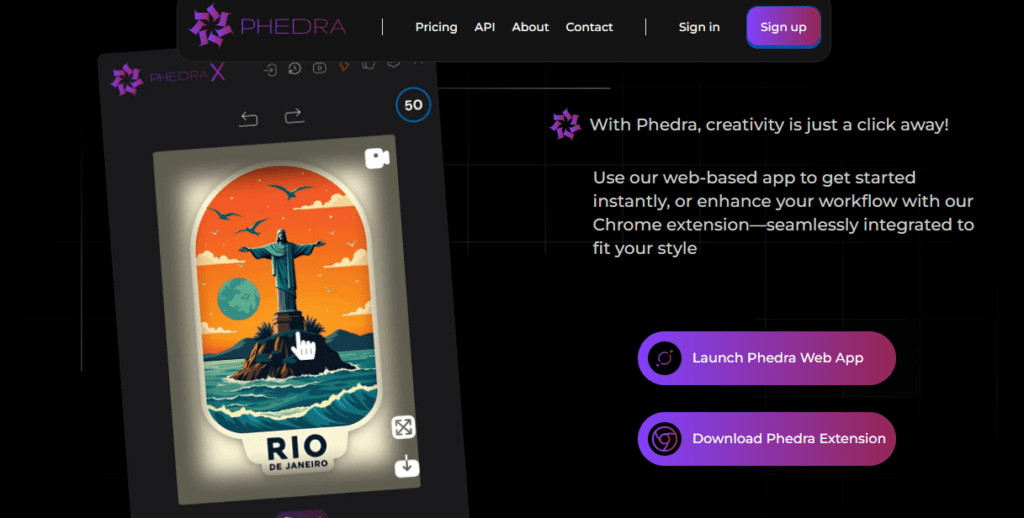
• Chrome Extension — Full feature access from within your browser without opening the web app, making Phedra usable directly alongside any content creation or publishing workflow.

Pros
  • 150 AI generations every 3 hours on both monthly and yearly plans — high volume limit for daily creative workflows
  • Text and voice prompts in 80+ languages — accessible to non-English speakers without fluency requirements
  • Commercial license included on both Monthly ($15/month) and Yearly ($135/year) plans — legally usable for client work and paid projects
  • Yearly plan at $135/year saves $45 versus 12 months of monthly billing — $11.25/month effective rate
  • Chrome Extension available alongside the web app — full feature parity across both access methods
  • Style presets (pop art, oil painting, comics) reduce prompt complexity for common creative tasks
  • Version Control lets you revert to any previous image state without losing editing history
Cons
  • ×Not an image generator — you must upload a base image before any editing can begin, limiting use for users who need to create visuals from scratch
  • ×Cannot fully upscale images the way dedicated AI upscalers (Topaz Photo AI, Let's Enhance) can — only specific aspects of an image can be upscaled
  • ×Single paid plan tier with no feature differentiation between monthly and yearly billing — no advanced or agency upgrade path for power users
  • ×No publicly documented team workspace, brand kit, or multi-user collaboration features — single-user tool only with no team tier

Phedra AI is best suited for non-technical creators, marketers, and freelancers who need fast, high-quality image edits without design software skills.

Social media managers — use text prompts to produce background swaps, style transformations, and on-brand graphics for daily content calendars without hiring a graphic designer.

• Small business owners and e-commerce sellers — edit product photos, create promotional visuals, and generate ad creatives from existing images using plain-language instructions, with commercial rights included on every plan.

• Freelance designers and content agencies — produce and deliver client image edits in minutes using Phedra's prompt-driven workflow, with the commercial license covering client deliverables without additional licensing fees.

• Non-English-speaking creators — the 80+ language support for both text and voice prompts makes Phedra one of the most globally accessible AI image editors available, requiring no English fluency to use effectively.

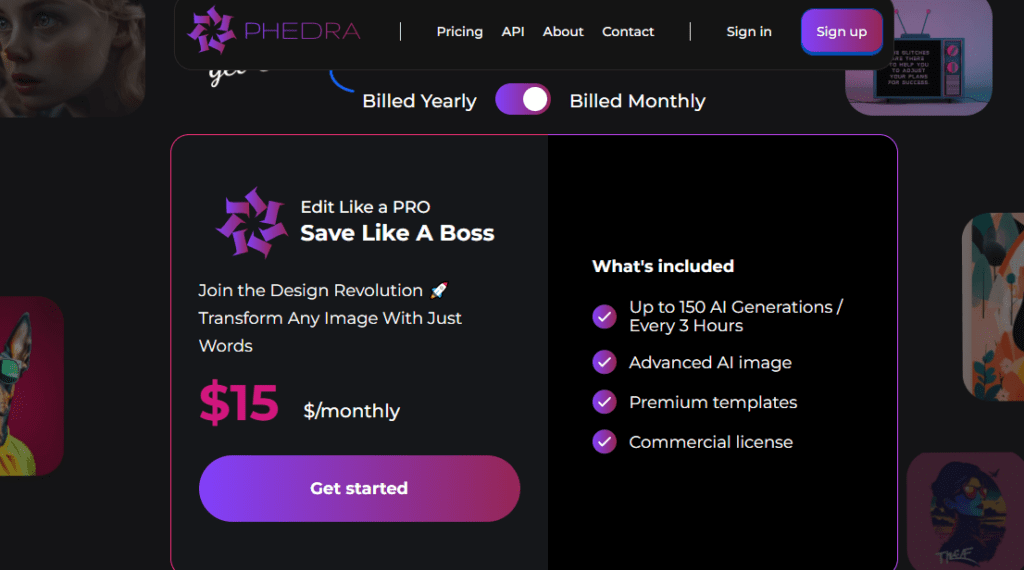
Monthly Plan ($15/month, billed monthly)Up to 150 AI Generations every 3 hours, Advanced AI image editing, Premium templates, Commercial license. No annual commitment required.
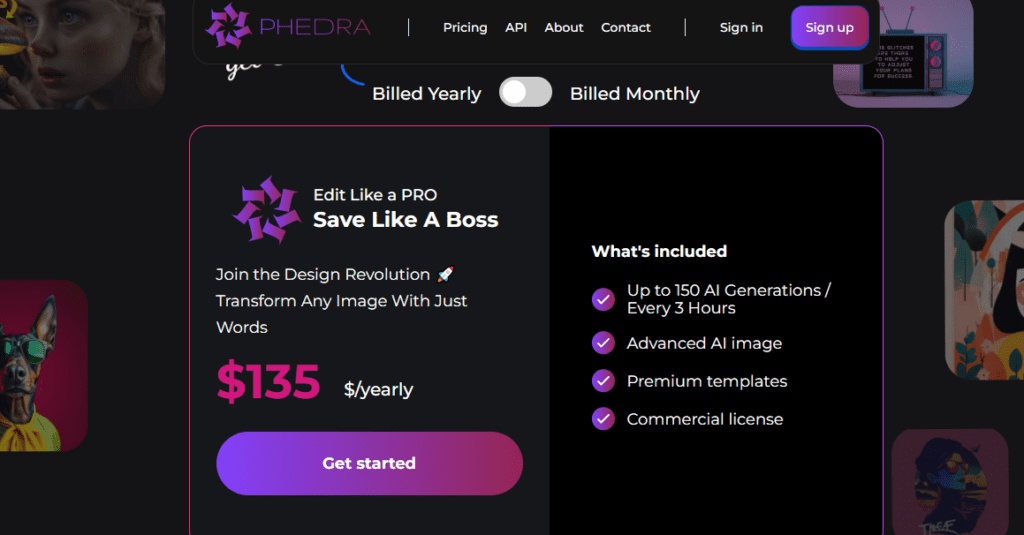
Yearly Plan ($135/year, billed annually — equivalent to $11.25/month)Up to 150 AI Generations every 3 hours, Advanced AI image editing, Premium templates, Commercial license. Saves $45 versus 12 months of the monthly plan.
NoteBoth plans include identical features — the only difference is billing frequency and total cost. There is no free plan publicly listed on the phedra.ai pricing page as of April 2026. Verify current pricing directly at phedra.ai/pricing before purchasing.

Phedra AI stands apart from both classic image editors and AI image generators through four structural advantages that define its position in the prompt-driven editing category.

• Prompt Editing on Uploaded Images — Not Generation — Phedra operates specifically as an image editor, not an image generator. You upload an existing photo, and your text or voice prompt modifies it with surgical precision — targeting specific objects, backgrounds, and elements without touching the rest of the image. This makes it the right tool when you have a real product photo or brand asset and need to transform it fast.

• Voice Prompts in 80+ Languages — The Most Linguistically Accessible AI Image Editor in This Category — No comparable tool at this price point supports both typed and spoken prompts across 80+ languages simultaneously. Creators in non-English-speaking markets can edit images in their native language without translation.

• Chrome Extension With Full Feature Parity — Phedra's Chrome Extension gives you full access to every editing feature — prompts, styles, smart sizing, version control — directly from your browser sidebar, reducing friction in daily content production workflows without switching apps.

• Commercial License on Every Paid Plan — No Upgrade Required — Both the $15/month and $135/year plans include a commercial license as standard. You own and can monetize every output — for client work, product listings, ad creatives, and social media content — without purchasing a separate commercial rights tier.

Phedra AI runs as a browser-based web app and a Chrome Extension, compatible with all major devices and content creation workflows.

• Web Browsers — Fully compatible with Chrome, Firefox, Safari, and Edge on desktop and mobile. The complete editing workflow — image upload, text or voice prompt entry, style selection, smart sizing, and version control — runs in the browser with no software installation required.

• Chrome Extension — Download the Phedra Chrome Extension to access all editing features directly from your browser sidebar. Works alongside any content creation, publishing, or e-commerce workflow without switching apps or opening a new tab.

• Image Upload Formats — Accepts standard JPG and PNG files for editing. Images can be sourced from your device, product photography sessions, or any existing visual asset library. A base image upload is required before editing begins — the platform does not generate images from scratch.

• Language and Voice Input — Supports text and voice prompts in 80+ languages for all editing instructions. Voice input works through your device's built-in microphone — no external hardware or app required.

CategoryScoreWhy It Matters
Accuracy & Reliability4.0/5Phedra AI's deep pixel-level image analysis produces precise, context-aware edits that outperform basic AI filter tools for object-specific instructions. Independent reviews from Mike From Maine, ReedRatings, and Samuel Marco confirm accurate results for background removal, object manipulation, and style application on typical product and portrait photos. Complex multi-element edits require descriptive prompting and may need iteration to achieve the desired output.
Ease of Use4.8/5Type or speak in any of 80+ languages, choose a style preset, and view your result — the entire workflow requires zero design skills and zero technical setup. Reviewer walkthroughs consistently confirm the onboarding and editing loop is intuitive from the first session. Smart Sizing and Version Control further reduce friction by automating the two most time-consuming post-edit steps.
Functionality & Features3.8/5Background removal, object add/remove/edit, 80+ language voice and text prompts, style presets, Smart Sizing, Version Control, Chrome Extension, commercial license, and premium templates provide a solid editing toolkit. The functional ceiling is the absence of full image upscaling, no image generation from scratch, no team workspace, and a single-tier plan with no advanced feature differentiation for power users.
Performance & Speed4.2/5Most edits complete within a few seconds to a couple of minutes, with simple edits (background swap, object removal) at the fast end and complex multi-element transformations taking closer to 2 minutes. The 150 AI generations every 3 hours rolling limit is sufficient for individual daily use without visible throttling in normal workflows.
Customization & Flexibility3.6/5Plain-text and voice prompts in 80+ languages allow flexible creative direction without a structured interface. Style presets reduce prompt requirement for common creative looks. Smart Sizing handles output format flexibility automatically. The main limitation is the single-tier plan structure with no advanced tier offering expanded generation limits, bulk editing, API access, or multi-seat team functionality.
Data Privacy & Security3.2/5Payments are processed via standard checkout infrastructure and the platform is developed by Synthesys, a known AI company. However, no SOC 2, ISO 27001, GDPR, or CCPA compliance documentation is publicly listed on phedra.ai. No image deletion timeline, encryption standard, or data handling policy specific to uploaded user images is documented on the platform's public-facing pages.
Support & Resources3.5/5Multiple YouTube reviews and demo walkthroughs from the January 2025 launch provide unofficial workflow guidance. No live chat SLA, documented email response times, or ticketed helpdesk is publicly listed on phedra.ai. The platform includes a FAQ section on the homepage covering core use-case questions.
Cost-Efficiency4.4/5At $15/month (or $11.25/month on the yearly $135/year plan) for 150 AI generations every 3 hours, a commercial license, premium templates, and full Chrome Extension access — Phedra AI is a competitively priced text-prompt image editor with commercial rights at this feature level in 2026. Comparable tools with commercial licenses and similar prompt editing depth typically charge $20–$50/month.
Overall Score3.9/5Phedra AI is a focused, accessible, and fairly priced text-and-voice-prompt image editor — strong ease of use (4.8), competitive cost-efficiency (4.4), 80+ language support, and a Chrome Extension with commercial license on every plan make it genuinely useful for non-technical creators and freelancers at $11.25–$15/month. The score reflects the functional ceiling: no image generation, no upscaling, no team tier, and minimal public privacy documentation — structural gaps that limit its suitability beyond individual creative use cases.

Phedra AI is a focused, affordable prompt-driven image editor — 80+ language text and voice prompts, 150 AI generations every 3 hours, a Chrome Extension with full feature parity, and a commercial license on every plan at $15/month or $135/year.

It is purpose-built for non-technical creators who need fast, precise image edits from uploaded photos without design skills. The single-tier plan structure and no-generation-from-scratch limitation make it a specialist tool, but at $11.25/month on the yearly plan it is one of the most cost-efficient prompt-driven image editors available in 2026.

Q1.What is Phedra AI?
Ans:-Phedra AI is a prompt-driven AI image editor launched in January 2025 by creator Todd Gross and developed by Synthesys. It lets you edit any uploaded image using plain-text or voice prompts in 80+ languages — removing backgrounds, swapping objects, applying styles, and resizing — without any design software skills. It is available as a web app and Chrome Extension at $15/month or $135/year, with a commercial license included on both plans.
Q2.How much does Phedra AI cost?
Ans:-Phedra AI offers two billing options for one plan: $15/month (billed monthly) or $135/year (billed annually, equivalent to $11.25/month — saving $45 versus 12 months of monthly billing). Both plans include identical features: up to 150 AI Generations every 3 hours, Advanced AI image editing, Premium templates, and a Commercial license. There is no free plan listed on the pricing page as of April 2026.
Q3.Can Phedra AI generate images from scratch?
Ans:-No — Phedra AI is specifically an image editor, not an image generator. You must upload an existing base image before any editing can begin. The platform's AI analyzes your uploaded image and applies your text or voice prompt instructions to it — but it cannot create a new image entirely from a blank canvas or text description alone.
Q4.How does Phedra AI work?
Ans:-You upload an image to Phedra AI, then type or speak your edit instruction — for example, 'remove the background and replace it with a mountain sunset' or 'add a red blazer to the person.' Phedra's AI analyzes the image's pixels, objects, colors, and context, then applies the change with precision. Most edits complete within a few seconds to a couple of minutes depending on image complexity.
Q5.What can I edit with Phedra AI?
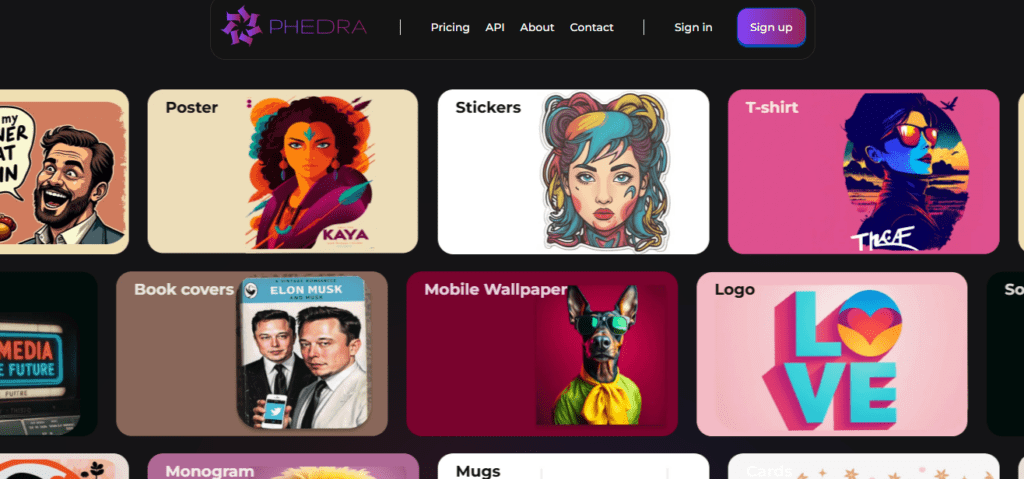
Ans:-Phedra AI supports background removal and replacement, object addition and removal, style application (pop art, oil painting, comics, and more), color changes, text overlay, theme transformations, and smart resizing to common output formats. Anything you can describe in plain language — Phedra attempts to apply. Prompt clarity and specificity directly affect output accuracy.
Q6.Does Phedra AI include a commercial license?
Ans:-Yes — a commercial license is included on both the Monthly ($15/month) and Yearly ($135/year) plans as standard. You can legally use all Phedra-edited images for client work, sales pages, ad creatives, product listings, social media content, and any paid commercial application without purchasing a separate rights upgrade.
Q7.Can I use Phedra AI in languages other than English?
Ans:-Yes — Phedra AI supports text and voice prompts in 80+ languages. You can type or speak your editing instructions in your native language without any English translation. This makes it one of the most globally accessible prompt-driven image editors available at this price point, particularly useful for creators in non-English-speaking markets.
Q8.Is there a Phedra AI Chrome Extension?
Ans:-Yes — Phedra AI is available as both a web app and a Chrome Extension. The Chrome Extension provides full access to all editing features — text and voice prompts, style presets, smart sizing, and version control — directly from your browser sidebar, without needing to open the web app in a separate tab.
Q9.How many AI generations does Phedra AI allow?
Ans:-Phedra AI allows up to 150 AI Generations every 3 hours on both the Monthly ($15/month) and Yearly ($135/year) plans. This rolling 3-hour generation limit applies across the web app and Chrome Extension. For most individual creators and freelancers managing daily content workflows, the 150-per-3-hour limit is sufficient without hitting a ceiling.
Q10.What is the difference between Phedra AI monthly and yearly plans?
Ans:-The features are identical on both plans — up to 150 AI Generations every 3 hours, Advanced AI image editing, Premium templates, and a Commercial license. The only difference is billing: $15/month (billed monthly) or $135/year (billed annually). Choosing the yearly plan saves $45 over 12 months, bringing the effective monthly cost down to $11.25/month.

Promote This Tool

Help others discover this tool by sharing this page.

✓ Link copied to clipboard!

Phedra AI Reviews

0.0
Based on 0 reviews
5 star
0%
4 star
0%
3 star
0%
2 star
0%
1 star
0%

Write a Review

Your Rating:

No reviews yet. Be the first to share your thoughts!

20 Similar Phedra AI Tools