Home Categories Deals Sign Up
Updated: April 25, 2026

Dreamlike Art in Action: 4-Second AI Image Generation With 8 Models

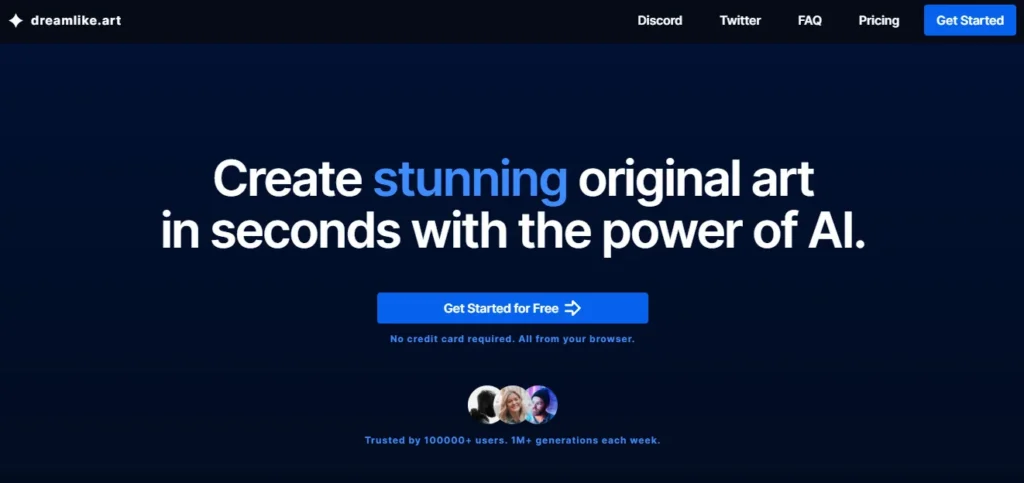
Dreamlike Art is a browser-based AI image generator built on Stable Diffusion and powered by server-grade A100 GPUs, delivering an average generation speed of just 4 seconds — faster than 8× RTX 3090 setups. It runs entirely in your browser with no local installs, no Colab notebooks, and no Discord bots required.

You get access to 8 AI models including Dreamlike's own fine-tuned Photoreal 2.0 and Anime 1.0 models, with the ability to queue up to 30 images and generate up to 4 in parallel. And it is free — forever — with 24 credits every day.

Key Capabilities

The platform covers the complete image creation and editing pipeline. Text-to-Image generation lets you produce original art from text prompts across photorealistic, anime, dreamlike, and artistic styles.

Image-to-Image transforms existing photos using a prompt and a strength slider. The Edit with Natural Language tool lets you describe changes in plain text — ‘make the sky purple' or ‘add snow to the ground' — and the AI applies them. Face Fix restores and sharpens facial details in generated or uploaded portraits. Upscaling enhances resolution for print-quality output.

Make Variations generates alternative versions of any image. And Copy Pose/Depth/Sketch uses ControlNet-style inputs to guide composition precisely — transferring a pose, depth map, or sketch outline from a reference image into a new generation.

Advanced generation controls include steps, CFG scale, seed, negative prompts, aspect ratio, and batch size — giving technically experienced users full Stable Diffusion parameter access without needing a local install.

The platform runs on shared A100 infrastructure that processes generations faster than most consumer GPU rigs, making it genuinely faster than running Stable Diffusion locally on an RTX 3090.

Who Gets the Most Out of It

Digital artists, illustrators, bloggers, and game developers who work within Stable Diffusion's ecosystem but want a fast, hassle-free web interface benefit most from Dreamlike Art. The free tier with 24 daily credits is particularly generous — enough for consistent creative exploration without spending a dollar.

The fine-tuned Dreamlike Photoreal 2.0 model produces commercial-grade photorealistic outputs that stand out against generic Stable Diffusion 1.5 results, while Dreamlike Anime 1.0 offers consistent, high-quality anime-style generation without custom LoRA configuration.

Paid users on Pro and Ultra plans unlock high-priority queues, multiple parallel generations, and larger batch queues for production-scale content workflows.

Is It Worth It?

The free tier alone makes Dreamlike Art worth trying — 24 credits per day equates to approximately 720 free images per month using the cost-efficient Stable Diffusion 1.5 model.

For users who exhaust daily free credits quickly, the Core plan at $12/month yearly (3,000 credits/month) or Pro plan at $24/month yearly (12,000 credits/month) offer strong cost-efficiency on A100-powered high-priority queues.

Compared to running Stable Diffusion locally — which requires a dedicated GPU, VRAM management, and model file downloads — Dreamlike Art removes all technical overhead and generates faster for less money.

Dreamlike Art is a free, browser-based AI image generation platform launched in 2022, built on Stable Diffusion and running on server-grade A100 GPUs for a 4-second average generation speed.

It provides access to 8 AI models — including its own proprietary Dreamlike Photoreal 2.0, Dreamlike Diffusion 1.0, and Dreamlike Anime 1.0 fine-tuned models — alongside Stable Diffusion 1.5 and 2.1.

Tools include text-to-image, image-to-image, natural language editing, face fix, upscaling, pose/depth/sketch copying, and variation generation. The platform is free forever with 24 credits per day, with paid plans starting at $12/month billed yearly.

• Text-to-Image Generation — Generate original AI images from text prompts using 8 AI models including Dreamlike Photoreal 2.0, Dreamlike Diffusion 1.0, Dreamlike Anime 1.0, Stable Diffusion 1.5, and Stable Diffusion 2.1 — with full advanced controls including steps, CFG scale, seed, aspect ratio, and negative prompts.

• Image-to-Image Transformation — Upload any existing image and use a text prompt with a strength slider to transform it into a new creation — changing style, environment, lighting, or subject while preserving the original composition.

• Edit with Natural Language — Describe changes to a generated or uploaded image in plain English and the AI applies them directly — ‘make the background a sunset beach' or ‘add a red scarf' — without brush-based masking or layer editing.

• Face Fix — Automatically detect and restore facial details in generated or uploaded portraits, sharpening blurry or distorted faces to produce clean, high-resolution results in a single click.

• AI Image Upscaler — Increase the resolution of any generated or uploaded image for high-quality print and screen use, powered by the same A100 GPU infrastructure as generation.

• Copy Pose / Depth / Sketch (ControlNet) — Transfer the pose, depth map, or sketch outline from a reference image into a new generation, enabling precise compositional control without drawing skeleton rigs manually.

• Make Variations — Generate multiple alternative versions of any existing image — keeping the same style and subject but varying composition, color, and detail — useful for exploring creative options from a single strong output.

• Batch Generation & Parallel Processing — Queue up to 30 images and generate up to 4 in parallel on A100 GPUs at an average speed of 4 seconds per image — delivering throughput faster than 8× RTX 3090 consumer GPU setups.

Pros
  • Free forever with 24 credits/day — approximately 720 free images per month with no credit card required
  • A100 GPU-powered 4-second average generation speed — faster than most local Stable Diffusion RTX 3090 setups
  • Proprietary fine-tuned models (Dreamlike Photoreal 2.0, Dreamlike Anime 1.0, Dreamlike Diffusion 1.0) produce noticeably superior output in their target styles vs base SD models
  • Natural Language Image Editing lets you describe changes in plain text without any masking or layer tools
  • Copy Pose / Depth / Sketch (ControlNet) feature gives precise compositional control without manual rigging
  • Full advanced Stable Diffusion parameter access (CFG, steps, seed, negative prompts) without any local install or GPU setup
  • Queue up to 30 images and generate 4 in parallel — strong batch throughput even on the free plan
Cons
  • ×Free plan is limited to 1 parallel generation and restricted settings — batch generation and high-priority queues require a paid plan
  • ×Model library of 8 models is narrower than platforms like Getimg.ai (60+ models) or ImagineArt, limiting stylistic range for advanced users
  • ×No video generation — Dreamlike Art is image-only, with no text-to-video or image-to-video capabilities
  • ×No dedicated mobile app — the platform is web-based only, though it is accessible on mobile browsers
  • ×No team workspace or collaboration features — designed for individual use with no shared gallery, comment, or multi-seat account options
  • ×NSFW content policies are more restrictive than some competitor platforms — advanced style content requires care with prompts
  • ×No lifetime deal or one-time payment option — subscription-only pricing beyond the free tier

Dreamlike Art is best suited for digital artists, illustrators, content creators, and developers who want fast, high-quality Stable Diffusion image generation without the overhead of a local GPU setup.

• Digital artists and illustrators — the Dreamlike Photoreal 2.0 and Anime 1.0 fine-tuned models produce consistently superior outputs for photorealism and anime compared to base Stable Diffusion models, and the Copy Pose / ControlNet feature gives precise compositional control for character illustration.

• Bloggers and content marketers — the free plan's 24 daily credits provide enough images for regular blog post visual creation, and the natural language editing tool enables quick content-specific image customization without design software.

• Game developers and concept artists — batch generation (queue 30 images, 4 in parallel), Make Variations, and Sketch/Depth copying make Dreamlike Art a fast concept exploration and asset prototyping tool for solo developers and indie studios.

• Stable Diffusion users seeking a faster, hassle-free alternative — anyone currently running Stable Diffusion locally on consumer GPUs will find Dreamlike Art significantly faster and less technically demanding, with full advanced parameter controls preserved.

• Casual AI art hobbyists — the free tier's 24 daily credits with commercial use rights and no credit card requirement make Dreamlike Art the most accessible entry point into Stable Diffusion-quality AI image generation available in 2026.

Free ($0/month forever)~720 credits/month (24 credits/day), 1 parallel generation, limited settings access, commercial use rights included — no credit card required.
Core ($16/month billed monthly | $12/month billed yearly — $144/year)3,000 credits/month, high-priority generation queue, 2 parallel generations, full settings access, all 8 AI models, commercial use rights.
Pro ($30/month billed monthly | $24/month billed yearly — $288/year)12,000 credits/month, high-priority generation queue, 3 parallel generations, larger batch queue, full settings access, all 8 AI models, commercial use rights.
Ultra ($60/month billed monthly | $48/month billed yearly — $576/year)Maximum credits/month, highest-priority generation queue, 4 parallel generations, maximum batch queue size, full settings access, all 8 AI models, commercial use rights.

Dreamlike Art differentiates itself through proprietary fine-tuned Stable Diffusion models, blazing A100 GPU speed, and a uniquely generous free tier that delivers professional-grade outputs at zero cost.

• Proprietary Fine-Tuned Models — Dreamlike Art does not just offer base Stable Diffusion models; it publishes its own fine-tuned variants — Dreamlike Photoreal 2.0 (photorealism specialist), Dreamlike Diffusion 1.0 (general-purpose with Midjourney-like aesthetic), and Dreamlike Anime 1.0 (anime specialist) — that consistently outperform base SD outputs in their target styles without requiring LoRA or ControlNet customization.

• A100 GPU Infrastructure at Free Tier — unlike most web-based AI image tools that throttle free users to slower queues or shared consumer GPU resources, Dreamlike Art runs all generations including the free tier on server-grade A100 GPUs, delivering an average 4-second generation speed that exceeds local RTX 3090 setups.

• Natural Language Image Editing — the ability to describe changes to an existing image in plain English — without brush tools, masks, or layer selection — makes image editing accessible to complete beginners while being fast enough for experienced digital artists to iterate quickly.

• Queue Up to 30 Images With 4 Parallel Generations — batch throughput on Dreamlike Art exceeds most consumer GPU setups and web-based competitors at comparable price tiers, enabling high-volume concept generation and asset prototyping sessions that would take hours on local installs.

• Models Published on Hugging Face — Dreamlike Art's fine-tuned models (Dreamlike Diffusion 1.0, Photoreal 2.0, Anime 1.0) are publicly available on Hugging Face, allowing developers and researchers to download and run them locally — giving the platform a trust and transparency dimension that proprietary closed-model platforms cannot match.

Dreamlike Art operates as a browser-based platform with standard image export formats compatible with all major creative workflows and developer tools.

• Web Browser — fully accessible on Chrome, Firefox, Edge, and Safari on desktop and mobile with no installation, download, or local GPU required; all generation, editing, upscaling, face fix, and ControlNet tools run entirely in-browser.

• Image Export — generated images download as PNG and JPG files compatible with Adobe Photoshop, Illustrator, Canva, Figma, GIMP, and any web, print, or social media publishing workflow.

• Hugging Face Model Compatibility — Dreamlike Art's proprietary models (Dreamlike Diffusion 1.0, Dreamlike Photoreal 2.0, Dreamlike Anime 1.0) are publicly hosted on Hugging Face, making them downloadable and compatible with AUTOMATIC1111, ComfyUI, and any local Stable Diffusion deployment framework.

• ControlNet Input Compatibility — the Copy Pose / Depth / Sketch feature accepts standard reference images as ControlNet inputs, making the workflow compatible with pose references sourced from character design tools, 3D software exports, and existing illustration references.

• Discord Community — Dreamlike Art maintains an active Discord server for community prompt sharing, model discussions, and platform feedback, making it compatible with creator community and collaborative creative workflows.

CategoryScoreWhy It Matters
Accuracy & Reliability4.3/5Dreamlike Art's proprietary fine-tuned models — particularly Dreamlike Photoreal 2.0 and Dreamlike Anime 1.0 — consistently produce high-quality outputs in their target styles that reviewers on Skywork.ai and GeniusFirms.com describe as noticeably superior to generic Stable Diffusion 1.5 results. The A100 GPU infrastructure ensures generation reliability without local hardware variability. Complex multi-element prompts occasionally require negative prompt tuning to avoid unwanted elements, which is standard behavior across all Stable Diffusion platforms.
Ease of Use4.2/5The browser-based interface eliminates all local setup friction — no Colab notebooks, no AUTOMATIC1111 configuration, no Discord bots. Beginners can start generating immediately using simple text prompts, and the natural language editing tool makes image modification accessible without technical knowledge. Advanced users benefit from the full parameter control panel. The only learning curve is understanding how to use negative prompts and CFG scale effectively, which is inherent to Stable Diffusion rather than specific to this platform.
Functionality & Features4.1/5Dreamlike Art covers text-to-image, image-to-image, natural language editing, face fix, upscaling, ControlNet pose/depth/sketch copying, batch generation, make variations, and 8 AI models — a strong feature set for an image-focused platform. The notable gaps are the absence of video generation, audio tools, a canvas mode, and team collaboration features. For a purely image-generation focused workflow, the feature breadth is competitive, but platforms like Getimg.ai and Artspace AI offer more post-processing tools.
Performance & Speed4.8/5A 4-second average generation speed on A100 GPUs is genuinely exceptional for a web-based platform — Dreamlike Art's own benchmarking demonstrates it outpaces 8× RTX 3090 consumer GPU setups that most prosumer users run locally. Queue capacity of 30 images with 4 parallel generations on paid plans further accelerates batch throughput. This is the platform's single strongest differentiator and consistently cited as the top strength in user reviews.
Customization & Flexibility4.4/5Full Stable Diffusion parameter access — steps, CFG scale, seed, aspect ratio, batch size, negative prompts, strength, and smoothness — gives advanced users the same control available in local AUTOMATIC1111 installs, without any setup. The 8 AI models covering photorealism, anime, and general-purpose styles cover the most common creative use cases. The Copy Pose / Depth / Sketch ControlNet feature adds compositional flexibility that most web-based generators do not offer.
Data Privacy & Security3.9/5Dreamlike Art processes all generations on its own A100 server infrastructure without requiring personal data beyond an email address for account creation. Generated images are stored in the user's gallery. The platform's Hugging Face model publication demonstrates an openness and transparency about underlying model architecture that closed-model platforms cannot match. A detailed published privacy policy and third-party security audit documentation would strengthen enterprise-level trust assessment.
Support & Resources3.8/5Dreamlike Art provides an active Discord server for community support, a gallery for creative inspiration, and a growing library of YouTube tutorials covering beginner walkthroughs and model comparisons. The platform does not offer dedicated email or live chat support, and there is no published SLA for paid plan support response times. The Hugging Face model pages include technical documentation useful for developer users integrating Dreamlike models into external workflows.
Cost-Efficiency4.9/5The free tier's 24 daily credits with commercial use rights and A100 GPU speed is the most generous free offering in the web-based Stable Diffusion image generation category — approximately 720 free images per month at zero cost. The Core plan at $12/month yearly for 3,000 credits and the Pro plan at $24/month yearly for 12,000 credits deliver exceptional credit volume per dollar on high-priority A100 queues. For creators replacing local GPU setup costs and electricity with a cloud platform, the value calculation strongly favors Dreamlike Art.
Overall Score4.3/5Dreamlike Art is the top free Stable Diffusion web platform for digital artists, illustrators, and bloggers in 2026 — combining A100 GPU-powered 4-second generation, proprietary fine-tuned Photoreal and Anime models, natural language editing, ControlNet support, and 24 free daily credits with commercial rights. The absence of video generation and canvas mode are real gaps for multi-media creators, but for image-focused workflows, no comparable free platform delivers this combination of speed, model quality, and feature depth.

Dreamlike Art is the best free Stable Diffusion web platform in 2026 — offering 24 free credits per day, 8 AI models including proprietary Photoreal and Anime fine-tunes, natural language editing, ControlNet pose copying, face fix, and A100-powered 4-second generation speeds at absolutely no cost.

For digital artists, bloggers, and Stable Diffusion users who want professional-grade output without a GPU, local install, or monthly subscription, the free tier alone makes Dreamlike Art worth bookmarking immediately.

Paid plans starting at $12/month yearly unlock high-priority queues and thousands of monthly credits for creators who regularly exceed the daily free limit.

Q1.Is Dreamlike Art free to use?
Ans:-Yes. Dreamlike Art offers a permanent free plan that provides 24 credits every day — approximately 720 free credits per month. No credit card is required to sign up. Free plan users get access to text-to-image generation, image-to-image, upscaling, face fix, and natural language editing, though with limited settings access and only 1 parallel generation at a time. Commercial use rights are included even on the free plan.
Q2.How much does Dreamlike Art cost?
Ans:-Dreamlike Art offers four plans. Free is $0/month with 24 credits/day. Core costs $16/month (monthly) or $12/month (yearly, $144/year) with 3,000 credits/month. Pro costs $30/month (monthly) or $24/month (yearly, $288/year) with 12,000 credits/month. Ultra costs $60/month (monthly) or $48/month (yearly, $576/year) with maximum credits. Yearly billing saves 20% across all paid plans.
Q3.What AI models does Dreamlike Art use?
Ans:-Dreamlike Art provides 8 AI models including its own proprietary fine-tuned versions: Dreamlike Photoreal 2.0 (photorealism specialist), Dreamlike Diffusion 1.0 (general-purpose with a Midjourney-like aesthetic), and Dreamlike Anime 1.0 (anime and illustration specialist). It also includes Stable Diffusion 1.5 (most credit-efficient at 1 credit/image) and Stable Diffusion 2.1, along with additional models. All proprietary Dreamlike models are also publicly available on Hugging Face for local use.
Q4.How fast is Dreamlike Art's image generation?
Ans:-Dreamlike Art runs on server-grade A100 GPUs and delivers an average generation speed of 4 seconds per image — which the platform notes is faster than 8× RTX 3090 consumer GPU setups running locally. Users can queue up to 30 images and generate up to 4 simultaneously on paid plans, making it one of the fastest browser-based Stable Diffusion platforms available.
Q5.What is the Natural Language Edit feature in Dreamlike Art?
Ans:-Natural Language Edit lets you describe changes to an existing image in plain English and the AI applies them directly — for example 'change the sky to a sunset' or 'add a red scarf to the character.' You do not need to use brushes, masks, or selection layers. It works on both generated images and uploaded photos, making image editing accessible to beginners and fast enough for experienced creators to iterate quickly.
Q6.Does Dreamlike Art support ControlNet pose copying?
Ans:-Yes. The Copy Pose / Depth / Sketch feature allows you to upload a reference image and transfer its pose skeleton, depth map, or sketch outline into a new generation. This ControlNet-style input gives you precise compositional control — generating a new character or scene that matches the exact body position, spatial depth, or line art of your reference — without needing to set up ControlNet locally in AUTOMATIC1111 or ComfyUI.
Q7.Can I use Dreamlike Art images commercially?
Ans:-Yes. Commercial use rights are included on all plans, including the free plan. You can use, publish, sell, and license images generated on Dreamlike Art for commercial purposes including client work, marketing materials, products, and publications. However, it is always recommended to review the platform's current Terms of Service for any updates to commercial licensing conditions, particularly for high-value or mass-production commercial use cases.
Q8.What is the difference between Dreamlike Photoreal and Dreamlike Diffusion?
Ans:-Dreamlike Photoreal 2.0 is fine-tuned specifically for photorealistic output — generating images that closely resemble real photographs with accurate lighting, skin textures, and environmental detail. Dreamlike Diffusion 1.0 is a general-purpose model with a more artistic, stylized aesthetic often compared to Midjourney's output — producing vibrant, painterly, and dreamlike visuals across landscapes, portraits, and fantasy art. Both models are available on Hugging Face for local use.
Q9.Does Dreamlike Art have a mobile app?
Ans:-No. Dreamlike Art does not have a dedicated native iOS or Android mobile app. The platform is web-based and accessible through any mobile browser (Chrome, Safari, Firefox) on smartphones and tablets. All features including generation, upscaling, and face fix work through the mobile browser, though the full parameter control interface is best experienced on a desktop or laptop for optimal usability.
Q10.How does Dreamlike Art compare to Midjourney?
Ans:-Midjourney produces highly refined, artistically polished outputs with a distinctive aesthetic, but operates exclusively through Discord with no web editor, no upscaler, no face fix, no ControlNet, and no free plan. Dreamlike Art runs entirely in a web browser with natural language editing, ControlNet pose copying, face fix, upscaling, and 24 free credits per day. Midjourney's output quality for stylized art is generally considered superior, but Dreamlike Art provides a more complete toolset, full Stable Diffusion parameter control, and a free entry point that Midjourney does not offer.

Promote This Tool

Help others discover this tool by sharing this page.

✓ Link copied to clipboard!

Dreamlike Art Reviews

0.0
Based on 0 reviews
5 star
0%
4 star
0%
3 star
0%
2 star
0%
1 star
0%

Write a Review

Your Rating:

No reviews yet. Be the first to share your thoughts!

48 Similar Dreamlike Art Tools