Home Categories Deals Sign Up
Updated: April 22, 2026

Logo Diffusion in Action: From Prompt to Production-Ready Vector

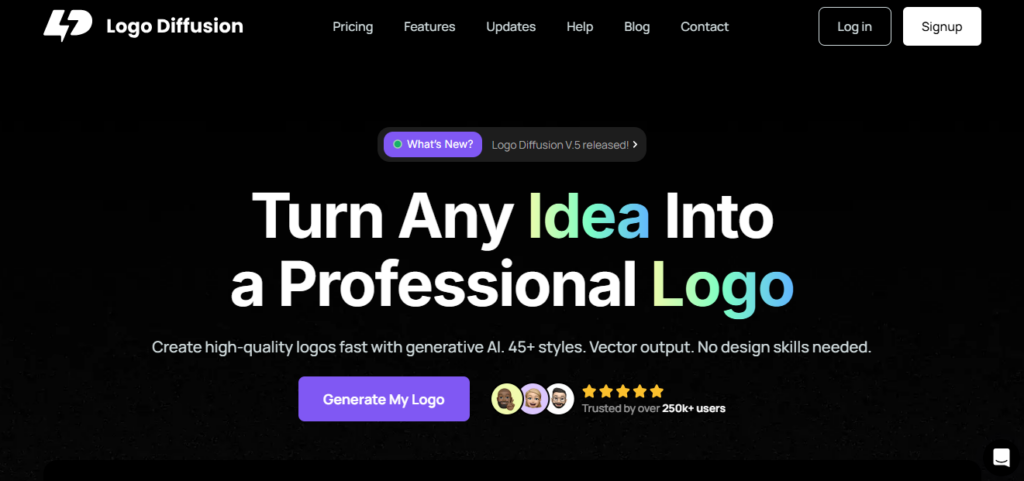
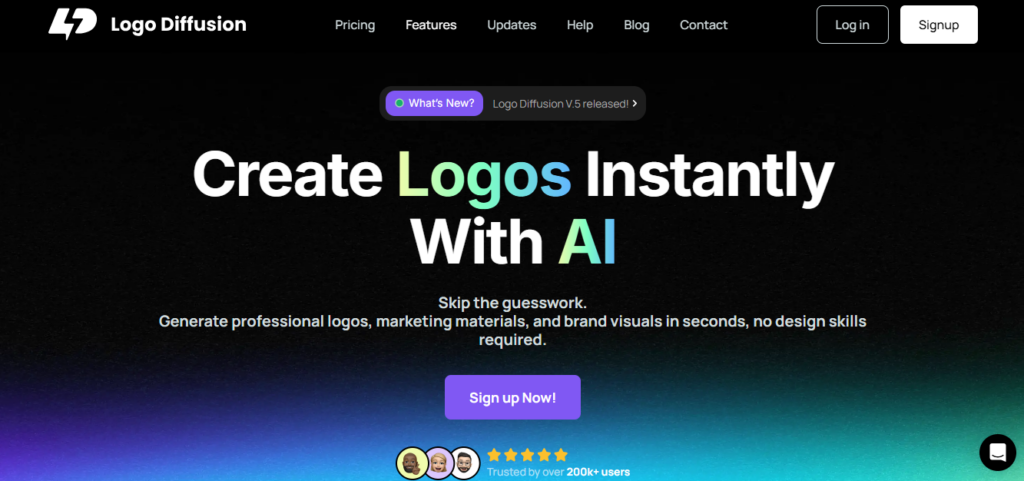
Logo Diffusion is an AI-powered logo generator and editing toolkit trusted by over 250,000 creators that takes your idea — a text prompt, a rough sketch, or an existing image — and turns it into up to 4 unique logo concepts per generation across 45+ curated design styles.

Unlike most AI logo tools that produce a single output per attempt, Logo Diffusion is built for iteration: you generate multiple options, refine the best one with the built-in Magic Editor, vectorise the result, and export production-ready files — all without leaving the platform or opening a separate design tool.

Key Capabilities

Three distinct input modes give you full flexibility: Text-to-Logo generates concepts from a written description, Sketch-to-Logo refines a hand-drawn idea into a polished logo, and Image-to-Logo transforms an existing visual into a new logo direction.

The Magic Editor lets you make on-brand refinements and variations on any generated output before final export. Vectorizer converts any generated or uploaded image into a clean SVG file ready for print and brand guidelines.

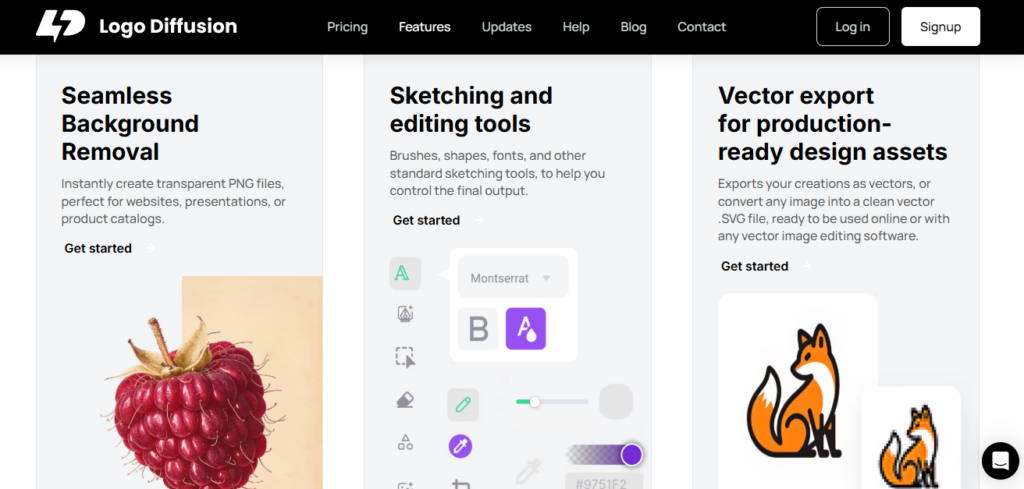
Background Removal produces instant transparent PNGs for websites, presentations, and product catalogs. The Creative Upscaler delivers high-resolution output without a separate upscaling subscription.

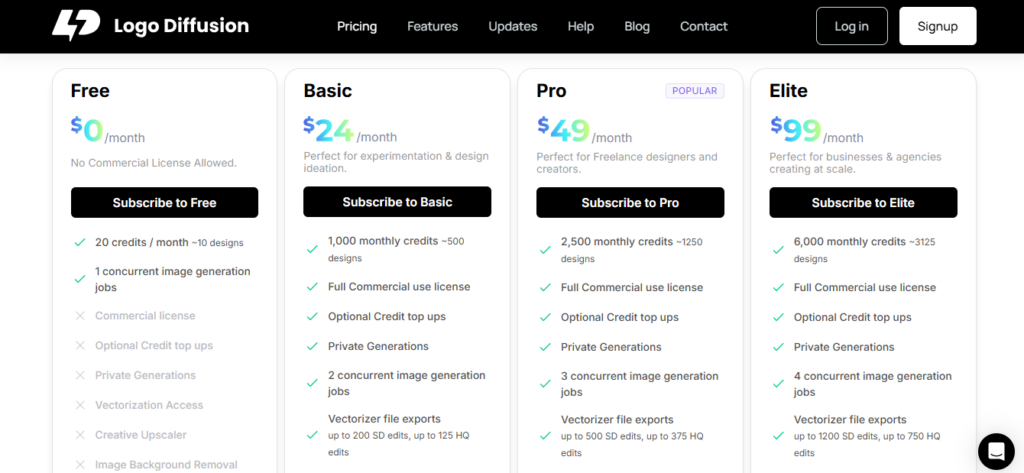
Paid plans (Basic at $24/mo, Pro at $49/mo, Elite at $99/mo) include a full commercial use licence, private generations, and watermark-free downloads — the Free plan generates ~10 designs per month but explicitly prohibits commercial use.

Who Gets the Most Out of It

Logo Diffusion's Pro plan at $49/mo is clearly positioned for freelance designers and content creators who need high-volume output — 2,500 credits (~1,250 designs/month), 3 concurrent generation jobs, and 4X Creative Upscaler output make rapid client iteration genuinely fast.

Agencies and businesses producing at scale benefit most from the Elite plan at $99/mo, which provides 6,000 credits (~3,125 designs/month), 4 concurrent jobs, up to 1,500 SD Magic Editor edits, and up to 3,000 monthly background removals.

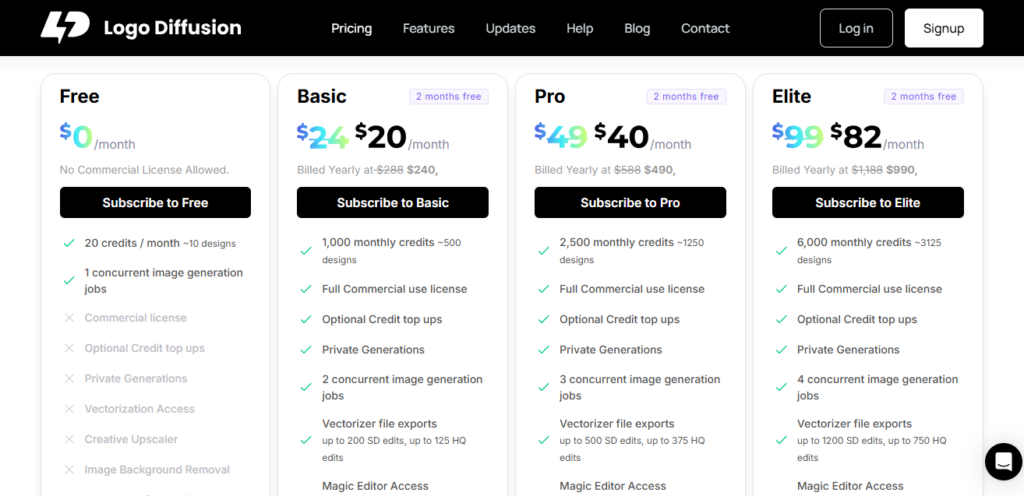
Early-stage founders and solo creators testing the water can start on the Basic plan at $24/mo and upgrade when client or project volume demands it. Annual billing on any plan saves 2 months — Basic drops to $20/mo effective annual cost ($240/yr), Pro to $40.83/mo ($490/yr), and Elite to $82.50/mo ($990/yr).

Is It Worth It?

At $24/mo for the Basic plan with a full commercial licence, vector exports, Magic Editor, background removal, and watermark-free designs, Logo Diffusion packs more editing and export tools into its base tier than most competing logo tools offer at comparable prices.

The Pro plan at $49/mo is the standout value for freelancers — 1,250 designs per month with 4X upscaling and 500 SD vectorizer exports would cost significantly more if purchased as separate tools.

The primary trade-off versus template-based AI logo platforms is that Logo Diffusion requires more iterative prompt refinement to reach a final design; it rewards users who engage with the Magic Editor rather than expecting a single perfect first-generation output.

Logo Diffusion is an AI-powered logo maker and iterative design toolkit that generates unique logo concepts from text prompts, hand-drawn sketches, or uploaded images across 45+ curated styles.

Trusted by over 250,000 creators, it combines text-to-logo generation, sketch-to-logo refinement, Magic Editor, vector export, background removal, and image upscaling into a single platform. Plans range from a free tier (20 credits/month, no commercial use) to paid subscriptions starting at $24/mo for full commercial access, with an Enterprise tier offering custom GPU servers for agencies.

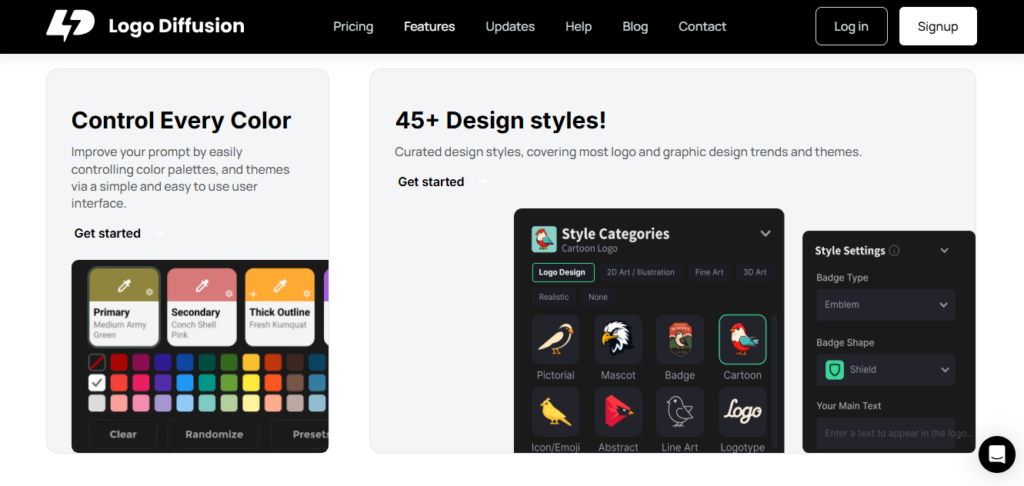
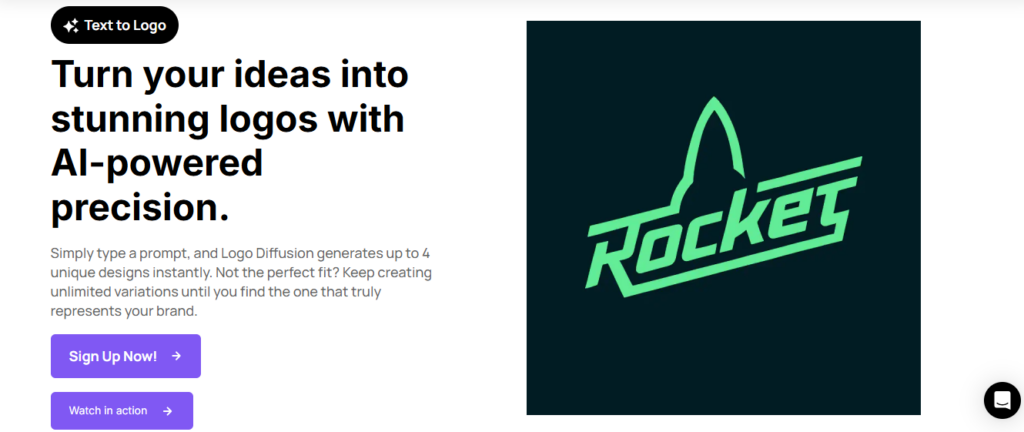
• Text-to-Logo Generator — Instantly generates up to 4 unique logo options per text prompt across 45+ curated design styles covering pictorial, mascot, monogram, badge, line art, and more.

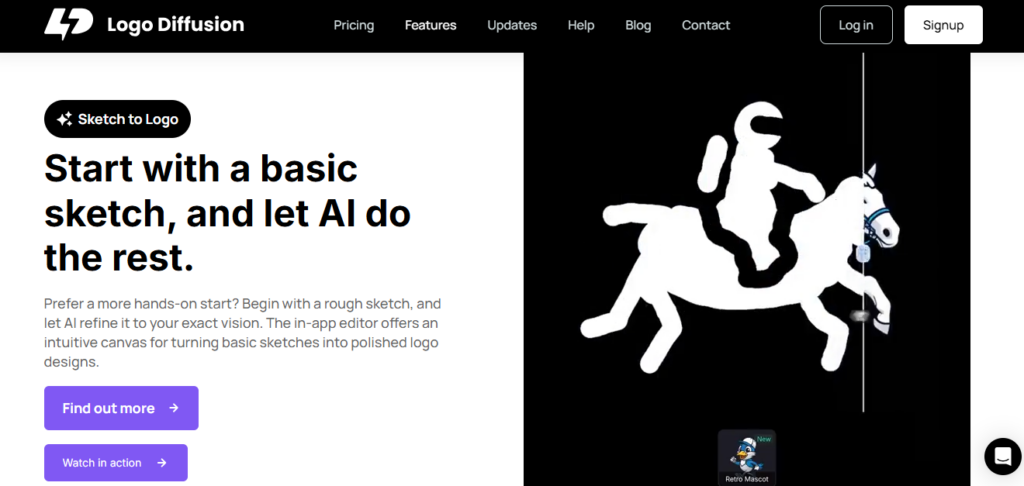
• Sketch-to-Logo Input — Converts rough hand-drawn sketches into polished AI-refined logo designs using built-in brushes, shapes, and font tools for hands-on creative control over AI output direction.

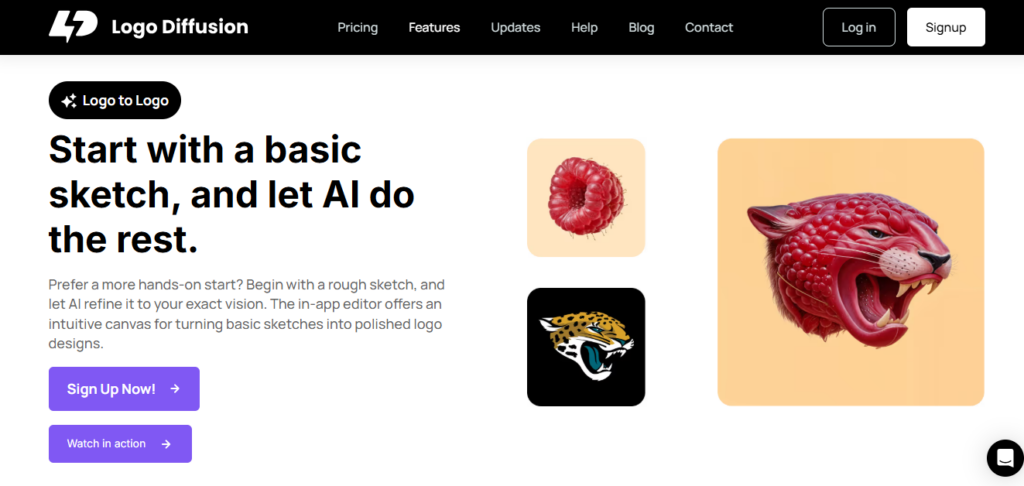
Image-to-Logo Transformation — Uploads any existing image or visual and uses AI to transform it into a new logo direction; ideal for brand redesigns and style-transfer projects.

• Magic Editor — AI-powered refinement tool for making on-brand variations, colour adjustments, and compositional changes to any generated output; available on all paid plans with SD and HQ edit limits per tier.

• Vectorizer File Export — Converts any generated or uploaded image into a clean SVG vector file ready for print, brand guidelines, and vector editing software; limits scale from 200 SD edits (Basic) to 1,200 SD edits (Elite) per month.

• Creative Upscaler — High-resolution image upscaler (2X or 4X depending on plan) delivering publication-quality logo exports without a separate upscaling service subscription.

• Image Background Removal — Instantly creates transparent PNG exports from any generated logo; up to 500 removals/month on Basic, 1,250 on Pro, and 3,000 on Elite.

• Style Transfer — Lets users apply a specific reference style to control both the visual style and composition of AI-generated outputs — useful for replicating a brand aesthetic the standard prompt-to-style pipeline can't capture.

Pros
  • Free plan available with 20 credits/month for testing — no credit card required to explore the platform
  • Three distinct input modes (Text, Sketch, Image-to-Logo) give more creative control than any other AI logo tool at this price point
  • Magic Editor enables iterative on-brand refinement without leaving the platform — no separate design tool subscription needed
  • Vector SVG export and background removal bundled into all paid plans from $24/mo — no per-file export fees
  • Annual billing saves 2 full months — Basic drops to $20/mo effective, Pro to $40.83/mo, Elite to $82.50/mo
  • Enterprise tier with custom trained models and dedicated 24/7 GPU servers available for agencies needing full-scale custom AI workflows
Cons
  • ×Free plan explicitly prohibits commercial use — any business or client use requires a paid plan from $24/mo
  • ×Generative AI output quality requires iterative prompt refinement — users expecting a single perfect first-generation logo may be disappointed compared to template-based tools
  • ×No built-in brand kit, business card generator, or social media template suite — Logo Diffusion is logo-creation-focused, not a full brand identity platform
  • ×Creative Upscaler on Elite plan reverts to 2X only (not 4X as on Pro) — a counterintuitive downgrade that may frustrate high-res needs at the top tier
  • ×No mobile app — the platform is entirely web-based, limiting access for users working from smartphones or tablets
  • ×Concurrent generation jobs are capped at 1 on the free plan and 4 on Elite — high-volume agencies may hit throughput limits during peak production periods

Logo Diffusion is built for creators, freelancers, and agencies who want AI-powered logo generation with iterative editing and vector export — not just a one-click logo download.

• Freelance graphic designers — the Pro plan at $49/mo delivers 1,250 designs/month, 4X upscaling, 500 SD vectorizer exports, and 3 concurrent jobs, enabling rapid client concept delivery without separate vector or upscaling tool subscriptions.

• Agencies and branding studios — the Elite plan at $99/mo (or $82.50/mo annual) provides 3,125 designs/month, 4 concurrent jobs, 1,200 SD vectorizer exports, and 3,000 background removals — covering high-volume production for multiple simultaneous client projects.

• Early-stage founders and solopreneurs — the Basic plan at $24/mo includes a full commercial use licence, Magic Editor access, vector export, and watermark-free designs — everything needed to create and own a professional logo at an accessible monthly cost.

• Non-designers and content creators — Text-to-Logo with 45+ styles and the beginner-friendly Magic Editor make it possible to design professional logos from a written description alone, without any prior design experience or software knowledge.

Free ($0/mo)20 credits/month (~10 designs), 1 concurrent generation job — no commercial licence, no vectorization, no upscaler, no background removal, watermarked downloads only.
Basic ($24/mo, or $20/mo billed annually at $240/yr — 2 months free)1,000 credits/month (~500 designs), full commercial use licence, optional credit top-ups, private generations, 2 concurrent jobs, vectorizer exports (up to 200 SD + 125 HQ edits), Magic Editor (up to 250 SD + 200 HQ edits), 2X Creative Upscaler (100 2X upscales), up to 500 image background removals, watermark-free designs.
Pro ($49/mo, or $40.83/mo billed annually at $490/yr — 2 months free — most popular)2,500 credits/month (~1,250 designs), full commercial use licence, optional credit top-ups, private generations, 3 concurrent jobs, vectorizer exports (up to 500 SD + 375 HQ edits), Magic Editor (up to 625 SD + 500 HQ edits), 4X Creative Upscaler (250 2X or 85 4X upscales), up to 1,250 image background removals, watermark-free designs.
Elite ($99/mo, or $82.50/mo billed annually at $990/yr — 2 months free)6,000 credits/month (~3,125 designs), full commercial use licence, optional credit top-ups, private generations, 4 concurrent jobs, vectorizer exports (up to 1,200 SD + 750 HQ edits), Magic Editor (up to 1,500 SD + 1,200 HQ edits), 2X Creative Upscaler (1,000 2X or 300 4X upscales), up to 3,000 image background removals, watermark-free designs.
Enterprise (Contact for Pricing)Custom trained models, dedicated 24/7 GPU servers, workflows tailored to your specific business and production scale — contact via official site.

Logo Diffusion stands apart through its three-input-mode generation, iterative Magic Editor workflow, Style Transfer control, and an all-in-one toolkit that bundles vector export, background removal, and upscaling without requiring separate tool subscriptions.

• Three Input Modes in One Platform — Text-to-Logo, Sketch-to-Logo, and Image-to-Logo give users three distinct creative starting points that most AI logo tools don't offer, making it equally useful for brand-new concepts and logo redesigns.

• Magic Editor for Iterative Refinement — Rather than accepting a first-generation output, Logo Diffusion's Magic Editor lets you refine, vary, and polish any generated logo on an AI-guided canvas — a workflow built for professional-quality iteration that most template-based logo tools don't support.

• Style Transfer for Precise Brand Replication — Style Transfer gives users control over both the visual style and composition of AI output — critical for replicating a specific brand aesthetic that standard text prompts can't capture reliably.

• All Tools Bundled — No Tool Stacking Required — Vector export (SVG), background removal (transparent PNG), Creative Upscaler, and Magic Editor are all included in paid plans from $24/mo — eliminating the need for separate Vectorizer, Photoshop, or upscaling service subscriptions that competitors require.

Logo Diffusion is a fully web-based platform that exports files compatible with all major design, print, and digital publishing environments.

• All Major Web Browsers — The full platform including Text-to-Logo, Sketch-to-Logo, Image-to-Logo, Magic Editor, and vectorizer is accessible via any modern browser on desktop or laptop with no installation required.

• Vector Design Software (Adobe Illustrator, Figma, Inkscape, Affinity Designer) — SVG vector exports from the Vectorizer open natively in Adobe Illustrator, Figma, Inkscape, and Affinity Designer for further manual customisation or integration into wider brand identity projects.

• Print and Production Platforms — SVG and high-resolution PNG exports are compatible with professional print services, signage vendors, packaging suppliers, T-shirt printers, and embroidery shops — print-ready output is available on all paid plans.

• Digital Publishing and Social Media — Transparent PNG exports (via background removal) and high-res upscaled outputs are ready for direct upload to websites, presentation decks, social media profiles, product catalogues, and marketing materials without additional processing.

CategoryScoreWhy It Matters
Accuracy & Reliability4.1/5Logo Diffusion generates contextually relevant logo concepts across 45+ styles with strong visual consistency per prompt. The Magic Editor and Style Transfer features allow correction of misaligned first-generation outputs, reducing the impact of any single inaccurate generation. Users report that iterative refinement consistently produces professional results, though first-generation accuracy varies more than template-based tools where design direction is more constrained.
Ease of Use4.0/5Text-to-Logo is beginner-accessible — no design skills required. The Sketch-to-Logo and Image-to-Logo modes add meaningful creative depth but require slightly more engagement from the user. The Magic Editor workflow rewards users who iterate, which is less intuitive for first-time users expecting a single perfect output. The platform's FAQ and help resources are comprehensive and reduce the learning curve significantly.
Functionality & Features4.7/5Logo Diffusion bundles text-to-logo, sketch-to-logo, image-to-logo, Magic Editor, vectorizer, background removal, creative upscaler, style transfer, and private generation into a single subscription from $24/mo. This feature density exceeds every AI logo tool at a comparable price point — most competitors require 2–3 separate tool subscriptions to match the same workflow capability.
Performance & Speed4.4/5Generating up to 4 logo options per prompt takes seconds. Concurrent job support (2 on Basic, up to 4 on Elite) allows parallel generation for faster production workflows. Magic Editor refinements process quickly. The Elite plan's dedicated concurrent job capacity and the optional credit top-up system ensure production-scale users are rarely bottlenecked by processing queues.
Customization & Flexibility4.6/5Three input modes (text, sketch, image), 45+ style options, Magic Editor with SD and HQ editing tiers, Style Transfer for precise aesthetic replication, and custom color palette controls give Logo Diffusion the highest creative flexibility of any AI logo tool at this price point. Users are not locked into a template direction — the platform supports open-ended exploration and refinement across every generation.
Data Privacy & Security4.0/5Private Generations are available on all paid plans, ensuring client and confidential brand work is not publicly visible on the platform. Payment processing uses standard secure infrastructure. No major data breach events have been publicly reported. Third-party independent security certifications are not prominently listed on the official site, which is a minor transparency gap for enterprise buyers.
Support & Resources4.1/5Logo Diffusion provides a comprehensive FAQ section directly on the pricing page, a dedicated Help Section, and a contact page for direct support. The platform's blog covers AI logo design trends and tool comparisons with regular 2025–2026 updates. Enterprise users receive dedicated 24/7 GPU server support. Standard plan support response times are not explicitly documented, which is a minor gap compared to competitors like Looka that advertise sub-5-minute live chat.
Cost-Efficiency4.8/5At $24/mo (Basic) for a full commercial licence, Magic Editor, vector export, background removal, and watermark-free designs, Logo Diffusion bundles capabilities that cost $50–$80/mo when purchased separately across dedicated tools. The Pro plan at $40.83/mo annual for 1,250 designs/month with 4X upscaling and 500 SD vector exports is the strongest value per-design-cost of any AI logo platform reviewed. Annual billing saves 2 months across all tiers.
Overall Score4.3/5Logo Diffusion is the most feature-complete AI logo generation and editing platform in 2026 for creators, freelancers, and agencies — three input modes, Magic Editor, vector export, background removal, upscaling, and style transfer bundled from $24/mo is an unmatched combination at this price point. The main limitation versus template-first tools is that it rewards iterative engagement rather than delivering instant perfect results — but for users willing to refine, it consistently produces professional-quality output.

Logo Diffusion is the best AI logo tool in 2026 for creators and freelancers who want generative power with professional editing depth — the combination of three input modes, Magic Editor, vector export, background removal, and upscaling in a single $24/mo subscription is unmatched at that price point.

The Pro plan at $49/mo is the clear sweet spot for freelancers needing high-volume output and 4X upscaling, while the Elite plan at $99/mo covers agency-scale production.

The main trade-off versus template-first tools like Looka or Turbologo is that Logo Diffusion rewards iterative refinement rather than delivering a perfect first-generation result — users who engage with the Magic Editor and style controls will consistently get professional output; users expecting instant one-click perfection may need more patience.

Q1.Is Logo Diffusion free to use?
Ans:-Yes — Logo Diffusion has a permanent free plan that includes 20 credits/month (~10 designs) and 1 concurrent generation job. However, the free plan explicitly states 'No Commercial License Allowed,' meaning you cannot use free-plan designs for business or client work. For commercial use, paid plans start at $24/mo (Basic).
Q2.How much does Logo Diffusion cost in 2026?
Ans:-Logo Diffusion has four tiers: Free ($0/mo), Basic ($24/mo or $20/mo annually), Pro ($49/mo or $40.83/mo annually), and Elite ($99/mo or $82.50/mo annually). All annual plans include 2 months free. An Enterprise plan with custom pricing is available via contact for agencies needing dedicated GPU servers and custom trained models.
Q3.What is the difference between Logo Diffusion's Basic, Pro, and Elite plans?
Ans:-Basic ($24/mo) includes 1,000 credits (~500 designs), 2 concurrent jobs, 2X upscaler, 200 SD vectorizer edits, and 500 background removals — ideal for solo creators. Pro ($49/mo) doubles credits to 2,500 (~1,250 designs), adds 4X upscaling, 500 SD vectorizer edits, and 3 concurrent jobs — built for freelancers. Elite ($99/mo) provides 6,000 credits (~3,125 designs), 4 concurrent jobs, 1,200 SD vectorizer edits, and 3,000 background removals — designed for agencies.
Q4.Does Logo Diffusion export vector files?
Ans:-Yes — the Vectorizer tool converts any generated or uploaded image into a clean SVG vector file on all paid plans. Limits scale with plan: Basic allows up to 200 SD + 125 HQ vectorizer edits per month, Pro allows up to 500 SD + 375 HQ, and Elite allows up to 1,200 SD + 750 HQ. Vector files are ready for print, brand guidelines, and vector editing software like Adobe Illustrator.
Q5.What is the Magic Editor in Logo Diffusion?
Ans:-Magic Editor is Logo Diffusion's AI-powered refinement tool that lets you make on-brand changes, variations, and polishing adjustments to any generated logo output. It's available on all paid plans with SD and HQ edit limits: Basic gets 250 SD + 200 HQ edits/month, Pro gets 625 SD + 500 HQ, and Elite gets 1,500 SD + 1,200 HQ. It is the core tool for iterating from a rough AI generation to a deliverable-quality final logo.
Q6.Can I use Logo Diffusion for client work?
Ans:-Yes — all paid plans (Basic, Pro, Elite) include a Full Commercial Use License, allowing you to use generated logos for client projects, business branding, and commercial products. The Free plan explicitly prohibits commercial use. For agencies producing at scale, the Elite plan provides the highest credit and export limits, plus an Enterprise option with custom trained models.
Q7.Does Logo Diffusion support sketch-to-logo input?
Ans:-Yes — Logo Diffusion's Sketch-to-Logo mode lets you start with a rough hand-drawn sketch using built-in brushes, shapes, and font tools, and then use AI to refine it into a polished logo design. This gives users hands-on compositional control that pure text-prompt generators can't match, and is particularly useful for designers who have a specific visual concept in mind.
Q8.What are credits in Logo Diffusion and how do they work?
Ans:-Credits are Logo Diffusion's unified usage currency for generating and refining outputs. Each plan includes a fixed monthly credit allowance: 20 (Free), 1,000 (Basic), 2,500 (Pro), and 6,000 (Elite). Different actions (standard generation, HQ generation, Magic Editor edits) consume different credit amounts. All paid plans support optional credit top-ups if you exceed your monthly allowance before the next renewal.
Q9.Does Logo Diffusion offer background removal?
Ans:-Yes — image background removal is included on all paid plans, producing instant transparent PNG exports. Monthly limits are 500 removals on Basic, 1,250 on Pro, and 3,000 on Elite. This eliminates the need for a separate background removal tool subscription for logo and brand asset workflows.
Q10.How does Logo Diffusion compare to Looka or Turbologo?
Ans:-Logo Diffusion is more generative and editing-focused than Looka or Turbologo — it supports text, sketch, and image inputs, offers 45+ styles, and provides iterative Magic Editor refinement and vector export in one tool. Looka and Turbologo are template-driven and easier to use for non-designers who want a fast, single-output result, but offer less creative depth. Logo Diffusion suits designers and creators who want AI-powered iteration; Looka and Turbologo suit business owners who want a fast, polished logo with minimal creative input.

Promote This Tool

Help others discover this tool by sharing this page.

✓ Link copied to clipboard!

Logo Diffusion Reviews

0.0
Based on 0 reviews
5 star
0%
4 star
0%
3 star
0%
2 star
0%
1 star
0%

Write a Review

Your Rating:

No reviews yet. Be the first to share your thoughts!

36 Similar Logo Diffusion Tools