Home Categories Deals Sign Up
Updated: April 25, 2026

Inside ImagineArt: A Closer Look

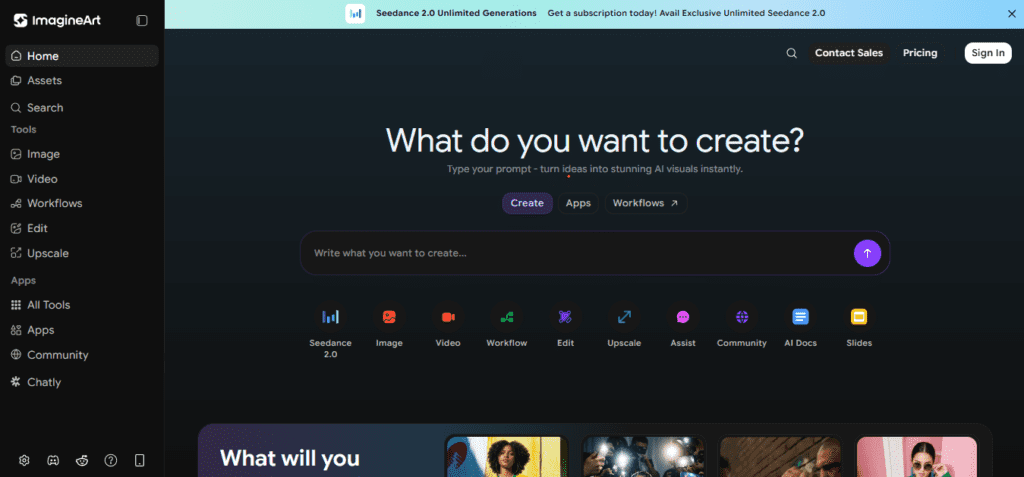
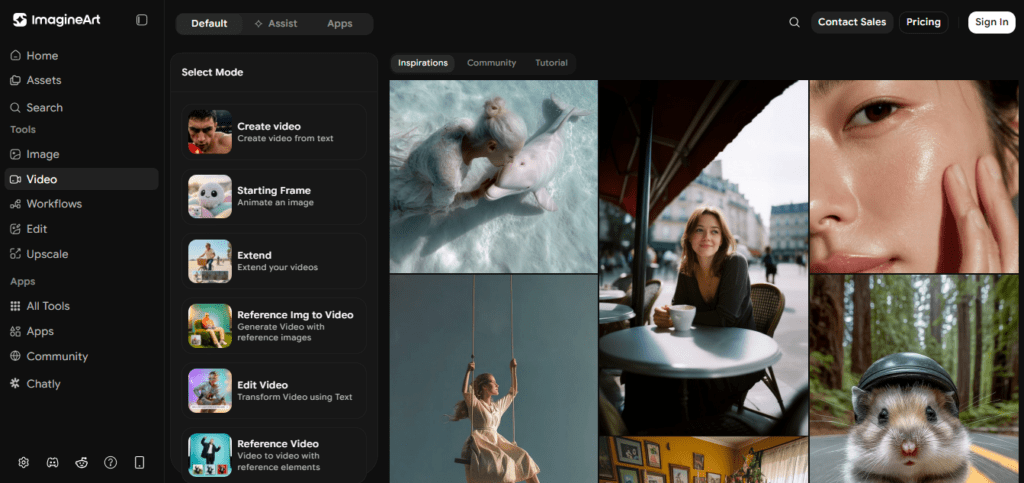
ImagineArt brings together image generation, video creation, voice cloning, and AI music under one subscription. You don't need to juggle Midjourney, Runway, and ElevenLabs separately — this platform handles all of it in a single dashboard. Trusted by over 100 million users, it has grown into one of the most comprehensive AI creative suites available today.

Key Capabilities

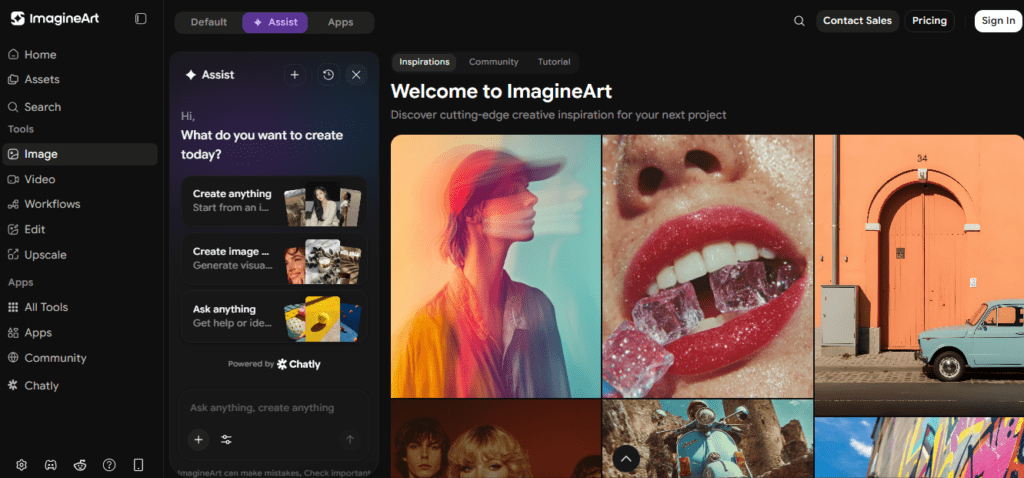
The platform hosts 15+ state-of-the-art models including ImagineArt 1.5, Flux 2, Kling 3.0, Seedance 2.0, and Google Veo 3.1 — all accessible from one interface.

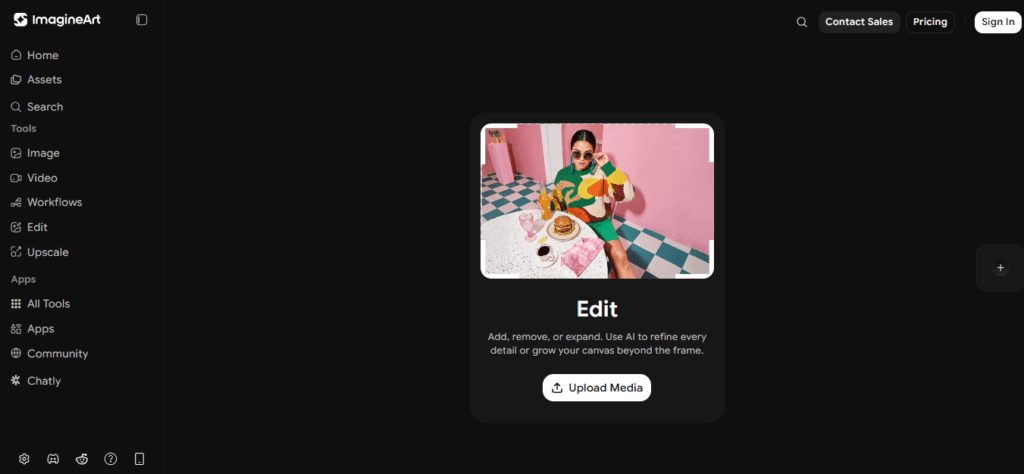
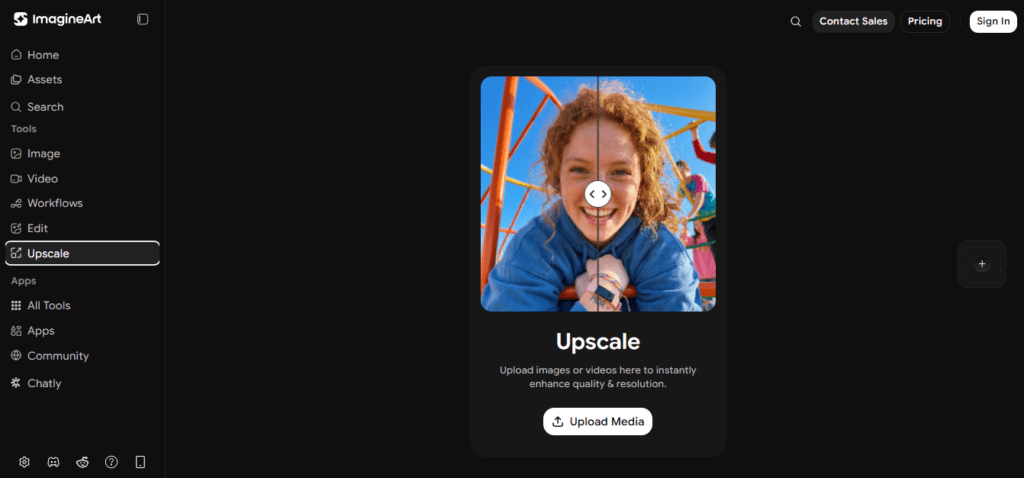
You can generate images from text prompts, convert images into video, inpaint and expand existing visuals, upscale output to 4K, remove backgrounds, and animate still photos.

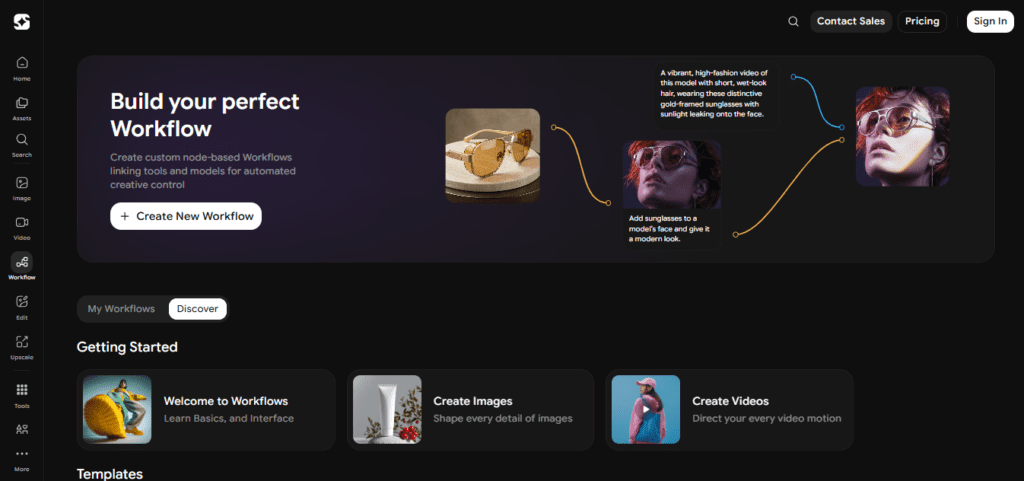
The ImagineFlow Workflows feature lets you build node-based visual pipelines that chain generation, editing, and export steps into repeatable automated processes — a major time-saver for agencies and power users.

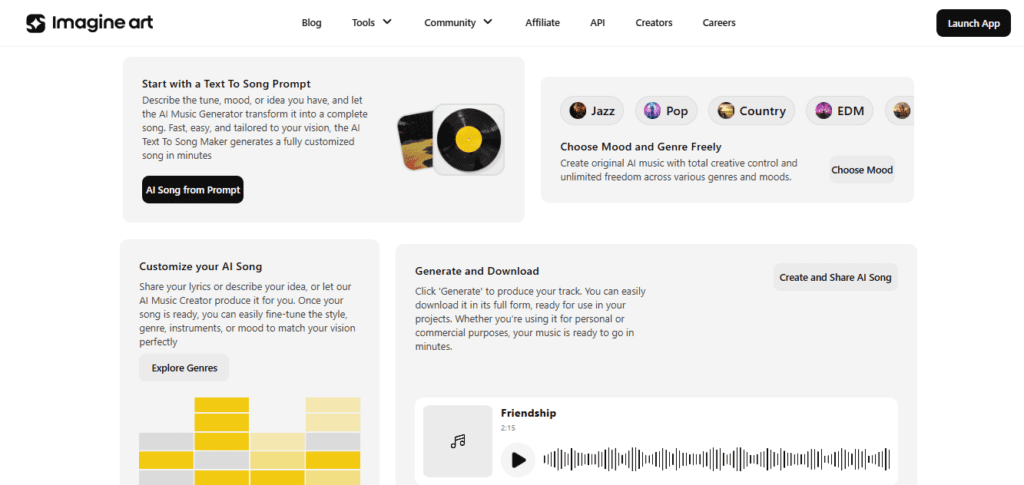
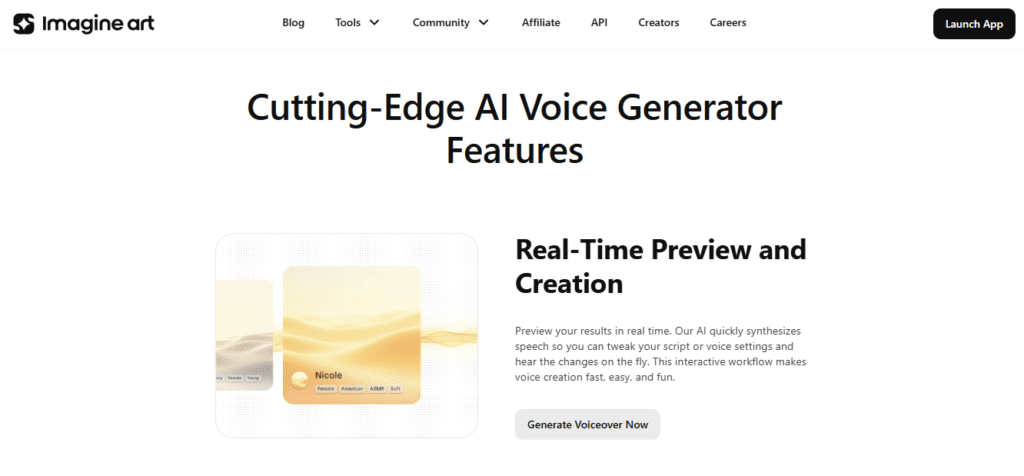
Beyond visuals, ImagineArt includes a Lipsync Studio, AI voice cloning, text-to-speech, and an AI music generator. The platform also offers Imagine Apps — one-click solutions that turn a logo or product image into production-ready ad creatives, social posts, and full campaign sets. A built-in Team Workspace supports real-time collaboration with folder management, role-based permissions, and version history.

Who Gets the Most Out of It

Digital marketers and e-commerce sellers get the most immediate value here. The Product Photoshoot Workflow takes a single product photo and generates an entire studio gallery — lifestyle, luxury, minimal, cinematic — in under five minutes.

Content creators building YouTube, TikTok, or Instagram assets can use ImagineArt's video models to produce high-quality clips without filming anything.

Designers and agencies with tight deadlines benefit most from ImagineFlow's ability to automate repetitive creative tasks at scale using Claude and ChatGPT integrations inside the canvas.

Is It Worth It?

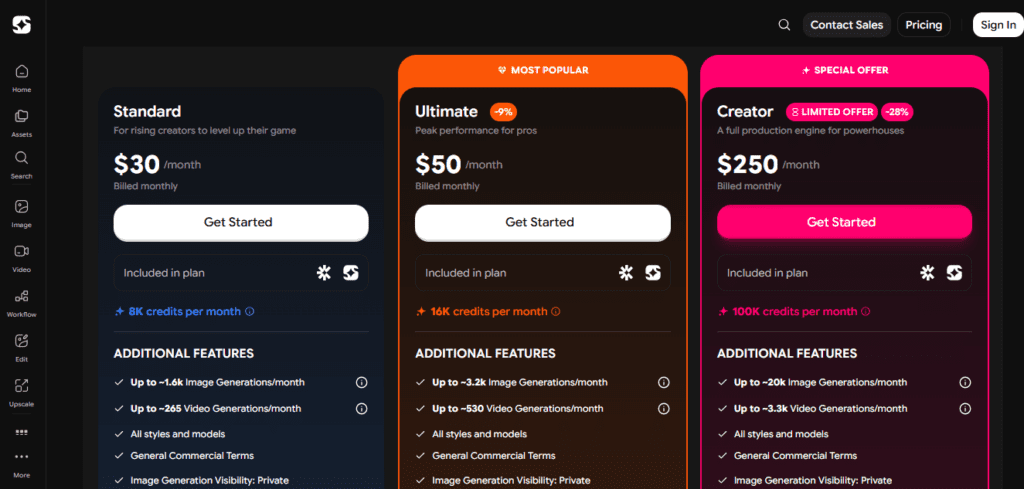
If you currently pay for separate subscriptions across multiple AI tools, ImagineArt can consolidate them under one plan starting at $30/month billed monthly — or as low as $20/month when you commit to an annual plan. The free tier lets you experiment daily before committing to any paid tier.

The main trade-off is that credits drain fast on high-end video models like Seedance 2.0 and Kling 3.0, so heavy video users should budget for the Ultimate plan at $50/month or $34/month billed yearly.

For growing brands and solo creators, the Standard tier offers strong ROI compared to paying for individual tools separately.

ImagineArt is an all-in-one AI creative platform developed by Vyro, launched in 2022 and headquartered in San Francisco. It lets you generate images, videos, voiceovers, and music from text prompts, and build automated creative workflows using its node-based ImagineFlow system.

Trusted by over 100 million users, it serves creators, marketers, and agencies who want a single workspace for their entire AI content pipeline.

• Text-to-Image Generation — Create photorealistic or stylized images using models like ImagineArt 1.5, Flux 2, Nano Banana 2, and GPT Image 1.5 from simple text prompts, generating up to ~1.6K images/month on the Standard plan.

• Text-to-Video & Image-to-Video — Turn prompts or still images into dynamic video clips using Kling 3.0, Seedance 2.0, Google Veo 3.1, and Runway Gen 4.5 — Standard plan supports up to ~265 video generations/month.

• ImagineFlow Workflows — Build visual node-based pipelines that chain text, image, video, and editing steps into automated, repeatable creative processes with LLM integrations including Claude and ChatGPT.

• Imagine Apps — One-click app templates that transform a product photo or logo into full ad campaigns, social media creatives, and CGI product visuals without manual prompt engineering.

• AI Editing Suite — Inpaint, outpaint, background removal, 4K upscaling, style transfer, and cinematic relight tools built directly into the platform with no third-party editor needed.

• AI Voice, Lipsync & Music — Clone voices, generate natural-sounding speech, sync lip movement to audio with Lipsync Studio, and produce original AI music tracks for video content.

• Team Workspace — Invite collaborators, assign role-based permissions, manage folders, and track version history in a shared workspace available on paid plans.

• Mobile Apps (iOS & Android) — Generate images and videos, manage projects, and run workflows on the go via native apps for iPhone and Android devices.

Pros
  • Free tier available with daily token refresh — no credit card required to start
  • Access to 15+ leading models including Kling 3.0, Seedance 2.0, Veo 3.1, and Flux 2 under one subscription
  • ImagineArt 1.5 ranks among the global top 3 for photorealism, outperforming Adobe Firefly in independent benchmarks
  • ImagineFlow Workflows automate full text-to-image-to-video pipelines in a single visual canvas with LLM integrations
  • Built-in voice cloning, Lipsync Studio, and AI music eliminate the need for separate audio tool subscriptions
  • All paid plans include General Commercial Terms and private image generation visibility
  • Annual billing saves up to 33–50% compared to monthly billing across all plans
Cons
  • ×Standard plan starts at $30/month billed monthly — significantly higher than many single-purpose AI image tools
  • ×Credits deplete fast on premium video models — Seedance 2.0 and Kling 3.0 consume more credits per generation than image-only models
  • ×Free tier outputs are public by default — private visibility requires upgrading to a paid plan
  • ×No native Photoshop or Canva plugin — you must export assets manually and import them into external design tools
  • ×ImagineFlow Workflows have a steep learning curve for non-technical users unfamiliar with node-based systems
  • ×Credit rollover is not available — unused monthly credits expire at the end of each billing cycle

ImagineArt is best suited for creators and businesses who need image and video output at scale without juggling multiple subscriptions.

E-commerce sellers — the Product Photoshoot Workflow generates full studio-quality galleries including lifestyle, luxury, and minimal scenes from a single product photo, with up to ~20K image generations/month on the Creator plan.

• Digital marketers and ad agencies — Imagine Apps turn logos and brand assets into production-ready Meta and TikTok ad creatives with one click, and all paid plans include General Commercial Terms for safe monetization.

• Content creators on YouTube, TikTok, and Instagram — the Ultimate plan at $50/month ($34/mo yearly) unlocks ~530 video generations/month using Kling 3.0, Runway Gen 4.5, and Seedance 2.0.

• AI power users and workflow builders — ImagineFlow's node canvas with Claude and ChatGPT integrations is ideal for anyone building automated creative pipelines at scale across all paid tiers.

• High-volume production teams and agencies — the Creator plan at $250/month ($175/mo yearly) delivers 100K credits/month, ~20K image generations, and ~3.3K video generations, making it a full production engine.

Free ($0/mo)Daily token refresh, basic image generation with standard models, public gallery only, limited concurrent generations, web and mobile app access — no credit card required.
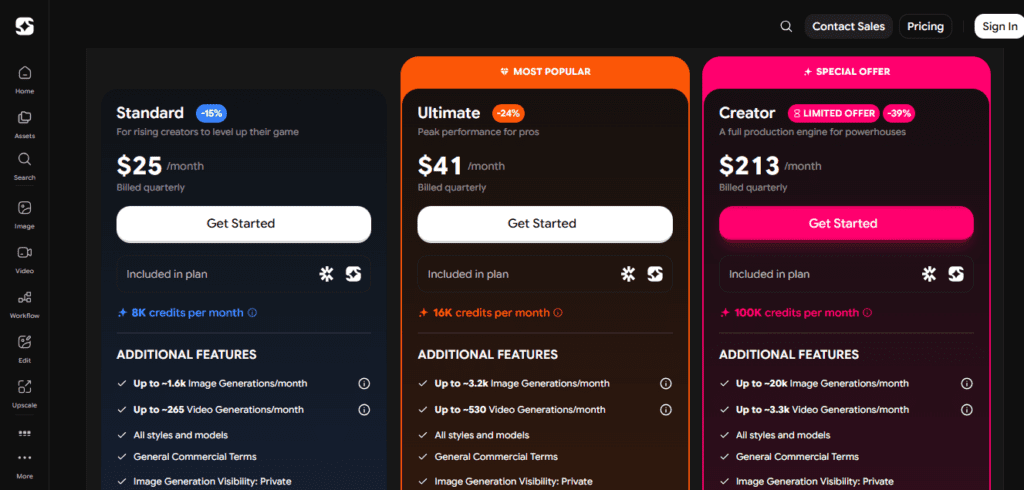
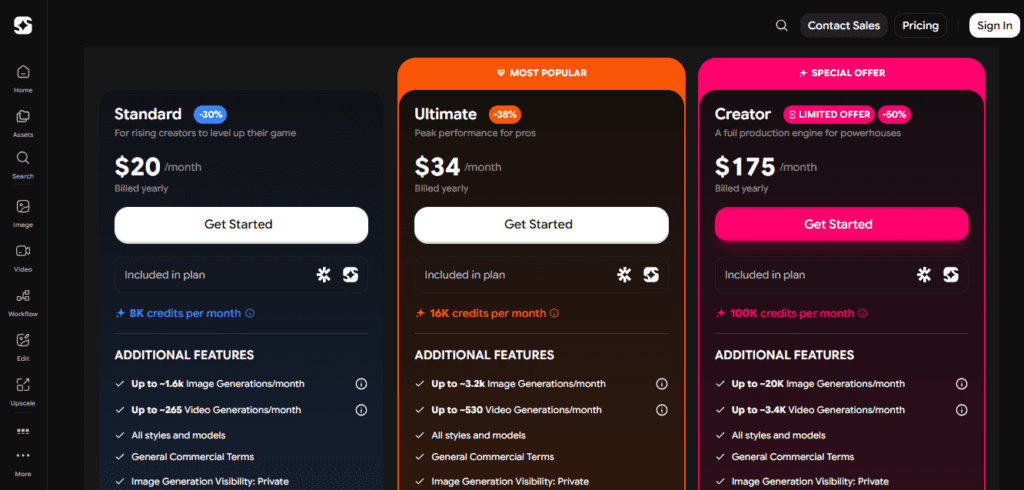
Standard ($30/mo billed monthly | $25/mo billed quarterly | $20/mo billed yearly)8,000 credits per month, up to ~1,600 image generations/month, up to ~265 video generations/month, all styles and models, General Commercial Terms, image generation visibility set to Private.
Ultimate ($50/mo billed monthly | $41/mo billed quarterly | $34/mo billed yearly)16,000 credits per month, up to ~3,200 image generations/month, up to ~530 video generations/month, all styles and models, General Commercial Terms, image generation visibility set to Private.
Creator ($250/mo billed monthly | $213/mo billed quarterly | $175/mo billed yearly)100,000 credits per month, up to ~20,000 image generations/month, up to ~3,300–3,400 video generations/month, all styles and models, General Commercial Terms, image generation visibility set to Private — full production engine for powerhouses.

ImagineArt stands out by combining enterprise-grade AI models, a visual workflow builder, and a full audio suite into one credit-based platform.

• ImagineFlow Node-Based Canvas — you visually chain text, image, video, and editing models into automated pipelines with LLM integrations (Claude, ChatGPT), a capability typically found only in expensive developer-focused tools like ComfyUI.

• Unified Multi-Modal Output — unlike competitors focused on a single medium, ImagineArt covers images, video, voice cloning, lipsync, and music under one subscription and one credit wallet, simplifying billing and workflow.

• Imagine Apps One-Click Templates — pre-built campaign generators let non-designers produce CGI product photos, cinematic ads, and branded social posts from a single upload without writing a single prompt.

• 15+ Model Access in One Dashboard — you can switch between Kling 3.0, Seedance 2.0, Veo 3.1, Runway Gen 4.5, Flux 2, and ImagineArt 1.5 within the same project, giving you creative flexibility no single-model tool can match.

• Flexible Billing Cycles — monthly, quarterly, and yearly billing options with discounts up to 33–50% on annual plans, giving teams and solo creators the ability to choose a cost structure that fits their budget.

ImagineArt runs as a web app and via native mobile apps, with integrations expanding through its Workflow canvas.

• Web Browser — fully accessible on Chrome, Firefox, Edge, and Safari with no installation required; all tools including ImagineFlow, Imagine Apps, and the editing suite run in-browser.

• iOS & Android Mobile Apps — native apps available on the Apple App Store and Google Play Store let you generate images, manage projects, and access your workspace from any smartphone.

• LLM Integrations via ImagineFlow — the node-based Workflow canvas supports direct API connections to Claude (Anthropic) and ChatGPT (OpenAI) as prompt or processing nodes within automated pipelines.

• API Access — ImagineArt provides an API endpoint for developers and teams who want to embed image or video generation into their own applications, dashboards, or content pipelines.

• Export Compatibility — generated assets export as PNG, JPG, MP4, and WebP formats, making them directly compatible with Canva, Adobe Premiere Pro, CapCut, Meta Ads Manager, and other downstream tools.

CategoryScoreWhy It Matters
Accuracy & Reliability4.3/5ImagineArt 1.5 delivers strong photorealism and ranks among the global top 3 for image quality in independent benchmarks. Video output from Kling 3.0 and Seedance 2.0 is consistently high quality, though occasional prompt misinterpretations appear with complex multi-subject scenes. The platform maintains high uptime and generation success rates across all paid tiers.
Ease of Use4.2/5The core image and video generation interface is clean and beginner-friendly — most users can generate their first image within minutes of signing up. Imagine Apps and one-click templates lower the barrier further for non-technical users. However, ImagineFlow's node-based canvas has a notable learning curve that may frustrate users without prior automation or ComfyUI experience.
Functionality & Features4.7/5ImagineArt is one of the most feature-complete AI creative platforms available in 2026, covering images, video, voice cloning, lipsync, music, 4K upscaling, background removal, inpainting, and workflow automation in a single subscription. Access to 15+ leading models including Kling 3.0, Veo 3.1, Flux 2, and Runway Gen 4.5 in one dashboard is a major differentiator. All paid tiers — from Standard to Creator — unlock all styles and models without feature gating.
Performance & Speed4.1/5Standard image generation typically completes in 5–15 seconds on paid plans. Video generation with Seedance 2.0 or Kling 3.0 takes 60–180 seconds depending on resolution and clip length. Free tier users experience longer queues during peak hours, which can be frustrating for time-sensitive creative work.
Customization & Flexibility4.5/5The platform supports model switching mid-project, style controls, negative prompts, ControlNet-style conditioning, and full node-based workflow customization through ImagineFlow. The ability to chain Claude and ChatGPT into creative pipelines gives advanced users a level of flexibility that goes beyond most consumer AI tools. Flexible billing cycles — monthly, quarterly, and yearly — add financial flexibility for different team sizes.
Data Privacy & Security3.8/5Free tier generations are published to the public gallery by default, which is a genuine privacy concern for commercial users testing with real brand assets. All paid plans — Standard ($30/mo), Ultimate ($50/mo), and Creator ($250/mo) — enable private image generation visibility. The platform does not publicly publish a detailed model training opt-out policy, which may limit trust for enterprise use cases with sensitive content.
Support & Resources4.0/5ImagineArt maintains a detailed help documentation center and an active official YouTube channel with tutorials on ImagineFlow Workflows, model-specific guides, and product photoshoot walkthroughs. Support quality scales with plan tier — users on higher plans receive better response prioritization. Standard tier users rely primarily on documentation and community forums, with reported ticket response times of 24–48 hours.
Cost-Efficiency4.2/5The Standard plan at $20/month billed yearly covers ~1,600 images and ~265 videos per month — replacing what would cost $40–60/month across Midjourney, Runway, and a standalone voice tool. The Ultimate plan at $34/month yearly with ~530 video generations is competitively priced for the output volume. The monthly billing entry point of $30/month for Standard is high for solo creators on a tight budget who only need occasional use.
Overall Score4.3/5ImagineArt is the strongest all-in-one AI creative suite at its price point in 2026, making it the smartest choice for creators and marketers who want to consolidate image, video, voice, and workflow tools under one subscription. The public-by-default free tier and relatively high monthly billing entry price are real friction points, but the depth of models, flexible billing options, and multi-modal output make it worth the investment for anyone generating content at scale.

ImagineArt is one of the most versatile AI creative platforms available in 2026, offering image generation, video creation, voice cloning, and workflow automation with plans from $30/month (or $20/month billed yearly) and a free tier for getting started.

It delivers the most value to e-commerce brands, content creators, and agencies who need high-volume, multi-format output — the Ultimate plan's ~530 video generations/month at $50/month ($34 yearly) is hard to beat across competing tools.

The main caveat is that monthly billing is expensive relative to single-purpose tools, so annual commitment is where the real value lives.

Q1.Is ImagineArt free to use?
Ans:-Yes, ImagineArt has a permanent free tier with a daily token refresh — no credit card required. Free outputs are public by default and access to advanced video models is limited. To unlock private visibility and higher generation limits, paid plans start at $30/month billed monthly or $20/month billed yearly.
Q2.What does ImagineArt's Standard plan include?
Ans:-The Standard plan gives you 8,000 credits per month, supporting up to ~1,600 image generations and ~265 video generations per month. It includes all styles and models, General Commercial Terms, and private image generation visibility. It costs $30/month billed monthly, $25/month billed quarterly, or $20/month billed yearly.
Q3.How much does ImagineArt's Ultimate plan cost?
Ans:-The Ultimate plan costs $50/month billed monthly, $41/month billed quarterly, or $34/month billed yearly. It includes 16,000 credits per month, up to ~3,200 image generations and ~530 video generations per month, all styles and models, General Commercial Terms, and private image visibility.
Q4.What is included in the ImagineArt Creator plan?
Ans:-The Creator plan is designed for high-volume production and includes 100,000 credits per month, up to ~20,000 image generations and ~3,300–3,400 video generations per month, all styles and models, General Commercial Terms, and private visibility. It costs $250/month billed monthly, $213/month billed quarterly, or $175/month billed yearly.
Q5.What AI models does ImagineArt support?
Ans:-ImagineArt gives you access to 15+ models in one dashboard, including ImagineArt 1.5, Flux 2, Kling 3.0, Seedance 2.0, Google Veo 3.1, Runway Gen 4.5, and GPT Image 1.5. All paid plans — Standard, Ultimate, and Creator — include access to all styles and models. You can switch models within the same project without leaving the platform.
Q6.Does ImagineArt offer a discount for annual billing?
Ans:-Yes. Choosing yearly billing saves significant money across all plans — Standard drops from $30/month to $20/month (33% savings), Ultimate from $50/month to $34/month (32% savings), and Creator from $250/month to $175/month (30% savings). A quarterly billing option also exists at mid-range prices for those who prefer flexibility.
Q7.Can I use ImagineArt for commercial projects?
Ans:-Yes. All paid plans — Standard, Ultimate, and Creator — include General Commercial Terms, giving you the right to use generated images and videos in commercial projects. Free tier output is publicly visible by default, so for brand-sensitive commercial work, upgrading to a paid plan is strongly recommended.
Q8.How does ImagineArt compare to Midjourney on price?
Ans:-Midjourney's Basic plan starts at $10/month for image generation only. ImagineArt's Standard plan starts at $30/month but includes video generation (up to ~265/month), voice tools, music generation, workflow automation, and access to 15+ models. For pure image generation, Midjourney is cheaper, but ImagineArt delivers far more capability per dollar if you use multiple media types.
Q9.What is ImagineFlow and how does it work?
Ans:-ImagineFlow is ImagineArt's node-based visual workflow builder that lets you chain AI models, editing steps, and LLM integrations (Claude, ChatGPT) into automated creative pipelines. You connect nodes on a canvas — for example, text input → image generation → background removal → video export — and the workflow runs automatically. It is available across all paid plans.
Q10.Does ImagineArt have a mobile app?
Ans:-Yes, ImagineArt has native apps for both iOS (Apple App Store) and Android (Google Play Store). The mobile apps let you generate images and videos, manage your projects, and access your full workspace from your phone. Complex ImagineFlow Workflows are best managed on desktop for a better canvas editing experience.

Promote This Tool

Help others discover this tool by sharing this page.

✓ Link copied to clipboard!

ImagineArt Reviews

0.0
Based on 0 reviews
5 star
0%
4 star
0%
3 star
0%
2 star
0%
1 star
0%

Write a Review

Your Rating:

No reviews yet. Be the first to share your thoughts!

48 Similar ImagineArt Tools