Home Categories Deals Sign Up
Updated: April 25, 2026

How PromeAI Works: Sketch In, Render Out

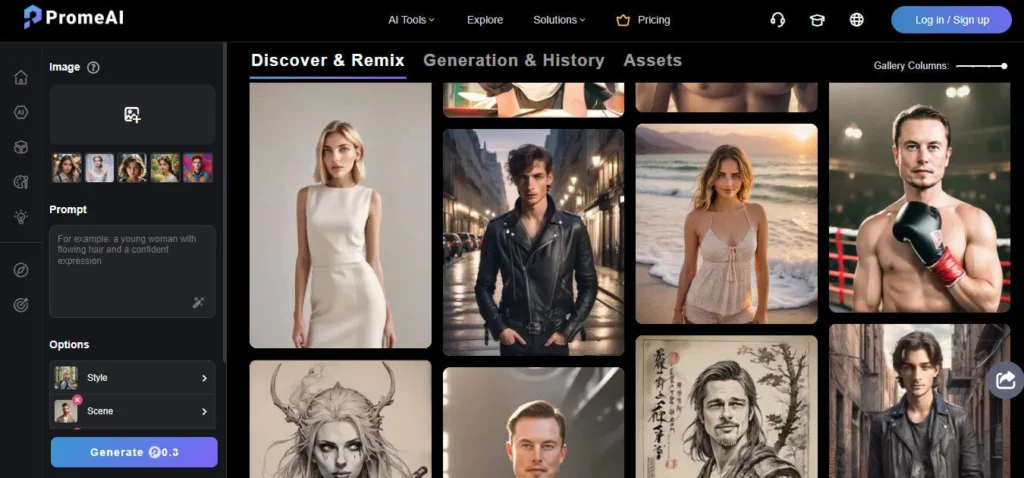
PromeAI is an AI-powered creative studio built specifically for designers who need to move fast from rough idea to polished visual. Upload a hand-drawn sketch, a SketchUp wireframe, or a text prompt — and the platform returns a photorealistic render in about 10 seconds.

With over 1,700 style presets covering everything from Scandinavian interiors to Brutalist architecture, you can iterate through dozens of concept directions without touching V-Ray or Lumion.

Trusted by over 2 million users, it's become a go-to tool for architects, interior designers, and product developers who want to compress their concept presentation process from hours to minutes.

Key Capabilities

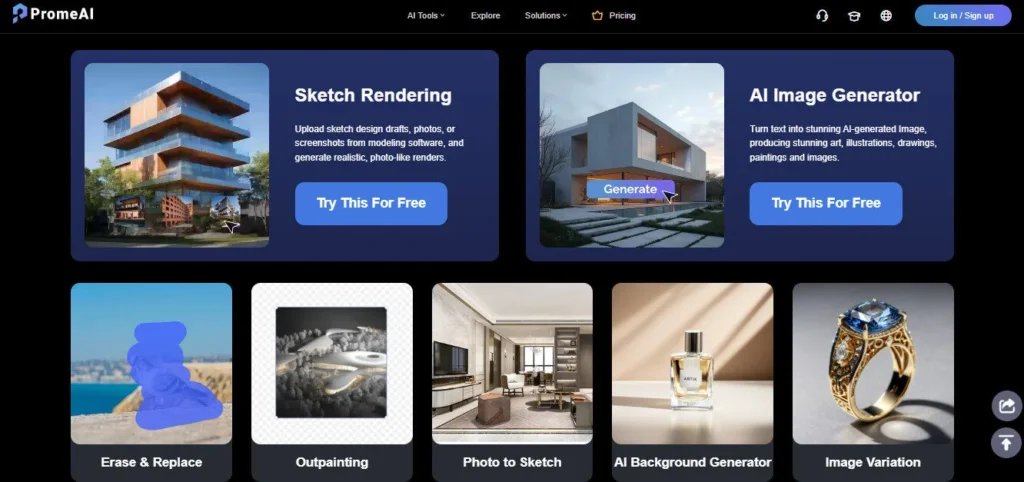
PromeAI's core is Sketch Rendering — upload any line drawing and the AI interprets spatial relationships, lighting, and materials to output a client-ready image.

Beyond that, the platform packs 14+ tools: Text-to-Image generation, Creative Fusion for blending sketches with artistic styles, Image Variation for rapid design alternatives, Background Replacement, an AI Supermodel feature for fashion mockups, Outpainting to extend scene edges, HD Upscaling for print-quality output, and Erase & Replace to swap specific elements (change a sofa, replace flooring) without regenerating the whole scene.

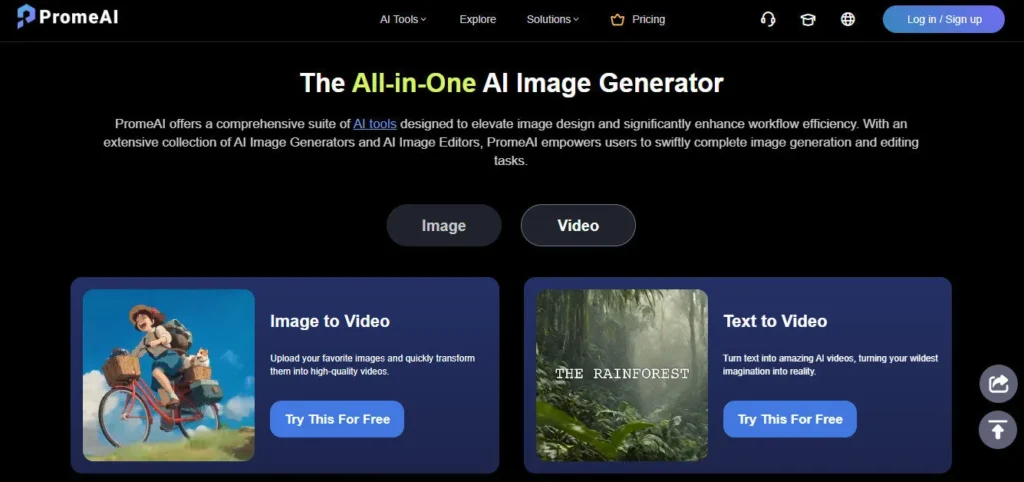
Newer additions include Image-to-Video and Text-to-Video generation, though those features are still maturing compared to dedicated video AI tools. The platform runs on a coin-based credit system — each generation costs coins depending on the tool and resolution tier.

Unused coins roll over month-to-month as long as your subscription stays active, which is a notable advantage over platforms with hard monthly resets.

Who Gets the Most Out of It

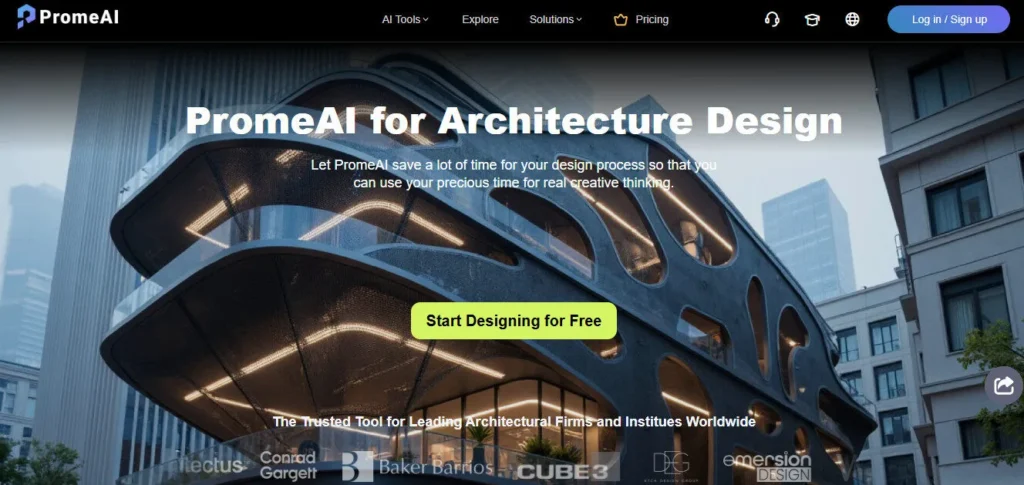
Architects can feed SketchUp wireframes or hand sketches directly into PromeAI and get client-ready renders in seconds — a workflow that previously required a 3D rendering specialist.

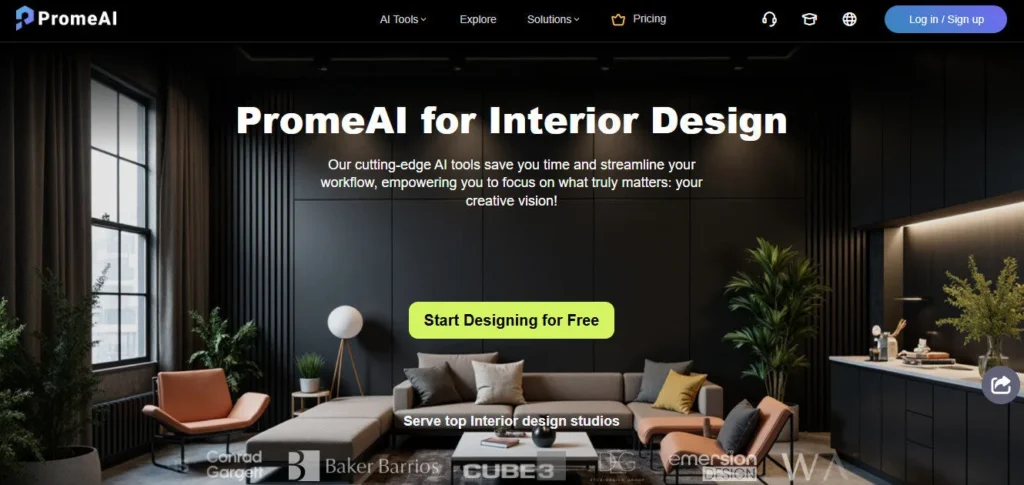
Interior designers use it to rapidly test color schemes, furniture layouts, and material choices across multiple styles before committing to a direction. Product designers find it useful during early ideation, though results become less reliable for mechanically complex designs.

Fashion designers use the AI Supermodel feature to create virtual lookbooks without a photoshoot. Marketing teams also find value in quick visual asset creation when turnaround time is tight.

Is It Worth It?

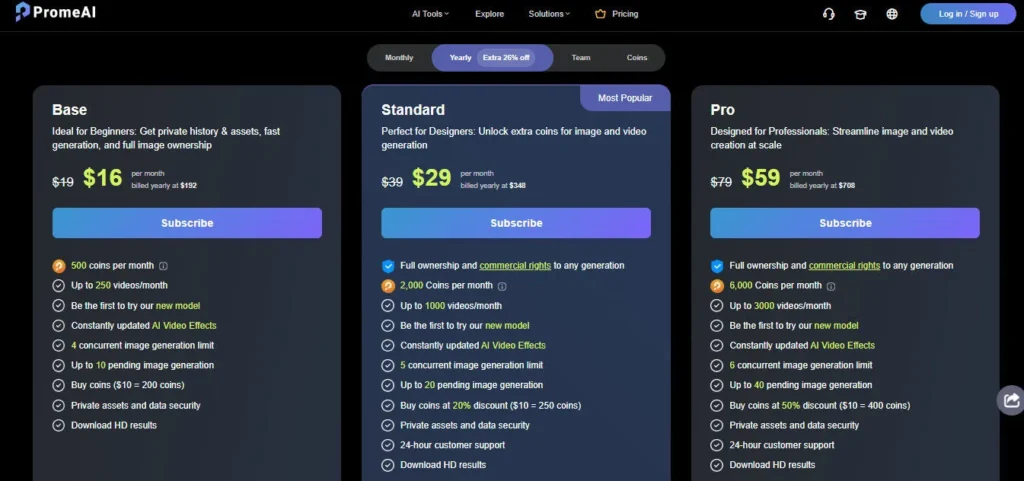
For architects and interior designers who spend hours creating initial concept presentations, PromeAI's Standard plan at $29/month (billed annually) is strong value.

You get 2,000 coins per month, commercial licensing, video generation, and a 20% coin discount. The free tier's 10 coins per month is genuinely useful for testing the tool's core workflow before committing.

One honest caveat: output quality can be inconsistent — particularly with human faces and body proportions — and some users report occasional blurry results during peak server load. PromeAI is best treated as a concept acceleration tool, not a replacement for final-output rendering software like KeyShot or V-Ray.

PromeAI is an AI-powered creative platform that transforms sketches, text prompts, and photos into photorealistic images and videos using over 1,700 design styles.

Built for architects, interior designers, product designers, and creatives, it offers 14+ tools including sketch rendering, Image Editing">image editing, HD upscaling, and AI video generation — all in one browser-based workspace. The platform operates on a coin-based credit system with plans ranging from a free tier (10 coins/month) to a Pro plan at $79/month (or $59/month annually).

• Sketch Rendering — Upload any hand-drawn sketch, floor plan, or wireframe and receive a photorealistic render in ~10 seconds; the AI interprets spatial depth, lighting, and materials automatically.

• 1,700+ Style Presets — Choose from an extensive library of architectural and design styles (Scandinavian, Brutalist, Japanese, Industrial, Modern, and more) to rapidly iterate concept directions.

• Creative Fusion — Blend an uploaded sketch with a reference image or artistic style to produce hybrid outputs that combine your structure with a target aesthetic.

• Erase & Replace — Swap specific elements inside a generated image (change furniture, replace flooring, remove objects) without regenerating the entire scene — saving coins and time.

• HD Upscaler — Increase image resolution and detail quality to print-ready levels, useful when AI-generated renders need to appear in client presentations or marketing materials.

• Image-to-Video & Text-to-Video — Convert still renders into short animated clips or generate video scenes from text prompts; functional for concept animations and social media content.

• AI Supermodel — Place fashion designs onto AI-generated models for virtual lookbook creation without a physical photoshoot — particularly useful for apparel and fashion designers.

• Coin Rollover — Unused monthly coins carry over to the next month as long as the subscription remains active, unlike platforms where credits hard-reset each billing cycle.

Pros
  • Sketch-to-render workflow is genuinely fast — photorealistic outputs from hand-drawn sketches in ~10 seconds
  • 1,700+ style presets cover the full range of architectural and interior design aesthetics
  • Free tier (10 coins/month) lets you test core features before committing to a paid plan
  • Unused coins roll over monthly — no hard credit reset each billing cycle
  • Erase & Replace tool lets you swap individual scene elements without regenerating the full image
  • All-in-one platform combines sketch rendering, image editing, video generation, and fashion mockups
  • Commercial licensing included from the Standard plan ($39/mo) upward
Cons
  • ×Output quality is inconsistent — human faces, body proportions, and complex mechanical designs produce unreliable results
  • ×Content filter sometimes blocks legitimate design work, causing friction on deadline-driven projects
  • ×Free plan's 10 coins per month runs out extremely fast when iterating on designs — barely enough for meaningful testing
  • ×Video generation (Image-to-Video, Text-to-Video) lags behind dedicated tools like Runway or Pika in output quality
  • ×Interface feels cluttered when exploring advanced tools — finding the right combination of styles, prompts, and references takes experimentation
  • ×Rendering speed slows noticeably during peak server hours

PromeAI is built for design professionals and creatives who need to turn rough concepts into polished visuals fast — without mastering traditional rendering software.

• Architects — Feed SketchUp wireframes or hand-drawn floor plans directly into PromeAI and receive client-ready renders in seconds, skipping the need for a dedicated 3D rendering specialist.

• Interior designers — Rapidly test color schemes, furniture arrangements, and material choices across dozens of style presets before committing to a design direction with a client.

• Product designers — Use PromeAI during early-stage ideation to visualize simple product sketches quickly; best for concept-stage work rather than final-output mechanical renders.

Fashion designers — Use the AI Supermodel feature to place clothing designs onto virtual models for lookbook creation without scheduling a photoshoot.

Marketing teams — Generate quick visual assets for campaigns, social media, and presentations when turnaround time is tight and a full creative production is not feasible.

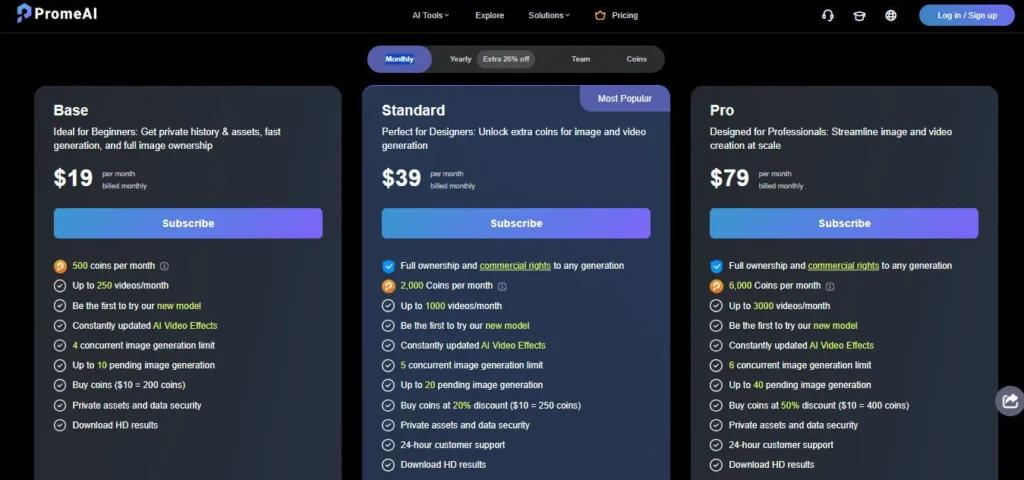
Free ($0/mo)10 coins per month, Relaxed generation speed only, 3 concurrent generations, limited style library, preview-quality downloads only, use history, private data security, 48-hour support response. Personal use only.
Base ($19/mo, or $16/mo billed annually as $192/yr)500 coins per month, Relaxed and Fast generation speeds, video generation, HD downloads, 1,733+ styles, all design modes, premium styles, professional mode, use history, private data security, 24-hour support. Personal use only.
Standard ($39/mo, or $29/mo billed annually as $348/yr)2,000 coins per month, Relaxed, Fast, and Video generation speeds, all Base Plan features, commercial licensing included, 20% discount on additional coin purchases, 24-hour support.
Pro ($79/mo, or $59/mo billed annually as $708/yr)6,000 coins per month, Relaxed, Fast, and Video generation speeds, all Standard Plan features, 80% discount on additional coin purchases, priority support, downgrade option.
Team Plans (Annual only)Teams of 2–5 at $3,900/yr, Teams of 10 at $7,080/yr, Teams of 20 at $12,960/yr — 6,000 coins per member per month, all Pro features, team account management, private workplace, public sharing.

PromeAI stands out from generic AI image tools with a combination of breadth and design-workflow specificity that few platforms match at this price point.

• Design-Native Sketch Rendering — Unlike Midjourney or DALL-E which are prompt-first tools, PromeAI's core workflow starts with your actual sketch or wireframe; the AI acts as a rendering assistant that respects your structure rather than ignoring it.

• Coin Rollover System — Unused coins carry forward month-to-month as long as the subscription is active — a meaningful advantage over platforms like Adobe Firefly or Canva AI that hard-reset credits each billing cycle.

• 1,700+ Curated Design Styles — The style library is tailored specifically to architecture, interiors, product design, and fashion — not generic art styles — making it immediately practical for professional design workflows.

• All-in-One Design Studio — Sketch rendering, image editing, HD upscaling, outpainting, video generation, and fashion mockups under one subscription eliminates the need to pay for multiple specialized tools across different platforms.

PromeAI is a fully browser-based platform with no installation required, accessible across all major operating systems and devices.

• Web Browser — Runs on Chrome, Safari, Firefox, and Edge; no desktop app or plugin needed, fully functional on any device with a modern browser and internet connection.

Image File Inputs — Accepts JPEG and PNG uploads from any source: smartphone photos, scanned sketches, DSLR shots, or exported screenshots from SketchUp, AutoCAD, or other design software.

• SketchUp & CAD Exports — While no direct plugin exists, designers routinely import exported wireframe screenshots from SketchUp, Rhino, AutoCAD, and Blender as sketch inputs for rendering.

• Affiliate & API Access — PromeAI offers an affiliate program (10% commission) and business collaboration channels, indicating API and enterprise integration options are available via direct contact.

CategoryScoreWhy It Matters
Accuracy & Reliability3.9/5Sketch rendering and interior design outputs are consistently strong, with accurate spatial interpretation and material rendering. However, G2 and Dupple reviewers note recurring inconsistencies with human faces, body proportions, and complex mechanical designs — a real limitation for fashion and product designers who need precise figurative accuracy.
Ease of Use4.1/5The core sketch-to-render workflow is beginner-friendly and produces results within 10 seconds with minimal setup. The interface becomes noticeably cluttered when exploring the full suite of 14+ tools, and finding the right combination of style presets, reference images, and prompt text requires experimentation.
Functionality & Features4.5/5With 14+ tools spanning sketch rendering, image editing, HD upscaling, outpainting, video generation, and fashion mockups — all under one subscription — PromeAI offers exceptional breadth. Few competitors at this price point combine this many design-specific tools without requiring separate platform subscriptions.
Performance & Speed3.8/5Photo and sketch-based renders typically complete in 8–10 seconds under normal server load — fast enough for live client sessions. Multiple user reviews report noticeably slower generation during peak hours, and some note recent degradation in render quality with occasional blurry outputs and artifacts.
Customization & Flexibility4.4/5The combination of 1,700+ curated design styles, text prompt control, reference image blending via Creative Fusion, and element-level editing via Erase & Replace gives designers strong iterative control. The coin rollover system adds further scheduling flexibility that most credit-based platforms lack.
Data Privacy & Security4.0/5PromeAI lists private data security as a feature across all plans, including the free tier. The platform processes uploaded design files on its servers, which is standard for cloud-based AI tools. No specific SOC 2 certification or enterprise-grade data processing agreements are publicly documented.
Support & Resources3.8/5Free users receive 48-hour support response times; paid plans drop to 24-hour response; Pro users get priority support. The official PromeAI blog is well-maintained with tutorials, pricing guides, and feature walkthroughs. There is no live chat or community forum publicly documented, limiting real-time troubleshooting options.
Cost-Efficiency4.3/5The Standard plan at $29/month annually (2,000 coins, commercial license, video generation) is competitively priced relative to what architects and interior designers would otherwise spend on rendering software or freelance 3D artists. The coin rollover system and tiered coin discount (20% on Standard, 80% on Pro) reward consistent, high-volume users.
Overall Score4.1/5PromeAI is one of the most feature-complete AI design rendering platforms available today, with a clear strength in sketch-to-render workflows for architecture and interior design. Inconsistent output quality on human figures and cluttered UX for advanced features hold it back from a higher score, but for concept-stage design visualization it delivers more breadth than most competitors at its price point.

PromeAI is one of the most capable all-in-one AI design rendering platforms available today, particularly for architects, interior designers, and product designers who need fast concept visualizations.

The Standard plan at $29/month annually strikes the best value for professionals who need commercial licensing and 2,000 coins per month. Inconsistent output quality on complex human figures and the thin free-tier allowance (10 coins) are real limitations worth noting, but for sketch-to-render and design iteration workflows, PromeAI delivers more breadth than most competitors at this price point.

Q1.Is PromeAI free to use?
Ans:-Yes, PromeAI has a permanent free plan that gives you 10 coins per month — enough for basic testing but not for regular use. Paid plans start at $19/month for 500 coins. No credit card is required to start on the free tier.
Q2.What are PromeAI's pricing plans in 2026?
Ans:-PromeAI offers four personal plans: Free ($0, 10 coins/mo), Base ($19/mo or $16/mo annually, 500 coins), Standard ($39/mo or $29/mo annually, 2,000 coins), and Pro ($79/mo or $59/mo annually, 6,000 coins). Team plans for groups of 2–20 are available annually starting at $3,900/year.
Q3.What is a 'coin' in PromeAI and how many do I need?
Ans:-Coins are PromeAI's credit currency — each AI generation costs a set number of coins depending on the tool and output quality. The free plan's 10 coins runs out in just a few renders. For regular design work, the Standard plan's 2,000 coins per month is a comfortable working allowance for most designers.
Q4.Do PromeAI coins roll over if I don't use them?
Ans:-Yes. Unused coins carry over to the following month as long as your subscription remains active. This is a meaningful advantage over platforms that hard-reset credits each billing cycle, giving you flexibility during slower months.
Q5.Does PromeAI include a commercial license?
Ans:-Commercial licensing is included from the Standard plan ($39/month or $29/month annually) and above. The Free and Base plans are for personal use only — you cannot legally use those outputs in paid client work or commercial marketing materials.
Q6.Can PromeAI render from SketchUp or CAD files?
Ans:-PromeAI does not have a direct plugin for SketchUp, AutoCAD, or Rhino. However, architects and designers routinely export wireframe screenshots from those tools and upload them as sketch inputs. The AI interprets the line work and produces a photorealistic render from it.
Q7.How does PromeAI compare to Midjourney for design work?
Ans:-Midjourney produces higher-quality general-purpose images, but it is prompt-first — it doesn't accept sketches as structural input. PromeAI's sketch-to-render workflow is more useful for architects and interior designers who need the AI to respect their spatial layout rather than invent one from scratch.
Q8.What are PromeAI's biggest limitations?
Ans:-Output quality is inconsistent with human faces and body proportions, and complex mechanical product designs render unreliably. The content filter occasionally blocks legitimate design prompts, which can be frustrating on a deadline. Generation speed also slows noticeably during peak server hours.
Q9.Does PromeAI support video generation?
Ans:-Yes — Image-to-Video and Text-to-Video features are available on Base, Standard, and Pro plans. Results are functional for concept animations and social media content, but they don't yet match the quality of dedicated video AI tools like Runway or Pika Labs.
Q10.Is PromeAI worth it for a solo interior designer?
Ans:-For a solo interior designer who regularly presents concept directions to clients, the Standard plan at $29/month annually (2,000 coins, commercial license) offers solid value. It replaces hours of manual rendering work and allows rapid style iteration during client sessions — a strong ROI for active practitioners.

Promote This Tool

Help others discover this tool by sharing this page.

✓ Link copied to clipboard!

PromeAI Reviews

0.0
Based on 0 reviews
5 star
0%
4 star
0%
3 star
0%
2 star
0%
1 star
0%

Write a Review

Your Rating:

No reviews yet. Be the first to share your thoughts!

48 Similar PromeAI Tools