Home Categories Deals Sign Up
Updated: April 25, 2026

AI Two in Action: 120+ Design Tools Under One Roof

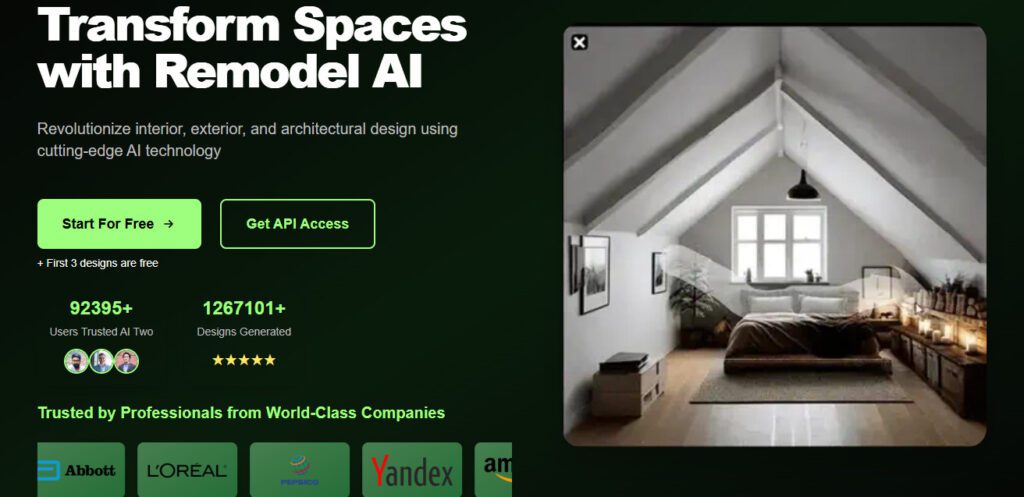
AI Two is one of the most expansive all-in-one AI creative platforms for property and design professionals, trusted by 306,248+ users with 1,693,409+ designs generated to date.

Unlike tools that focus on a single use case, AI Two combines interior design, exterior remodeling, virtual staging, landscaping, AI architecture, sketch-to-reality rendering, paint visualization, and video/voiceover generation in a single weekly credit-based subscription.

The first 2 designs are free with no credit card required — and results arrive in under 30 seconds. From casual homeowners evaluating renovation potential to real estate agents creating listing visuals, the platform covers a wider creative range than almost any competitor at its price point.

Key Capabilities

AI Two's 120+ tools span three major design verticals. Interior tools include Design & Remodel Interior, Virtual Staging AI, Render & ReRender AI for interiors, Sketch to Reality, and Paint AI. Exterior tools include Remodel AI for facades, buildings, and houses — changing siding, roofing, windows, and doors — plus Landscaping AI for garden and yard redesign.

Architecture tools cover AI Architecture Design and Render & ReRender AI for architectural sketches, transforming concept drawings into photorealistic presentation renders.

Beyond still images, AI Two also generates videos (Image-to-Video, Text-to-Video), Text-to-Speech voiceovers, and provides access to 5,000+ AI tools across its platform — positioning it as a creative studio rather than a pure staging tool.

The credit system runs on weekly billing cycles: 300 credits/week on the Plus plan ($9.99/week) or 500 credits/week on the Premium plan ($14.99/week). Commercial use is included on both paid plans. Designs can be used in real estate listings, client presentations, and commercial projects without additional licensing fees.

Who Gets the Most Out of It

Real estate agents use AI Two primarily for exterior remodeling previews and virtual staging — helping buyers visualize renovation potential in properties that show poorly in their current state.

Architects and designers use the Sketch to Reality and Render & ReRender AI tools to quickly convert hand-drawn or digital concept sketches into client-ready photorealistic renders, compressing feedback cycles from days to minutes.

Homeowners considering renovation use the Paint AI and exterior remodeling tools to explore color and material options before committing. Content creators and marketers benefit from the video generation and text-to-speech tools alongside the design features — making AI Two genuinely cross-disciplinary rather than purely a design tool.

The platform is less suited for users who need MLS-specific compliance workflows, structural lock features, or real shoppable product integration — those specialized needs are better served by purpose-built real estate staging platforms.

Is It Worth It?

At $9.99/week ($43.29/month equivalent) for 300 credits and access to 5,000+ AI tools, the Plus plan positions AI Two as a creative suite subscription rather than a per-image staging tool. For users who only need occasional staging, this weekly billing structure may feel expensive relative to credit-based monthly plans from competitors.

However, for professionals who actively use multiple tool types — design, exterior, video, voiceover — the breadth of access per dollar is strong. The 2-free-design trial with no credit card required gives you a real sense of output quality before committing, and the cancel-anytime policy means no long-term risk.


AI Two (aitwo.co) is an all-in-one AI creative suite for design, remodeling, and visualization — covering interior design, exterior remodeling, virtual staging, AI architecture, landscaping, sketch-to-reality rendering, paint visualization, video generation, and text-to-speech voiceovers.

Trusted by 306,248+ users with 1.69M+ designs generated, it offers 120+ AI tools across 60+ design styles with results in 30 seconds. Plans are billed weekly: Plus at $9.99/week (300 credits) and Premium at $14.99/week (500 credits), with 2 free designs on sign-up and no credit card required.

• Interior Design & Remodel AI — Upload any room photo and transform it with new furniture, colors, materials, and layouts across 60+ styles; supports living rooms, bedrooms, kitchens, bathrooms, and more.

• Exterior Remodel AI — Redesign facades, siding, roofing, windows, doors, and paint colors for houses and commercial buildings; previews renovation potential in under 30 seconds.

Virtual Staging AI — Furnish empty rooms with photorealistic furniture and decor for real estate listings, client presentations, and marketing materials with commercial use included.

• Sketch to Reality — Convert hand-drawn or digital architectural and interior sketches into detailed photorealistic renders — the platform's core differentiator for architects and designers in early concept stages.

• Landscaping & Yard Design AI — Redesign gardens, yards, and outdoor spaces with new plants, hardscaping, and lawn arrangements to preview curb-appeal improvements or complete landscaping concepts.

• AI Architecture Design — Generate architectural concepts and building visualizations from text prompts or reference images in under 30 seconds — useful for early-stage massing studies and client concept presentations.

Video Generator & Text-to-Speech — Generate short videos from images or text prompts and create AI voiceovers — extending AI Two beyond still design into content creation for social media, property tours, and presentations.

• Paint AI — Visualize exterior and interior paint colors on real room and facade photos before committing to physical painting — one of the most-used tools among homeowner and real estate agent segments.

Pros
  • 2 free designs on sign-up with no credit card required — zero-friction quality test before committing
  • Broadest tool range in its category — 120+ tools spanning interior, exterior, architecture, landscaping, video, and voiceover
  • 60+ design styles with new styles added monthly and custom style requests accepted
  • Commercial use included on both paid plans — outputs are legal for real estate listings, client work, and marketing
  • 4.9/5 rating from 306,248+ users — strong independent quality signal across a large user base
  • 30-second generation speed consistently reported across multiple independent reviews
  • Weekly billing with cancel-anytime policy — no annual commitment required to access the full platform
Cons
  • ×Weekly billing model ($9.99–$14.99/week) is unusual in this category — equivalent to $43–$65/month, which may feel expensive for occasional users compared to monthly credit-based competitors
  • ×No dedicated Structural Lock feature for MLS-compliant real estate staging — risk of architectural misrepresentation on listing photos
  • ×No real shoppable products integration — outputs are visual-only with no direct retailer purchase path
  • ×Credit refresh is weekly rather than monthly — users with variable workloads may find weekly resets create more frequent plan management overhead
  • ×Free tier is limited to 2 total designs, not a recurring monthly allowance — after 2 uses you must pay to continue
  • ×Output consistency can vary across complex rooms or exterior configurations — high-quality inputs produce significantly better results than casual phone snapshots

AI Two is best suited for creative professionals and property stakeholders who need breadth of design tools rather than deep specialization in a single use case.

Real estate agents — Use exterior remodeling, virtual staging, and landscaping tools to help buyers visualize renovation potential in properties that show poorly in their current state; Paint AI is especially useful for occupied listings.

• Architects and designers — Use Sketch to Reality and Render & ReRender AI to convert concept sketches into photorealistic client presentation renders in under 30 seconds, compressing early-stage feedback cycles from days to minutes.

• Homeowners planning renovation — Explore paint colors, exterior material options, interior layouts, and landscaping ideas across 60+ styles before committing to any physical changes or hiring a contractor.

• Content creators and property marketers — Combine AI Two's design tools with video generation and text-to-speech voiceovers to create complete visual content packages for social media, property listings, and client presentations without switching between platforms.

Free (Sign-up, No Credit Card Required)2 total free designs — full-quality output on the same AI as paid plans. One-time trial; designs do not renew. Watermark status on free tier not specified — verify before using in commercial listings.
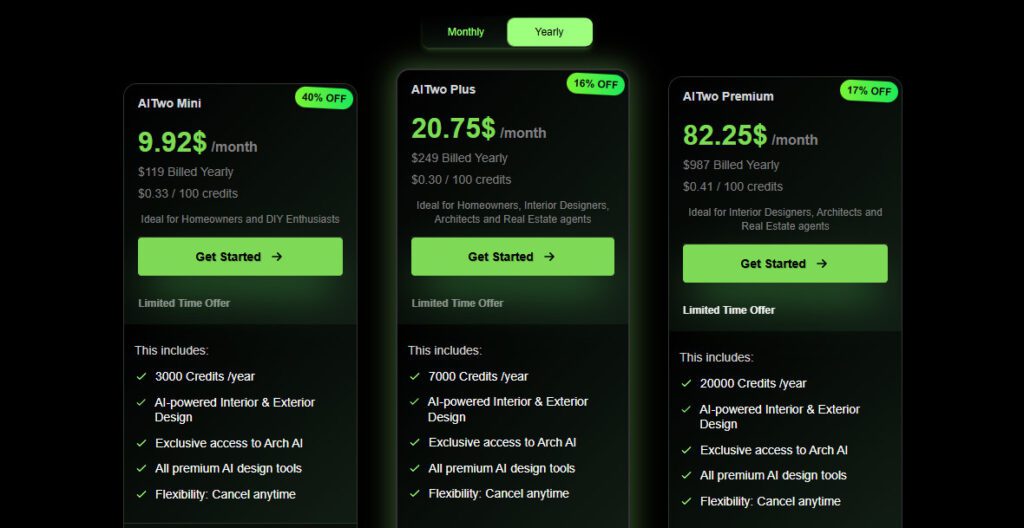
Plus ($9.99/week — Limited Time 33% OFF from $14.99/week)300 Premium Credits per week, Access to 5,000+ AI Tools, AI House Painter, Interior AI, Exterior AI, Landscaping & Yard Design AI, Architecture Design AI, Commercial use license, Works on all devices, Cancel Anytime. Per 100 credits: $3.33.
Premium ($14.99/week — Limited Time 25% OFF from $19.99/week)500 Premium Credits per week, All Plus plan features, Access to 5,000+ AI Tools, AI House Painter, Interior AI, Exterior AI, Landscaping & Yard Design AI, Architecture Design AI, Commercial use license, Works on all devices, Cancel Anytime. Per 100 credits: $3.00.

AI Two differentiates itself from focused virtual staging tools through the breadth and cross-disciplinary range of its creative suite.

• Sketch to Reality Across Interiors and Architecture — The ability to transform hand-drawn or digital sketches into photorealistic renders for both interior rooms and architectural exteriors in one platform is unusually broad; most competitors offer sketch rendering for only one of the two verticals.

• 120+ Tools Including Video and Voiceover — AI Two extends beyond design into video generation (Image-to-Video, Text-to-Video) and Text-to-Speech voiceover creation under the same subscription — making it the only tool in this review set that covers the full content creation workflow alongside visual design.

• 5,000+ AI Tools Access — The Plus and Premium plans include access to a library of 5,000+ AI tools across the platform, well beyond the core design verticals — enabling use cases in image editing, content generation, and creative work that extend beyond property and design.

• Weekly Credit Refresh with Cancel-Anytime Flexibility — The weekly billing cycle with no long-term commitment means users can subscribe for a single active design sprint (one or two weeks of intensive client work) and then cancel without paying for idle months — a flexibility model not offered by any monthly-only competitor.

AI Two is fully browser-based and accessible across all modern devices and platforms without installation.

• Web Browser — Fully functional on Chrome, Safari, Firefox, and Edge on desktop and mobile; no plugin, app, or download required — accessible from any device including smartphones for on-site photo uploads.

Image File Inputs — Accepts standard JPEG and PNG photo uploads from any source: smartphones, DSLRs, screenshots, or scanned sketches — also supports reference photo uploads for style-directed generation.

• Stripe Payments — All billing processed via Stripe with SSL encryption; supports major credit and debit cards with a cancel-anytime policy and no cancellation fees.

• Technology Stack — Built on React and Next.js frontend with Node.js backend; AI image generation powered by Stable Diffusion and Premium Munch rendering algorithms — enabling the Sketch to Reality and photorealistic rendering capabilities across all design verticals.

CategoryScoreWhy It Matters
Accuracy & Reliability4.0/5AI Two delivers highly realistic exterior and interior visualizations that correctly account for lighting, material textures, and architectural proportions in most cases — confirmed by Skywork.ai's 2025 hands-on review and AItools.xyz's 4.85/5 user rating from 13 reviews. Skywork.ai notes the tool can occasionally produce generic or architecturally impractical results when input photos are low-quality or constraints are ambiguous.
Ease of Use4.6/5The upload-select-generate workflow requires no design experience and delivers results in 30 seconds — verified across multiple independent reviews and confirmed by user testimonials specifically citing ease of use as the platform's standout quality. The 2-free-design trial with no credit card lowers the barrier to first use to near zero.
Functionality & Features4.7/5120+ design tools covering interior, exterior, architecture, landscaping, virtual staging, sketch-to-reality, video, and voiceover under one subscription is the broadest feature range of any tool reviewed in this category. The 5,000+ additional AI tool access on paid plans extends value well beyond the core design verticals. The absence of MLS-specific compliance features (Structural Lock, batch listing processing) is a functional gap for high-volume real estate agents.
Performance & Speed4.5/530-second generation speed is consistently confirmed across the official site, user testimonials, and independent reviews. The platform reserves dedicated GPU processing capacity per subscriber — cited in the cancellation policy as justification for the weekly billing model — which contributes to reliable, non-queued generation speed.
Customization & Flexibility4.3/560+ design styles with monthly additions and custom style request support provides strong aesthetic range. Reference photo upload for style-directed generation is available. Constraint and preference controls (room type, budget range, color scheme, keep/replace rules) add targeting precision. The weekly cancel-anytime billing model itself adds scheduling flexibility for project-based users. Element-level furniture swapping and structural lock are absent.
Data Privacy & Security4.0/5Payments are processed via Stripe with SSL encryption — standard for the category. The platform is built on a Node.js backend with Stable Diffusion AI generation. No explicit photo data deletion policy or data retention timeline is publicly documented on the official site. Users uploading client or property photos for commercial work should confirm data handling terms.
Support & Resources3.8/5The official FAQ covers the most common use, billing, and commercial use questions clearly. User testimonials on the homepage include a direct reference to the founder (Usama) responding personally to user feedback — suggesting an accessible founder-led support model. No documented live chat, SLA, or community forum is publicly visible. AItools.xyz user reviews note the customer service team was responsive when bugs were encountered.
Cost-Efficiency3.8/5The Plus plan at $9.99/week equates to approximately $43/month if subscribed continuously — higher than several monthly-billed competitors at the same feature tier. However, the weekly cancel-anytime model means project-based users can subscribe for 1–2 weeks during active client work and cancel between projects, making the effective monthly cost significantly lower for non-continuous users. The 5,000+ tool access per subscription adds breadth that monthly competitors at $29–$49/month don't match.
Overall Score4.2/5AI Two is the most tool-diverse AI design platform in its category — 120+ tools, 60+ styles, video generation, and voiceover under a weekly plan used by 306,248+ professionals. The weekly billing model and lack of MLS-specific compliance features are real limitations for dedicated real estate agents. But for architects, designers, homeowners, and content creators who need the broadest possible creative range in a single subscription, AI Two delivers stronger feature breadth than any comparable tool at its price point.

AI Two is the most tool-diverse AI design platform in this review set — 120+ tools spanning interior design, exterior remodeling, architecture, landscaping, virtual staging, video, and voiceover under one weekly subscription. For professionals who actively use multiple creative tool types, the value per dollar is strong.

The weekly billing model ($9.99–$14.99/week) is unconventional and may feel costly for occasional users, and the absence of MLS-specific compliance features like Structural Lock makes it less suited as a primary staging tool for high-volume listing agents. But for creative range and breadth, no competitor in this category comes close at this price point.

Q1.Is AI Two free to use?
Ans:-Yes — AI Two offers 2 free designs on sign-up with no credit card required. These use the same full-quality AI as paid plans. The 2 designs are a one-time trial allowance, not a monthly recurring free tier. After using them, a paid plan is required to continue generating designs.
Q2.What are AI Two's current pricing plans?
Ans:-AI Two currently offers two plans billed weekly: Plus at $9.99/week (300 credits, 33% off from $14.99) and Premium at $14.99/week (500 credits, 25% off from $19.99). Both include access to 5,000+ AI tools, commercial use license, and all core design tools. Cancel anytime with no cancellation fees.
Q3.How does AI Two's weekly billing work?
Ans:-AI Two bills weekly rather than monthly — your credit allocation (300 or 500 credits) refreshes every 7 days. This means you pay approximately $43–$65/month if subscribed continuously, but you can cancel at any time between billing weeks. It's useful for project-based users who only need the platform for short intensive sprints.
Q4.What tools are included in AI Two beyond interior design?
Ans:-Beyond interior design, AI Two includes Exterior Remodel AI, Virtual Staging AI, Landscaping AI, AI Architecture Design, Sketch to Reality, Render & ReRender AI (interior and architectural), Paint AI, Video Generator, and Text-to-Speech voiceover. All plans also include access to 5,000+ AI tools across the full platform.
Q5.Does AI Two include a commercial use license?
Ans:-Yes. Both the Plus and Premium plans include a commercial use license. Generated designs can be used in real estate listings, client presentations, marketing materials, and commercial projects. The official FAQ confirms commercial use is permitted for all generated outputs.
Q6.What is the Sketch to Reality feature in AI Two?
Ans:-Sketch to Reality converts hand-drawn or digital architectural and interior sketches into photorealistic visualizations. It supports both room interiors and architectural exteriors — making it useful for architects presenting early concepts to clients and for designers who work with hand-drawn floor plans or concept diagrams.
Q7.Can AI Two be used for MLS real estate listing photos?
Ans:-AI Two can generate virtual staging and exterior remodeling visuals suitable for real estate presentations. However, unlike some dedicated staging platforms, it does not offer a Structural Lock feature to prevent architectural misrepresentation. Agents using AI Two for MLS listing photos should verify their local MLS photo disclosure requirements and check outputs carefully for architectural accuracy.
Q8.How many AI tools does AI Two include?
Ans:-AI Two provides access to 5,000+ AI tools across its platform on both paid plans, including 120+ tools specific to design verticals (interior, exterior, architecture, landscaping, staging, rendering, video, voiceover). New styles are added monthly and custom style requests are accepted.
Q9.What is AI Two's generation speed?
Ans:-AI Two consistently delivers design outputs in approximately 30 seconds across all core tools, as confirmed on the official homepage and in multiple independent user reviews. Results in 30 seconds applies to virtual staging, exterior remodeling, architecture design, and landscaping tools.
Q10.Who built AI Two and when was it launched?
Ans:-AI Two (aitwo.co) was built by a founder named Usama, referenced in verified user testimonials on the official homepage. The platform launched in 2023 and has grown to 306,248+ users with 1,693,409+ designs generated. It is built on React, Next.js, and Node.js with Stable Diffusion as its core AI image generation engine.

Promote This Tool

Help others discover this tool by sharing this page.

✓ Link copied to clipboard!

AI Two Reviews

0.0
Based on 0 reviews
5 star
0%
4 star
0%
3 star
0%
2 star
0%
1 star
0%

Write a Review

Your Rating:

No reviews yet. Be the first to share your thoughts!

48 Similar AI Two Tools