Mindgrasp AI in Action: Your Entire Study Session, Built in Seconds
Mindgrasp AI was built by students at the University of Maryland who wanted a faster, smarter way to get through lectures and readings without rereading everything three times.
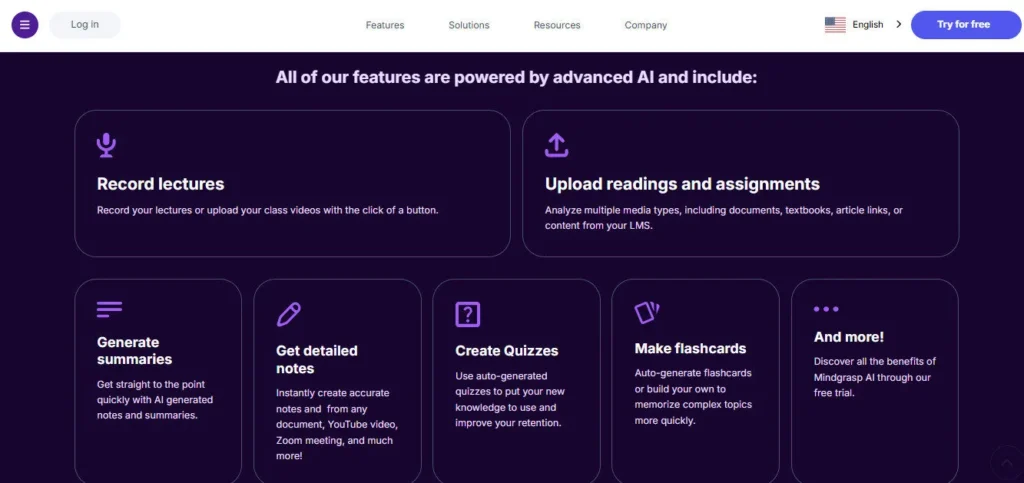
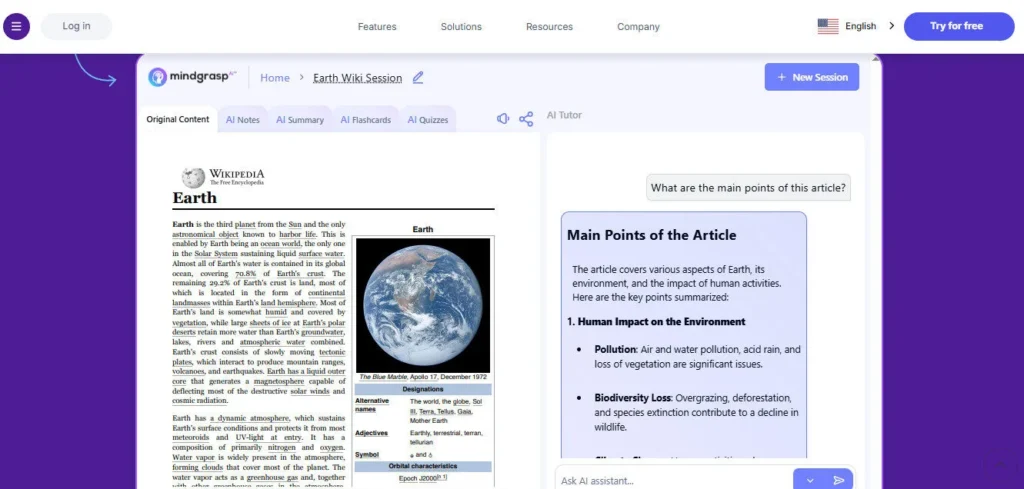
The result is a structured AI study system: upload any file or link, and Mindgrasp instantly generates auto-formatted notes, a concise summary, active recall flashcards, a practice quiz, and a context-aware AI Tutor — all anchored to your specific content, not generic web knowledge.
With 5 million users across 1,500+ schools and universities in 128 countries, it has become one of the most widely adopted AI study tools in education technology.
Key Capabilities
The workflow is designed around four cognitive science principles: active recall (flashcards), practice testing (quizzes), spaced repetition (organized notes you return to), and self-explanation (AI Tutor Q&A). You create a Study Session per lecture, chapter, or exam topic, then either record a live class in real time via the iOS app or browser, or upload PDFs, MP3s, MP4s, PowerPoint slides, YouTube links, Vimeo videos, or online articles.
Mindgrasp processes the content instantly and produces all five study outputs simultaneously. The AI Tutor responds to follow-up questions with answers grounded entirely in your uploaded material — not generalized internet searches — making it far more reliable for exam-specific queries than a generic chatbot.
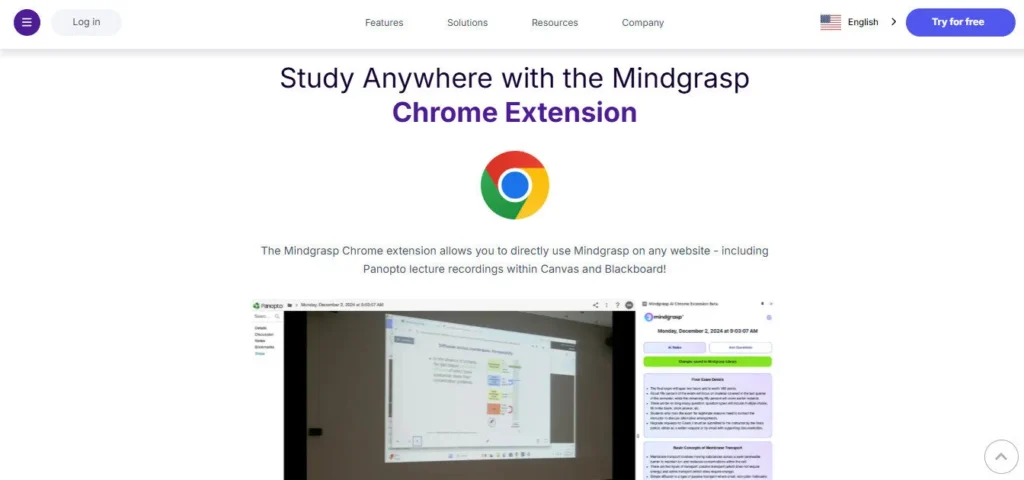
On the Scholar plan, the AI Math Expert provides step-by-step explanations for mathematical problems. The Chrome Extension integrates directly with Canvas, Blackboard, and Panopto, so students can pull course content without leaving their LMS. Premium plan users can upload up to 10 files simultaneously and analyze images and diagrams with AI.
Who Gets the Most Out of It
Students juggling multiple courses — especially those managing 40-minute lecture videos and dense 50-page readings simultaneously — get the most immediate value. The live lecture recording feature is particularly powerful for in-class students; the iOS app records with no upload limit, and captured audio is converted to structured notes in seconds after class.
Educators use it to generate quizzes from video modules for course content without manual question writing. Professionals and self-learners use it to process online course content, webinars, and industry reports faster than re-reading allows.
Is It Worth It?
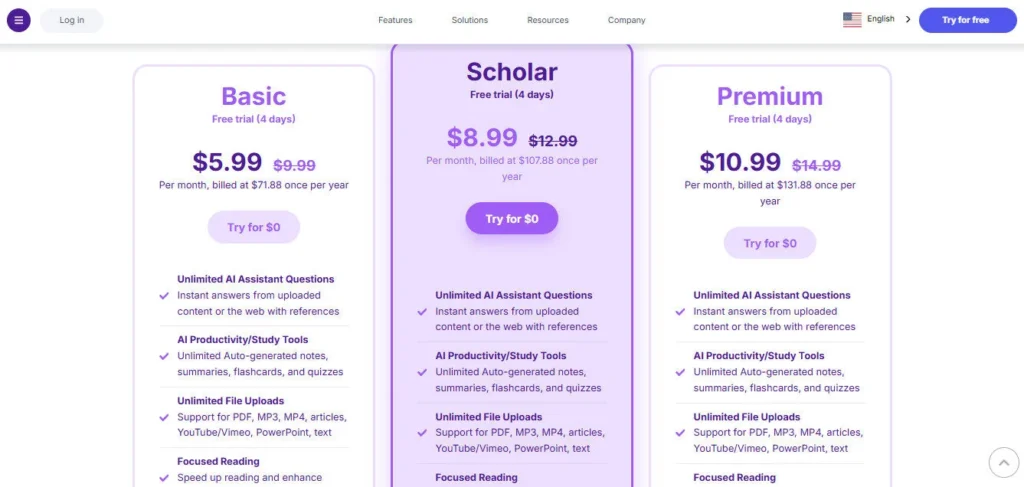
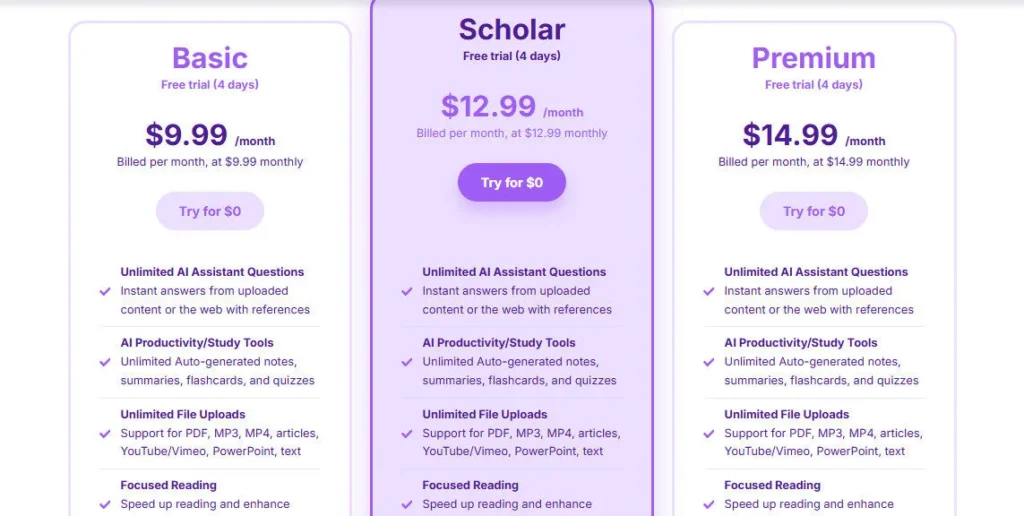
There is no permanent free tier — only a 4-day free trial, which reviewers note requires a credit card upfront. For students who commit, the Basic plan at $5.99/month annually is among the lowest price points in AI study tools and includes unlimited uploads, notes, flashcards, and quizzes with no daily caps.
The Scholar plan at $8.99/month adds live recording, iOS app, Chrome Extension, and AI Math Expert — the features most in-class students actually need. Premium at $10.99/month adds image analysis and multi-file upload for the most demanding academic workloads.
The live recording cap of 10 hours/month on Premium is a real limitation for students with 15+ contact hours per week; those users should use the iOS app's unlimited recording instead of the browser.


 English
 Français
 Español
 Deutsch
 中文
中文 हिन्दी