Home Categories Deals Sign Up
Updated: April 25, 2026

Mindgrasp AI in Action: Your Entire Study Session, Built in Seconds

Mindgrasp AI AI tool – Mindgrasp AI was built by students at the University of Maryland who wanted a faster, smarter way to get through lectures and readings without rereading everything three times.

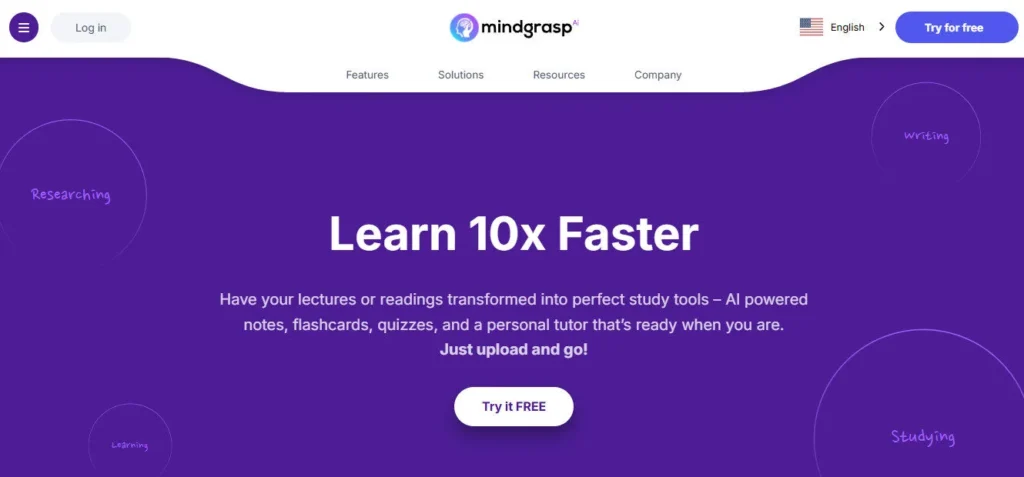
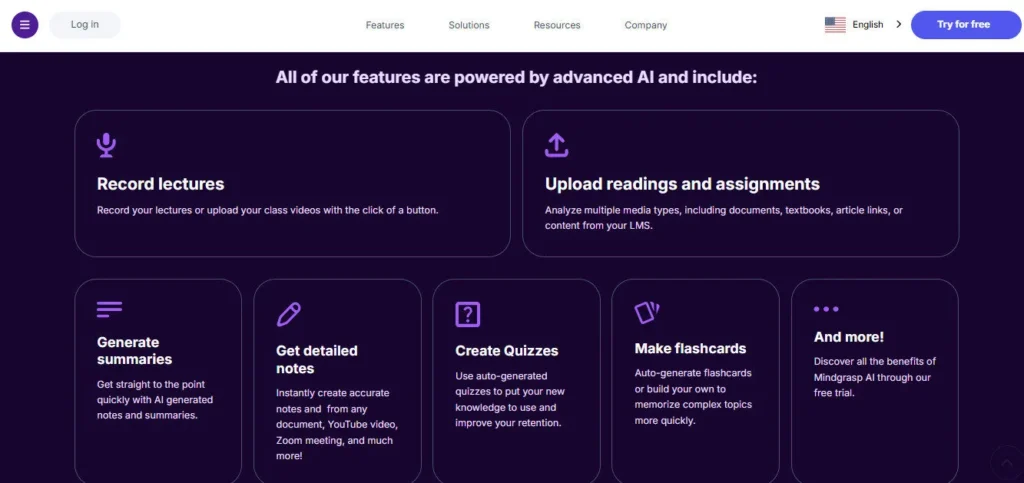
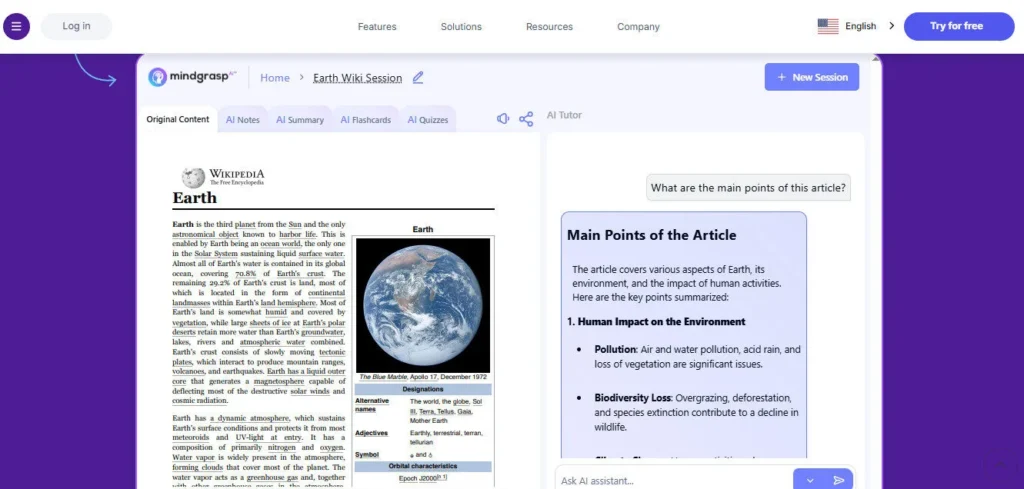
The result is a structured AI study system: upload any file or link, and Mindgrasp instantly generates auto-formatted notes, a concise summary, active recall flashcards, a practice quiz, and a context-aware AI Tutor — all anchored to your specific content, not generic web knowledge.

With 5 million users across 1,500+ schools and universities in 128 countries, it has become one of the most widely adopted AI study tools in education technology.

Key Capabilities

The workflow is designed around four cognitive science principles: active recall (flashcards), practice testing (quizzes), spaced repetition (organized notes you return to), and self-explanation (AI Tutor Q&A). You create a Study Session per lecture, chapter, or exam topic, then either record a live class in real time via the iOS app or browser, or upload PDFs, MP3s, MP4s, PowerPoint slides, YouTube links, Vimeo videos, or online articles.

Mindgrasp processes the content instantly and produces all five study outputs simultaneously. The AI Tutor responds to follow-up questions with answers grounded entirely in your uploaded material — not generalized internet searches — making it far more reliable for exam-specific queries than a generic chatbot.

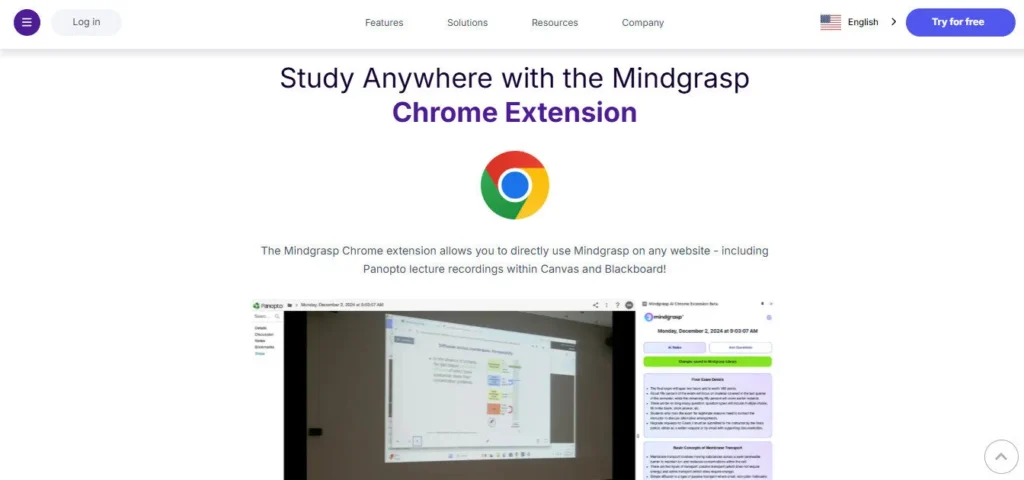
On the Scholar plan, the AI Math Expert provides step-by-step explanations for mathematical problems. The Chrome Extension integrates directly with Canvas, Blackboard, and Panopto, so students can pull course content without leaving their LMS. Premium plan users can upload up to 10 files simultaneously and analyze images and diagrams with AI.

Who Gets the Most Out of It

Students juggling multiple courses — especially those managing 40-minute lecture videos and dense 50-page readings simultaneously — get the most immediate value. The live lecture recording feature is particularly powerful for in-class students; the iOS app records with no upload limit, and captured audio is converted to structured notes in seconds after class.

Educators use it to generate quizzes from video modules for course content without manual question writing. Professionals and self-learners use it to process online course content, webinars, and industry reports faster than re-reading allows.

Is It Worth It?

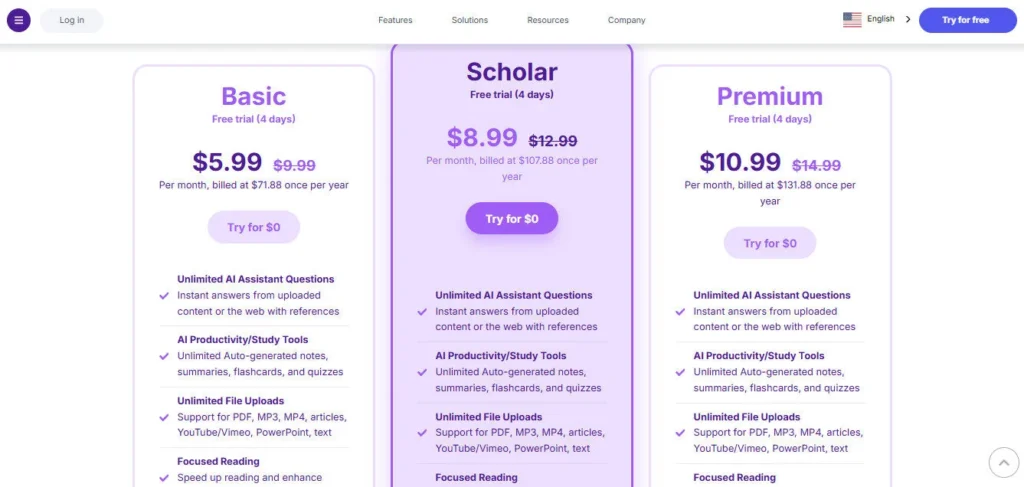
There is no permanent free tier — only a 4-day free trial, which reviewers note requires a credit card upfront. For students who commit, the Basic plan at $5.99/month annually is among the lowest price points in AI study tools and includes unlimited uploads, notes, flashcards, and quizzes with no daily caps.

The Scholar plan at $8.99/month adds live recording, iOS app, Chrome Extension, and AI Math Expert — the features most in-class students actually need. Premium at $10.99/month adds image analysis and multi-file upload for the most demanding academic workloads.

The live recording cap of 10 hours/month on Premium is a real limitation for students with 15+ contact hours per week; those users should use the iOS app's unlimited recording instead of the browser.

Mindgrasp AI is an AI-powered study platform founded in 2022 by Thai Cao and a team of University of Maryland students, headquartered in Columbia, Maryland. It automatically transforms any uploaded lecture, PDF, video, audio, PowerPoint, or web link into a complete AI study system — including structured notes, summaries, active recall flashcards, practice quizzes, and a 24/7 context-aware AI Tutor — in seconds.

Trusted by over 5 million students and professionals across 1,500+ schools and universities in 128 countries, Mindgrasp is built on proven cognitive science principles and supports 20+ languages across web, iOS, and Chrome extension platforms.

• AI Notes — Automatically generates structured, organized notes from any uploaded content in seconds, eliminating manual transcription so students can focus on understanding rather than copying.

• AI Summary — Compresses lengthy lectures, textbook chapters, and articles into concise, scannable summaries for rapid review before tests or quick topic orientation.

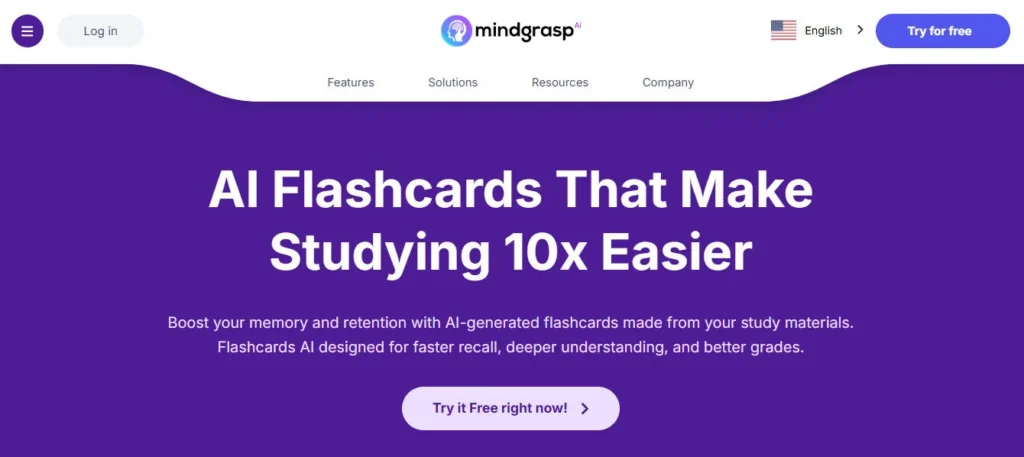
• AI Flashcard Maker — Auto-generates active recall flashcard sets from uploaded material using the science-backed retrieval practice method, with zero manual card creation required.

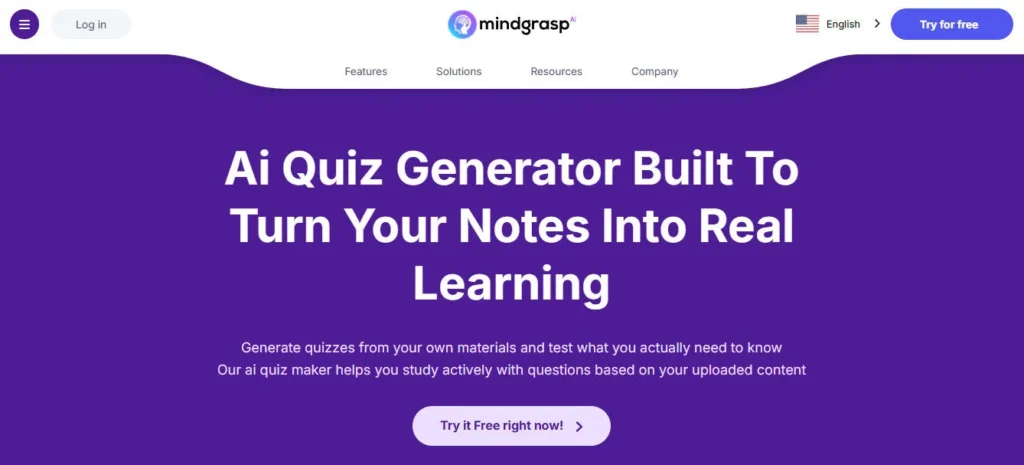
AI Quiz Generator — Creates practice quizzes directly from your uploaded content so you can test comprehension, identify weak spots, and simulate exam conditions before the real thing.

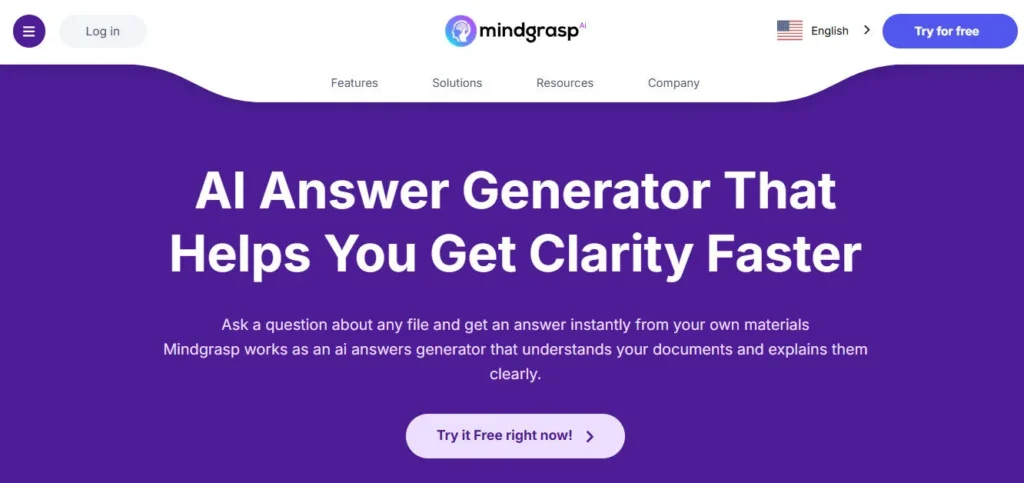
• AI Tutor (24/7) — Answers follow-up questions grounded entirely in your uploaded material, not generalized web data, with context-aware responses that track what you have already covered in the session.

• Live Lecture Recording (Scholar & Premium) — Records in-class lectures in real time via the browser (5–10 hours/month) or unlimited via the iOS app, converting live audio to structured notes immediately after class.

• AI Math Expert (Scholar & Premium) — Delivers instant step-by-step explanations for mathematical problems with worked solutions, covering subjects from algebra through calculus.

Image & Diagram Analysis (Premium) — Processes uploaded images, charts, and visual diagrams through AI for question-and-answer analysis, extending study support beyond text-only content.

Pros
  • All five study outputs — notes, summary, flashcards, quizzes, and AI Tutor — generate simultaneously from a single upload with no daily usage caps on any paid plan
  • Basic plan at $5.99/month annually is one of the lowest prices in the AI study tools category with unlimited uploads
  • Live lecture recording on the iOS app is fully unlimited on Scholar and Premium plans, removing the most critical cap for in-class students
  • Context-aware AI Tutor answers from your uploaded content specifically, not generic internet responses, making it exam-relevant
  • Chrome Extension integrates directly with Canvas, Blackboard, and Panopto for seamless LMS use without file downloading
  • Built by college students who understand real academic workload pressure — product decisions reflect genuine student use cases
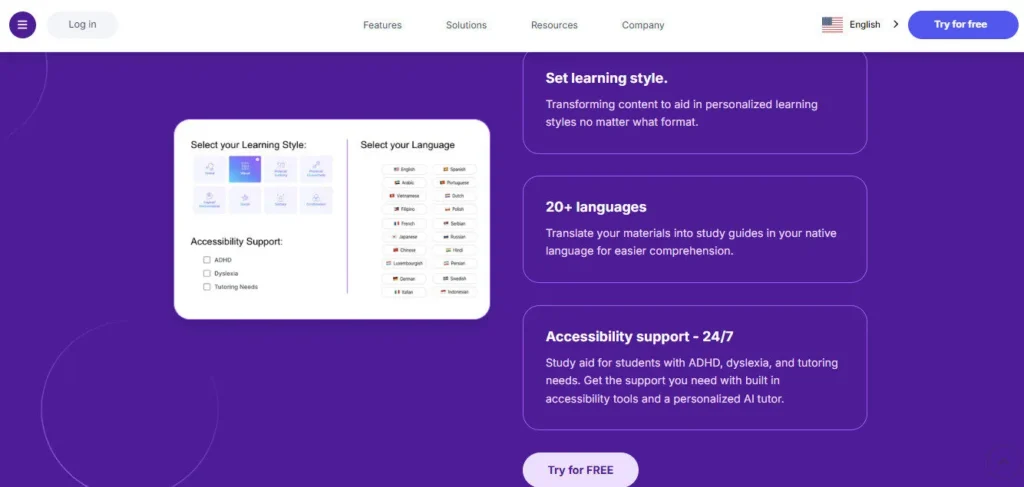
  • 20+ language support makes the platform usable for international students studying in a non-native language
Cons
  • ×No permanent free tier — only a 4-day trial that multiple reviewers confirm requires a credit card upfront
  • ×Browser-based live recording capped at 10 hours/month even on Premium, a real bottleneck for students with 15+ hours of weekly classes
  • ×AI can miss or misrepresent important details in complex visual-heavy or formula-dense materials — all outputs require human review before exam use
  • ×Software can glitch or slow down noticeably when processing multiple large scientific papers or heavy files in a single session
  • ×Chrome Extension is still in Beta on Scholar and Premium, with stability and feature limitations expected for LMS-integrated workflows
  • ×Some billing and cancellation complaints have been reported in Reddit threads, recommending use of a virtual card for trial sign-ups

Mindgrasp AI is built for learners at every level who need to process large amounts of content faster than traditional studying methods allow.

• College and university students — Students managing 6–7 courses simultaneously benefit from unlimited file uploads and instant flashcard and quiz generation across every subject without hours of manual preparation.

• In-class lecture students — Scholar and Premium plan users record live lectures directly through the iOS app (unlimited recording) and have structured notes ready within minutes of leaving class.

• STEM and math students — The AI Math Expert on Scholar and Premium plans provides step-by-step worked solutions for mathematical problems, making it particularly valuable for courses beyond humanities and social sciences.

• Educators and professors — Teachers use the quiz and flashcard generation features to create course assessment materials from video modules and lecture recordings without writing questions manually.

• Professionals and self-learners — Working professionals processing industry webinars, certification courses, online programs, and research reports use Mindgrasp to extract key insights and study for professional exams faster than linear re-reading allows.

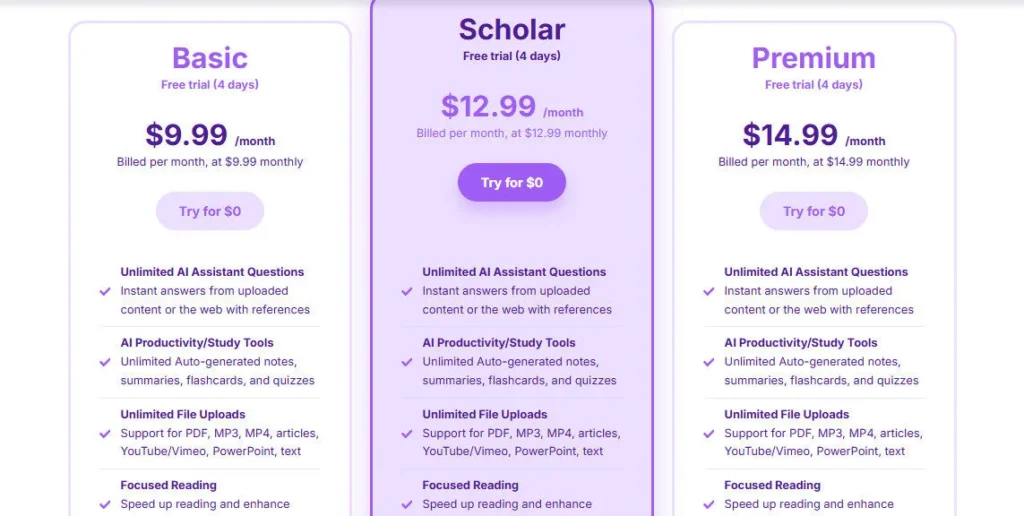
Basic ($5.99/mo, billed $71.88/year — 4-day free trial)Unlimited AI Assistant Questions from uploaded content, unlimited auto-generated notes and summaries, unlimited auto-generated flashcards and quizzes, unlimited file uploads (PDF, MP3, MP4, articles, YouTube/Vimeo, PowerPoint, text), Focused Reading mode, unlimited library storage for all documents and sessions.
Scholar ($8.99/mo, billed $107.88/year — 4-day free trial)Everything in Basic plus AI Math Expert with step-by-step explanations, Chrome Extension Beta for Canvas/Blackboard/Panopto, iOS App for iPhone and iPad, live lecture recording at 5 hours/month via browser and unlimited via iOS app.
Premium ($10.99/mo, billed $131.88/year — 4-day free trial)Everything in Scholar plus live lecture recording increased to 10 hours/month via browser and unlimited via iOS app, Upload Multiple Files or Links simultaneously (up to 10 at once), Analyze Images and Diagrams with AI for visual content Q&A.

Mindgrasp stands apart by generating all five study outputs simultaneously from a single upload — built on cognitive science principles rather than general-purpose AI chat.

• All Five Study Outputs in One Upload — Notes, summary, flashcards, quizzes, and AI Tutor are all generated automatically the moment you upload a file. No competing AI study tool at this price delivers all five simultaneously without separate prompts or tool-switching.

• Content-Locked AI Tutor — Unlike general chatbots, the AI Tutor answers only from the specific content you have uploaded for each Study Session, eliminating hallucinated exam answers and keeping responses directly relevant to what your instructor actually taught.

• Real-Time Live Lecture Recording via iOS — The iOS app records live in-class lectures with no monthly hour cap on Scholar and Premium plans, converting speech to structured notes in real time — a practical solution that browser-based tools with capped recording cannot match for students with heavy class schedules.

• Cognitive Science-Grounded Architecture — Every feature maps explicitly to a proven learning principle: flashcards for active recall, quizzes for practice testing, organized notes for spaced repetition, and AI Tutor for self-explanation. This evidence-based design makes Mindgrasp more than a summarizer — it functions as a complete learning system.

Mindgrasp runs as a web app, iOS mobile app, and Chrome extension, connecting to the major LMS platforms students use daily.

• Chrome Extension (Beta) — Integrates directly with Canvas, Blackboard, and Panopto, allowing students to generate notes, flashcards, and quizzes from course content inside their LMS without downloading files or switching browser tabs.

• iOS App — Available for iPhone and iPad on the App Store; enables unlimited live lecture recording with no monthly cap on Scholar and Premium plans, plus full access to all study tools on mobile.

• LMS Platforms (Canvas, Blackboard, Panopto) — Via Chrome Extension, Mindgrasp pulls content directly from the most widely used university learning management systems in North America, removing the step of downloading and re-uploading course files.

• YouTube and Vimeo — Paste any YouTube or Vimeo link directly into Mindgrasp and instantly generate notes, summaries, flashcards, and quizzes from the video without downloading the file.

• Multi-Format File Support — Accepts PDF, DOCX, MP3, MP4, PowerPoint (PPT/PPTX), plain text files, and online article URLs, covering virtually every format students and professionals encounter in academic and professional settings.

CategoryScoreWhy It Matters
Accuracy & Reliability4.1/5Mindgrasp's AI Tutor answers strictly from uploaded content rather than hallucinating general web responses, which significantly improves reliability for exam-specific questions. The notes and summary generation are consistently accurate for text-heavy content, with approximately 90% of users reporting positive output quality based on community reviews. Accuracy drops noticeably for complex visual diagrams, mathematical notation, and formula-heavy slides — these outputs require careful human review before exam use.
Ease of Use4.7/5Creating a Study Session, uploading a file, and receiving all five study outputs takes under 60 seconds with no learning curve. The interface was described by multiple reviewers as intuitive, clean, and designed clearly for the 18–25 student demographic. The iOS app, Chrome Extension, and web platform share a consistent design language. The session-based organization system keeps even heavy users with 7+ active courses from losing track of their material.
Functionality & Features4.4/5No competing AI study tool at the $5.99–$10.99/month price range simultaneously delivers notes, summaries, flashcards, quizzes, and a context-locked AI Tutor from a single upload with no daily limits. The iOS live recording with no monthly cap (Scholar and Premium), AI Math Expert, LMS Chrome Extension, and image analysis (Premium) round out a genuinely comprehensive feature set. The main functional gap is the lack of cross-document synthesis for multi-source research, which is outside the platform's intended study-use case.
Performance & Speed4.3/5Standard uploads process and generate all five study outputs within seconds for typical lecture-length PDFs and 60-minute videos. Live lecture transcription via the iOS app operates in real time with low latency. Performance degrades noticeably when users upload multiple large scientific PDFs in rapid succession within a single session, with reported glitching and slowdowns under heavy simultaneous processing loads, per Reddit and community reviews.
Customization & Flexibility3.8/5Users can customize individual Study Sessions by topic, set specific questions for the AI Tutor, and select content to include in quizzes and flashcards. The platform supports 20+ languages and multiple file formats. However, there is no control over flashcard or quiz difficulty level, no ability to edit auto-generated notes before saving, and no option to adjust the AI model used — customization is limited to workflow organization rather than output tuning.
Data Privacy & Security3.8/5Mindgrasp is used by students at Stanford, Princeton, MIT, and the University of Maryland, and by professionals across regulated industries, suggesting reasonable enterprise-level data handling. The platform is FERPA-adjacent in its educational context, though FERPA compliance documentation is not prominently published on the public site. Multiple users have raised concerns about billing transparency and cancellation practices, recommending virtual cards for trial sign-ups — a credibility issue that warrants direct attention from the company.
Support & Resources4.2/5Support agent Tommy is cited by name in multiple Trustpilot and Capterra reviews for responsive and helpful service including visual walkthroughs, indicating strong frontline support quality. A pr newswire release from 2024 confirms the company has been actively scaling its team. The official YouTube channel (with over 100 million combined social media views) provides regular feature tutorials and walkthroughs. Standard plan response times are not SLA-specified, but the consistent positive support mentions across user reviews are a reliable positive signal.
Cost-Efficiency4.6/5At $5.99/month billed annually, Mindgrasp's Basic plan delivers unlimited uploads, unlimited notes, flashcards, quizzes, summaries, and AI Tutor access with no daily caps — a combination that would cost significantly more across separate study tools. The Scholar plan at $8.99/month adds iOS app, Chrome LMS Extension, and live recording for in-class students at a price point that falls well within typical student discretionary budgets. The Premium plan at $10.99/month is among the lowest-priced full-featured AI study tool packages in the 2026 market.
Overall Score4.3/5Mindgrasp AI is the most cost-effective and beginner-friendly AI study system available for students in 2026, combining unlimited study tool generation across five output types with a content-locked AI Tutor, iOS live recording, and LMS integration in a clean, intuitive interface built by people who understand academic workload firsthand. The 4-day credit-card trial, browser recording caps, and occasional performance issues under heavy loads prevent a top score, but for any student or learner processing high volumes of content regularly, Mindgrasp's value-to-price ratio is unmatched in its category.

Mindgrasp AI delivers on its core promise: upload any lecture, video, or PDF and get a complete, structured study system in seconds — at a price ($5.99/month annually) that beats almost every direct competitor. The 4-day trial with required credit card and the 10-hour browser recording cap on even the most expensive plan are genuine friction points that prevent a perfect score.

For students with heavy content workloads across multiple subjects, Mindgrasp's unlimited uploads, simultaneous five-output generation, content-locked AI Tutor, and iOS unlimited recording make it the most practical and cost-effective AI study tool available in 2026.

Q1.What is Mindgrasp AI and who created it?
Ans:-Mindgrasp AI is an AI-powered study platform that turns any uploaded lecture, PDF, video, audio, or web link into notes, summaries, flashcards, quizzes, and a 24/7 AI Tutor simultaneously. It was founded in 2022 by Thai Cao (CEO) alongside co-founders Shayan Khanlarbeik (CPO) and Patrick Matlack (CCO), all University of Maryland alumni, and is headquartered in Columbia, Maryland. It is trusted by over 5 million students across 1,500+ schools in 128 countries.
Q2.Does Mindgrasp AI have a free plan?
Ans:-Mindgrasp AI does not offer a permanent free tier. It provides a 4-day free trial on all paid plans. Multiple user reviews confirm the trial requires a credit card upfront, so reviewers recommend using a virtual burner card if you want to test the platform risk-free. Paid plans start at $5.99/month billed annually after the trial period ends.
Q3.What file types can I upload to Mindgrasp?
Ans:-Mindgrasp accepts PDF, DOCX, MP3, MP4, PowerPoint (PPT/PPTX), plain text files, YouTube video links, Vimeo video links, and online article URLs. All paid plans include unlimited file uploads with no daily caps. The Premium plan additionally supports image and diagram uploads for AI visual analysis.
Q4.What is the difference between Mindgrasp Basic, Scholar, and Premium?
Ans:-Basic ($5.99/month) covers core study tools: unlimited notes, summaries, flashcards, quizzes, AI Tutor, and file uploads. Scholar ($8.99/month) adds AI Math Expert, the Chrome Extension for Canvas/Blackboard/Panopto, the iOS app, and 5 hours/month of browser live recording with unlimited iOS recording. Premium ($10.99/month) increases browser recording to 10 hours/month, adds simultaneous upload of up to 10 files at once, and includes AI image and diagram analysis.
Q5.Can Mindgrasp record live lectures?
Ans:-Yes, on Scholar and Premium plans. Browser-based recording is capped at 5 hours/month on Scholar and 10 hours/month on Premium. The iOS app, however, provides completely unlimited live recording on both Scholar and Premium plans with no monthly cap. Students with 15+ contact hours per week should plan to use the iOS app for lecture recording to avoid hitting the browser limit.
Q6.Does Mindgrasp AI work with Canvas or Blackboard?
Ans:-Yes. The Mindgrasp Chrome Extension (currently in Beta) integrates directly with Canvas, Blackboard, and Panopto on Scholar and Premium plans. You can generate notes, flashcards, and quizzes from course content inside your LMS without downloading files first. The extension is in Beta, so minor stability issues may occur.
Q7.How accurate is Mindgrasp AI for exam preparation?
Ans:-Approximately 90% of users report positive experiences, noting it consistently cuts study material processing time by 60–70%. The AI Tutor answers strictly from uploaded content rather than generic web data, which significantly improves exam relevance. Known accuracy limitations include complex visual diagrams, tables, and formula-heavy content, which the AI can misrepresent — all generated outputs should be reviewed before exam use.
Q8.What languages does Mindgrasp support?
Ans:-Mindgrasp supports 20+ languages across its study tools, making it accessible for international students studying in non-native languages. The AI Tutor, notes, and summaries can be generated in multiple languages from uploaded content. Language support is available across the web app, iOS app, and Chrome extension.
Q9.Is Mindgrasp AI useful for professionals, not just students?
Ans:-Yes. While originally designed for students, Mindgrasp is actively used by professionals processing webinars, online certification courses, industry reports, and internal training materials. The AI Tutor and quiz generator work equally well for professional exam prep (certifications, licensing exams) and executive learning from recorded presentations or podcasts.
Q10.How does Mindgrasp AI compare to Anara or SciSpace for research?
Ans:-Mindgrasp is optimized for study comprehension and active recall — it excels at turning any content into flashcards, quizzes, and notes for exam preparation. Anara and SciSpace are built for academic research workflows — searching academic databases, extracting data across papers, generating citations, and writing literature reviews. Mindgrasp is the better choice for studying and course work; Anara and SciSpace are better for original research and manuscript writing.

Promote This Tool

Help others discover this tool by sharing this page.

✓ Link copied to clipboard!

Mindgrasp AI Reviews

0.0
Based on 0 reviews
5 star
0%
4 star
0%
3 star
0%
2 star
0%
1 star
0%

Write a Review

Your Rating:

No reviews yet. Be the first to share your thoughts!

37 Similar Mindgrasp AI Tools