Home Categories Deals Sign Up
Updated: June 13, 2026

TimelinesAI in Action: WhatsApp Conversations Inside Your CRM

TimelinesAI AI tool – TimelinesAI is a WhatsApp CRM integration platform trusted by 1,000+ teams across 34 countries that has managed 10M+ WhatsApp messages.

It solves a problem every sales and support team running WhatsApp faces: conversations happen in a personal or business WhatsApp app, but leads, deals, and customer context live in your CRM.

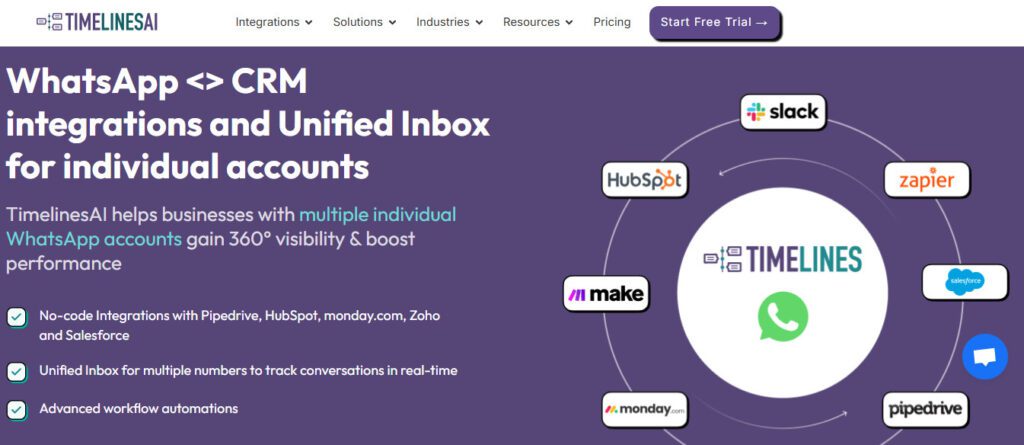
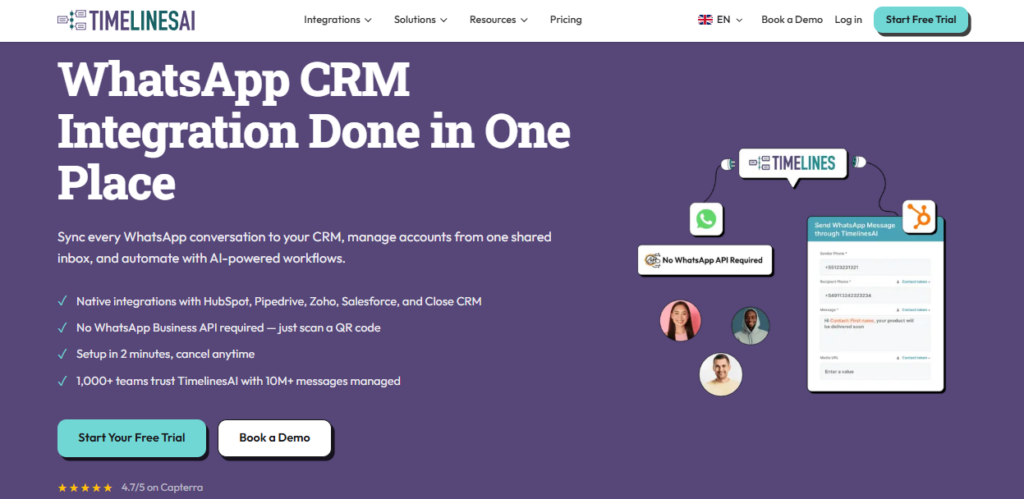
TimelinesAI bridges that gap — syncing every inbound and outbound WhatsApp message to your CRM in real time, letting you manage conversations directly inside HubSpot, Pipedrive, Zoho, Salesforce, or monday.com without a browser extension or phone dependency.

Crucially, it works with existing personal and business WhatsApp numbers — no official WhatsApp Business API account required.

Key Capabilities

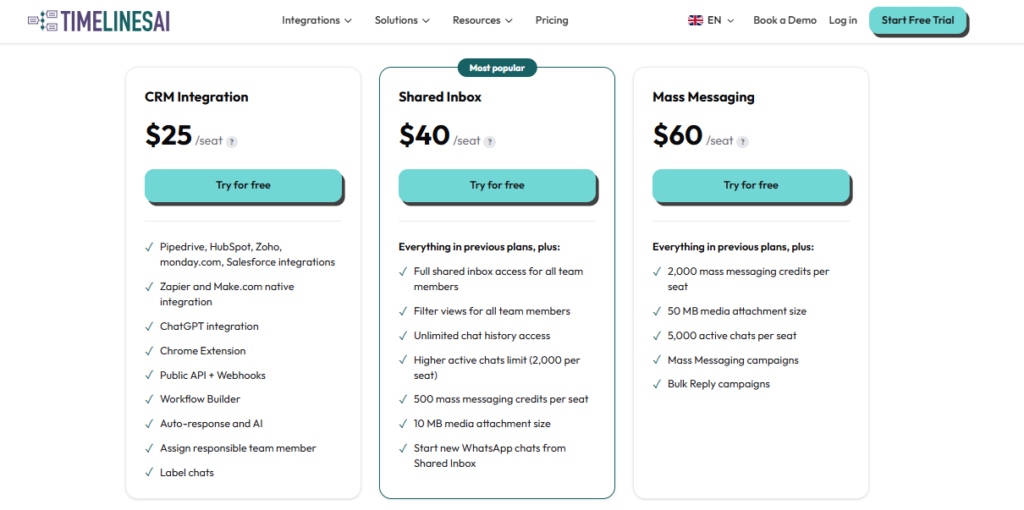
The platform is organized around three capability tiers. The CRM Integration plan ($25/seat/month) handles bidirectional WhatsApp sync to your CRM — contacts, messages, attachments, and chat links all land in the right CRM record automatically.

The Shared Inbox plan ($40/seat/month) adds a unified team inbox where multiple team members manage multiple WhatsApp numbers together, with chat assignment, internal notes, custom filters, labels, ChatGPT-powered AI autoresponder, and analytics.

The Mass Messaging & Automation plan ($60/seat/month) unlocks broadcast campaigns to thousands of contacts, visual no-code workflow automation with 1,000+ app integrations via Zapier, scalable webhook automation, and CSV/Excel contact import for campaign lists.

A Chrome Extension embeds an in-context WhatsApp chat view directly inside any CRM interface so agents never need to leave their CRM to send or read WhatsApp messages.

Who Gets the Most Out of It

Sales teams using Pipedrive or HubSpot get the most immediate ROI — every WhatsApp lead conversation is automatically logged to the right contact or deal with timestamp, sender, and attachment metadata, eliminating manual copy-paste between WhatsApp and CRM.

Customer service teams across healthcare, banking, and e-commerce use the multi-number shared inbox to handle 10x more WhatsApp conversations without switching devices or accounts.

Marketing teams use the Mass Messaging plan to run personalized WhatsApp broadcast campaigns to segmented contact lists from CRM data — without the cost and complexity of setting up an official WhatsApp Business API account.

Agencies managing multiple client WhatsApp numbers use the per-seat, multi-number model to give each client's team access to their dedicated numbers within the same TimelinesAI workspace.

Is It Worth It?

At $25/seat/month for CRM sync and $40/seat/month for the full shared inbox experience, TimelinesAI is one of the most cost-effective WhatsApp-CRM bridges on the market — particularly for teams that already have CRM licenses and just need their WhatsApp conversations to sync automatically.

The 10-day free trial (no credit card required) and around-the-clock chat support in 20+ languages lower the barrier to evaluation significantly.

For any team that treats WhatsApp as a primary customer communication channel and wants those conversations visible inside their CRM, TimelinesAI is the most practical and affordable solution available today.

TimelinesAI is a WhatsApp CRM integration and team inbox platform that connects existing personal and business WhatsApp numbers — no WhatsApp Business API required — to leading CRMs including HubSpot, Pipedrive, Zoho CRM, Salesforce, and monday.com.

It syncs all WhatsApp conversations, contacts, and attachments to CRM records in real time, provides a unified shared inbox for multi-number team management, and enables personalized bulk WhatsApp campaigns and no-code automation workflows. Trusted by 1,000+ teams across 34 countries, it has managed 10M+ WhatsApp messages.

• Native CRM Integration — connect one or multiple WhatsApp numbers (personal or business) to HubSpot, Pipedrive, Zoho CRM, Salesforce, or monday.com in minutes via QR code scan; every message, contact, attachment, and chat link syncs automatically to the correct CRM record with timestamps and sender metadata.

• Multi-Number Shared Inbox — bring all WhatsApp numbers across your team into one unified inbox; assign conversations to specific team members, set labels and custom filters, view contact segments, exchange internal notes, set Quick Reply templates, and track chat ownership — all from one interface.

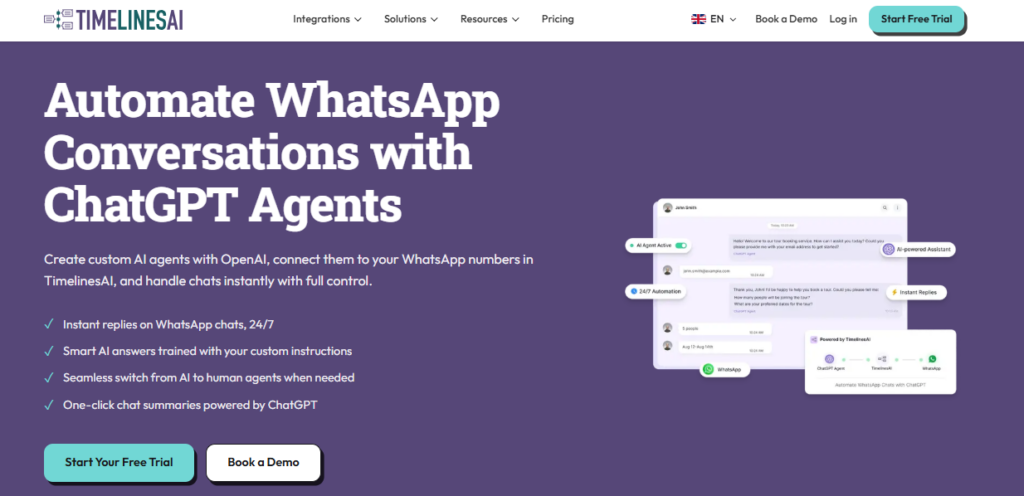
ChatGPT AI Autoresponder — configure an AI-powered autoresponder that uses ChatGPT to handle inbound WhatsApp messages automatically; available on the Shared Inbox plan and above for 24/7 first-response coverage without human intervention.

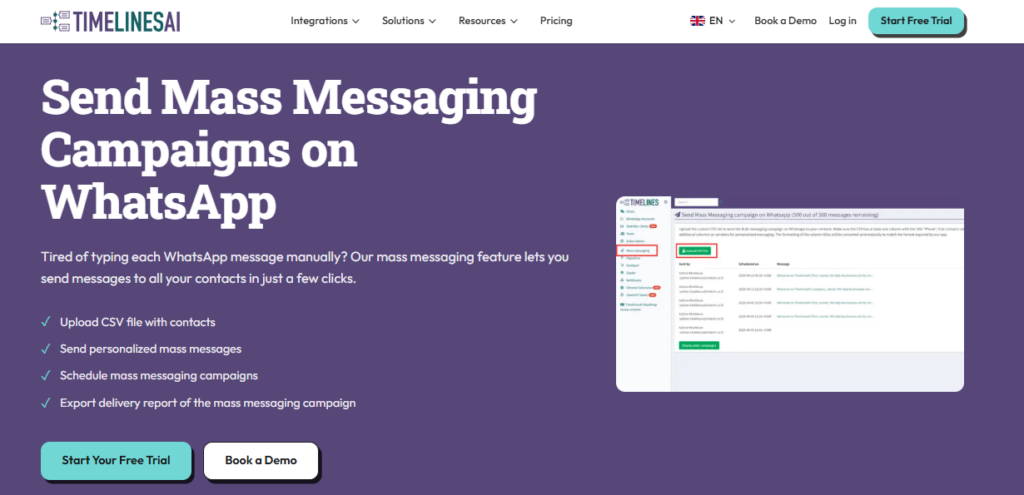
• Bulk Messaging & Campaigns — send personalized broadcast campaigns to thousands of WhatsApp contacts using CRM field merge tags; upload contact lists via CSV or Excel, use campaign wizard, include attachments (up to 50 MB on the Mass Messaging plan), and track campaign analytics.

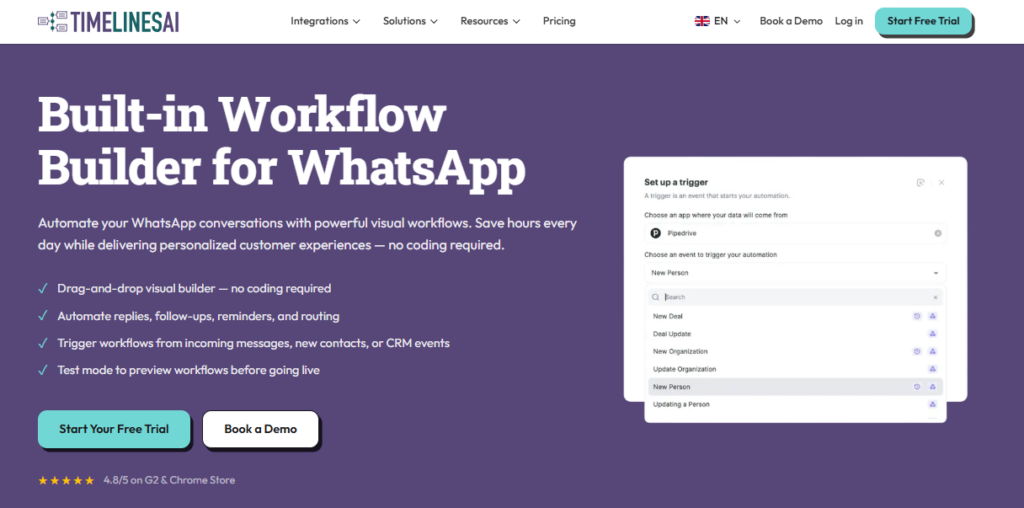
• No-Code Workflow Automation — build visual automated WhatsApp workflows using a drag-and-drop builder; auto-route conversations to team members, trigger messages based on CRM events, connect to 1,000+ apps via native Zapier integration, and use scalable webhook automation.

• Chrome Extension with Embedded Chat View — install the TimelinesAI Chrome Extension to get an in-context WhatsApp chat panel inside any CRM interface; send and receive WhatsApp messages, use slash-command templates, and view full chat history without leaving your CRM tab.

• Real-Time Message Sync with Attachments — every inbound and outbound WhatsApp message — including images, documents, voice notes, and files up to 50 MB on Mass Messaging plan — is automatically saved to the linked CRM contact, lead, or deal as Notes with full metadata.

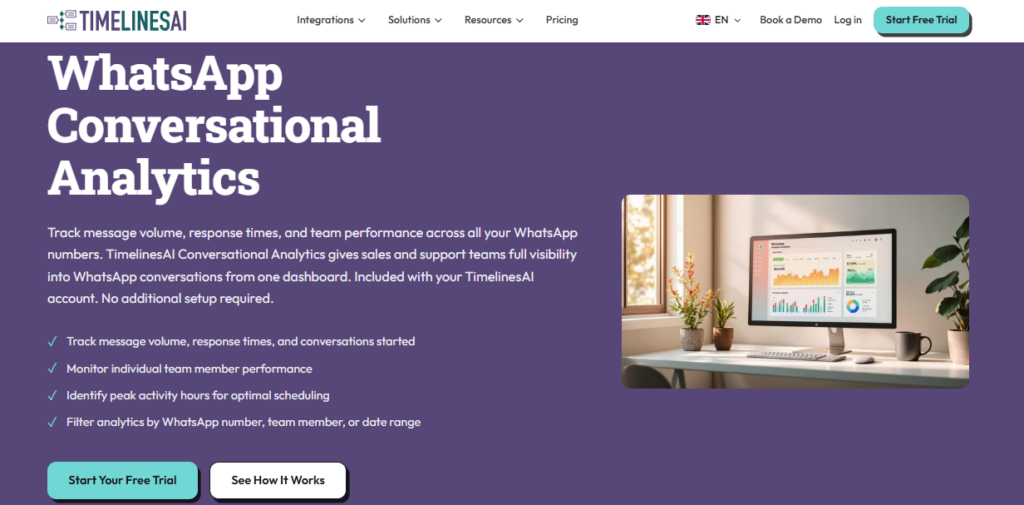
• Analytics and Reporting — track conversation volume, response times, team performance, chat assignment metrics, and campaign delivery analytics across all connected WhatsApp numbers from the TimelinesAI dashboard.

Pros
  • Works with existing personal AND business WhatsApp numbers — no expensive WhatsApp Business API account required
  • 10-day free trial with no credit card required — full functionality available from day one of the trial
  • One-click native CRM integrations with HubSpot, Pipedrive, Zoho, Salesforce, and monday.com — QR scan setup in under 2 minutes
  • ChatGPT AI autoresponder built in on the Shared Inbox plan — 24/7 automated first-response without a separate AI subscription
  • Around-the-clock chat support in 20+ languages included on all plans — confirmed on Zoho Marketplace listing
  • Rated 4.7/5 on Capterra from 112 reviews across 34 countries — consistent praise for integration accuracy and ease of setup
  • Native Zapier integration on all paid plans — connects to 1,000+ apps without custom code for advanced workflow automation
Cons
  • ×Pricing is strictly per seat — each WhatsApp number connected also requires an additional seat purchase, which can make multi-number deployments costly
  • ×Bulk messaging and no-code visual workflow automation are locked to the Mass Messaging plan at $60/seat/month — unavailable on cheaper tiers
  • ×File attachment limit varies significantly by plan: 2 MB on CRM Integration, 10 MB on Shared Inbox, 50 MB on Mass Messaging — teams sharing large files need the top tier
  • ×Enterprise plan pricing is custom and undisclosed — larger teams cannot self-serve on pricing without contacting sales
  • ×No built-in WhatsApp Business API — for teams needing official Meta-certified messaging (green badge, verified templates), TimelinesAI is not the right tool
  • ×The platform is entirely WhatsApp-focused — teams needing a multi-channel inbox (SMS, email, Telegram) alongside WhatsApp will need additional tools

TimelinesAI is the right tool for any sales, support, or marketing team that runs customer conversations on WhatsApp and wants those conversations automatically visible inside their CRM.

• Sales teams using Pipedrive or HubSpot — every WhatsApp lead message, attachment, and conversation thread logs to the right deal or contact automatically, eliminating manual copy-paste and ensuring full pipeline context is always current.

• Customer service teams across high-WhatsApp markets — businesses in healthcare, banking, e-commerce, and real estate across Latin America, South Asia, and Southeast Asia where WhatsApp is the primary support channel use the shared inbox to scale team capacity without scaling devices.

• Marketing teams running WhatsApp outreach — the Mass Messaging plan enables personalized bulk WhatsApp campaigns to segmented CRM contact lists without requiring a WhatsApp Business API account or Meta partner certification.

• Agencies managing multiple client WhatsApp numbers — per-seat, multi-number workspace management allows agencies to connect each client's WhatsApp numbers to their respective CRM instances from one TimelinesAI account.

• Operations managers centralizing team WhatsApp activity — the shared inbox's chat assignment, internal notes, labels, and performance analytics give operations managers full visibility into WhatsApp-based customer interactions across the whole team.

CRM Integration ($25/seat/month, ~$20/seat/month billed annually with 20% discount)Connect personal or business WhatsApp numbers to Pipedrive, HubSpot, Zoho CRM, Salesforce, or monday.com. Real-time bidirectional message sync, attachment sync (up to 2 MB per file), automatic contact and deal creation in CRM, WhatsApp chat link stored in CRM, native Zapier integration, inbound and outbound webhooks, Chrome Extension for embedded CRM chat view. Each additional WhatsApp number requires an additional seat.
Shared Inbox ($40/seat/month, ~$32/seat/month billed annually)Everything in CRM Integration plus multi-number unified team inbox, real-time collaborative message management, chat assignment and ownership tracking, custom contact views with filters and labels, internal team comments on WhatsApp chats, Quick Reply templates, ChatGPT AI Autoresponder, analytics reports, file attachments up to 10 MB.
Mass Messaging & Automation ($60/seat/month, ~$48/seat/month billed annually)Everything in Shared Inbox plus visual no-code workflow automation builder with pre-built templates, bulk WhatsApp broadcast campaigns, CSV and Excel contact list upload, TimelinesAI campaign wizard, custom contact limits, scalable webhook automation, bulk messaging attachment support, file attachments up to 50 MB, campaign analytics.
Business Plan (Custom pricing — contact sales)Customized features and limits for large organizations, advanced integrations, premium dedicated technical support, personalized onboarding.
All plans10-day free trial, no credit card required. Annual billing saves 20% across all plans.

TimelinesAI's core differentiator is its ability to bridge any existing WhatsApp number — personal or business — directly into your CRM without requiring an official WhatsApp Business API account, Meta partner certification, or new phone number.

• No WhatsApp Business API Required — most WhatsApp CRM tools require an official WhatsApp Business API account costing $200–$500/month in setup and per-message fees; TimelinesAI works by QR code scan with any existing WhatsApp number, making it accessible to teams that have built relationships on their personal or existing business numbers.

• Per-Seat Multi-Number Architecture — each TimelinesAI seat can sync multiple WhatsApp numbers, and each number can be connected to a different CRM module or user; this multi-number model is designed specifically for businesses where different sales reps, support agents, or departments each have their own WhatsApp number.

ChatGPT AI Autoresponder Built Into the Inbox — the AI autoresponder is natively integrated into the Shared Inbox plan without requiring a separate ChatGPT API subscription or third-party connection, making 24/7 first-response automation available to any team on the $40/seat tier.

• Chrome Extension with Embedded CRM Chat View — the Chrome Extension injects a live WhatsApp chat panel directly inside the CRM interface (HubSpot, Pipedrive, Zoho, Salesforce) so agents can send and receive WhatsApp messages, use slash-command templates, and view full chat history without switching tabs or apps.

• 24/7 Chat Support in 20+ Languages — around-the-clock multilingual support is included on all plans including during the free trial, a service level that most SaaS tools in this price range reserve for enterprise tiers only.

TimelinesAI connects to every major CRM and automation platform your sales and support team already uses.

• Native CRM integrations — HubSpot (Contacts, Deals, Workflows), Pipedrive (Persons, Deals, Activities), Zoho CRM (Leads, Contacts, Deals, custom modules), Salesforce, and monday.com all connect via one-click native integration — no middleware or custom code required; each integration syncs messages, contacts, attachments, and chat links to the correct CRM module automatically.

• Automation and workflow platforms — native Zapier integration on all paid plans connects TimelinesAI to 1,000+ additional apps including Google Sheets, Notion, Slack, Trello, Airtable, Mailchimp, and ActiveCampaign for custom cross-platform automation; Make (Integromat) is supported via webhooks for more complex multi-step workflows.

• AI and messaging tools — ChatGPT is integrated natively for the AI Autoresponder on the Shared Inbox plan; WhatsApp Web works as the underlying messaging layer for both personal and WhatsApp Business numbers via QR scan authentication.

• Developer and custom integration tools — inbound and outbound webhooks on all paid plans allow engineering teams to build custom triggers, real-time data pipelines, and event-driven automations between TimelinesAI and any internal system or proprietary platform.

• Browser integration — the Chrome Extension works inside HubSpot, Pipedrive, Zoho CRM, Salesforce, and any web-based CRM to embed an in-context WhatsApp chat view, enabling agents to send messages, use Quick Reply templates, and view conversation history without leaving their CRM.

CategoryScoreWhy It Matters
Accuracy & Reliability4.7/5TimelinesAI syncs WhatsApp messages bidirectionally with CRM records in real time, with timestamps, sender metadata, and attachment URLs preserved accurately. Capterra reviewers from banking and financial services specifically praise the real-time accuracy of HubSpot and Pipedrive sync. The platform has processed 10M+ messages across 1,000+ teams with a Capterra rating of 4.7/5 from 112 verified reviews — a strong reliability signal for a WhatsApp-specific integration tool.
Ease of Use4.8/5Setup is remarkably frictionless — connect your WhatsApp number via QR scan and CRM integration is live in under 2 minutes with no coding or browser extensions required. Multiple Capterra reviewers describe the onboarding as 'very easy' and 'just one simple QR scan and it's ready to use.' The Chrome Extension embeds WhatsApp directly into the CRM interface, further reducing context switching. The visual workflow builder on the Mass Messaging plan adds complexity but includes pre-built templates that shorten setup time.
Functionality & Features4.6/5TimelinesAI covers the complete WhatsApp-CRM integration workflow — bidirectional sync, multi-number shared inbox, AI autoresponder, bulk campaigns, no-code automation, Chrome Extension, Zapier integration, and analytics — across four plan tiers. The main functional scope limit is the platform's exclusive focus on WhatsApp; teams needing a true omnichannel inbox for SMS, email, Telegram, or Instagram alongside WhatsApp will need to supplement with additional tools.
Performance & Speed4.6/5Real-time WhatsApp-to-CRM message sync is the platform's core performance promise, and verified Capterra reviews consistently confirm messages appear in HubSpot and Pipedrive instantly after sending or receiving. No widespread sync delays or CRM record duplication issues appear in public review data. The platform's focus on a single messaging channel (WhatsApp) allows for tightly optimized sync infrastructure compared to broad omnichannel tools handling multiple channels simultaneously.
Customization & Flexibility4.4/5TimelinesAI offers meaningful customization through configurable CRM field mapping, custom contact filters and labels, Quick Reply templates, AI autoresponder configuration, visual workflow automation with conditional logic, scalable webhook settings, and per-module CRM sync targeting (e.g., Zoho Leads vs. Contacts vs. custom modules). The main flexibility constraint is that deep visual reporting customization and custom CRM module configurations beyond supported modules require the Business plan with direct sales engagement.
Data Privacy & Security4.4/5TimelinesAI processes WhatsApp message data and syncs it to CRM systems, which requires trust in their data handling infrastructure. The platform is used by regulated industries including banking and healthcare, suggesting it meets baseline compliance requirements. However, no publicly accessible SOC 2, ISO 27001, or GDPR compliance documentation is found on the official site — a transparency gap that enterprise buyers in regulated industries should clarify with the sales team before committing.
Support & Resources4.7/5Around-the-clock chat support in 20+ languages included on all plans — confirmed on both the official site and the Zoho Marketplace listing — is a standout support commitment at this price point. Multiple Capterra reviewers praise 'very responsive and efficient support.' The official YouTube channel publishes integration demos for HubSpot, Pipedrive, Zoho, Salesforce, and mass messaging campaigns. The help center at docs.timelines.ai covers API, webhook, and integration configuration in detail.
Cost-Efficiency4.6/5At $25/seat/month for full CRM sync and $40/seat/month for the complete shared inbox and AI autoresponder, TimelinesAI is priced well below equivalent WhatsApp CRM solutions that require a WhatsApp Business API account costing $150–$500/month in baseline fees before per-message charges. The 20% annual billing discount and 10-day no-card trial further reduce financial risk. The per-number seat model adds cost at scale, but for teams with 3–15 active WhatsApp numbers the pricing remains highly competitive.
Overall Score4.6/5TimelinesAI earns a strong overall rating as the most accessible and cost-effective WhatsApp CRM integration platform for sales and support teams using existing personal or business WhatsApp numbers. The combination of no-API-required setup, native one-click CRM integrations, built-in ChatGPT autoresponder, bulk messaging, and 24/7 multilingual support at $25–$60/seat/month delivers genuine value that specialized WhatsApp API platforms charge 3–5x more for. Its single-channel focus on WhatsApp is both its strength and its only meaningful scope limitation.

TimelinesAI is the most practical and cost-effective WhatsApp CRM integration platform for sales and support teams that run customer conversations on existing WhatsApp numbers — no WhatsApp Business API required.

The combination of one-click native CRM sync, a multi-number shared team inbox, ChatGPT AI autoresponder, bulk campaigns, and 24/7 multilingual support, all starting at $25/seat/month with a 10-day no-card trial, delivers exceptional value for teams in WhatsApp-heavy markets.

The per-seat-per-number cost model is worth planning for at scale, and teams needing a true multi-channel inbox beyond WhatsApp will need to supplement with additional tools.

Q1.What is TimelinesAI and what does it do?
Ans:-TimelinesAI is a WhatsApp CRM integration and team inbox platform that connects existing personal and business WhatsApp numbers to HubSpot, Pipedrive, Zoho CRM, Salesforce, and monday.com — no WhatsApp Business API required. It syncs every WhatsApp message, contact, and attachment to the right CRM record in real time, provides a unified shared inbox for team collaboration, enables ChatGPT-powered AI autoresponding, and supports bulk WhatsApp campaign messaging. Over 1,000 teams across 34 countries use it to manage 10M+ WhatsApp messages.
Q2.How much does TimelinesAI cost per month?
Ans:-TimelinesAI has three standard paid plans, all priced per seat per month: CRM Integration at $25/seat/month, Shared Inbox at $40/seat/month, and Mass Messaging & Automation at $60/seat/month. Annual billing saves 20% on all plans (approximately $20, $32, and $48/seat/month respectively). A Business plan with custom pricing is available for large organizations. Each WhatsApp number connected beyond the first requires an additional seat purchase. All plans include a 10-day free trial with no credit card required.
Q3.Does TimelinesAI require a WhatsApp Business API account?
Ans:-No — this is one of TimelinesAI's most important differentiators. It works with any existing personal or business WhatsApp account using a simple QR code scan for authentication. You do not need to apply for an official WhatsApp Business API account, work with a Meta Business Solution Provider, or pay per-message API fees. This makes it accessible and cost-effective for teams that have already built customer relationships on their existing WhatsApp numbers.
Q4.Which CRMs does TimelinesAI integrate with natively?
Ans:-TimelinesAI natively integrates with HubSpot (Contacts, Deals, and native HubSpot Workflows), Pipedrive (Persons, Deals, and Activities), Zoho CRM (Leads, Contacts, Deals, and custom modules), Salesforce, and monday.com. All integrations are one-click setup via QR scan — no coding, no browser extensions required. Messages, contacts, attachments, and chat links sync bidirectionally to the correct CRM module automatically in real time.
Q5.Does TimelinesAI have a free trial?
Ans:-Yes. TimelinesAI offers a 10-day free trial on all plans with no credit card required and full functionality enabled from day one — you can connect your WhatsApp number, configure CRM sync, and test the shared inbox during the trial. Setup takes under 2 minutes. Around-the-clock chat support in 20+ languages is also available during the trial period.
Q6.What is the ChatGPT AI Autoresponder in TimelinesAI?
Ans:-The ChatGPT AI Autoresponder is a built-in feature on the Shared Inbox plan ($40/seat/month) and above that automatically handles inbound WhatsApp messages using ChatGPT. You configure the AI's persona, response scope, and escalation rules — then it provides instant first responses to customer queries 24/7 without human intervention. No separate ChatGPT API subscription or third-party integration is required; it is natively integrated into the TimelinesAI Shared Inbox.
Q7.Can TimelinesAI send bulk WhatsApp messages?
Ans:-Yes, on the Mass Messaging & Automation plan at $60/seat/month. You can send personalized broadcast campaigns to thousands of WhatsApp contacts by uploading contact lists via CSV or Excel, using CRM field merge tags for personalization, and including attachments up to 50 MB. Campaign analytics track delivery and engagement. A visual no-code workflow automation builder with Zapier integration enables automated message sequences triggered by CRM events or contact behavior.
Q8.How does the TimelinesAI Chrome Extension work?
Ans:-The TimelinesAI Chrome Extension installs directly in your browser and injects a live WhatsApp chat panel inside any web-based CRM interface — HubSpot, Pipedrive, Zoho CRM, Salesforce, and others. From this embedded panel you can send and receive WhatsApp messages, use slash-command Quick Reply templates, view full conversation history, and open the same thread in the main TimelinesAI inbox — all without leaving your CRM tab.
Q9.Does TimelinesAI support multiple WhatsApp numbers for one team?
Ans:-Yes. TimelinesAI is specifically designed for multi-number team management. You can connect multiple WhatsApp numbers — one per seat — to your workspace, and all numbers flow into the shared team inbox simultaneously. Each number can be assigned to different team members, CRM modules, or departments. Teams can see all chats across all numbers in one unified view, assign ownership, add internal notes, set labels, and run analytics across all numbers from one dashboard.
Q10.Is TimelinesAI suitable for large enterprises?
Ans:-Yes. TimelinesAI offers a Business plan with custom pricing, advanced integrations, and premium dedicated technical support for large organizations. Over 2,500 brands across 34 countries — including banking, healthcare, and financial services companies — use TimelinesAI for enterprise-scale WhatsApp CRM management. The Salesforce integration and scalable webhook automation on the Mass Messaging plan also support enterprise-grade data pipelines and complex automation workflows.

Promote This Tool

Help others discover this tool by sharing this page.

✓ Link copied to clipboard!

TimelinesAI Reviews

0.0
Based on 0 reviews
5 star
0%
4 star
0%
3 star
0%
2 star
0%
1 star
0%

Write a Review

Your Rating:

No reviews yet. Be the first to share your thoughts!

25 Similar TimelinesAI Tools