Home Categories Deals Sign Up
Updated: April 28, 2026

Acoust AI in Action

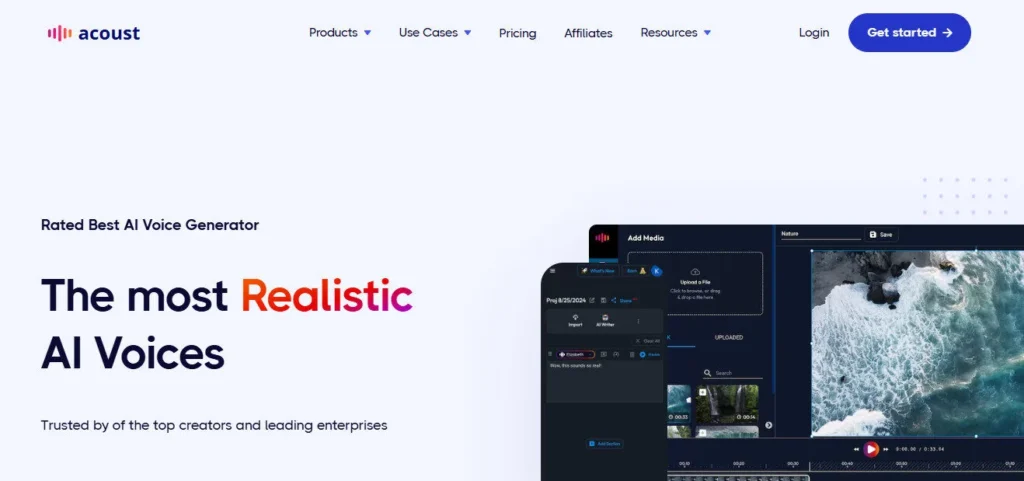
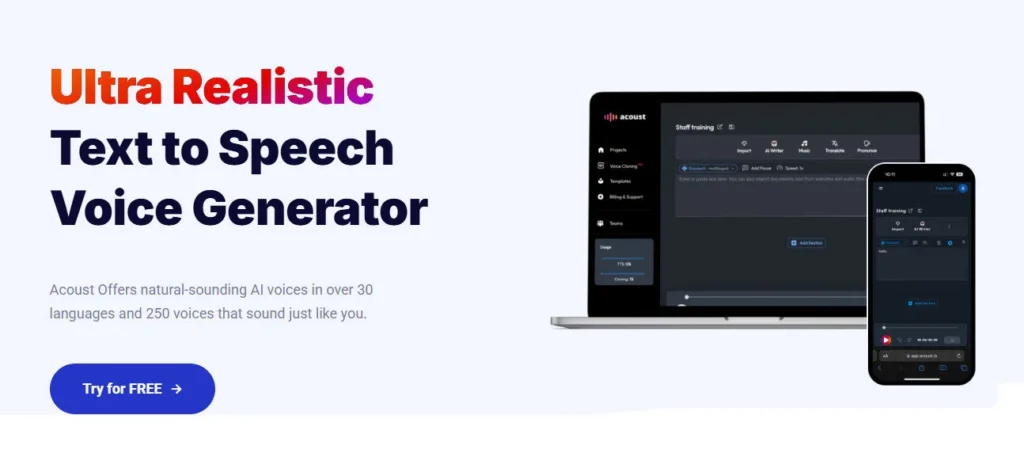
Acoust is a browser-based AI voice generation platform that combines text-to-speech, voice cloning, AI translation, a video editor, and an AI clips tool into one workspace — rated by its own homepage as the best AI voice generator for creators and enterprises.

It runs entirely online with no software download, supports 60+ languages and regional accents, and lets non-technical users go from a pasted script to a finished voiceover in under a minute.

Customers ranging from a real estate agency producing listing videos to a university updating learning modules and a global training firm cutting video production time from five weeks to one week all use Acoust as their primary audio production platform.

Key Capabilities

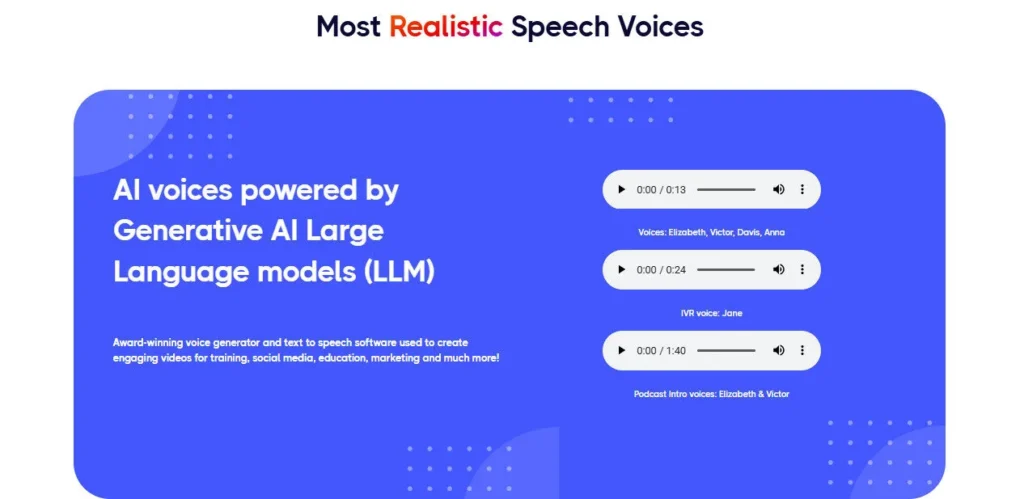
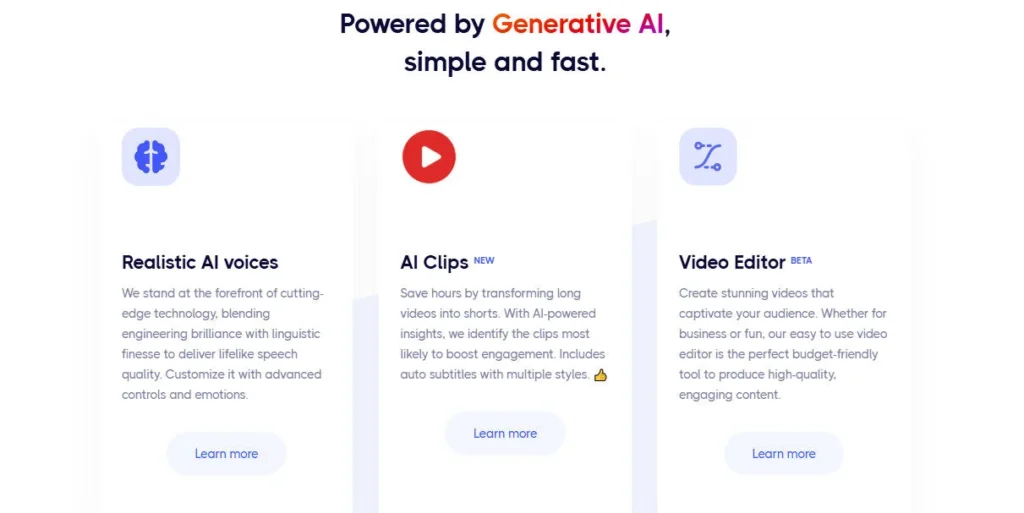
The TTS engine is powered by generative AI large language models layered on top of neural text-to-speech, producing output the platform describes as combining LLM-level context understanding with high-fidelity voice synthesis.

Emotion controls let you apply dynamic tones — excitement, sadness, anger, calmness, terror, and more — at the sentence or phrase level, and advanced controls include per-word Emphasis, Pitch, custom Pause lengths, Pronunciation override, and Speed adjustment.

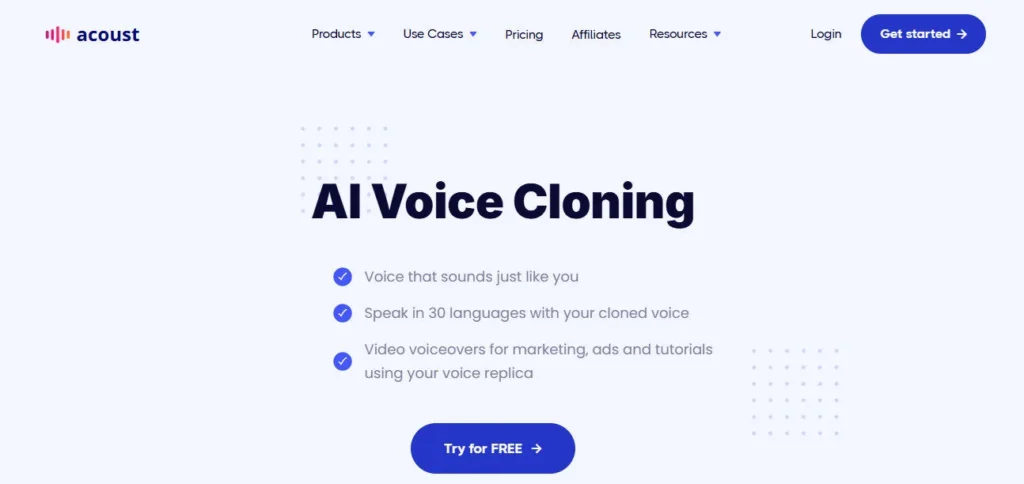
The AI Voice Cloning feature runs in two modes: Instant Cloning from a few minutes of audio (available immediately, starting at $1) and Professional Cloning from 30+ minutes of audio (fine-tuned over several days for maximum fidelity).

The Custom Voices tool generates brand-new AI voices entirely from a text prompt — describe a warm conversational narrator or an energetic TikTok creator voice and the platform builds it.

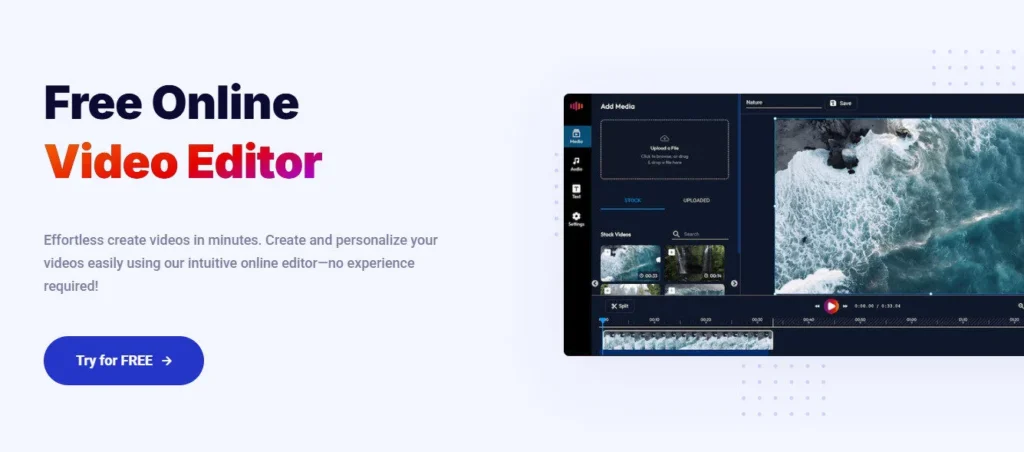
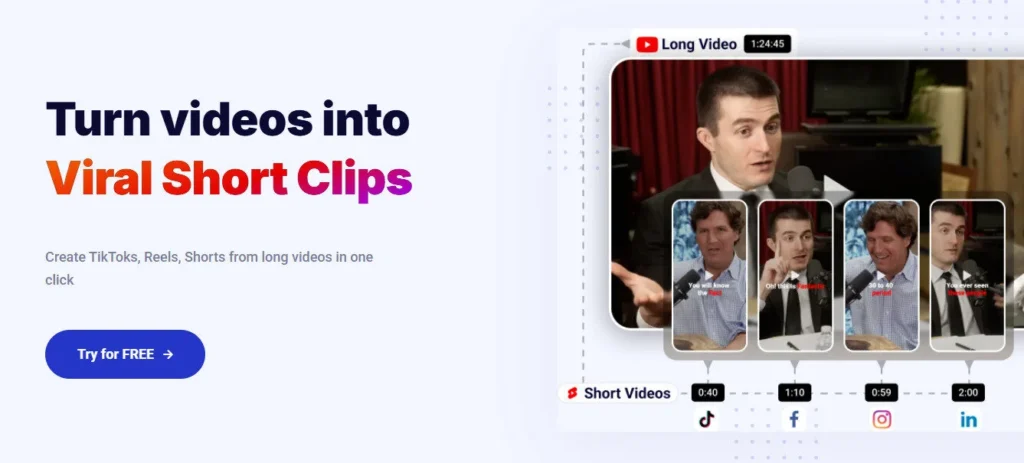
AI Clips (BETA) converts long videos into short-form clips with auto-generated subtitles in multiple styles, and the built-in Video Editor (BETA) handles the full edit without leaving the platform.

Who Gets the Most Out of It

Social media creators producing YouTube, TikTok, and Instagram Reels content use Acoust for quick multilingual voiceovers — the AI Translation tool converts scripts into 60+ languages in seconds, making cross-market publishing straightforward.

Training and e-learning teams use the consistent voice quality and multi-language output to scale courses across global offices, and the document listening tool lets learners consume uploaded .docx files as audio at adjustable speeds.

Marketers use the custom voice prompt tool to design a proprietary brand narrator voice without hiring talent, then deploy it consistently across all campaigns using voice cloning on the same model.

Developers and IVR teams integrate the TTS output to replace robotic system prompts with natural, AI-powered voices for customer-facing telephony.

Is It Worth It?

The free plan requires no credit card and gives users immediate access to core TTS and voice previewing — a genuine zero-risk entry point.

The Starter plan at $5/month unlocks 50,000 characters (approximately 60 minutes of audio), dynamic emotion voices, AI text extraction from PDF, and 30+ language support, making it one of the most affordable commercial TTS entry plans in 2026. Professional Voice Cloning and premium plan features add cost but remain competitive.

The honest caveat: the official YouTube channel has only 2 tutorial videos and 6 subscribers, meaning new users rely primarily on the blog, feature pages, and third-party reviews for onboarding guidance — a support gap compared to platforms like ElevenLabs or DupDub with large tutorial ecosystems.


Acoust is a browser-based AI voice generation and content creation platform that converts text into lifelike speech using generative AI LLM technology across 60+ languages and regional accents, with dynamic emotion controls, per-sentence audio customization, instant and professional voice cloning, custom AI voice design from text prompts, AI translation, an AI clips tool for short-form video creation, and a built-in video editor — all accessible for free with no credit card required, and paid plans starting at $5/month.

Text to Speech with LLM-Powered Voices — Convert scripts into natural, expressive audio using generative AI language models combined with neural TTS; supports 60+ languages and regional accents including US, UK, Australian, Indian English, French Canada, Arabic UAE and Saudi Arabia, Hindi, and more.

• Dynamic Emotion Controls — Apply emotion directives — excitement, sadness, anger, calmness, terror, and additional styles — at the sentence or phrase level to shape vocal delivery beyond a flat, uniform output; available on Starter plan and above.

• Advanced Voice Customization — Fine-tune every voiceover with per-word Emphasis (stress on specific syllables), Pitch adjustment for emotional phrases, custom Pause lengths between sentences, Pronunciation override using alternative spellings, and playback Speed control.

• AI Voice Cloning (Instant and Professional) — Instant Cloning creates a reusable voice clone from a few minutes of audio immediately, starting at $1; Professional Cloning uses 30+ minutes of audio for maximum fidelity, delivered after fine-tuning over several days.

• Custom Voices from Text Prompts — Generate a completely new AI voice by typing a description — “warm conversational narrator”, “energetic TikTok creator”, or any persona — powered by GenAI LLM technology, with no audio sample required.

• AI Translation — Convert any script into 60+ languages instantly, enabling creators and marketers to produce multilingual content from a single source script without a translator or separate localization tool.

• AI Clips (BETA) — Automatically identify the highest-engagement segments from long videos and convert them into short-form clips with multiple auto-subtitle styles — purpose-built for YouTube Shorts, Reels, and TikTok repurposing.

Video Editor (BETA) and Document Listening — Edit finished videos directly inside the platform without third-party software; upload .docx or text files to convert documents, articles, and training materials into listenable audio at adjustable playback speeds.

Pros
  • Permanent free plan with no credit card required lets creators fully evaluate TTS, voice previewing, and platform layout before spending anything
  • Generative AI LLM technology layered on neural TTS produces more contextually natural output than platforms using neural TTS alone
  • Starter plan at $5/month is among the most affordable commercial-licensed TTS tiers in 2026, covering 50,000 characters and dynamic emotion voices
  • Custom voice design from text prompts requires no sample audio — a unique capability that lets anyone build a branded voice persona without recording
  • Two-mode voice cloning (Instant from a few minutes, Professional from 30+ minutes) accommodates both fast content workflows and high-fidelity production projects
  • All-in-one workspace with TTS, video editor, AI clips, translation, and document listening eliminates the need to switch tools during a production session
  • Verified enterprise customers including a global training firm (Smart Group LLC) report cutting video production time from 5 weeks to 1 week using Acoust
Cons
  • ×Official YouTube channel has only 2 tutorial videos and 6 subscribers — onboarding and self-learning resources are significantly weaker than competitors like ElevenLabs, DupDub, and VoiSpark
  • ×AI Clips and Video Editor are both listed as BETA features as of April 2026 — production reliability and feature completeness for these tools are not yet at a stable, final release state
  • ×No publicly confirmed SOC 2 Type II, ISO 27001, HIPAA, or GDPR compliance certifications found on the official site — a gap for enterprise buyers in regulated industries
  • ×Voice library size is limited to 100+ voices — significantly smaller than ElevenLabs (10,000+), DupDub (700+), and VoiSpark (700+), reducing variety for high-volume content creators
  • ×No native mobile app — the platform is entirely web-based with no iOS or Android app for on-the-go audio generation or voice cloning
  • ×Pricing page does not publicly display plan details inline — confirmed plan features require third-party sources, reducing pricing transparency versus competitors

Acoust is built for creators, trainers, and marketers who want lifelike, multilingual AI voiceovers with advanced controls in a single, affordable browser-based workspace.

Social media content creators (YouTube, TikTok, Reels) — Use dynamic emotion voices and AI translation to produce multilingual voiceovers for short-form content in under a minute; the free plan covers trial use and Starter at $5/month covers commercial publishing.

• Corporate training and e-learning teams — Use consistent AI voices with multi-language output to scale training courses across global offices; Smart Group LLC verified cutting production time from 5 weeks to 1 week using Acoust for multilingual training video distribution.

• Marketers and brand managers — Use the custom voice prompt tool to design a unique brand narrator voice from a text description, then apply it consistently across all campaigns via voice cloning — without hiring a voice actor or scheduling recording sessions.

Real estate agencies and SMBs — Produce regular property listing videos, product demos, and explainer content with professional AI voiceovers and the built-in video editor, removing the need for separate voiceover and editing software subscriptions.

• Developers and IVR system teams — Replace robotic telephony prompts and system announcements with natural, contextually expressive AI voices in 60+ languages, covering customer support, broadcasting, and voicemail use cases.

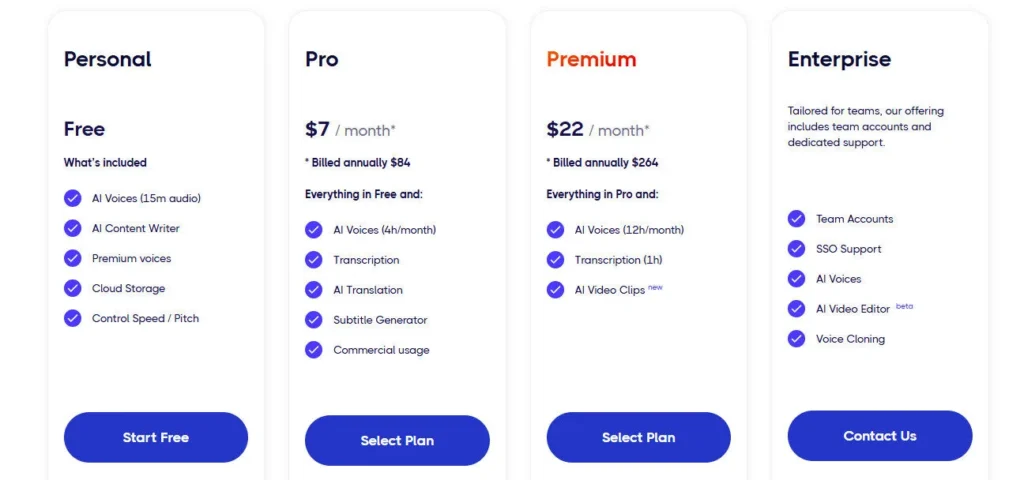
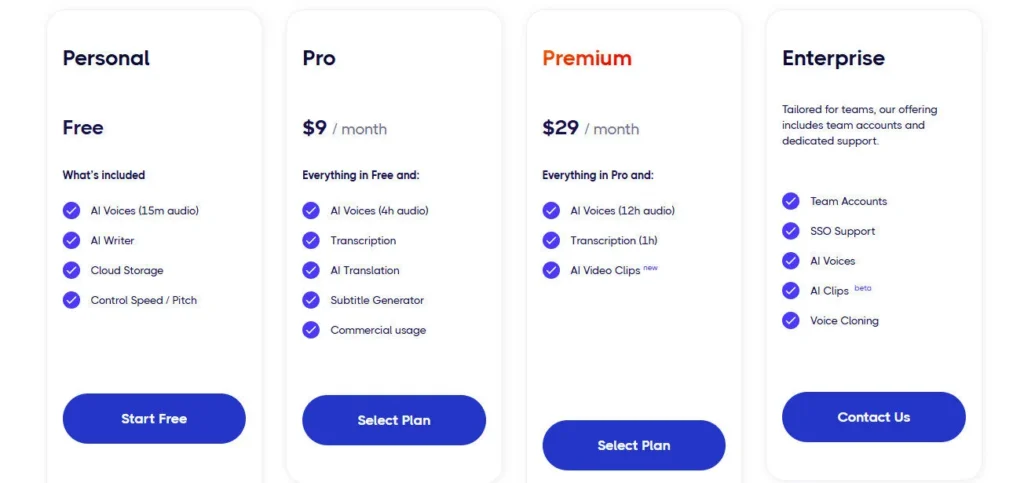
Free ($0/mo)Core TTS access, voice previewing, basic voices, limited monthly characters, no credit card required — personal non-commercial use.
Starter ($5/mo)50,000 characters/month (~60 min audio), dynamic emotion voices, AI text extraction from PDF documents, 30+ languages, commercial use rights.
Pro ($9/mo)Increased monthly character allowance above Starter, full voice library access, advanced audio customization controls (Emphasis, Pitch, Pause, Speed, Pronunciation), commercial use rights, voice cloning access.
Premium ($29/mo)Highest self-serve character volume, everything in Pro plus maximum concurrent features, priority access, expanded voice cloning capacity, suitable for high-output content studios and agencies.
Enterprise (Custom)Custom character volumes, team and multi-user accounts, dedicated support, custom SLA terms — contact Acoust directly for tailored team solutions.

Acoust stands out through a combination of LLM-powered voice fidelity, flexible voice creation modes, and an all-in-one production stack at a price point most platforms can't match.

• Generative AI LLM + Neural TTS Stack — Most TTS platforms run on neural voice synthesis alone; Acoust layers generative AI language model understanding on top, so the output reflects contextual meaning, sentence structure, and intent — not just phonetic rendering — producing speech that reads and breathes more like a real human performance.

• Custom Voice Creation from Text Prompt — No other mainstream TTS platform at this price tier lets you describe a voice in plain language and generate a completely new AI voice from scratch without any audio sample; Acoust's GenAI-powered Custom Voices tool builds bespoke narrator personas from a single text description.

• Two-Mode Voice Cloning at Every Scale — Offering both Instant Cloning (minutes of audio, same-day delivery, starting at $1) and Professional Cloning (30+ min of audio, multi-day fine-tuning) in the same platform lets individual creators and enterprise studios choose the fidelity level that matches their project without switching tools.

• AI Clips BETA for Short-Form Repurposing — The AI-powered clip extraction tool goes beyond simple trim functionality — it uses engagement-prediction insights to identify which segments of a long video are most likely to perform well as shorts, then applies auto-subtitles in multiple style variants, giving creators a complete repurposing workflow inside the voiceover platform.

• Built-In Video Editor Bundled with TTS — The Video Editor BETA eliminates the most common friction point for voiceover users — having to transfer audio into a separate video editing tool — by keeping the entire production cycle (write, voice, translate, clip, edit) inside a single browser tab.

Acoust operates as a browser-based platform with practical export compatibility across major content creation and distribution ecosystems.

• Direct Export to Social Platforms — Generated audio and edited videos export directly to YouTube, TikTok, and Instagram-compatible formats; the AI clips tool produces short-form clips pre-optimized for vertical video feeds with embedded subtitle styles.

• Document and File Input (.docx, .txt, PDF) — The document listening and AI text extraction features accept .docx, plain text, and PDF file uploads for conversion into audio — making it compatible with training content, articles, e-books, and scripts produced in any standard word processor.

• MP3 Audio Download — All generated TTS audio is downloadable in MP3 format, compatible with every podcast hosting platform, video editor (Premiere Pro, DaVinci Resolve, Final Cut Pro), DAW, and e-learning authoring tool including Articulate Storyline and Adobe Captivate.

• Browser Compatibility (No Install) — The full platform runs in Chrome, Firefox, Safari, and Edge on desktop without any software installation or OS restriction — accessible on Windows, macOS, and Linux machines.

• Enterprise Team Accounts — Custom team and multi-user configurations are available on the Enterprise plan via direct contact, supporting organization-wide deployment with shared workspaces and centralized billing for corporate training and marketing teams.

CategoryScoreWhy It Matters
Accuracy & Reliability4.2/5Acoust's LLM-powered neural TTS stack produces noticeably more contextually natural output than pure neural TTS systems, and verified enterprise customers (Smart Group LLC, University of Algarve, Dynasty Real Estate) cite consistent voice quality across multilingual deployments. Deductions apply for the limited voice library (100+) that reduces coverage for niche accents and styles, and for the BETA status of the AI Clips and Video Editor tools indicating ongoing reliability refinement.


Ease of Use4.7/5The three-step workflow (type text, pick voice, generate and share) is among the most streamlined in this review category. Customer testimonials specifically highlight the platform as 'more thoughtfully and logically designed than any other platform' reviewed. No software installation is required, the interface is fully browser-based, and document upload for listening content is a one-click action. Deductions apply for the weak tutorial ecosystem — the official YouTube channel has only 2 videos — which increases the learning curve for new users without prior TTS experience.
Functionality & Features4.2/5Acoust covers TTS with LLM+neural stack, dynamic emotions, Emphasis, Pitch, Pause, Pronunciation, and Speed controls, Instant and Professional Voice Cloning, Custom Voice creation from text prompts, AI Translation, AI Clips (BETA), Video Editor (BETA), Document Listening, and IVR/Broadcasting output — an impressively broad feature set for a $5/month Starter plan. Deductions apply for the BETA status of Clips and Video Editor, and for the absence of a developer API on confirmed self-serve pricing tiers.
Performance & Speed4.3/5TTS generation completes in seconds for standard script lengths, and the platform is fully browser-based with no install friction. Instant Voice Cloning delivers a usable clone immediately after upload. Professional Voice Cloning requires several days for fine-tuning, which is standard for high-fidelity custom models. The BETA labels on Clips and Video Editor suggest these tools may have variable processing times as the platform matures toward stable release.
Customization & Flexibility4.4/5Per-sentence emotion tags, five advanced audio controls (Emphasis, Pitch, Pause, Pronunciation, Speed), two-mode voice cloning, and text-prompt custom voice generation give Acoust a stronger customization layer than most platforms at the $5–$9/month tier. Cross-language voice application adds geographic flexibility. The main limitation is the absence of SSML or developer-level API controls on confirmed self-serve plans, and the 100+ voice library doesn't match the variety of larger competitors.
Data Privacy & Security3.6/5Acoust publishes a privacy policy and terms of service, and the platform operates using standard HTTPS infrastructure. However, no SOC 2 Type II, ISO 27001, HIPAA, or GDPR compliance certifications are publicly confirmed on the official site as of April 2026. For a platform processing voice cloning data and enterprise training audio, this is a notable gap versus ElevenLabs and Respeecher, which both carry independently audited compliance certifications. Enterprise buyers in regulated industries should request a DPA before committing.
Support & Resources3.5/5Acoust's official YouTube channel (@AcoustAI) has only 2 videos and 6 subscribers — the weakest tutorial ecosystem of any platform reviewed in this series. The blog covers feature announcements and TTS comparison articles but does not provide comprehensive step-by-step onboarding guides. The FAQs on the official site answer basic questions. Enterprise and team accounts include direct contact support. Self-serve users rely primarily on in-app UX and third-party review content for guidance.
Cost-Efficiency4.7/5The free plan requires no credit card and covers genuine feature evaluation, not just a time-limited trial. The Starter plan at $5/month unlocks 50,000 characters, dynamic emotions, PDF extraction, and commercial rights — the most feature-dense $5/month TTS plan in this review set. Instant Voice Cloning starts at $1 per clone with no subscription required. Professional Voice Cloning at a confirmed low per-clone rate makes high-fidelity custom voice creation accessible to solo creators and small teams.
Overall Score4.1/5Acoust is a genuinely capable and highly affordable all-in-one AI voice platform that distinguishes itself through LLM-powered TTS fidelity, text-prompt custom voice creation, and a complete production stack (voice, clips, video editor, translation) at an entry price few competitors match. It earns deductions for its limited voice library, BETA-stage video and clips tools, near-absent tutorial resources, and the absence of publicly confirmed enterprise compliance certifications.

Acoust is a quietly capable all-in-one AI voice platform that punches above its $5/month Starter price — combining LLM-powered TTS, two-mode voice cloning, custom prompt-based voice design, AI translation, AI clips, and a video editor in a single browser workspace.

It's the right tool for creators, educators, and SMBs who want affordable commercial voiceover production without juggling multiple subscriptions. The main honest gap is its near-absent tutorial ecosystem and limited voice library compared to category leaders — buyers who need 10,000+ voices or enterprise compliance certifications should also evaluate ElevenLabs before committing.

Q1.Is Acoust AI free to use?
Ans:-Yes. Acoust offers a permanent free plan with no credit card required that gives access to core TTS voices and voice previewing. The free tier is for personal, non-commercial use. Commercial rights, dynamic emotion voices, and higher character limits start on the Starter plan at $5/month, making it one of the most accessible commercial entry points in AI text-to-speech for 2026.
Q2.How many languages does Acoust support?
Ans:-Acoust supports 60+ languages and regional accents for text-to-speech, covering US, UK, Australian, and Indian English, Spanish (Spain and US), French (France and Canada), German, Italian, Japanese, Korean, Russian, Arabic (UAE and Saudi Arabia), Hindi, and many more. The AI Translation tool converts written scripts into these languages instantly, enabling one-click multilingual content production.
Q3.How does Acoust voice cloning work?
Ans:-Acoust offers two voice cloning modes. Instant Voice Cloning requires only a few minutes of clean audio and is available immediately — starting at $1 per clone. Professional Voice Cloning requires a minimum of 30 minutes of audio and is delivered after a multi-day fine-tuning process for the highest possible fidelity to the original speaker. Both modes produce reusable custom voices that can be applied across future TTS, narration, and translation projects.
Q4.What is the Acoust Custom Voices feature?
Ans:-Custom Voices lets you generate a completely new AI voice from a plain text description — no audio sample required. You type what you want, such as 'a warm conversational narrator' or 'an energetic TikTok-style creator voice', and Acoust's GenAI LLM technology builds that voice instantly. This is a unique capability at this price point and is ideal for creators and brands building a proprietary voice identity without hiring a voice actor.
Q5.What emotion styles does Acoust support?
Ans:-Acoust supports dynamic emotion voices including excitement, sadness, anger, calmness, terror, and more. These emotion controls apply at the sentence or phrase level, letting you direct the vocal performance on a line-by-line basis rather than setting a flat tone for the entire script. Emotion voices are available from the Starter plan ($5/month) and above.
Q6.What is AI Clips on Acoust?
Ans:-AI Clips (currently in BETA) automatically analyzes long videos to identify the segments most likely to drive engagement as short-form content. It extracts those clips and applies auto-generated subtitles in multiple visual styles — producing YouTube Shorts, Reels, and TikTok clips from a single long-form source video without manual editing. The feature is available inside the Acoust web app.
Q7.Does Acoust have a built-in video editor?
Ans:-Yes. Acoust includes a Video Editor (currently in BETA) that lets users create and edit videos directly inside the platform without switching to external software. It's designed as a budget-friendly production tool that pairs with Acoust's TTS and voice cloning output, keeping the full workflow — script, voice, edit — inside one browser tab.
Q8.Can I use Acoust audio for YouTube and commercial projects?
Ans:-Yes, from the Starter plan ($5/month) and above, Acoust includes commercial use rights that cover YouTube monetization, social media content, client work, and business marketing materials. The free plan is restricted to personal, non-commercial use. The Starter plan also unlocks 50,000 characters per month — approximately 60 minutes of audio — with dynamic emotion voices.
Q9.How does Acoust compare to ElevenLabs?
Ans:-ElevenLabs offers a larger voice library (10,000+ vs 100+ on Acoust), a more established TTS model (Eleven v3 with inline audio tags), and enterprise compliance certifications (SOC 2 Type II, ISO 27001, HIPAA-eligible) that Acoust does not publicly confirm. Acoust wins on the integrated all-in-one production stack — combining TTS, video editor, AI clips, and translation at $5/month — and offers custom voice creation from text prompts that ElevenLabs doesn't replicate at the same price point. For variety and enterprise compliance, ElevenLabs leads; for affordable all-in-one content production, Acoust is a strong alternative.
Q10.What file formats does Acoust support for input and export?
Ans:-Acoust accepts plain text input, pasted scripts, uploaded .docx documents, and PDF files via its AI text extraction feature. All generated audio exports as MP3, compatible with podcast platforms, video editors, DAWs, and e-learning authoring tools. The Video Editor exports video in formats suited for YouTube, TikTok, and Instagram publishing. No native API or developer integration is confirmed on publicly accessible pages for self-serve plans.

Promote This Tool

Help others discover this tool by sharing this page.

✓ Link copied to clipboard!

Acoust Reviews

0.0
Based on 0 reviews
5 star
0%
4 star
0%
3 star
0%
2 star
0%
1 star
0%

Write a Review

Your Rating:

No reviews yet. Be the first to share your thoughts!

33 Similar Acoust Tools