Home Categories Deals Sign Up
Updated: April 25, 2026

Decktopus AI in Action

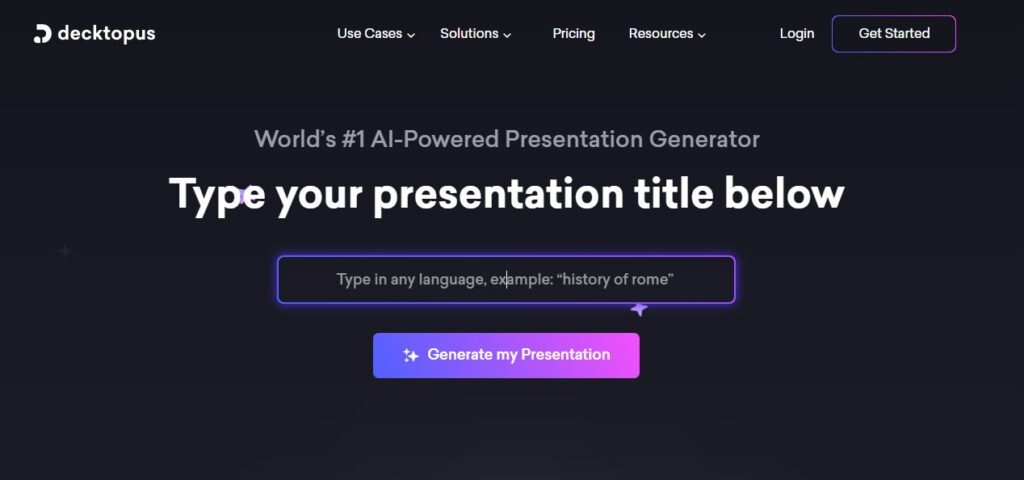
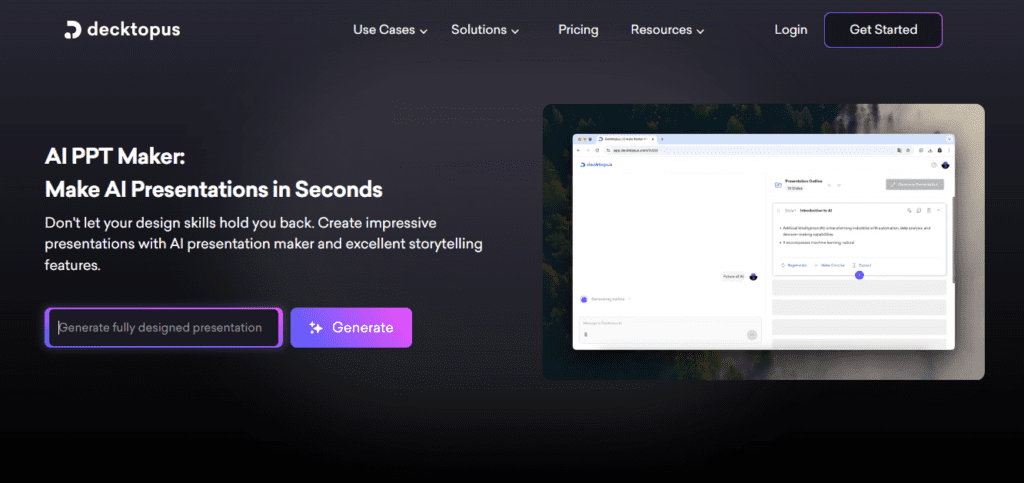
You type a prompt, and Decktopus AI builds a fully designed presentation — outline, slides, copy, and images — in under a minute. The platform has served over 4 million users and generates more than 402,000 presentations per month, proving it handles real workloads at scale. If you've ever lost two hours formatting bullet points in PowerPoint, you'll feel the difference immediately.

Key Capabilities

Decktopus builds presentations from a single text prompt, selecting smart layouts and generating content matched to your brand colors, fonts, and logo automatically. The drag-and-drop editor lets you fine-tune anything the AI produces. Need a visual? The built-in AI image generator creates slide-specific images from text prompts — no stock photo hunting required.

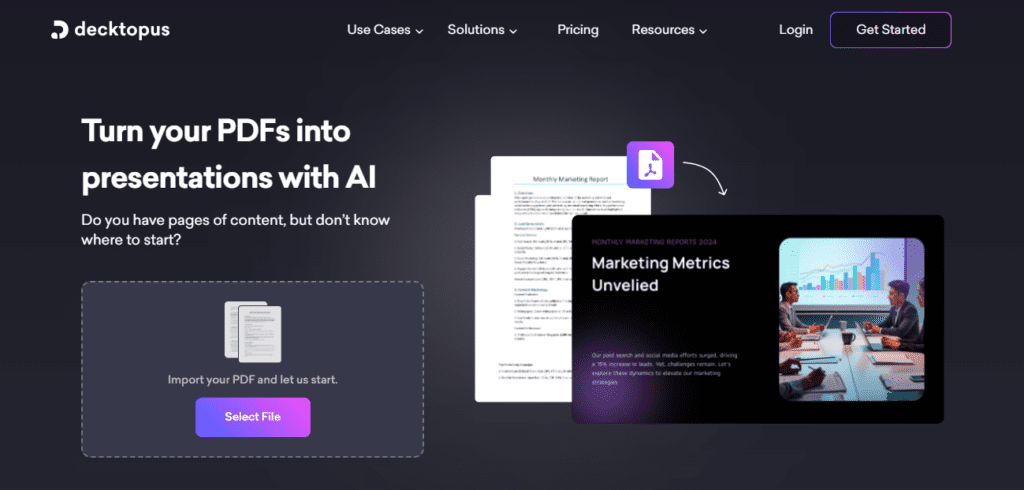
You can also paste in existing text or convert a PDF into a structured presentation instantly. Interactive features set this tool apart: you can embed forms directly into slides to collect leads, add voice recordings for async presentations, and track slide-level analytics to see which pages your audience actually reads. The Zapier integration connects your slide workflow to tools like HubSpot, Slack, or Google Sheets without writing a single line of code.

Who Gets the Most Out of It

Sales teams and consultants who build decks weekly save the most time — the auto-branding system means every new deck is on-brand without manual setup. Startup founders use the Pitch Deck template to build investor materials fast, often completing a 7-slide deck in under 20 minutes.

Educators and trainers benefit from the built-in Q&A generator and AI-generated speaker notes, which structure audience interaction automatically.

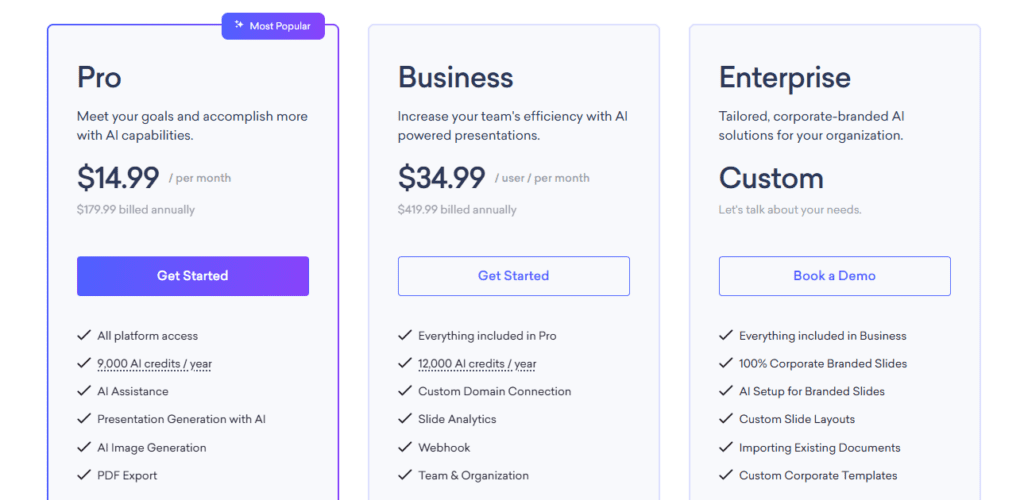
Enterprise teams get maximum value from the Business and Enterprise tiers, where multi-user organization panels, custom corporate templates, and webhooks handle large-scale deck management. Solo creators on a budget can start with the Pro plan at $14.99/month, billed annually.

Is It Worth It?

For teams producing more than 4–5 presentations per month, Decktopus pays for itself in time saved alone — users report saving up to 10 hours per week. The Pro plan gives you 300 AI presentations per year, which covers most individual use cases comfortably.

The main trade-off is creative ceiling: if you need pixel-perfect custom design or complex infographics, the fixed layout system will feel limiting compared to PowerPoint or Figma.

For sales, marketing, HR, and education professionals who need polished decks without a design team, Decktopus delivers genuine, measurable value.


Decktopus AI is an AI-powered presentation builder developed by Decktopus Inc., founded in 2019 and based in Palo Alto, California. You type a prompt, and the tool auto-generates outlines, slide content, and branded visuals in under 60 seconds. It serves over 4 million users across business, education, and sales use cases.

• AI Presentation Generation — Type a prompt and Decktopus creates a full deck with slides, copy, and layouts automatically, saving you hours of manual work.

• Auto-Branding Engine — Upload your logo, colors, and fonts once; every generated deck applies them instantly without manual formatting.

• AI Image Generator — Creates slide-specific visuals from text prompts directly inside the editor, eliminating the need for stock photo libraries.

• PDF & PPT Export — Export finished presentations as PDF files on paid plans, with PowerPoint-compatible sharing options for wider distribution.

• Interactive Slide Forms — Embed lead capture or feedback forms directly inside any slide to collect data from your audience without leaving the presentation.

• Slide Analytics — Track how many times your deck is opened and which individual slides viewers spend the most time on.

• Zapier Integration — Connects Decktopus to 5,000+ apps including HubSpot, Slack, and Google Sheets to automate presentation workflows without coding.

• PDF-to-Presentation Converter — Paste in text or upload a PDF and Decktopus instantly restructures it into a clean, well-designed slide deck.

Pros
  • Generates a complete, designed presentation from a single text prompt in under 60 seconds
  • Auto-branding applies logo, colors, and fonts to every new deck with zero manual effort
  • Built-in AI image generation eliminates stock photo searching from your workflow
  • Embeddable forms let you collect leads directly inside live presentations
  • Sub-1-minute average customer support response time — unusually fast for a SaaS tool
  • Zapier integration connects slide creation to your existing marketing and sales stack
  • Slide-level analytics reveal exactly which pages your audience reads most
Cons
  • ×Annual billing required to access the advertised $14.99/mo rate — monthly pricing is not publicly listed on the pricing page
  • ×Fixed layout system limits advanced custom design; pixel-perfect control requires switching to PowerPoint or Figma
  • ×AI credits (9,000/year on Pro) refill annually, not monthly, which can create gaps for high-volume users
  • ×No offline or desktop app — a stable internet connection is required at all times
  • ×Free tier capabilities are not clearly documented on the pricing page, making it hard to evaluate before upgrading

Decktopus AI is built for professionals and teams who need polished presentations fast and can't afford to spend hours on design.

Sales professionals — build branded pitch decks and proposals in under 20 minutes, then share via a trackable link with slide analytics.

Marketing teams — use auto-branding and custom templates to keep all team-produced decks visually consistent without a designer on every project.

• Startup founders — generate investor pitch decks quickly using the Startup Pitch Deck template, then iterate with the drag-and-drop editor.

• Educators and corporate trainers — leverage the built-in Q&A generator, speaker notes AI, and interactive forms to create engaging learning materials.

• Enterprise organizations — use the Business and Enterprise plans to centralize branded slide libraries, manage multiple users by department, and automate workflows via webhooks.

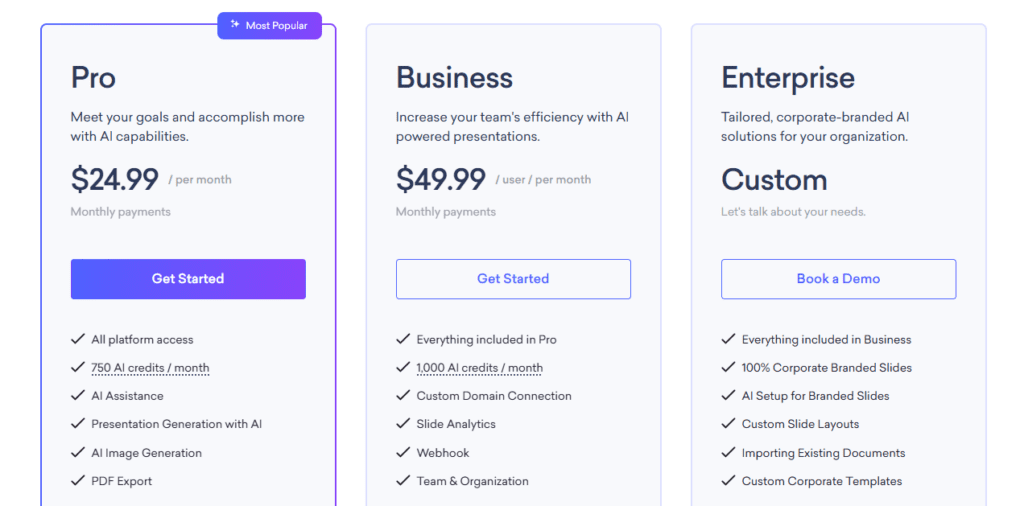
Free ($0/mo)Limited platform access, no AI credits included, basic template browsing, no PDF export, no AI presentation generation — trial access available via the homepage CTA.
Pro ($14.99/mo, billed annually at $179.99/yr)All platform access, 9,000 AI credits/year (refilled annually), 300 AI presentations/year, AI Presentation Generation, AI Image Generation, PDF Export.
Business ($34.99/user/mo, billed annually at $419.99/yr)Everything in Pro, 12,000 AI credits/year per user, 400 AI presentations/year for the organization, Custom Domain Connection, Slide Analytics, Webhook support, Team & Organization management panel.
Enterprise (Custom pricing)Everything in Business, 100% Corporate Branded Slides, AI Setup for Branded Slides, Custom Slide Layouts, Importing Existing Documents, Custom Corporate Templates — pricing via demo booking.

Decktopus AI stands apart from standard presentation tools through a combination of interactive features and automation that most competitors don't offer out of the box.

• Embedded Slide Forms — you can place lead capture or feedback forms directly inside any slide, turning a passive deck into an active data collection tool without external software.

• Voice Recording Integration — record and attach your voice narration to any slide, then share a single link that auto-plays the audio, enabling fully async presentations.

• Slide-Level Analytics — see exactly which slides viewers open, how long they spend per page, and how many total views a deck receives — data most presentation tools reserve for enterprise tiers.

• Auto-Branded Slide Library — upload brand assets once and every AI-generated deck applies them automatically; the Enterprise tier adds 100% corporate compliance with custom layout sets.

• DecktoGPT API Access — developers and power users can connect Decktopus to their own workflows via API, enabling programmatic presentation generation at scale.

Decktopus AI runs entirely in the browser and integrates with several third-party platforms to fit into existing workflows.

• Web Browser (all major browsers) — no download or installation required; create, edit, and share presentations from any device with an internet connection.

• Zapier — connects Decktopus to 5,000+ apps including HubSpot, Slack, Google Sheets, and Notion for automated deck creation and data syncing.

• Webhook Support (Business & Enterprise) — send real-time data from slide form submissions to any external application or CRM directly.

• Custom Domain Connection (Business & Enterprise) — host your shareable presentation links on your own branded domain instead of a Decktopus subdomain.

• Embeddable Presentations — paste a one-line embed code to display any Decktopus deck directly on your website, landing page, or blog without redirecting visitors.

CategoryScoreWhy It Matters
Accuracy & Reliability4.2/5Decktopus consistently generates relevant slide content and layouts based on user prompts, with auto-adjusted designs that preserve visual integrity. The AI occasionally produces generic copy that requires manual editing, particularly for technical or niche topics. Over 402,000 presentations created monthly suggests stable, production-grade reliability.
Ease of Use4.7/5The fill-in-the-blanks approach and drag-and-drop editor require zero design knowledge to produce professional results. Multiple user reviews highlight that switching themes, editing content, and sharing decks takes minutes rather than hours. The learning curve is minimal even for first-time users.
Functionality & Features4.3/5Decktopus goes beyond basic slide generation with AI image creation, embedded forms, voice recording, slide analytics, PDF export, and Zapier integration. The built-in Q&A generator and AI speaker notes add genuine presentation value. The absence of native .pptx export and limited offline functionality are notable gaps.
Performance & Speed4.5/5Full presentations are generated in under 60 seconds from a text prompt, which is among the fastest in the AI presentation category. The cloud-based infrastructure — backed by DigitalOcean — handles over 402,000 monthly presentations without reported downtime. Internet dependency means performance varies with connection quality.
Customization & Flexibility4.0/5Auto-branding with logos, colors, and fonts covers most business customization needs. The drag-and-drop editor allows per-slide adjustments, and custom templates are available on Business and Enterprise tiers. Advanced users needing pixel-level design control or complex data visualization will find the fixed layout system restrictive.
Data Privacy & Security4.0/5Decktopus uses DigitalOcean servers, Auth0 authentication, encrypted databases, and Let's Encrypt SSL — a solid standard security stack for a SaaS tool. No independent security audit or SOC 2 certification is publicly documented, which may concern enterprise buyers with strict compliance requirements.
Support & Resources4.3/5Decktopus advertises a sub-1-minute average customer support response time, which is unusually fast for a subscription tool in this price range. Multiple tutorial videos, a help center, and an active blog provide self-service resources. Enterprise clients also have access to dedicated onboarding and branded setup support.
Cost-Efficiency4.2/5The Pro plan at $14.99/month (annual) delivers 300 AI presentations per year — strong value for individuals who save up to 10 hours per week on design work. The Business plan at $34.99/user/month is competitive for teams that need analytics and custom domains. The annual-only commitment and lack of transparent monthly pricing reduce flexibility.
Overall Score4.3/5Decktopus AI earns a strong 4.3 for delivering fast, polished, interactive presentations without requiring design expertise — at a price point accessible to individuals and teams alike. It's the right tool for sales, marketing, and education professionals who value speed and brand consistency over pixel-perfect custom design.

Decktopus AI is the strongest choice for professionals who need fast, on-brand presentations without design skills — its auto-branding engine, interactive forms, and slide analytics deliver real business value beyond just slide generation. The Pro plan at $14.99/month (annual) is competitive for individual users creating up to 300 AI decks per year, though the annual-only billing and fixed layout system are genuine limitations to weigh before committing.

Q1.Is Decktopus AI free to use?
Ans:-Decktopus AI offers free access via a trial tier, though specific free plan limitations are not fully detailed on the pricing page. Paid plans start at $14.99/month billed annually for the Pro tier. Students can get a 50% discount using the code SUPPORTEDUCATION on any plan.
Q2.How does Decktopus AI generate presentations?
Ans:-You enter a text prompt — a topic, title, or brief description — and Decktopus AI generates a full presentation including an outline, slide content, layouts, and AI-created images automatically. The entire process takes under 60 seconds. You can then refine any slide using the drag-and-drop editor.
Q3.What is the difference between the Decktopus Pro and Business plans?
Ans:-The Pro plan ($14.99/mo annually) covers individual use with 9,000 AI credits/year, 300 AI presentations, and PDF export. The Business plan ($34.99/user/mo annually) adds team management, custom domain connection, slide analytics, webhook support, and 12,000 AI credits per user per year — making it suited for multi-user teams.
Q4.Can I export Decktopus presentations to PowerPoint?
Ans:-Decktopus primarily supports PDF export on paid plans. Presentations are designed for browser-based sharing via a shareable link rather than PowerPoint-native format. If you need .pptx files, you may need to rely on manual conversion or screenshot tools.
Q5.How many AI presentations can I create per month on the Pro plan?
Ans:-The Pro plan includes 9,000 AI credits per year with no monthly cap, which supports up to 300 AI-generated presentations annually (each deck costs 30 credits). Credits refill annually, not monthly, so heavy users could exhaust their quota before the year ends.
Q6.Does Decktopus work on mobile devices?
Ans:-Yes, Decktopus is fully cloud-based and mobile-responsive, so you can view and share presentations from any smartphone or tablet browser. However, the full creation and editing experience is optimized for desktop use. There is no dedicated iOS or Android app available.
Q7.Can I use my own brand colors, fonts, and logo in Decktopus?
Ans:-Yes. Decktopus offers a Light Branding feature that applies your logo, colors, and fonts to every new AI-generated deck automatically. Enterprise users get 100% Corporate Branded Slides with custom layouts, full AI branding setup, and the ability to import existing branded documents.
Q8.How does Decktopus compare to Gamma AI for presentations?
Ans:-Both tools generate AI presentations from prompts, but Decktopus differentiates itself with built-in lead capture forms, voice recording, slide-level analytics, and Zapier integration — features Gamma does not offer natively. Gamma has a stronger free tier and more flexible narrative-style layouts, while Decktopus excels at business and sales use cases.
Q9.Is Decktopus AI good for students?
Ans:-Yes. Decktopus offers a 50% student discount using the code SUPPORTEDUCATION on all plans. The AI-generated outlines, speaker notes, and Q&A generator make it useful for academic presentations. The no-design-skills-required approach also makes it accessible for students without a design background.
Q10.How secure is my data on Decktopus?
Ans:-Decktopus stores data on DigitalOcean's secure servers, uses Auth0 for authentication, and encrypts all login credentials and presentation data in its databases. The platform uses Let's Encrypt SSL to secure all network connections. No major data breach incidents have been publicly reported.

Promote This Tool

Help others discover this tool by sharing this page.

✓ Link copied to clipboard!

Decktopus AI Reviews

0.0
Based on 0 reviews
5 star
0%
4 star
0%
3 star
0%
2 star
0%
1 star
0%

Write a Review

Your Rating:

No reviews yet. Be the first to share your thoughts!

5 Similar Decktopus AI Tools