Home Categories Deals Sign Up
Updated: April 25, 2026

SlidesAI Inside Google Slides: No New Platform, No Learning Curve

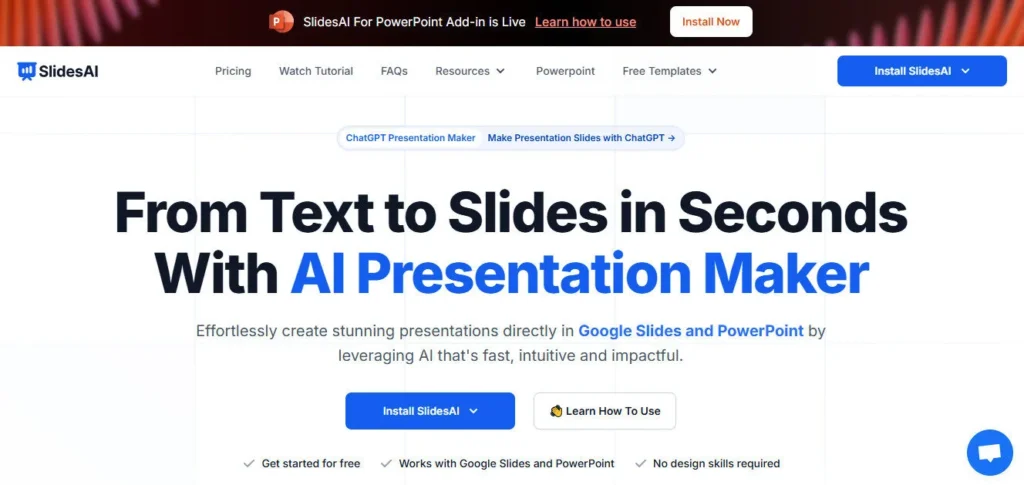
SlidesAI AI tool – SlidesAI is an AI-powered add-on that works directly inside Google Slides and Microsoft PowerPoint — you don't migrate to a new platform, you just paste your text or topic and let the AI build the deck around you. Founded in January 2023 by engineer and founder Anurag Bhagsain, it has grown to 14M+ installs and serves users across 150+ countries, making it one of the most widely adopted AI presentation tools in the world.

Key Capabilities

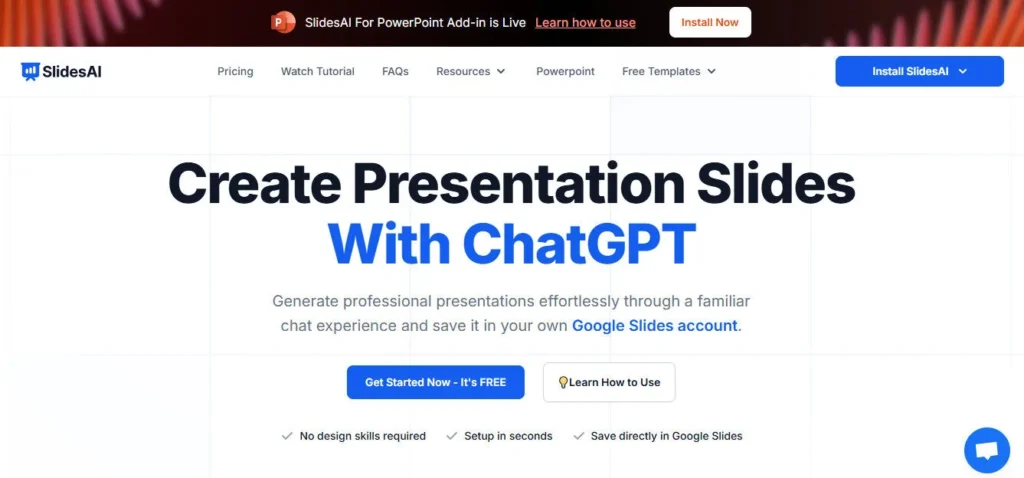
The workflow is three steps: install the add-on, paste your text or enter a topic, and SlidesAI generates a fully designed presentation — structured sections, AI-written bullet points, themed layouts, and images — directly inside your Google Slides or PowerPoint file.

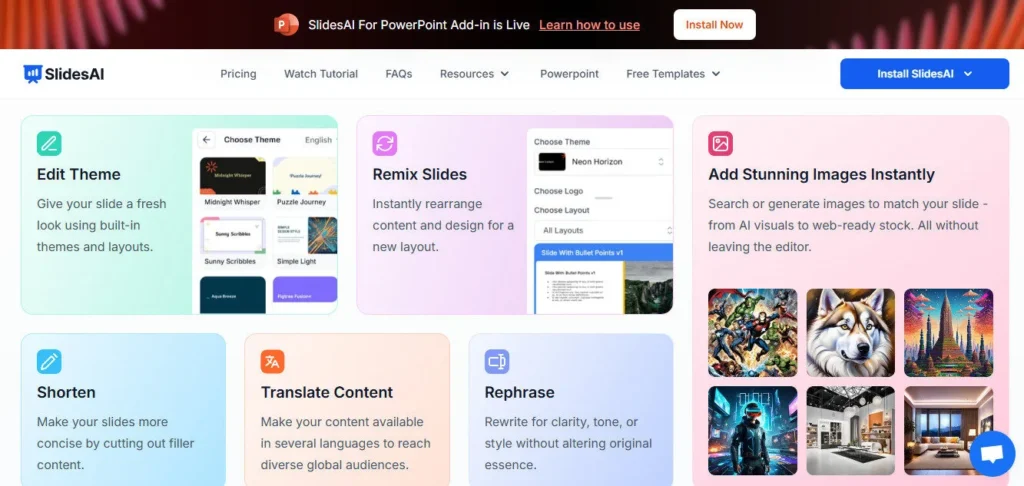
The built-in AI writing panel lets you refine content after generation: rephrase sentences, shorten bullet points, adjust tone, or translate slide text into any of 100+ supported languages without leaving the editor. The Magic Write tools generate AI images or insert quality stock photos on any slide, while 150+ professional templates give you a visual starting point before generation begins.

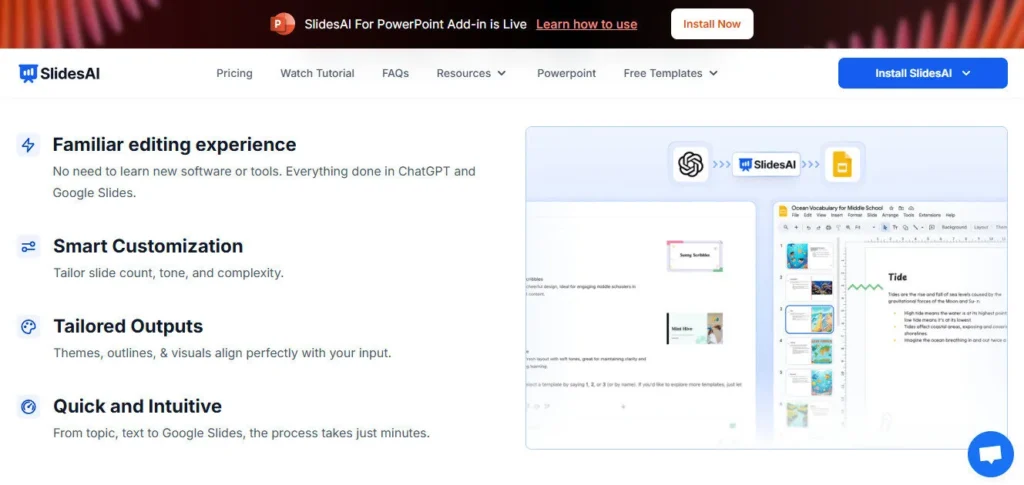
On Pro and Premium plans, you can upload source documents — PDFs and Word files — which SlidesAI reads and converts into structured decks automatically. The SlidesAI GPT integration lets you use a custom ChatGPT-powered assistant to generate and iterate on decks from a conversational prompt, then save the output directly to Google Slides.

Who Gets the Most Out of It

Students and educators are the platform's largest audience — teachers use it to convert lesson plans and notes into class-ready slides in minutes, while students generate structured presentations from research outlines and essay drafts. Business professionals building internal reports, status updates, or team briefings use the text-paste workflow to skip manual formatting entirely.

Marketers benefit from the document upload feature, which transforms campaign briefs, blog posts, or strategy documents into shareable slide decks. The free Basic plan — 12 presentations per year at no cost — makes SlidesAI genuinely accessible to casual users who don't need to commit to a paid subscription.

Is It Worth It?

At $8.33/month (billed annually at $100/year), the Pro plan is one of the most affordable AI presentation tools on the market that includes document upload and 120 presentations per year. The free Basic plan is a legitimate starting point — not a limited demo — making SlidesAI the rare AI presentation tool that delivers real value without a credit card.

The main limitations are a 2,500-character input cap on the free plan and the absence of custom branding uploads on any tier, which limits it for teams with strict visual identity requirements.

For students, educators, and solo professionals who need fast, well-structured presentations without design overhead, SlidesAI is among the best-value options available.

SlidesAI is an AI-powered presentation add-on for Google Slides and Microsoft PowerPoint, founded in January 2023 by Anurag Bhagsain and used by 14M+ people across 150+ countries. You paste text, enter a topic, or upload a document, and SlidesAI generates a fully designed, editable slide deck directly inside your existing presentation tool. It supports 100+ languages, 150+ templates, and AI image generation — with a free plan that requires no credit card.

• AI Presentation Generation — Enter a topic or paste text up to 12,000 characters (Premium) and SlidesAI builds a complete, structured deck with AI-written content, themed layouts, and images directly inside Google Slides or PowerPoint.

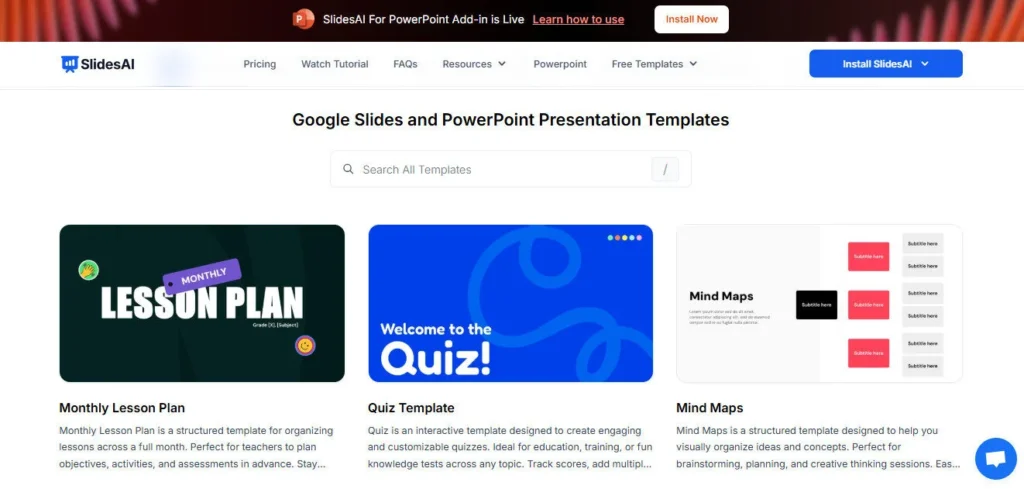
• 150+ Professional Templates — Choose from over 150 customisable templates spanning business, education, marketing, and creative categories before generation begins, giving every deck a polished visual foundation.

• AI Writing & Editing Tools — After generation, use built-in panel tools to rephrase, shorten, elaborate, adjust tone, or translate slide text into 100+ languages without leaving the editor.

• AI Image Generation & Stock Photos — Generate visuals with AI matched to your slide content, or search and insert quality stock images directly from inside the add-on panel without switching tabs.

• Document Upload (Pro & Premium) — Upload PDF or Word documents and SlidesAI extracts key content, structures an outline, and builds a presentation from your existing material automatically.

• SlidesAI GPT Integration — Access a custom ChatGPT-powered assistant inside the platform to generate, iterate, and refine presentations via natural language conversation, with output saved directly to Google Slides.

• PPTX Export — Export any AI-generated presentation as a .pptx file fully compatible with both Microsoft PowerPoint and Google Slides for flexible sharing and offline editing.

• 100+ Language Support — Generate, edit, and translate presentations in all major global languages including English, Spanish, French, Italian, Japanese, Russian, Hindi, and more.

Pros
  • Permanent free plan with 12 presentations per year — no credit card required, making it genuinely accessible with no trial expiry pressure
  • 14M+ installs and a 4.7-star rating across 2,000+ reviews validate consistent real-world performance at scale
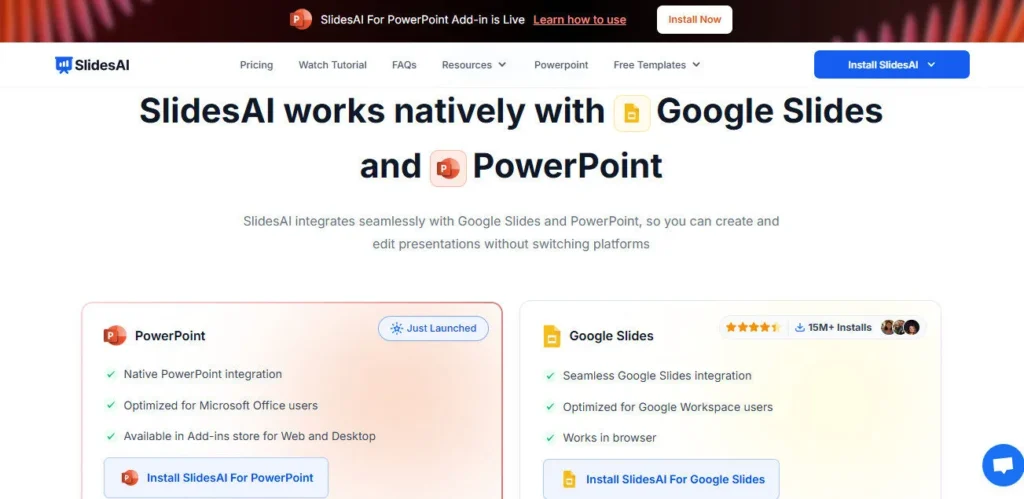
  • Works natively inside Google Slides and PowerPoint — no new platform to learn or migrate to
  • Supports 100+ languages for generation and in-editor translation, making it viable for global and multilingual teams
  • SlidesAI GPT integration brings conversational AI presentation generation powered by ChatGPT directly into the workflow
  • 150+ professional templates give structural and visual variety beyond basic AI generation
  • Founder-level support documented by users — Anurag Bhagsain has personally assisted users with troubleshooting via video call
Cons
  • ×Free plan is capped at 2,500 characters per input and 12 presentations per year — heavy users will hit this ceiling quickly and need a paid upgrade
  • ×No custom branding upload (logo, custom fonts, brand colors) on any publicly listed plan, limiting use for teams with strict visual identity requirements
  • ×AI Credits are allocated annually rather than monthly — 120 credits on Basic and 600 on Pro could be exhausted before year-end by frequent users
  • ×Some advertised features such as generating slides from YouTube links and certain PDF types are still listed as coming soon as of 2026
  • ×Premium plan at $16.67/month (annual) unlocks unlimited presentations but still caps AI Credits at 1,200/year, which constrains AI image generation and magic write usage
  • ×No dedicated offline or desktop app — a browser and internet connection are required at all times

SlidesAI is built for students, educators, and professionals who create presentations regularly and want AI to handle layout and content structuring — all from within Google Slides or PowerPoint.

• Students — generate structured academic presentations from essay drafts, research notes, or thesis outlines in minutes; the free Basic plan covers most student use cases at zero cost.

• Educators and teachers — convert lesson plans, course notes, and curriculum outlines into class-ready slide decks quickly; the Pro plan at $8.33/month supports 120 presentations per year with document upload.

Business professionals — paste meeting notes, status reports, or strategy documents and receive a formatted, presentable deck for internal or client-facing use without manual slide building.

• Marketers and content creators — upload blog posts, campaign briefs, or content calendars as documents and convert them into shareable slide decks for social media or client presentations.

• Global and multilingual teams — use the 100+ language support to generate and translate decks across multiple languages in a single workflow without external translation tools.

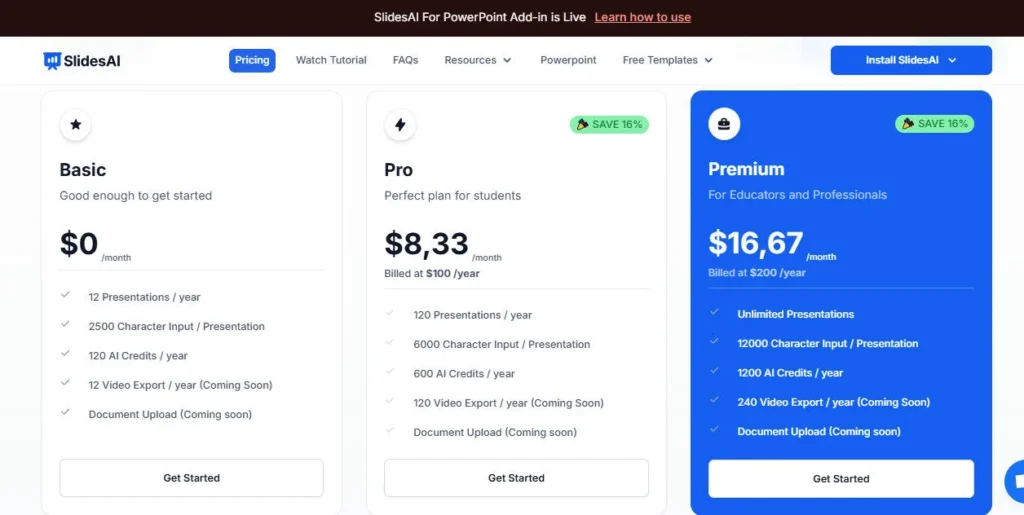
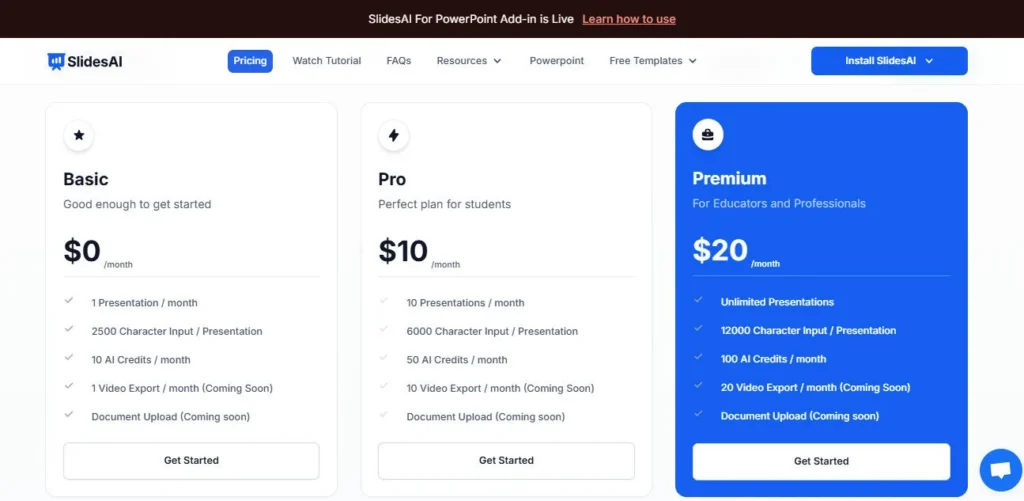
Basic ($0/mo — Free forever)12 presentations per year, 2,500 character input limit per presentation, 120 AI Credits per year, access to all templates and themes, works in Google Slides and PowerPoint, AI text to slides generation, no document upload, no credit card required.
Pro ($8.33/mo, billed annually at $100/year — or higher monthly rate)120 presentations per year, 6,000 character input limit per presentation, 600 AI Credits per year, document upload (PDF and Word files), full template library access, AI image generation, Magic Write tools (rephrase, shorten, translate), SlidesAI GPT access.
Premium ($16.67/mo, billed annually at $200/year — or higher monthly rate)Unlimited presentations per year, 12,000 character input limit per presentation, 1,200 AI Credits per year, document upload (PDF and Word), full template library access, AI image generation, Magic Write tools, SlidesAI GPT access, priority support.

SlidesAI stands apart by combining a genuinely usable free plan with deep native integration into the two dominant presentation platforms in the world.

• Permanent Free Plan with Real Value — unlike most AI presentation tools that offer only time-limited trials, SlidesAI's Basic plan gives you 12 free presentations per year with no credit card requirement — making it one of the only AI slide generators that non-paying users can rely on for regular lightweight use.

• SlidesAI GPT Integration — a dedicated custom ChatGPT assistant lets you generate and iterate on presentations through natural language conversation, then save the result directly to Google Slides — a conversational workflow that goes beyond standard prompt-to-deck tools.

• 14M+ Installs Across 150+ Countries — the scale of adoption validates the tool's reliability and cross-industry applicability in a way few competitors can match; user reviews document direct founder support, which is rare at this installation volume.

• 100+ Language Generation and In-Editor Translation — SlidesAI supports more languages than almost any presentation tool in its price range, with the ability to generate and translate slide content directly in the editing panel without external tools.

• Founder-Accessible Support — multiple verified user reviews document Anurag Bhagsain personally joining video calls to troubleshoot issues, delivering enterprise-level responsiveness at a free-to-$16.67/month price point.

SlidesAI integrates natively into the two most widely used presentation platforms in the world, with no standalone app required.

• Google Slides (Google Workspace Add-on) — install SlidesAI from the Google Workspace Marketplace and access the full AI panel inside any Google Slides file from the Extensions menu; rated 4.7 stars across 2,000+ reviews with 14M+ installs.

• Microsoft PowerPoint (Add-in via Microsoft AppSource) — install the SlidesAI add-in from the Microsoft AppSource store for both PowerPoint Web and PowerPoint Desktop; available to Microsoft 365 users on any operating system.

ChatGPT (via SlidesAI GPT) — SlidesAI offers a custom GPT inside ChatGPT's platform that generates presentations through natural language conversation and saves output directly to Google Slides.

• PPTX Export Compatibility — all generated presentations export as .pptx files that open natively and fully editably in both Microsoft PowerPoint (desktop and web) and Google Slides via Google Drive import.

• 100+ Language Environments — the platform operates and generates content in all major global languages, making it compatible with non-English Google Workspace and Microsoft 365 environments without additional localisation setup.

CategoryScoreWhy It Matters
Accuracy & Reliability4.2/5SlidesAI consistently generates well-structured, contextually relevant slide content from text inputs across a wide range of topics, as evidenced by its 4.7-star average across 2,000+ user reviews. The AI correctly interprets presentation type and slide count inputs to produce accurate structural outlines. Output quality on broad topics is strong, though highly technical or data-specific content occasionally requires significant post-generation editing.
Ease of Use4.8/5The install-paste-generate workflow requires no onboarding, no design knowledge, and no separate account creation beyond Google or Microsoft login. User testimonials from teachers, business professionals, and students consistently describe the tool as intuitive within minutes of first use. The add-on panel is well-organised within the familiar Google Slides and PowerPoint interface, eliminating any context-switching friction.
Functionality & Features4.1/5SlidesAI covers the core AI presentation workflow: text and document-to-slides generation, 150+ templates, AI writing tools, Magic Write (rephrase/shorten/translate), AI image generation, stock photo insertion, 100+ language support, PPTX export, and SlidesAI GPT. The annual AI Credit system limits magic write and image generation use. Features like YouTube-to-slides conversion are still listed as coming soon, keeping the score below tools with more complete feature sets.
Performance & Speed4.5/5SlidesAI generates complete presentations directly inside Google Slides in seconds, which users consistently describe as near-instant. With 14M+ installs and millions of active users, the platform's infrastructure handles scale reliably with no reported widespread downtime. Occasional slowdowns during high-traffic periods have been noted in reviews, and performance is inherently tied to internet connection quality as a browser-based add-on.
Customization & Flexibility3.8/5The 150+ templates and in-editor AI writing tools (rephrase, shorten, adjust tone, translate) offer meaningful post-generation flexibility for most users. However, the absence of a native custom branding upload — logos, fonts, and brand colors must be applied manually via Google Slides' Slide Master — is a real limitation for brand-conscious teams. The Premium plan's 12,000-character input limit allows much longer source content, which increases structural flexibility for complex topics.
Data Privacy & Security3.6/5SlidesAI processes data through Google Workspace's permission framework, which provides baseline security for user content accessed within Google Slides. No SOC 2 certification, GDPR compliance documentation, or independent security audit is publicly listed on the SlidesAI website. Billing is handled through Paddle.com (the official Merchant of Record), which adds a reputable payment security layer. Enterprise users with strict compliance requirements should contact the team directly before uploading sensitive documents.
Support & Resources4.4/5SlidesAI provides 24/7 support via live chat and email, an active blog covering presentation best practices and AI tutorials, and a well-documented FAQ on the pricing page. Multiple verified user reviews describe unusually fast support responses — including direct video calls from founder Anurag Bhagsain to resolve individual issues. This founder-level responsiveness is exceptional for a tool at this price range and scale.
Cost-Efficiency4.9/5SlidesAI offers one of the strongest cost-to-value ratios in the AI presentation category. The free Basic plan delivers 12 real presentations per year at no cost — not a trial. The Pro plan at $8.33/month (annual) and Premium at $16.67/month (annual) are among the lowest prices for unlimited AI presentation generation in a Google Slides-native tool. For students, educators, and budget-conscious professionals, SlidesAI is exceptionally affordable relative to its feature set.
Overall Score4.3/5SlidesAI earns a strong 4.3 by delivering an accessible, fast, and genuinely free-to-start AI presentation experience inside the tools billions of people already use daily. Its 14M+ installs, 4.7-star review average, 100+ language support, and founder-accessible support make it one of the most trustworthy AI presentation tools at its price tier. The absence of custom branding and annual credit caps are the primary limitations keeping it from a higher score.

SlidesAI earns its place as one of the most accessible and widely trusted AI presentation tools available — a permanent free plan, 14M+ installs, native Google Slides and PowerPoint integration, and SlidesAI GPT access make it a compelling choice for students, educators, and professionals who need fast, structured decks without design overhead.

The absence of custom branding and the annual AI credit cap limit its appeal for brand-sensitive teams, but for value-driven, format-first presentation creation, very few tools match it at this price point.

Q1.Is SlidesAI completely free to use?
Ans:-Yes — SlidesAI offers a permanent free Basic plan with no credit card required. The free plan includes 12 presentations per year, a 2,500-character input limit per presentation, and 120 AI Credits per year. It's one of the few AI presentation tools with a genuinely usable free tier that doesn't expire after a trial period.
Q2.Does SlidesAI work inside Google Slides and PowerPoint?
Ans:-Yes. SlidesAI is available as a Google Workspace Add-on (installed via the Google Workspace Marketplace) and as a Microsoft PowerPoint Add-in (available on Microsoft AppSource for both PowerPoint Web and PowerPoint Desktop). You access it from the Extensions menu in Google Slides or the Add-ins panel in PowerPoint — no separate platform or account is required.
Q3.How many presentations can I create per month with SlidesAI?
Ans:-Limits are set annually rather than monthly. The free Basic plan includes 12 presentations per year. The Pro plan ($8.33/month, billed annually) includes 120 presentations per year. The Premium plan ($16.67/month, billed annually) includes unlimited presentations per year. All plans also include annual AI Credit allocations that govern feature usage like image generation and Magic Write.
Q4.What is the SlidesAI GPT and how does it work?
Ans:-SlidesAI GPT is a custom ChatGPT assistant that lets you generate presentations through natural language conversation inside ChatGPT's platform. You describe your topic, provide context, and iterate with the AI through chat — the final output is saved directly to Google Slides. It's available on paid plans and adds a conversational workflow on top of the standard prompt-to-deck generation.
Q5.Can SlidesAI convert a PDF or Word document into a presentation?
Ans:-Yes, but only on Pro and Premium plans. Document upload allows you to submit a PDF or Word file, which SlidesAI reads and converts into a structured slide deck automatically. The free Basic plan does not include document upload — it only supports direct text input up to 2,500 characters.
Q6.Does SlidesAI support languages other than English?
Ans:-Yes. SlidesAI supports 100+ languages for both presentation generation and in-editor translation. You can prompt in a non-English language and receive slides in that language, or use the Magic Write tools to translate existing slides into another language without leaving the editor. The app interface itself is translated into English, Spanish, French, Italian, Japanese, and Russian.
Q7.What are AI Credits in SlidesAI and what do they cover?
Ans:-AI Credits are the in-platform currency that powers individual AI actions beyond basic slide generation — including AI image generation, Magic Write tools (rephrase, shorten, elaborate, translate), and other AI-assisted editing features. The free plan includes 120 credits per year, Pro includes 600, and Premium includes 1,200. Credits refill annually and cannot currently be topped up between billing cycles.
Q8.Can I use my own brand colors and logo with SlidesAI?
Ans:-SlidesAI does not currently offer a built-in custom branding upload for logos, custom fonts, or brand colors on any publicly listed plan. However, users can achieve brand consistency by applying their brand theme through Google Slides' Slide Master after SlidesAI generates the initial deck. An on-brand starting template can be set up manually in Google Slides before running the add-on.
Q9.How does SlidesAI compare to Plus AI for Google Slides?
Ans:-Both tools work natively inside Google Slides, but they target different users. SlidesAI has a permanent free plan, lower pricing (starting at $0), and 14M+ installs — making it more accessible for students and budget-conscious users. Plus AI starts at $10/month with no free plan, but adds Remix slide reformatting, saved prompt memory, SOC 2 Type II compliance, and custom branding — features that make it stronger for enterprise and sales teams. For cost-conscious or occasional users, SlidesAI wins; for power users needing brand control and security, Plus AI is the better fit.
Q10.Who founded SlidesAI and where is the company based?
Ans:-SlidesAI was founded in January 2023 by Anurag Bhagsain, a frontend engineer and SaaS product builder based in Himachal Pradesh, India. He built SlidesAI to eliminate manual formatting time for professionals and students. Multiple users have reported receiving direct troubleshooting support from Anurag personally, including video calls — an unusual level of founder accessibility for a tool with 14M+ installs.

Promote This Tool

Help others discover this tool by sharing this page.

✓ Link copied to clipboard!

SlidesAI Reviews

0.0
Based on 0 reviews
5 star
0%
4 star
0%
3 star
0%
2 star
0%
1 star
0%

Write a Review

Your Rating:

No reviews yet. Be the first to share your thoughts!

5 Similar SlidesAI Tools