Home Categories Deals Sign Up
Updated: April 25, 2026

SlideSpeak in Action: From Document to Deck in Minutes

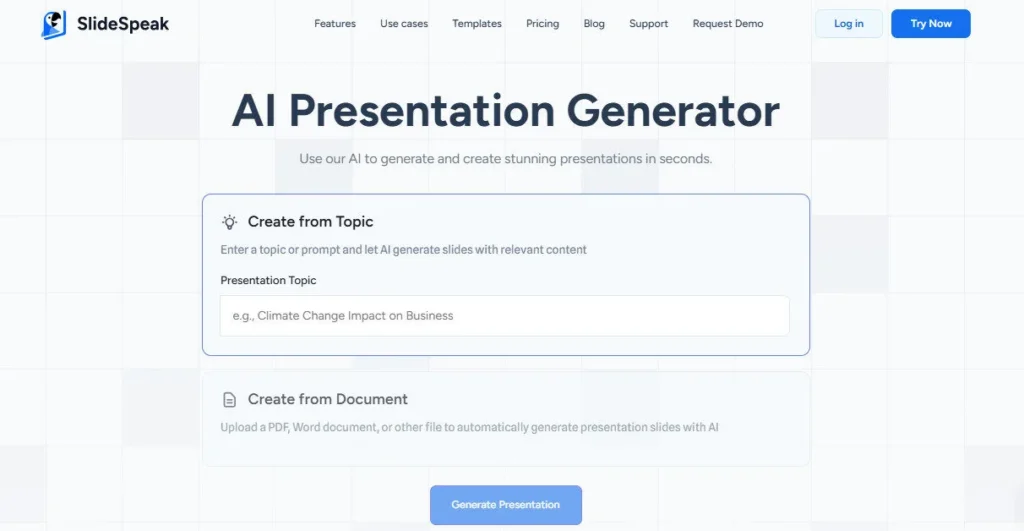
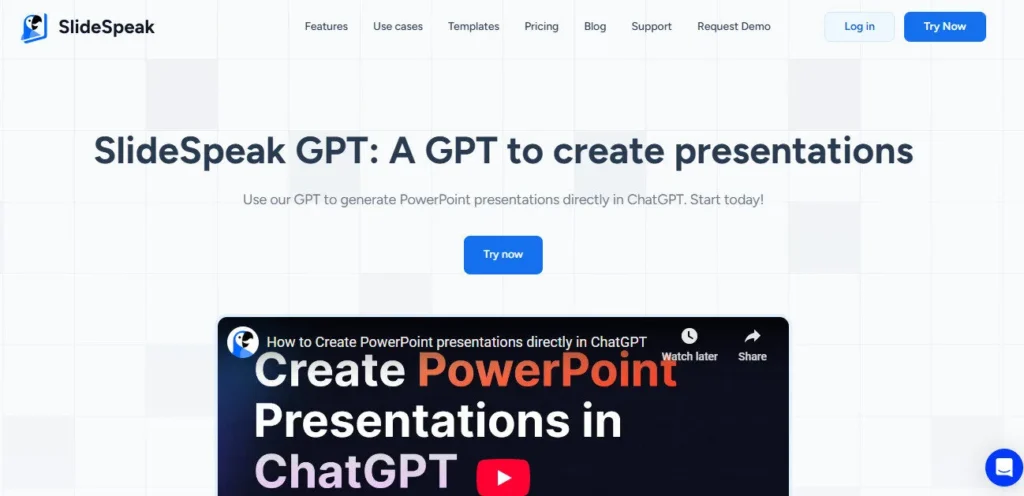
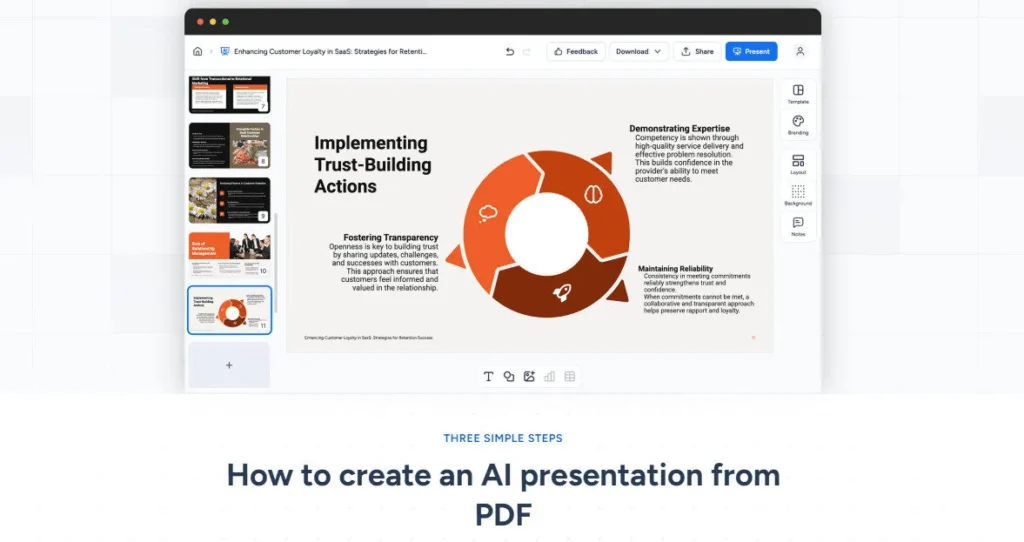
SlideSpeak is an AI presentation platform founded in 2023 by Kevin Goedecke — a serial SaaS founder and software engineer based in Austin, Texas. You feed it a PDF, Word file, Excel spreadsheet, or plain text, and it generates a fully structured, professionally designed PowerPoint in minutes.

With 2M+ presentations generated, a 4.9-star rating from 2,847 reviews, and users in 90+ countries, SlideSpeak is one of the most trusted and widely adopted AI presentation tools available today.

Key Capabilities

SlideSpeak's standout feature is Charles — a built-in AI assistant that does far more than generate slides. After your deck is created, Charles can rewrite bullet points, shorten or expand sections, change tone, generate AI images matched to slide content, build infographics and charts from your data, and translate the entire presentation into any of 150+ supported languages — all without leaving the editor.

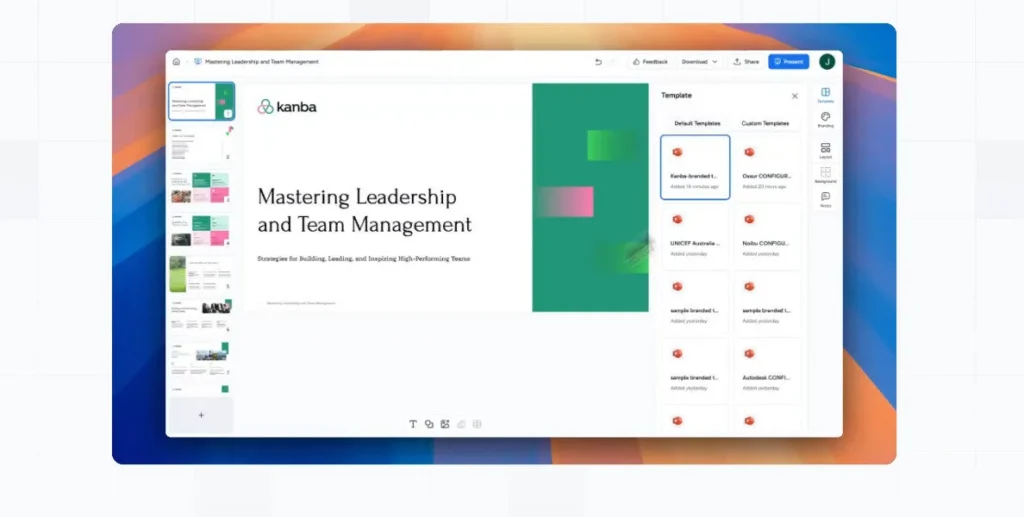
The AI Video Presentation generator converts any slide deck into a narrated video with AI voiceovers, making it uniquely powerful for training, social media, and async explainer content. The Brand Kit applies your fonts, colours, and logo across all slides automatically, and custom template import ($129 add-on) allows organisations to use their own slide masters for fully on-brand output.

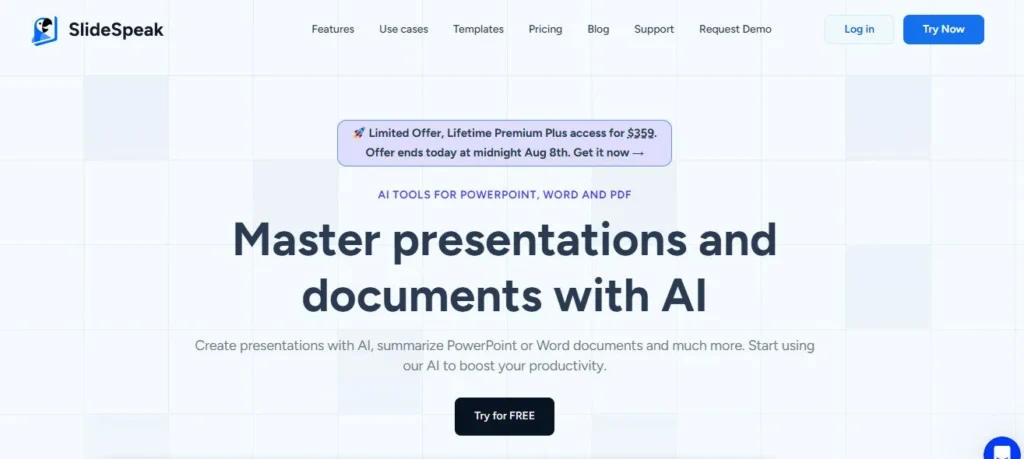
The free plan gives new users 3 credits at sign-up, and paid plans include 50 credits per month (Premium) or unlimited credits (Premium Plus) — with a lifetime access option available at $359 during promotional windows.

Who Gets the Most Out of It

Consultants and analysts who regularly convert dense research documents into client-ready slide decks save the most time — the document upload workflow handles PDFs, Word files, and Excel spreadsheets natively, eliminating manual data extraction.

Educators like James Garza of CCT College Dublin report significant reductions in prep time, using SlideSpeak to convert lesson materials into class-ready slides that still feel personally authored. Marketing agency owners and brand teams use the Brand Kit and custom template add-on to maintain visual consistency across all AI-generated decks without manual reformatting.

Enterprise teams use SSO, priority support, multiple custom templates, and the API to integrate SlideSpeak's generation engine into their own internal tools and workflows at scale.

Is It Worth It?

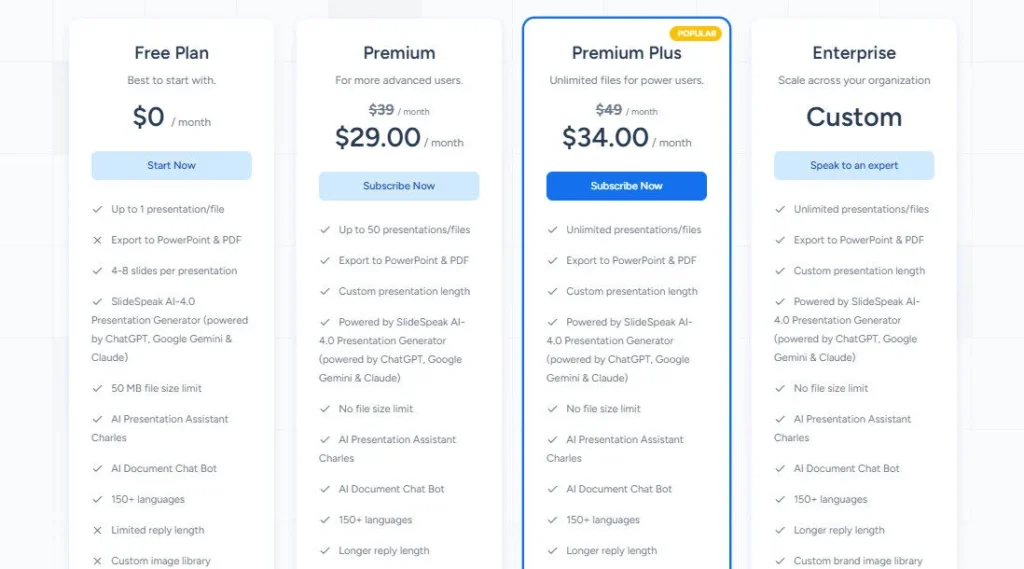
At $29/month for Premium (50 credits/month) and $34/month for Premium Plus (unlimited credits), SlideSpeak is priced at the mid-range for AI presentation tools — but the combination of document-to-slides conversion, a powerful in-editor AI assistant (Charles), AI video generation, 150+ language support, Brand Kit, and a developer API makes it one of the most feature-complete platforms at this price.

The free plan's 3 credits at sign-up let you test the core experience before committing. For individuals and teams who regularly work from documents and need publication-quality output with brand control, SlideSpeak consistently delivers above its price tier.

SlideSpeak is an AI-powered presentation platform founded in 2023 by Kevin Goedecke and based in Austin, Texas. You upload a PDF, Word file, Excel spreadsheet, or enter a text prompt, and SlideSpeak generates a fully designed, editable PowerPoint deck in minutes using its AI engine powered by ChatGPT.

It has generated 2M+ presentations for 1M+ users across 90+ countries, offering a built-in AI assistant (Charles), AI video generation, Brand Kit support, 150+ language translation, and a developer API.

• AI Presentation Generation from Documents — Upload PDFs, Word files, Excel spreadsheets, or enter text and SlideSpeak instantly generates a fully structured, professionally designed PowerPoint or PDF presentation without manual formatting.

AI Assistant Charles — A built-in AI agent inside the editor that generates content, rewrites bullet points, adjusts tone, summarises data, creates AI images, and builds infographics and charts directly on any slide.

• AI Video Presentation Generator — Convert any slide deck into a narrated AI video with voiceovers in a few clicks, ideal for training materials, social media content, and async explainer videos.

• Brand Kit — Apply your logo, fonts, and brand colours across all slides automatically; available on Premium Plus and Enterprise plans for fully consistent branded AI-generated output.

• 150+ Language Support and Translation — Generate presentations in 150+ languages or translate an entire existing deck with AI while preserving all layout, formatting, and structure automatically.

• AI Redesign and Edit Tools — Automatically enhance existing presentations by improving layouts, spacing, and visual hierarchy without rebuilding slides; shorten, expand, or rewrite entire slides with AI commands.

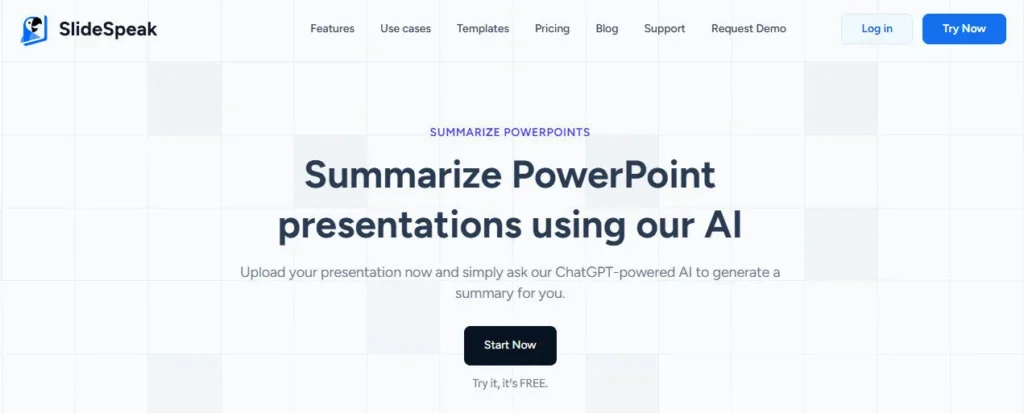
• Document Chat Bot — Ask natural language questions about any uploaded PDF, Word document, or PowerPoint file and receive instant AI-generated summaries or specific answers from the document content.

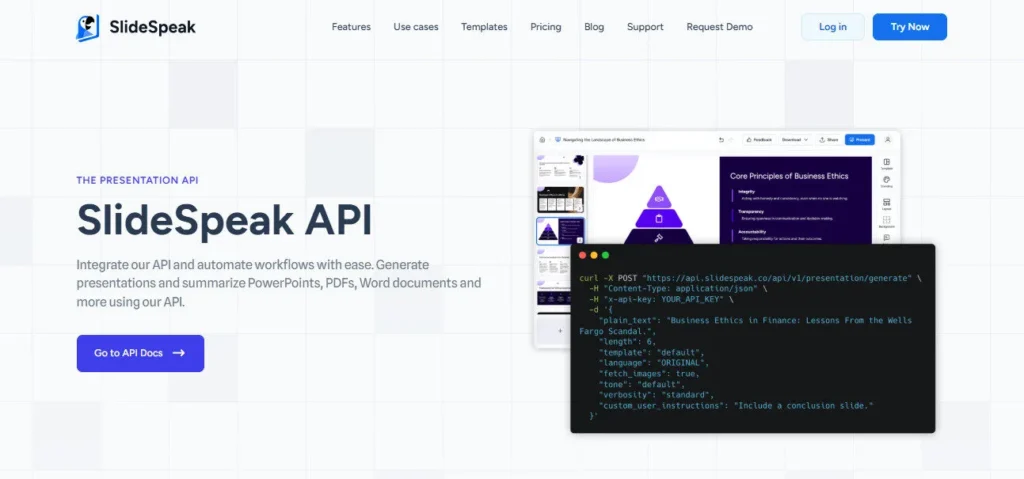
• Developer API — Integrate SlideSpeak's AI generation engine into your own products and internal workflows via a documented REST API, enabling programmatic presentation creation at scale.

Pros
  • 4.9-star rating from 2,847 verified reviews and 2M+ presentations generated confirm consistent real-world quality at significant scale
  • Charles AI assistant goes beyond generation — it rewrites, summarises, creates images, builds infographics, and translates inside the editor post-generation
  • AI Video Presentation generator converts any deck into a narrated voiceover video, a feature most direct competitors do not offer at this price
  • 150+ language support with layout-preserving AI translation makes it genuinely viable for global and multilingual teams
  • Document Chat Bot lets you ask natural language questions about uploaded PDFs and Word files, adding a research workflow on top of presentation creation
  • Free plan with 3 sign-up credits lets new users test the full generation experience with no credit card required
  • Developer API enables programmatic integration of the generation engine into custom internal tools, websites, and products
Cons
  • ×Premium plan is limited to 50 credits per month — each presentation costs multiple credits, so active users can exhaust this quota in under two weeks and must upgrade to Premium Plus at $34/month for unlimited credits
  • ×Custom template import is a paid add-on at $129 per template — branded slide masters are not included in any subscription plan by default, which is a meaningful extra cost for brand-sensitive organisations
  • ×Brand Kit (logo, fonts, colours) is only available on Premium Plus ($34/month) and Enterprise plans — the Premium plan at $29/month does not include Brand Kit access
  • ×No native integration with Google Slides — output is PowerPoint (.pptx) and PDF only; Google Workspace users must import files manually
  • ×Lifetime deal pricing ($359) is offered on a limited promotional basis rather than permanently, creating urgency-based purchasing pressure that some users may find frustrating
  • ×No publicly documented SOC 2 certification on the official website, which may present a barrier for enterprise buyers in regulated industries

SlideSpeak is built for professionals, teams, and creators who regularly work from documents and need polished, presentation-ready output fast — without rebuilding slides from scratch.

• Consultants and business analysts — upload dense research reports, financial summaries, or strategy documents and receive a structured, client-ready deck in minutes with no manual data extraction or slide formatting.

• Educators and trainers — convert lesson plans, course notes, and training materials into class-ready slides quickly; apply Charles AI to adjust tone and simplify language for specific audience levels.

Marketing teams and agencies — use Brand Kit on Premium Plus for consistent branded output, and the AI video generator to repurpose slide content into social media or training videos without additional tools.

• Enterprise teams — deploy multiple custom templates, SSO, priority support, and the Developer API to integrate SlideSpeak's generation engine into internal tools and manage branded presentation creation at organisational scale.

• Developers and product builders — use the SlideSpeak REST API to build presentation generation into SaaS products, internal dashboards, or automated reporting workflows without a custom AI pipeline.

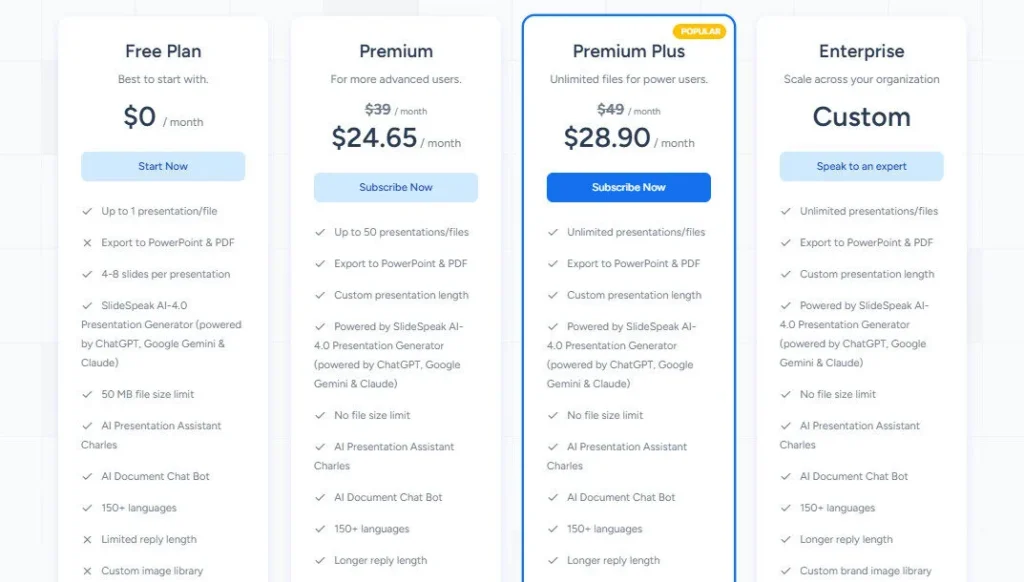
Free ($0/mo — Free forever)3 credits at sign-up, share presentations online, AI Presentation Assistant Charles, AI Document Chat Bot, 150+ languages, 50 MB file size limit — no export to PPT or PDF, no Brand Kit.
Premium ($29/mo, billed monthly — $25/mo if billed annually with 15% saving)50 credits per month, export to PDF and PPT, AI Presentation Assistant Charles, SlideSpeak AI 4.0 powered by ChatGPT, AI Presentation Video Generator, custom presentation length, AI Document Chat Bot, no file size limit, 150+ languages — Brand Kit not included; Custom Template add-on available at $129/template.
Premium Plus ($34/mo, billed monthly — $29/mo if billed annually with 15% saving)Unlimited credits (fair use), all Premium features, Branded presentations (Brand Kit — logo, fonts, colours), Custom brand image library — Custom Template add-on available at $129/template.
Enterprise (Custom pricing — contact for quote)Unlimited credits, all Premium Plus features, multiple custom templates, SSO (Single Sign-On), Priority Customer Support, custom onboarding and implementation — Custom Template add-on available at $129/template.

SlideSpeak differentiates itself through a combination of deep document intelligence, a post-generation AI editing agent, and AI video output that most presentation tools in its price range do not offer together.

• Charles AI Assistant (Post-Generation Editor) — rather than just generating a deck and leaving you to edit it manually, Charles stays active inside the editor to rewrite bullet points, generate images, build infographics, adjust tone, summarise content, and translate slides on demand — turning the tool into a persistent AI co-presenter rather than a one-shot generator.

• AI Video Presentation Generator — SlideSpeak converts any slide deck into a fully narrated AI video with voiceovers in a few clicks, enabling users to repurpose presentations into social media content, training videos, and async explainers without a separate video tool.

• Native Excel, Word, and PDF Ingestion — while many AI presentation tools accept PDFs, SlideSpeak natively processes Excel spreadsheets alongside Word and PDF files, making it particularly powerful for data-heavy business and financial presentations that originate in spreadsheets.

• Document Chat Bot — a built-in AI bot that answers natural language questions about any uploaded document, enabling users to research and interrogate source material inside the same platform where they build the presentation.

• Developer API for Programmatic Generation — SlideSpeak offers a documented REST API that lets developers and product teams embed AI presentation generation directly into their own applications, a capability absent from most consumer-focused AI presentation platforms.

SlideSpeak is a cloud-based platform with document ingestion, export, and API capabilities that connect it to a wide range of existing workflows.

• Microsoft PowerPoint — all generated presentations export as fully editable .pptx files compatible with Microsoft PowerPoint on desktop and web; custom templates can be imported via the $129 add-on to use existing branded PowerPoint slide masters.

• PDF Export — every generated presentation can be exported as a PDF in addition to .pptx, making it easy to share finalised decks via email or embed them on websites without requiring PowerPoint.

• Document Sources (PDF, Word, Excel, TXT) — SlideSpeak natively ingests PDF, Word (.docx), Excel (.xlsx), and plain text files with no file size limit on paid plans, enabling direct conversion from any common business document format.

• Developer REST API — SlideSpeak provides a documented REST API for programmatic presentation generation, allowing developers to embed the AI engine into SaaS products, internal tools, and automated reporting pipelines.

• SSO (Enterprise) — Enterprise plan users can connect SlideSpeak to their organisation's identity provider via Single Sign-On, enabling centralised access management and compliance with corporate authentication policies.

CategoryScoreWhy It Matters
Accuracy & Reliability4.5/5SlideSpeak's 4.9-star average from 2,847 verified reviews and 2M+ generated presentations provide strong evidence of consistent, reliable output quality across a wide range of document types and topics. The AI correctly structures content from PDFs, Word files, and Excel spreadsheets into logical presentation outlines with appropriate slide hierarchies. Occasional over-summarisation of highly technical content has been noted in user reviews, requiring post-generation editing with Charles.
Ease of Use4.6/5The upload-configure-generate workflow is intuitive and requires no design knowledge or software installation. Lecturer James Garza of CCT College Dublin and marketing agency owner Jenny Smith both describe significantly reduced prep time with minimal learning curve. The Charles AI assistant adds powerful post-generation editing without complexity, operating through natural language commands inside the familiar editor interface.
Functionality & Features4.7/5SlideSpeak's feature set is among the most comprehensive in the AI presentation category at this price point: multi-format document ingestion (PDF, Word, Excel), Charles AI editing agent, AI video generation, AI images and infographics, Brand Kit, Document Chat Bot, 150+ language translation, redesign tools, and a developer API. The 50-credit monthly cap on the Premium plan and the $129 custom template add-on are the primary functional limitations preventing a higher score.
Performance & Speed4.5/5SlideSpeak generates complete presentations from documents in minutes, with the official tutorial showing a 7-slide deck created from a PDF upload in well under two minutes. Charles AI responses inside the editor are near-instant for text edits. The AI Video generator takes longer but produces narrated video output without additional tools. Performance is cloud-dependent and may vary under high load, though no widespread downtime has been publicly reported.
Customization & Flexibility4.2/5Brand Kit on Premium Plus applies logo, fonts, and colours automatically across all generated decks, and the $129 custom template add-on enables full branded slide master import for organisations needing true brand compliance. The Charles AI assistant offers deep post-generation flexibility through natural language commands. The Premium plan's exclusion of Brand Kit and the add-on pricing for custom templates reduce flexibility at entry-level paid pricing.
Data Privacy & Security3.8/5SlideSpeak states that customer data is stored securely and not shared with any third party, and uses encryption for data handling. The Enterprise plan includes SSO for centralised authentication management. However, no publicly listed SOC 2 certification or independent security audit documentation is visible on the official website, which may present a barrier for enterprise buyers in regulated or compliance-sensitive industries.
Support & Resources4.3/5SlideSpeak provides live chat support on the website, a growing blog with tutorials and use-case guides, and priority customer support on the Enterprise plan. The official YouTube channel includes tutorial videos for core features including document-to-slides conversion and the AI editor. The company was represented at WebSummit Lisbon 2024 by founder Kevin Goedecke, demonstrating active public engagement. Educational users receive a 25% discount through a verified academic discount programme.
Cost-Efficiency4.4/5At $29/month for Premium and $34/month for Premium Plus (or $25/$29 billed annually), SlideSpeak delivers strong value for its feature set — particularly given that Charles AI assistant, AI video generation, Document Chat Bot, and 150+ language support are included at base paid pricing. The free plan with 3 credits provides a genuine no-cost entry point. The $129 custom template add-on and Brand Kit exclusion from the Premium plan are real extra costs that reduce value for brand-sensitive teams on entry paid tiers.
Overall Score4.4/5SlideSpeak earns a strong 4.4 as one of the most feature-complete and highly reviewed AI presentation platforms in 2026 — its document ingestion depth, Charles AI assistant, AI video generation, and developer API collectively deliver capabilities that most direct competitors cannot match at a comparable price. The custom template add-on cost and Brand Kit exclusion from the Premium plan are the primary friction points for brand-sensitive users, but overall value across the platform is excellent.

SlideSpeak is one of the most feature-complete AI presentation tools available in 2026 — its combination of multi-format document ingestion, Charles AI assistant, AI video generation, 150+ language support, Brand Kit, and a developer API makes it genuinely versatile across individual, team, and enterprise use cases.

The free plan is a real entry point, Premium Plus at $34/month delivers strong value for power users, and the custom template add-on at $129 is the main cost to plan for if branded slide masters are a requirement.

Q1.Is SlideSpeak free to use?
Ans:-Yes. SlideSpeak offers a permanent free plan that includes 3 credits at sign-up, access to the AI Presentation Assistant Charles, the Document Chat Bot, 150+ language support, and online presentation sharing — with no credit card required. The free plan does not include PDF or PPT export, Brand Kit, or unlimited file sizes. Paid plans start at $29/month for Premium.
Q2.What documents can SlideSpeak convert into presentations?
Ans:-SlideSpeak natively ingests PDF, Word (.docx), Excel (.xlsx), and plain text files. There is no file size limit on paid plans (50 MB limit on the free plan). The AI extracts and structures content from your uploaded document and generates a fully designed presentation outline and slide deck automatically, without manual copy-pasting.
Q3.What is the AI assistant Charles in SlideSpeak?
Ans:-Charles is SlideSpeak's built-in AI assistant that works inside the presentation editor after your deck is generated. He can rewrite bullet points, shorten or expand text, adjust tone, generate AI images matched to slide content, create infographics and charts, and translate slides into 150+ languages. Charles operates as a persistent AI co-editor rather than a one-shot generator, allowing continuous refinement without leaving the platform.
Q4.How much does SlideSpeak cost per month in 2026?
Ans:-SlideSpeak has four plans: Free ($0/month, 3 credits), Premium ($29/month for 50 credits, or $25/month billed annually with 15% saving), Premium Plus ($34/month for unlimited credits with Brand Kit, or $29/month billed annually), and Enterprise (custom pricing with SSO, multiple custom templates, and priority support). A Custom Template add-on is available at $129 per template on any paid plan.
Q5.What is the difference between SlideSpeak Premium and Premium Plus?
Ans:-The key differences are credits and Brand Kit access. Premium ($29/month) gives 50 credits per month and does not include Brand Kit. Premium Plus ($34/month) gives unlimited credits (subject to fair use) and adds Brand Kit (logo, fonts, colours) and a custom brand image library. Both plans include AI video generation, Charles AI assistant, no file size limit, and 150+ languages.
Q6.Can SlideSpeak generate AI videos from presentations?
Ans:-Yes. SlideSpeak includes an AI Video Presentation generator on all paid plans that converts any slide deck into a narrated video with AI voiceovers in a few clicks. This feature is designed for training materials, social media content, and async explainer videos. It is not available on the free plan.
Q7.Does SlideSpeak work with Google Slides?
Ans:-SlideSpeak does not offer native Google Slides export or integration. All generated presentations are exported as .pptx (PowerPoint) or PDF files. Google Workspace users can import the .pptx export into Google Drive and open it in Google Slides manually as a workaround. A Google Slides integration is not listed as coming soon on the official site.
Q8.How does the SlideSpeak custom template add-on work?
Ans:-The Custom Template add-on costs $129 per template and is available on any paid plan. It allows you to import your own existing PowerPoint template or commission SlideSpeak to create a fully customised template that matches your brand identity. Once set up, all AI-generated presentations will use your branded slide masters with your fonts, colours, and layouts applied automatically.
Q9.Does SlideSpeak have a developer API?
Ans:-Yes. SlideSpeak provides a documented REST API that allows developers to integrate the AI presentation generation engine into their own products, internal tools, and automated pipelines. API pricing is listed separately from subscription plans on the SlideSpeak pricing page. This makes it suitable for SaaS teams, agencies, and product builders who want to embed presentation generation into their own applications.
Q10.Who founded SlideSpeak and when was it launched?
Ans:-SlideSpeak was founded in 2023 by Kevin Goedecke, a serial SaaS founder and software engineer based in Austin, Texas. Goedecke also founded Magicul, a SaaS toolkit for UI/UX designers. He launched SlideSpeak on Product Hunt in August 2023 and presented the platform at WebSummit Lisbon in 2024. The company employs a team of 2 to 10 people and has grown to 1M+ users across 90+ countries.

Promote This Tool

Help others discover this tool by sharing this page.

✓ Link copied to clipboard!

SlideSpeak Reviews

0.0
Based on 0 reviews
5 star
0%
4 star
0%
3 star
0%
2 star
0%
1 star
0%

Write a Review

Your Rating:

No reviews yet. Be the first to share your thoughts!

5 Similar SlideSpeak Tools