Home Categories Deals Sign Up
Updated: June 1, 2026

How Exemplary AI Works

Exemplary AI AI tool – Exemplary AI is built on one core premise: every long recording you already own contains far more content value than the original upload.

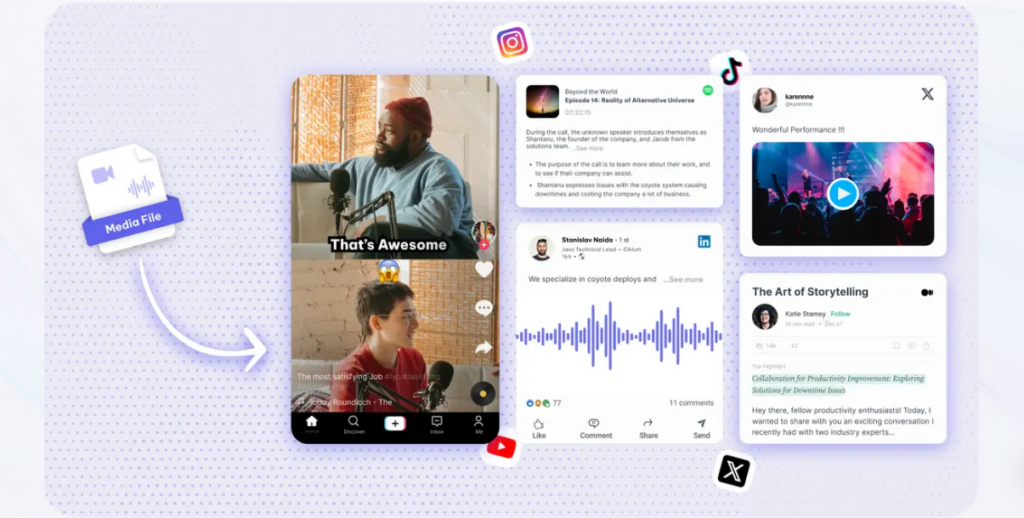
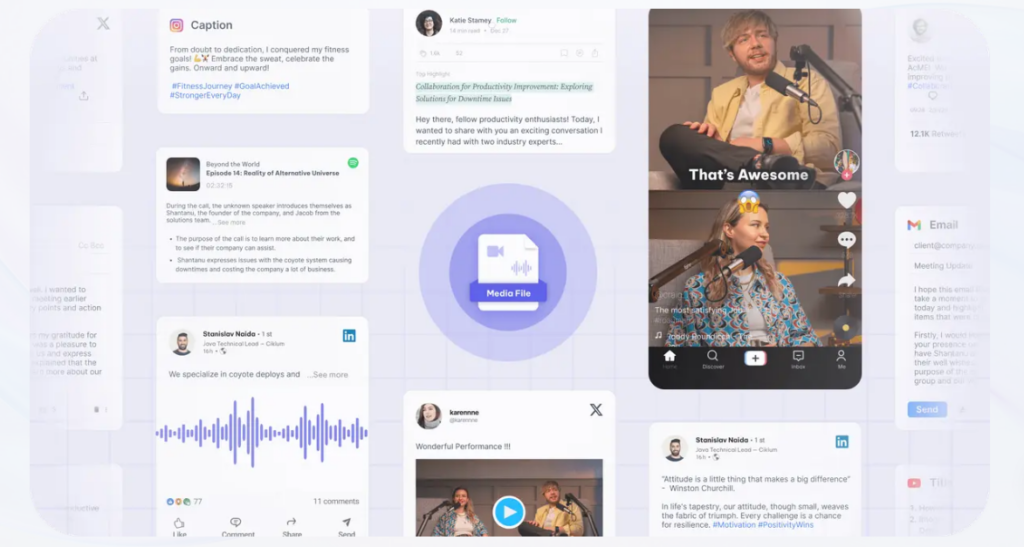
Upload a podcast, webinar, interview, or YouTube video and the platform instantly produces a transcript, isolates your strongest soundbites as short clips, writes a blog post, generates chapter markers, drafts social captions, and suggests hashtags — without you touching a single export setting. The full process from upload to complete content package takes under 10 minutes.

Key Capabilities

The transcription engine delivers over 98% accuracy across 120+ languages, giving non-English creators a reliable multilingual foundation.

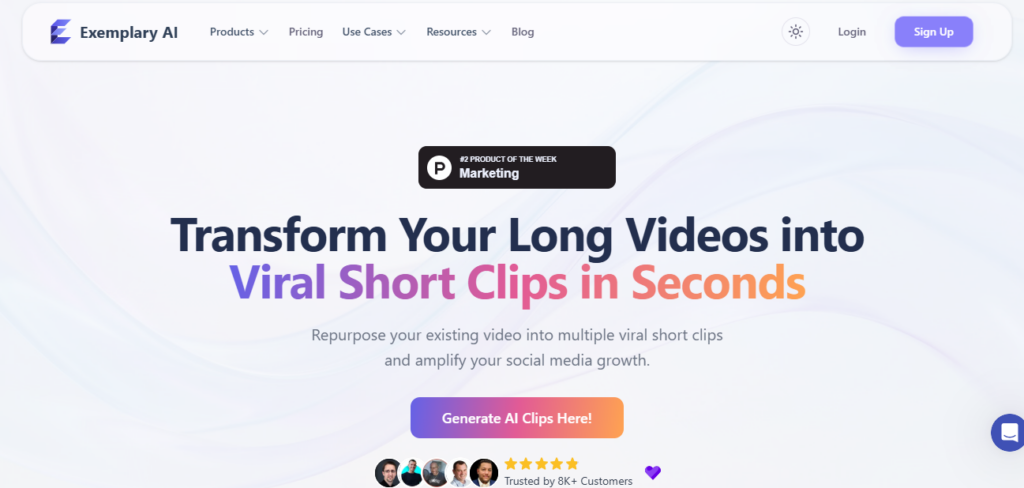
The AI Clips feature reads your transcript and automatically identifies the most engaging hooks, packaging them as 9:16 vertical videos with styled captions — ready for TikTok, Reels, or YouTube Shorts.

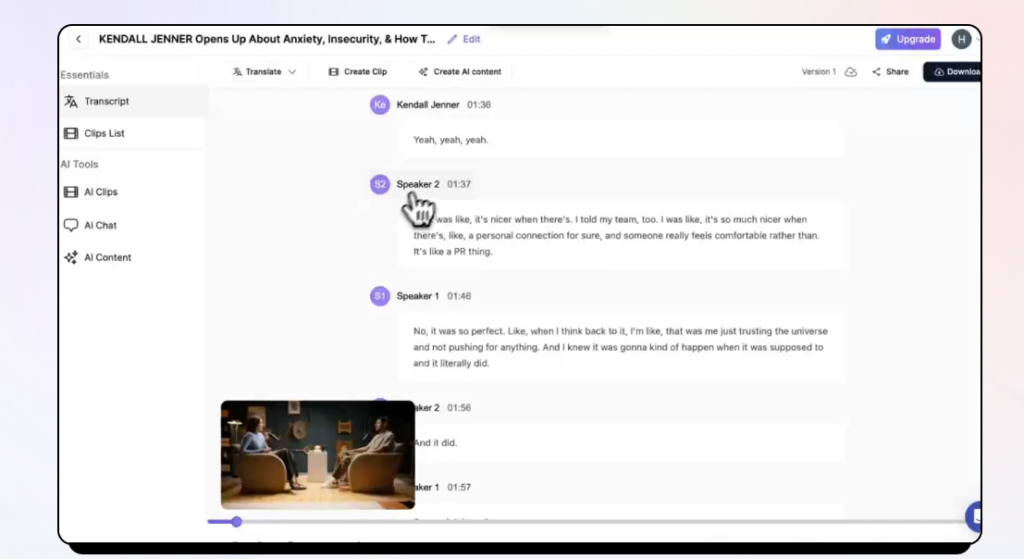
Transcript-based editing removes the timeline entirely: delete a sentence in the transcript and the corresponding footage disappears. The filler word and silence removal tool scans for every “um” and dead pause, lets you review the list, then strips them all out in one click.

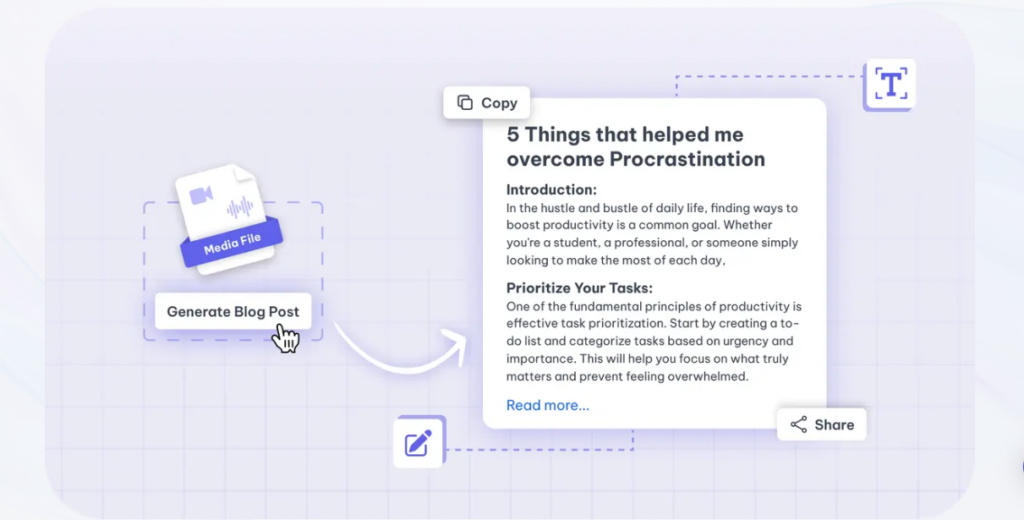
Beyond clips, Exemplary offers 11 distinct AI content generators from one upload: summaries, show notes, blog posts, YouTube descriptions, chapter timestamps, title suggestions, hashtag sets, social media posts, meeting minutes, podcast summaries, and Q&A extraction.

The AI Chat feature lets you query your video directly — ask it for the three main action points or request a LinkedIn post in your brand voice.

Who Gets the Most Out of It

Podcasters who want to grow across platforms without hiring an editor get the most immediate return — one episode upload simultaneously produces clips, audiograms, show notes, and social posts.

YouTube creators cutting long-form content into Shorts find AI Clips reduces a 2-hour editing session to under 15 minutes.

Corporate teams recording meetings use the transcription and meeting minutes generator to share accurate recaps without a manual note-taker. Developers on the Pro plan can connect Exemplary to their existing CMS or social scheduler via API to run fully automated content pipelines.

Is It Worth It?

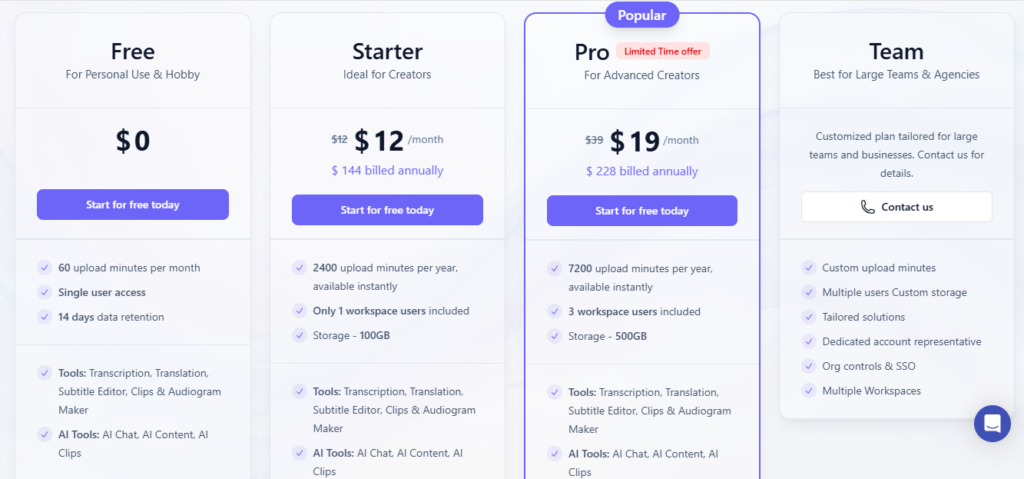
At $12/month for the Starter plan, Exemplary AI delivers strong ROI for any creator publishing at least two long-form pieces per month.

The free tier is genuinely useful — you get real transcription, AI Clips, and AI Chat, held back only by a 60-minute monthly upload cap and a watermark on exports.

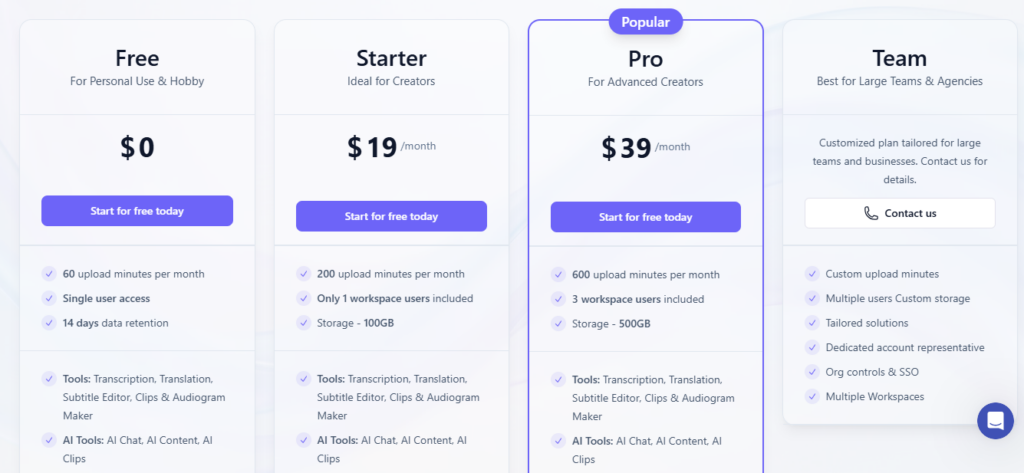
The Pro plan at $19/month (a limited-time offer, normally $39) adds API access, unlimited AI generations, and 500 GB storage, making it excellent value for small content teams.

The 14-day data retention on the free plan and the 10-minute clip export ceiling across all paid tiers are real limits worth knowing before you commit.

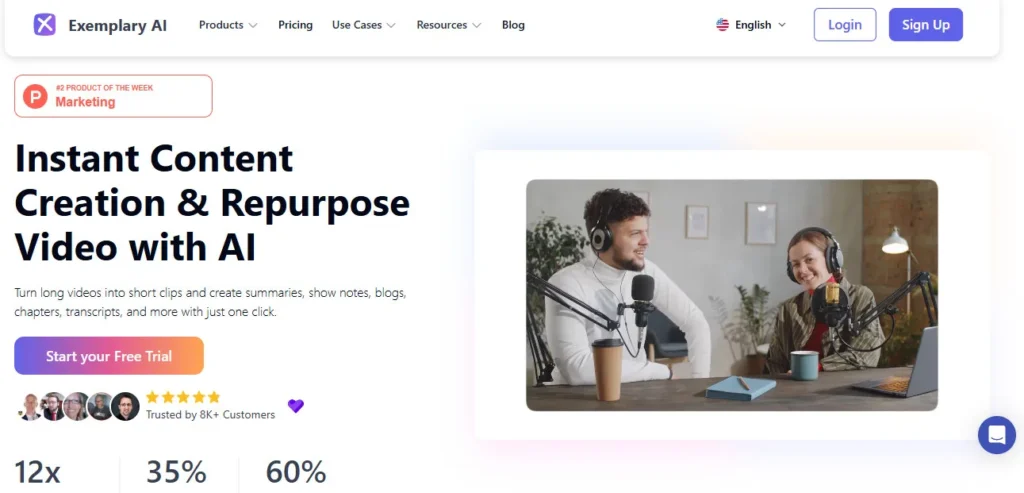
Exemplary AI is a web-based content repurposing platform that transforms long audio and video files into short clips, accurate transcripts, subtitles in 120+ languages, blog posts, show notes, and more using AI.

Founded by Johann Verghese, the tool is designed for podcasters, YouTubers, and content teams who need to maximize output from existing recordings without manual editing. Its core use cases are automated transcription, AI-powered clip generation, and one-click content creation across 11 output formats.

• AI Clips Generator — Scans your transcript to identify the most engaging soundbites and packages them as fully captioned 9:16 vertical clips ready for TikTok, Reels, and YouTube Shorts.

• Transcript-Based Video Editing">Video Editing — Edit your video like a document: delete a sentence from the transcript and the corresponding footage is automatically removed, with no timeline scrubbing required.

• Transcription (98%+ Accuracy) — Transcribes audio and video files with over 98% accuracy; supports direct uploads, YouTube links, Zoom recordings, and Vimeo links as source inputs.

• Subtitles & Translation in 120+ Languages — Generates and downloads subtitles in more than 120 languages across multiple formats (SRT, VTT, TXT), with a built-in subtitle editor for fine-tuning.

• 11 AI Content Generators — From a single upload, produces summaries, show notes, blog posts, YouTube descriptions, chapter timestamps, title suggestions, hashtag sets, social posts, meeting minutes, podcast summaries, and Q&A sets.

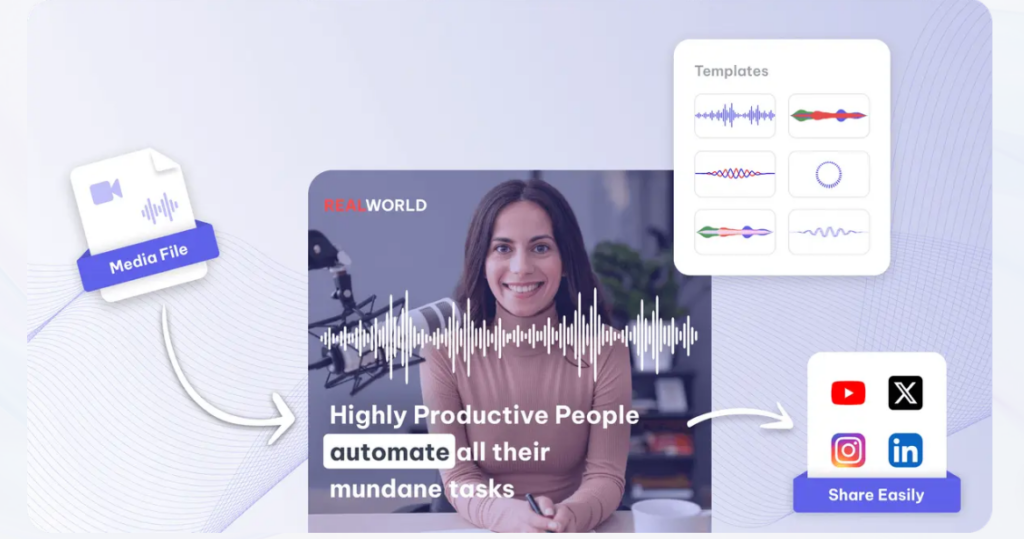
• Audiogram Maker — Converts podcast or audio files into shareable video clips with animated soundwaves, dynamic subtitles, and custom images for social media distribution.

• Automatic B-Roll Addition — Adds contextually relevant B-roll footage to your video automatically using AI, with the option to customize or upload your own B-roll clips.

• Silence & Filler Word Removal — Detects and removes silences, filler words (“um,” “uh,” “like”), and dead pauses in one click, producing clean, professional-sounding output instantly.

Pros
  • Free tier includes real transcription, AI Clips, and AI Chat — not a crippled demo, just an upload-minute cap
  • Transcript-based editing eliminates timeline work entirely, cutting short-form repurposing from hours to under 15 minutes
  • 98%+ transcription accuracy across 120+ languages makes it one of the most reliable multilingual transcription tools available
  • Generates 11 distinct content formats from a single upload — clips, blog posts, show notes, chapters, hashtags, and more
  • Pro plan at $19/month includes API access for automating content pipelines into existing CMS or scheduling tools
  • Audiogram creation turns podcast episodes into visual clips for social media without any external design tool
Cons
  • ×Free plan limits data retention to just 14 days — files are deleted automatically after two weeks, making it unsuitable for archiving
  • ×All paid plans cap exported clip length at 10 minutes, ruling out the platform for long-form video delivery or full-episode downloads
  • ×No mobile app available — Exemplary AI is browser-only, with no dedicated iOS or Android application for on-the-go editing
  • ×Starter plan is limited to 2,400 upload minutes per year (200 hours), which heavy video producers can exhaust within a few months
  • ×Free plan watermarks all exported content, preventing professional use at the free tier
  • ×No real-time collaboration features — team workspaces exist on Pro, but live co-editing of transcripts is not supported

Exemplary AI is best suited for content creators, podcasters, and teams who produce long-form audio or video and want to maximize output without expanding their editing workload.

• Podcasters — They get show notes, clip audiograms, transcript-based episode summaries, and social posts generated automatically from every episode upload.

• YouTubers repurposing long-form content — The AI Clips feature cuts Shorts-ready vertical content from full-length videos in minutes, removing the need for a separate editor.

• Corporate teams recording meetings and webinars — The transcription and meeting minutes generator produces accurate, shareable recaps from Zoom or video file uploads without a manual note-taker.

• Multilingual content creators — Subtitle generation and translation across 120+ languages lets non-English creators reach global audiences from a single original recording.

• Developers and content automation teams — API access on the Pro plan enables Exemplary to be embedded into automated publishing pipelines and CMS integrations.

Free ($0/mo)60 upload minutes per month, 14-day data retention, 20 AI content generations, transcription + translation + subtitle editor + clips & audiogram maker, upload files up to 1 GB / 1 hour in length, watermarked exports.
Starter ($12/mo, billed annually at $144/year)2,400 upload minutes per year, 100 GB storage, 200 AI content generations, 1 workspace user, upload files up to 2 GB / 4 hours, 200 video exports, up to 1080p watermark-free export, $4 per extra upload hour.
Pro ($19/mo limited time — normally $39/mo, billed annually at $228/year)7,200 upload minutes per year, 500 GB storage, unlimited AI content generations, 3 workspace users, upload files up to 4 GB / 8 hours, 500 video exports, API access, transcription regeneration, up to 1080p watermark-free export, $4 per extra upload hour.
Team (Custom)Custom upload minutes, multiple users, custom storage allocation, tailored solutions for large organizations, dedicated account representative, org controls & SSO, multiple workspaces.

Exemplary AI stands out by combining transcription, AI clip generation, and 11 content format outputs into a single upload-and-go workflow that requires no manual editing skills.

• Transcript-as-editor interface — Instead of dragging clips on a timeline, you edit by modifying text in the transcript; cuts, trims, and filler word removals all execute directly from the document view, making Video Editing">video editing accessible to non-editors.

• 11 simultaneous content outputs from one upload — No other tool in this price range produces blog posts, show notes, chapter timestamps, YouTube descriptions, social posts, meeting minutes, hashtag sets, and Q&A extracts all from the same source file in a single session.

• AI Chat querying against your own media — You can ask Exemplary AI direct questions about your video content (“What were the main action items?” or “Summarize this for a LinkedIn audience”) and receive contextually grounded answers, not generic AI responses.

• Audiogram generation built in — Converting a podcast clip into a visual social video with animated soundwaves and subtitles is a native one-click feature — no third-party design tool required.

• 120+ language subtitle generation at no extra cost — All paid plans include multilingual subtitle generation and download, eliminating the need for a separate localization or dubbing tool for global content strategies.

Exemplary AI runs entirely as a web app and connects to several external platforms for importing and distributing content.

• YouTube — Import videos directly by pasting a YouTube URL; Exemplary fetches and transcribes the content without requiring a manual file download.

• Zoom — Integrates with Zoom for instant meeting transcription; upload Zoom recordings directly to generate transcripts, meeting minutes, and summaries.

• Vimeo — Import videos from Vimeo by link for transcription and content repurposing, supporting the same workflow as YouTube imports.

• REST API (Pro plan) — Full API access on the Pro plan allows developers to integrate transcription, clip generation, and AI content outputs into custom CMS, social media schedulers, or internal content pipelines.

• Multiple subtitle export formats — Download subtitles and transcripts in SRT, VTT, TXT, and PDF formats, ensuring compatibility with most video hosting platforms and captioning workflows.

CategoryScoreWhy It Matters
Accuracy & Reliability4.3/5The transcription engine delivers over 98% reported accuracy across 120+ languages, which is among the highest benchmarks in this price tier. AI-generated content outputs like blog posts and show notes are contextually relevant and require minimal editing. Occasional mismatches in clip selection occur on abstract or fast-paced audio.
Ease of Use4.5/5The transcript-based editing interface eliminates the need for any timeline skills — new users consistently report generating their first clips within 10 minutes of signing up. The upload-to-content workflow is linear and clearly guided. The only friction is navigating between the 11 content generators for first-time users unfamiliar with the output options.
Functionality & Features4.4/5Exemplary covers the full repurposing pipeline: 98%+ transcription, 11 content generators, AI Clips, audiograms, subtitle downloads in 120+ languages, B-roll addition, filler word removal, and API access. This breadth is hard to match at the $12–$19/month price point. The 10-minute clip export cap and absence of screen recording are the primary functional gaps.
Performance & Speed4.3/5Transcription and content generation for a 60-minute recording typically completes in under 5 minutes. AI Clips and audiogram rendering are fast, with batch outputs ready before most competing tools finish a single transcript. No significant server downtime or generation failures were flagged in user reviews across 2024–2025.
Customization & Flexibility3.8/5Caption style templates, branded video templates, and custom AI prompt saving are all available on paid plans. However, the overall visual template range for clips and audiograms is limited — advanced branding customization (fonts, colors, animated intros) is more constrained than dedicated social video tools like Canva or CapCut. Custom prompts in AI Chat add meaningful flexibility for power users.
Data Privacy & Security3.6/5Exemplary AI uses standard web app security practices, and OAuth-based integrations are applied for Zoom and social media connections. No publicly available SOC 2 or ISO 27001 certifications were found on the official site. The 14-day free plan data retention window suggests server-side file management, but explicit data retention policies for paid plans are not prominently disclosed.
Support & Resources3.8/5The official YouTube channel (UCg9oz-PtVU1q1Qj-jbhpJQQ) maintains an active how-to video library covering B-roll, transcription, clips, and audiograms. The blog contains in-depth feature guides. Email support is available at [email protected]. Team plan customers receive a dedicated account representative; all other plans share standard support queues with no documented SLA.
Cost-Efficiency4.5/5The free tier offers real transcription, AI Clips, and AI Chat — not a trial — making it one of the most honest free tiers in the content repurposing category. The Starter plan at $12/month is priced below virtually every direct competitor offering comparable multilingual transcription. The Pro plan at $19/month (limited-time) with unlimited AI generations and API access is exceptional value for small content teams.
Overall Score4.2/5Exemplary AI is one of the most complete and cost-efficient video repurposing platforms available in 2026, especially for creators producing podcasts, webinars, or long-form YouTube content. The 14-day free plan retention limit and 10-minute clip export cap prevent a higher score, but at $12–$19/month, the depth of features and transcription accuracy make it a strong default choice for solo creators and small teams.

Exemplary AI delivers genuine, measurable value for podcasters and video creators who need to turn one long-form recording into a full week of content — transcription accuracy is best-in-class, the 11-output content generator is unmatched at this price point, and the free tier is one of the most honest in the space.

The 14-day data retention on the free plan and the 10-minute clip export ceiling are real friction points for power users, but at $12/month for the Starter plan, Exemplary is one of the strongest ROI decisions a solo content creator can make in 2026.

Q1.Is Exemplary AI free to use?
Ans:-Yes, Exemplary AI has a permanent free tier that gives you 60 upload minutes per month, real transcription, AI Clips, and AI Chat. Exports on the free plan include a watermark, and data is deleted after 14 days. To remove the watermark and access more upload time, the Starter plan starts at $12/month billed annually.
Q2.How accurate is Exemplary AI transcription?
Ans:-Exemplary AI reports over 98% transcription accuracy across its supported languages. The platform uses advanced speech recognition that handles accents and overlapping speech better than most consumer-grade transcription tools. Accuracy may vary slightly with very low-quality audio recordings or heavy background noise.
Q3.How many languages does Exemplary AI support?
Ans:-Exemplary AI supports transcription, translation, and subtitle generation in more than 120 languages, including Spanish, French, German, Arabic, Hindi, Japanese, Korean, Portuguese, and Mandarin. Subtitles can be exported in SRT, VTT, TXT, and PDF formats for use on any video platform.
Q4.What types of content can Exemplary AI generate from one upload?
Ans:-From a single audio or video upload, Exemplary AI can generate up to 11 content formats: summaries, show notes, blog posts, YouTube descriptions, chapter timestamps, video title suggestions, hashtag sets, social media posts, meeting minutes, podcast summaries, and Q&A extractions. You can also use AI Chat to generate custom content with your own prompts.
Q5.Can I use Exemplary AI for podcast repurposing?
Ans:-Yes — Exemplary AI is one of the strongest tools available for podcast repurposing. One episode upload generates short clips, audiograms with animated soundwaves, show notes, transcript, subtitles, social posts, and a blog post in a single session. The audiogram maker is built in and requires no external design software.
Q6.Does Exemplary AI offer API access?
Ans:-Yes, API access is available on the Pro plan ($19/month in the current limited-time offer, normally $39/month). The API allows developers to integrate Exemplary's transcription, clip generation, and content generation features into custom workflows, CMS platforms, or automated social media publishing pipelines.
Q7.What is the maximum clip export length on Exemplary AI?
Ans:-All paid plans on Exemplary AI cap exported clips and audiograms at 10 minutes in length. This is sufficient for short-form social media content on TikTok, Instagram Reels, and YouTube Shorts, but it makes the platform unsuitable if you need to deliver full-length video exports from the platform.
Q8.Is Exemplary AI good for transcribing Zoom meetings?
Ans:-Yes — Exemplary AI integrates with Zoom for direct meeting transcription. You can upload a Zoom recording and generate an accurate transcript, meeting minutes, and a shareable summary within minutes. The speaker name editor allows you to label each participant for clearer meeting records.
Q9.How does Exemplary AI compare to Descript?
Ans:-Both tools offer transcript-based video editing and transcription, but they differ in focus. Exemplary AI emphasizes content repurposing at scale — 11 AI content generators, audiograms, and multilingual subtitles from one upload. Descript leans harder into full audio and video production with features like screen recording, overdub voice cloning, and multi-track editing. Exemplary is the better choice for social media repurposing; Descript suits full podcast or video production workflows.
Q10.What file formats does Exemplary AI accept for upload?
Ans:-Exemplary AI accepts standard audio and video file formats for upload, including MP4, MOV, MP3, WAV, and M4A. You can also import content by pasting a YouTube URL, a Vimeo link, or a Zoom recording link, eliminating the need to download files from external platforms before processing.

Promote This Tool

Help others discover this tool by sharing this page.

✓ Link copied to clipboard!

Exemplary AI Reviews

0.0
Based on 0 reviews
5 star
0%
4 star
0%
3 star
0%
2 star
0%
1 star
0%

Write a Review

Your Rating:

No reviews yet. Be the first to share your thoughts!

10 Similar Exemplary AI Tools