
NEW

Freemium $10/mo
176
Unleash creativity: AI video & image generation made easy.
Generate cinematic videos, images, and audio with Luma's AI Agents — using Ray3.14, Veo 3, Kling 2.6, and more in one platform.
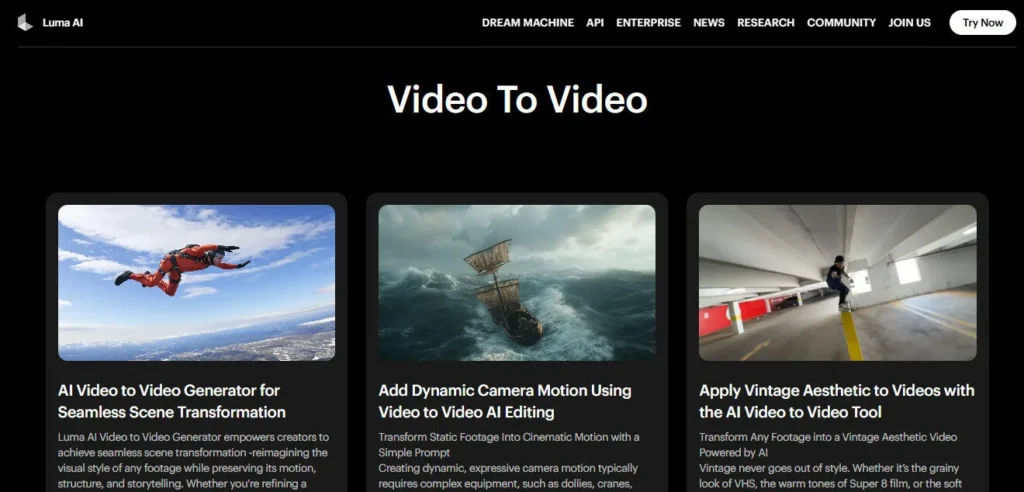
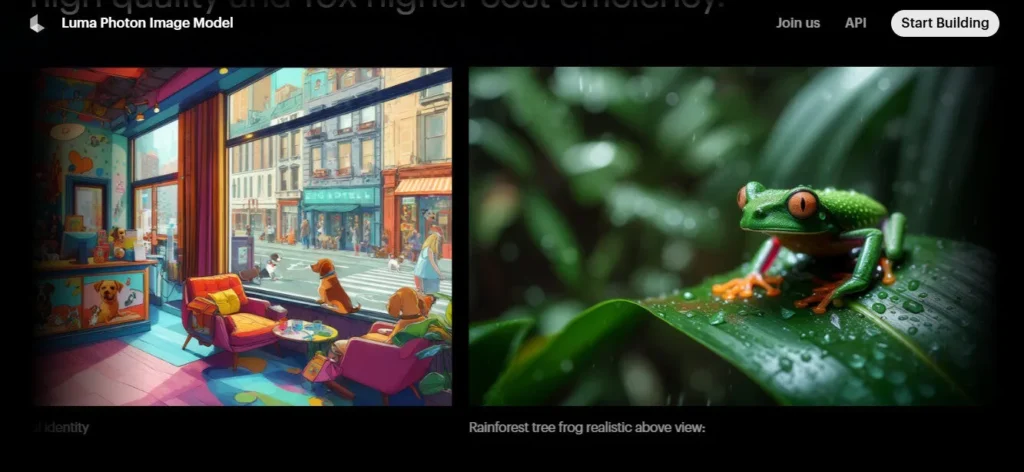
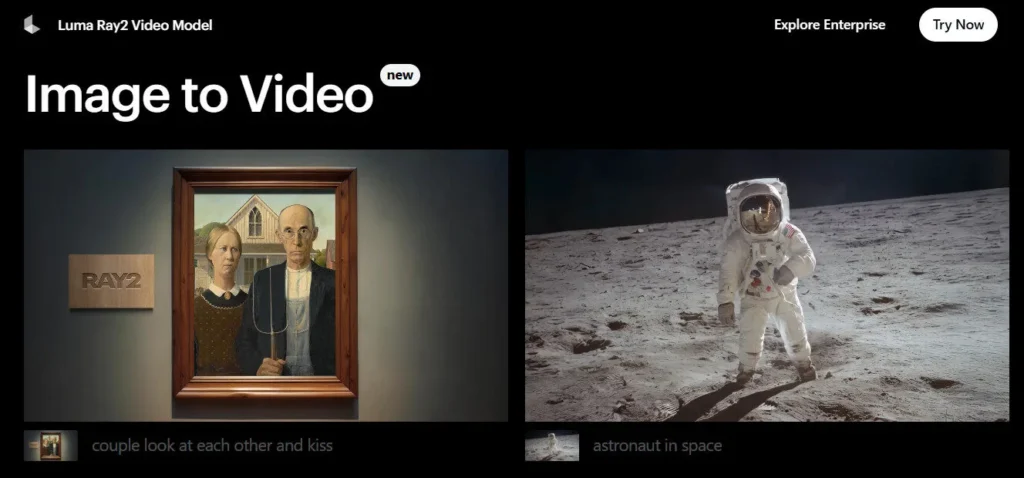
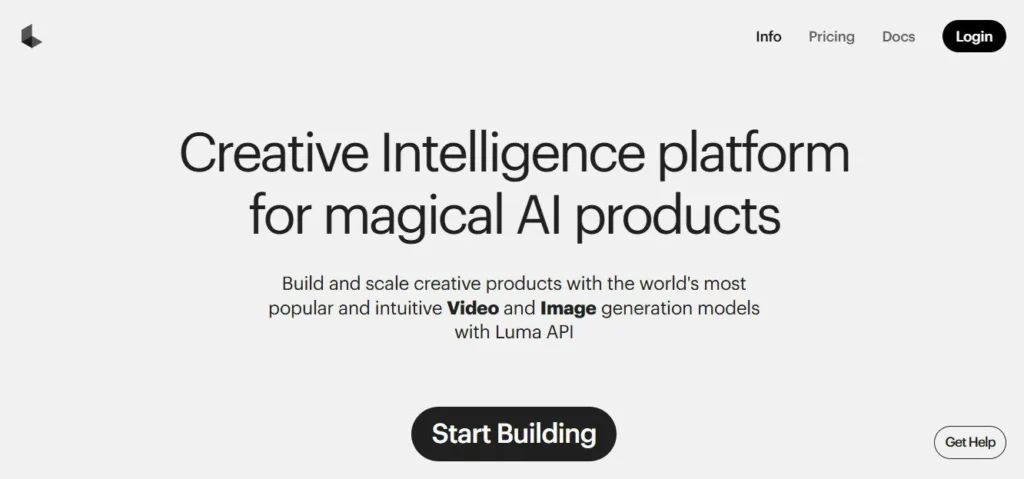
Luma AI has evolved beyond a single video generator into a full AI creative agent platform. Open Dream Machine today and you can generate video using Luma's own Ray3.14 HDR model, Google's Veo 3 or Veo 3.1, or Kling 2.6 — all from one dashboard with a single credit system.
This multi-model approach means you're not locked into one engine's strengths or weaknesses. Pick the model that fits your shot, generate, and keep moving.
Ray3.14 is Luma's flagship model and the world's first reasoning video model — it evaluates its own generation before delivering results, producing reliably complex scenes in fewer attempts.
Ray3.14 outputs native HDR video (up to 1080p) at 10, 12, and 16-bit dynamic range with EXR export for professional color grading pipelines. On the image side, Luma hosts Uni-1, Seedream, Nano Banana Pro, and GPT Image 1.5 — covering everything from concept sketches at 1 credit to high-fidelity 4K renders at 53 credits per image.
Audio generation is powered by ElevenLabs v3 for text-to-speech, ElevenLabs SFX v2 for sound effects, and ElevenLabs Music v1 for music, all billed per minute or per character. Utility tools — background removal, image blending, image and video reframe — round out the platform so you rarely need to leave the tab.
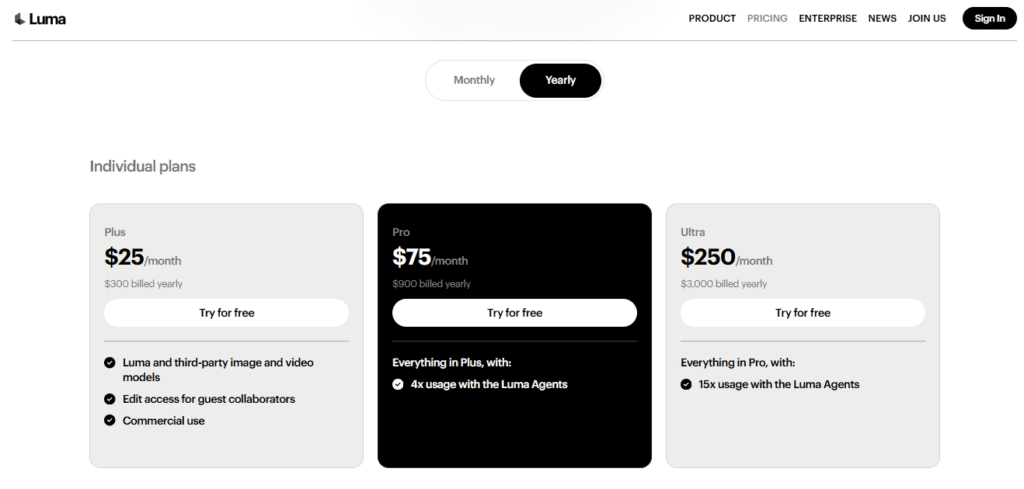
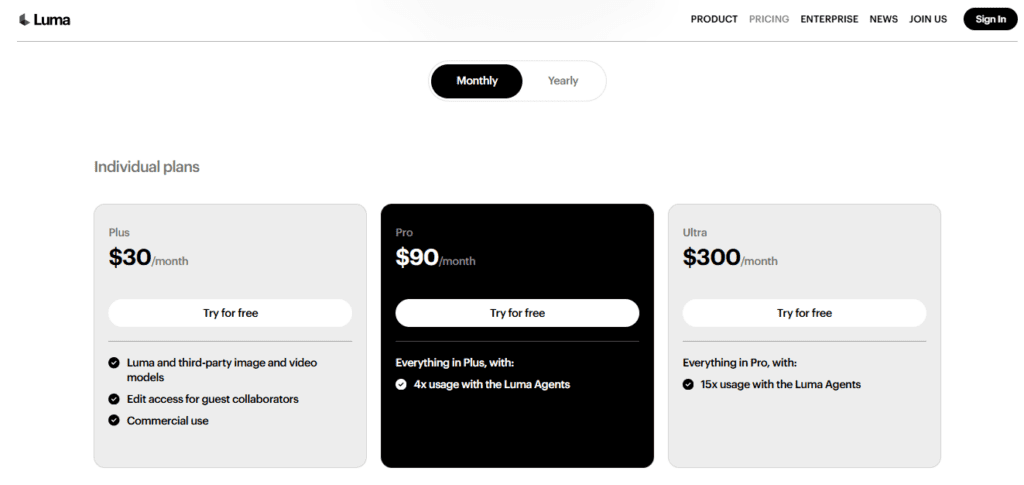
The Luma Agents system multiplies your usage capacity: Pro users get 4x agent usage, Ultra users get 15x, enabling automated multi-step creative workflows at scale.
The Plus plan at $30/month ($25/month billed annually) suits solo creators, freelance motion designers, and YouTubers who need commercial-use video and image generation across multiple models without building a multi-tool stack.
The Pro plan at $90/month targets creative agencies and studios that need 4x agent capacity for client production workflows.
Ultra at $300/month is built for high-volume studios or power users who need 15x Luma Agents usage — essentially unlimited creative throughput for large-scale projects.
At $25/month billed annually, the Plus plan gives you access to Ray3.14 HDR, Veo 3, Kling 2.6, and every image and audio model in the platform — commercial use included. That is genuinely exceptional value compared to subscribing to each model separately.
The credit-based system means you pay for what you use rather than a fixed output quota, though heavy users of Veo 3 (140 credits per second at 720p) or Ray3.14 HDR (80 credits per second at 720p) will burn through credits faster than expected.
All plans include free trial credits, so you can test every model before committing to a tier.
Luma AI is a multimodal AI creative agent platform co-founded by Amit Jain that lets users generate videos, images, and audio using both Luma's proprietary models (Ray3.14, Uni-1) and hosted third-party models (Veo 3, Veo 3.1, Kling 2.6, ElevenLabs, GPT Image 1.5) — all within one credit-based dashboard.
Its flagship video model, Ray3.14, is the world's first reasoning video model and the first to deliver native HDR video output at up to 1080p with EXR export for professional post-production. The platform is backed by $900M+ from a16z, NVIDIA, Amazon, and AMD Ventures and is used by individual creators and enterprise studios alike.
• Ray3.14 Reasoning Video Model — The world's first video model that reasons about your prompt and evaluates its own output before delivery — producing more complex, reliable generations in fewer attempts than standard diffusion models.
• Native HDR Video Output — Generates video in 10, 12, and 16-bit HDR (up to 1080p) with EXR export, compatible with professional color grading in DaVinci Resolve, Nuke, and similar tools — unique at this price point.
• Multi-Model Platform — Access Luma's Ray3.14, Google's Veo 3 and Veo 3.1, and Kling 2.6 for video; Uni-1, Seedream, Nano Banana Pro, and GPT Image 1.5 for images — all from one dashboard with one credit balance.
• Luma Agents — Automated multi-step creative AI agents that multiply your generation capacity: 4x on Pro and 15x on Ultra, enabling high-volume creative workflows without manual intervention.
• Draft Mode — Generate video previews at 4 credits/second versus 20 credits/second for standard 720p — a 5x cost reduction for rapid iteration before committing to a full-quality pass.
• ElevenLabs Audio Integration — Generate text-to-speech (21 credits/1,000 characters), sound effects (25 credits/min), and music (98 credits/min) via ElevenLabs v3, SFX v2, and Music v1 — all inside Dream Machine.
• Annotation-Based Directing — Draw or scribble directly on reference images to control camera movement, character blocking, and subject motion without writing complex text prompts.
• Keyframe & Reframe Tools — Lock a specific start or end frame for precise clip continuity; reframe video to any aspect ratio at 32 credits/second directly inside the platform.
Luma AI suits creators and studios who need cinematic-quality AI-generated video, image, and audio output with commercial rights on a unified multi-model platform.
• Solo Creators & YouTubers — The Plus plan ($30/month or $25/month annually) gives individuals commercial access to Ray3.14, Veo 3, Kling 2.6, and image models — more model variety than any single competing subscription at this price.
• Freelance Motion Designers & VFX Artists — Use Ray3.14 HDR with EXR export to integrate AI-generated footage directly into DaVinci Resolve or Nuke color pipelines without format conversion.
• Creative Agencies & Studios — The Pro plan ($90/month) with 4x Luma Agents usage enables automated multi-step workflows for client campaign production at scale.
• Developers & SaaS Builders — Access all video, image, and audio generation models programmatically via the Dream Machine API to build AI creative features into third-party products.
• High-Volume Studios & Power Users — The Ultra plan ($300/month or $250/month annually) with 15x Luma Agents usage handles large-scale production pipelines that would exhaust lower tiers within days.
Luma AI stands apart by combining a proprietary reasoning video model with a curated multi-model hub and a unified agent-based creative workflow — no other platform at this price delivers all three.
• World's First Reasoning Video Model (Ray3.14) — Ray3.14 reasons about your prompt in visual tokens and evaluates its own output before delivery, producing reliable complex scenes in fewer attempts than any standard diffusion model competitor.
• Unified Multi-Model Hub — Ray3.14, Veo 3, Veo 3.1, and Kling 2.6 for video; Uni-1, Seedream, Nano Banana Pro, and GPT Image 1.5 for images; ElevenLabs v3, SFX, and Music for audio — all under one subscription and one credit balance, eliminating tool-switching.
• Native HDR Video with EXR Export — No other consumer-priced AI video platform generates true 10, 12, and 16-bit HDR video with EXR export, making Luma the only option for creators who need footage compatible with professional post-production color pipelines.
• Luma Agents Usage Multiplier — The Agents system doesn't just automate tasks — it multiplies your effective platform capacity by 4x (Pro) or 15x (Ultra), enabling studios to run parallel creative workflows that would require multiple team members on other platforms.
Luma AI runs as a web app and iOS mobile app, with a developer API for programmatic access to all generation models.
• Web Browser (All Major Browsers) — Dream Machine runs fully in-browser on Chrome, Safari, Firefox, and Edge with no local software installation; all model inference is handled in Luma's cloud infrastructure.
• iOS App (iPhone & iPad) — The native iOS app supports core video and image generation features across Luma's model suite; available on the App Store for Plus, Pro, and Ultra subscribers.
• Dream Machine API — Developers access all video, image, and audio generation models programmatically via REST API; API credits are purchased separately from web/iOS subscription credits at lumalabs.ai.
• DaVinci Resolve & Professional NLEs — EXR export from Ray3.14 HDR generations integrates directly into DaVinci Resolve, Nuke, and other professional compositing tools for full HDR color grading workflows.
• Adobe Premiere Pro & After Effects — Generated MP4 and EXR files import directly into Adobe's creative suite for editing, compositing, and motion graphics finishing work.
Unleash creativity: AI video & image generation made easy.
Create pro-quality videos with AI avatars and text in minutes.
Effortlessly create stunning AI videos with realistic avatars & voices.
Luma AI is the strongest all-in-one AI creative platform in 2026 — combining its own reasoning-based Ray3.14 HDR model with hosted access to Veo 3, Kling 2.6, and a full audio suite under one affordable subscription.
At $25/month billed annually with commercial rights and free trial credits on every plan, it offers more model variety per dollar than any competing platform. The primary caution is credit burn rate — Veo 3 and HDR generation are credit-intensive, so high-volume users should budget carefully or move to the Pro or Ultra tiers.
Check complete Luma AI features
Best Luma AI alternatives in 2026
Compare Luma AI vs competitors
Best AI tools in 3D Generators
Top 3D Generators AI tools ranked
Watch Luma AI Step-by-Step Tutorial
Discover 331 AI tools list
Add your AI tool here for free
Unlock exclusive deals & discounts
Did you find this content helpful?
Help others discover this tool by sharing this page.
No reviews yet. Be the first to share your thoughts!
Generate stunning AI images and videos of yourself with one text prompt — train a private AI model on your face once, create forever.
Turn text, scripts, and blog posts into viral-ready videos in minutes — no editing skills needed.
Translate, dub, and lip-sync your videos into 110+ languages with studio-quality AI.
Turn a text prompt into a fully automated faceless video for TikTok or YouTube — no camera, no editing, no face required.
Turn any text prompt into a viral-ready AI short for YouTube, TikTok, Instagram, or Snapchat — in under a minute, fully automated.
Turn any text, blog post, or news article into a published Instagram Reel, TikTok, or YouTube Short — automatically, in your own cloned voice.
Turn a single text prompt into a fully produced faceless YouTube Short — complete with AI script, images, voiceover, and animated subtitles — in under a minute.
All-in-one AI voiceover, transcription, voice cloning, YouTube dubbing, and talking avatar platform — 1,000+ voices in 75+ languages from $12/month with a free trial.
Automate faceless videos: create, schedule, post, scale.
AI agents that create winning video ads, UGC content, and faceless videos — from product link to published post, fully automated.
AI video creator: ideas to viral shorts in minutes.
Generate images and videos, edit, upscale, and animate — powered by 29+ leading AI models including Google Veo 3.1, Sora 2, FLUX.2, and GPT Image. All in one platform.
Access 20+ leading AI models for chat, writing, image, audio, and video — all inside one affordable app.
Unleash creativity: AI video & image generation made easy.
Create pro-quality videos with AI avatars and text in minutes.
Generate scroll-stopping short-form AI videos using Sora 2, Veo 3.1, Grok Imagine, Kling 3, and Seedance 2.0 — all in one token-based platform built for faceless content creators.
Effortlessly create stunning AI videos with realistic avatars & voices.
One subscription for AI image generation, video creation, voice cloning, and automated creative workflows.
Turn any text into a ready-to-upload faceless short-form video in minutes — built for creators who want to grow and monetize social media without showing their face.
Go from idea to studio-quality video in minutes — AI handles scripting, media sourcing, voiceover, and editing in repeatable workflows built for teams.
Every top AI video and image model — Kling AI, Veo3, Runway, Midjourney, and 26+ more — in one seamless creative platform with AI agents, auto-posting, and 150+ video effects.
Turn text, URLs, Reddit posts, and ideas into viral TikToks, Shorts, and Reels in minutes — with 100+ AI video tools in one platform.
Go from idea, script, URL, PDF, or recording to a professional business video in minutes — powered by the engineer who built Zoom.
Paste any URL, article, or brief — Fliz's AI Agent writes the script, generates images, adds voice, and delivers a publish-ready video in one click.
Go from idea to exported TikTok, YouTube Short, or Instagram Reel in under three minutes — no editing skills needed.
Access 50+ top AI models for images, videos, and audio in one place — no subscriptions, no monthly fees.
Create realistic AI avatar videos from text, links, or docs — no camera, no studio needed.
Enter a keyword and watch AI craft a complete professional video — script, slides, images, transitions, voiceovers, music, and more — in 60 seconds flat, with a one-time payment and no monthly fees.
Generate studio-quality AI UGC ads, avatar videos, and voice-overs at scale — with 200+ stock avatars, custom digital twins, Google VEO3 & Sora2 personas, 1000+ voices in 175+ languages, and unlimited video on Business.
Turn any script or text prompt into a professional animated AI movie in under 2 minutes — with 50+ video styles, character creation, camera controls, and commercial rights included.
Create professional AI avatar training videos in 75+ languages — no camera, no studio, no production team required.
Find viral topics, generate scripts, create faceless AI videos with character consistency, and schedule to social media — all in one AI-powered workflow.
Create hyper-realistic AI avatar videos, translate into 175+ languages, and scale your content — no camera, no crew, no editing skills needed.
Create professional AI avatar videos, dub into 150+ languages, and deploy real-time conversational AI avatars — all in one platform by DeepBrain AI.
Turn scripts, blog posts, URLs, PPTs, and images into polished, publish-ready videos in minutes — no camera, no editing skills needed.
Create studio-quality AI avatar videos in 160+ languages — no camera, no crew, no editing skills required.
Turn any text prompt into a full cinematic video — with Sora 2, Veo 3.1, Kling 3.0, ElevenLabs, and 200+ AI models in one platform.