Home Categories Deals Sign Up

Vozo AI

4.4 (1 User Ratings)
Verified Featured Tool

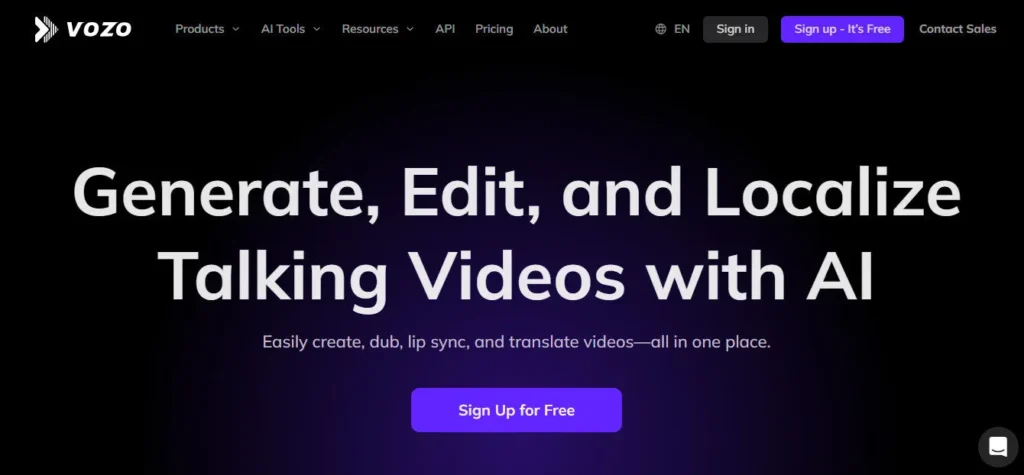
Translate, dub, and lip-sync your videos into 110+ languages with studio-quality AI.

Freemium — Paid plans starting at $29/mo
Updated: April 25, 2026

Vozo AI is an AI-powered Video Translation">video translation, dubbing, and editing platform developed to help content creators, marketers, educators, and agencies produce multilingual video content at scale. Founded and available at vozo.ai, Vozo's core mission is to make global video localization accessible and affordable.

Its standout offerings include AI video translation into 110+ languages with voice cloning (VoiceREAL), AI lip synchronization (LipREAL), a shorts generator that repurposes long videos into viral clips, a talking photo feature, and a mobile video/voice editor.

Vozo supports 98.9% translation accuracy and goes beyond subtitles to translate every layer of a video — audio, lip movements, on-screen text, and captions — creating an authentic, native-feeling multilingual experience.

• AI Video Translator — Translates and dubs videos into 110+ languages with accurate, synced subtitles and natural-sounding voices using VoiceREAL technology.
• LipREAL Lip Sync — Synchronizes lip movements to dubbed audio with exceptional realism across multiple speakers and languages.
• Voice Cloning — Clones the original speaker's voice to maintain authenticity in every translated version of the video.
• Shorts Generator — Analyzes long videos and automatically generates viral short clips optimized for TikTok, YouTube Shorts, and Instagram Reels with an AI virality score.
• Talking Photo — Animates any portrait image into a lifelike talking video with natural expressions, gestures, and lip sync.
• Script Rewriting & Redubbing — Allows users to edit video scripts via text and regenerate dubbed audio without re-recording.
• AI Animated Captions — Automatically generates styled, animated subtitles with 200+ caption style options and 98.9% accuracy.
• Audio Translator — Translates audio files into multiple languages and accents while preserving the speaker's original voice.
• Mobile Video & Voice Editor — Full-featured iOS and Android apps with AI trim, AI zoom, filler word removal, auto-captions, and teleprompter support.
Pros
  • Highly realistic lip-sync technology (LipREAL) that rivals studio-quality dubbing
  • Supports 110+ languages with accent selection for more authentic localization
  • Voice cloning preserves original speaker tone and emotion across translations
  • All-in-one platform covering translation, dubbing, shorts creation, and talking photos
  • User-friendly interface suitable for beginners with no video editing background
  • Fast processing with real-time previews for instant feedback
  • Accurate auto-captions (98.9%) in 200+ styles for accessibility and engagement
  • Available on web, iOS, and Android for flexible cross-platform use
Cons
  • × Free plan is very limited — only 3 projects and 20 AI points with a watermark on exports
  • × Lip sync generation can be slow for longer videos
  • × Occasional glitches reported, particularly in the mobile app UX
  • × Higher-tier plans required to unlock advanced features like extended video minutes
  • × Points-based system can be confusing for new users estimating usage
  • × No offline processing — internet connection required for all AI tasks
Free Plan ($0/mo) 20 AI points for trial use, approximately 6 dubbing minutes, 2 lip sync minutes, 2 visual translate minutes, limited to 3 projects, 1 seat, max 1 concurrent task, exports include watermark.
Creator Plan ($29/mo) Unlimited AI Translation, 1,500 AI points per month, approximately 500 AI dubbing minutes, 150 lip sync minutes, 150 visual translate minutes, no watermark, suitable for independent creators.
Studio Plan ($99/mo) 200+ video minutes per month, higher AI point allocation, approximately 400 visual translate minutes, advanced features, suitable for professional use and high-volume creators.
Enterprise Plan (Custom) Custom pricing for large organizations with special requirements, volume licensing, dedicated support, and advanced API access.

Promote This Tool

Help others discover this tool by sharing this page.

✓ Link copied to clipboard!

Vozo AI Reviews

0.0
Based on 0 reviews
5 star
0%
4 star
0%
3 star
0%
2 star
0%
1 star
0%

Write a Review

Your Rating:

No reviews yet. Be the first to share your thoughts!

14 Similar Vozo AI Tools